
TL;DR
- EA FC 26 Web App launched September 17 with full Ultimate Team management capabilities
- Access requires active FC 26 account or FC 25 account used before August 2025
- Complete SBCs, manage transfers, and build squads from any device with internet access
- Transfer Market unlocks after purchasing game and playing three Ultimate Team matches
- Use companion app for mobile access with identical features to web version
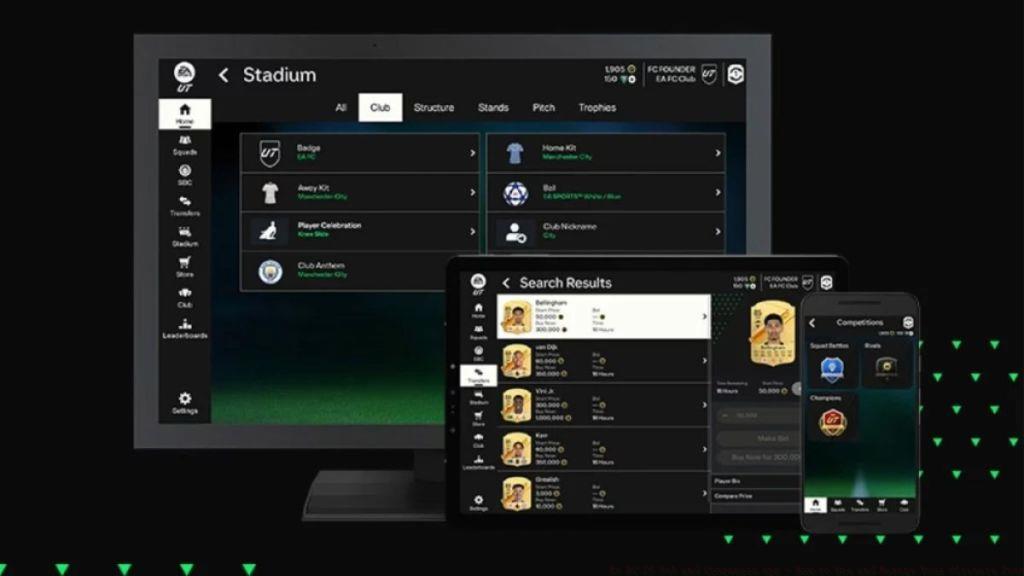
The EA FC 26 Web App became available to players worldwide starting September 17 at 7 PM BST, which translates to 11 AM Pacific Time and 2 PM Eastern Time. This launch timing follows EA Sports’ established pattern of releasing web tools approximately one week before the full game launch, giving dedicated managers crucial preparation time.
To gain entry to the application, you must possess either an active EA FC 26 account or maintained an FC 25 account that had logged into the game prior to August 1, 2025. This account continuity system ensures that returning players can seamlessly transition between game versions without losing their progression or access to digital features.
The FC 26 Web App provides comprehensive team management capabilities, allowing you to complete Squad Building Challenges (SBCs), open earned packs, and handle numerous other Ultimate Team operations remotely.
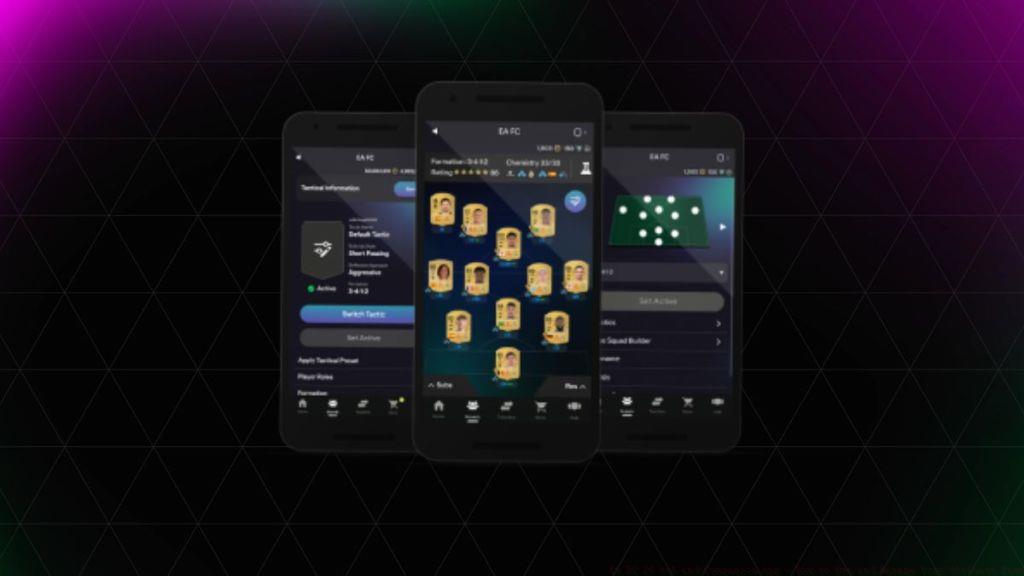
The EA FC 26 Web App alongside its mobile companion application delivers complete Ultimate Team accessibility from virtually any location with internet connectivity. Through these platforms, you can comprehensively manage your accounts and squads even without owning the actual game software. The Web App significantly streamlines SBC completion processes, transforming them into background activities rather than requiring your undivided attention on in-game navigation interfaces.
Many players underestimate the setup requirements for full functionality. A common mistake involves attempting Transfer Market access without meeting the gameplay prerequisites. You must purchase the full EA FC 26 game and complete at least three Ultimate Team matches within a single calendar day to unlock market trading capabilities on the web platform.
For optimal experience, I recommend installing both the web app bookmark and mobile companion app. The mobile version offers identical features with the advantage of push notifications for expiring SBCs and auction outcomes, typically saving 15-20 minutes daily compared to web-only usage.
The FC 26 Web App serves as your centralized hub for all Ultimate Team management needs excluding actual match gameplay. Below you’ll find the extensive capabilities accessible through this platform:
Web and companion applications revolutionize formation adjustments, role assignments, and tactical implementations through exceptional convenience, enabling execution from your sofa, favorite chair, or essentially anywhere. Simply navigate to the Squads section to locate your current lineup, featuring comprehensive Tactics menu availability and Squad Builder functionality.
Among the most valuable aspects of the EA FC 26 Web App is the Transfer Market integration. Utilizing this feature enables player acquisitions and sales without launching the game software. However, remember the unlocking requirement: game purchase plus three Ultimate Team matches completed in one day.
This represents my personal highlight within the Web and Companion Apps ecosystem. Both platforms include specialized SBC sections displaying every active challenge alongside their specific criteria. Fulfilling requirements through the application proves remarkably straightforward, plus you can collect earned rewards before incorporating them into your club or transferring to your sales list.
For Electronic Arts, FC 26 revolves around pack sales, consequently the in-game Store remains accessible through the applications. Similar to the main game, you’ll discover a dedicated Store area within the app for purchasing packs or opening inventory items. Beyond pack openings, FC Points acquisitions using real currency are possible. I consistently discourage this practice because realistically, that elite Icon player remains statistically improbable.
Finally, the Club segment persists within the application interface. Here, you can browse through every player in your collection, including SBC storage contents. The same applies to managers and consumable items. The Web App additionally facilitates Quick Sell Recovery for player items disposed of within the preceding seven days. From the Club area, you can proceed to the Stadium section to modify your team’s uniforms and home venue configuration.
Mastering the EA FC 26 Web App requires understanding several advanced techniques that separate casual users from elite team builders. The Transfer Market exhibits predictable price fluctuations throughout each day, with the most favorable buying opportunities typically occurring between 1-3 AM and 7-9 PM local server time when casual players list items without proper market research.
SBC completion efficiency can be dramatically improved by utilizing the web app during natural downtime. Instead of dedicating gaming sessions specifically to challenges, integrate them into your daily routine – complete them during commute times, work breaks, or while watching matches. This approach can save 5-7 hours weekly compared to exclusive in-game SBC management.
Advanced squad building benefits tremendously from the web app’s comparative analysis tools. When constructing your ultimate team composition, leverage the squad builder to test multiple configurations without committing resources. This prevents costly mistakes in chemistry planning and role assignments that often waste valuable coins and player items.
Club organization represents another area where strategic web app usage pays dividends. Regularly review your collection using the search and filter functions to identify duplicate items, expiring contracts, and potential SBC solutions. I recommend performing this inventory audit every 48-72 hours to maintain optimal club efficiency and capitalize on market opportunities as they emerge.
For those looking to expand their player arsenal capabilities, the web app provides superior market scanning tools compared to the in-game interface. The search functionality allows precise parameter setting to locate specific player versions, chemistry styles, and consumables at target price points.
Action Checklist
- Verify account eligibility (FC 26 active or FC 25 used before August 2025)
- Bookmark web app and install mobile companion app
- Unlock Transfer Market by playing 3 Ultimate Team matches
- Configure push notifications for auctions and expiring SBCs
- Establish daily market scanning routine during peak hours
- Implement 48-hour club inventory audit schedule
No reproduction without permission:Tsp Game Club » EA FC 26 Web and Companion App – How to Use and Manage Your Ultimate Team Master the EA FC 26 Web App to manage your Ultimate Team anywhere with expert strategies and time-saving techniques