
TL;DR
- Link MyDisney account to Epic Games for free First Order Stormtrooper skin
- Works for both new and existing Fortnite players with simple setup process
- Complete account connection takes 3-5 minutes with immediate skin delivery
- Verify skin appearance in locker and troubleshoot connection issues if needed
- Limited-time Star Wars collaboration offers premium cosmetic without V-Bucks cost
Fortnite’s latest Star Wars collaboration brings an exciting opportunity for players to acquire the distinctive First Order Stormtrooper armor completely free of charge. This premium cosmetic item typically would cost 1,500-2,000 V-Bucks in the item shop, making this limited-time offer particularly valuable for collectors and Star Wars enthusiasts alike.
The timing coincides with the upcoming Star Wars-themed season, creating perfect synergy between the galactic franchise and Fortnite’s battle royale experience. Unlike most iconic character skins that appear exclusively in the rotating item shop, Epic Games has implemented a special promotional approach requiring MyDisney account integration.
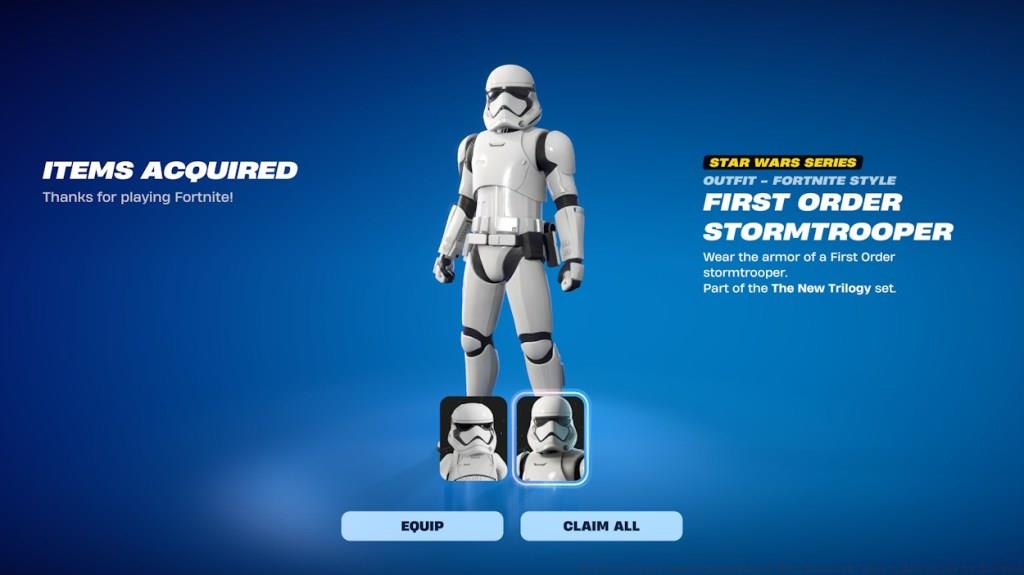
From a visual perspective, the First Order Stormtrooper skin features the iconic white armor with black detailing that Star Wars fans will immediately recognize. The design maintains authentic proportions and includes the characteristic helmet that completely conceals your character’s identity, providing that authentic imperial soldier aesthetic during gameplay.
Obtaining this exclusive cosmetic requires connecting your Epic Games account with a MyDisney account, but the process differs slightly depending on whether you’re a new or existing Fortnite player. Understanding both pathways ensures you can secure the skin regardless of your account status.
For New Fortnite Players
If you’re just starting your Fortnite journey, the process is remarkably straightforward. Navigate to the Epic Games login portal and select the MyDisney account option instead of creating a traditional Epic account. This immediate integration automatically qualifies you for the Stormtrooper skin upon first login.
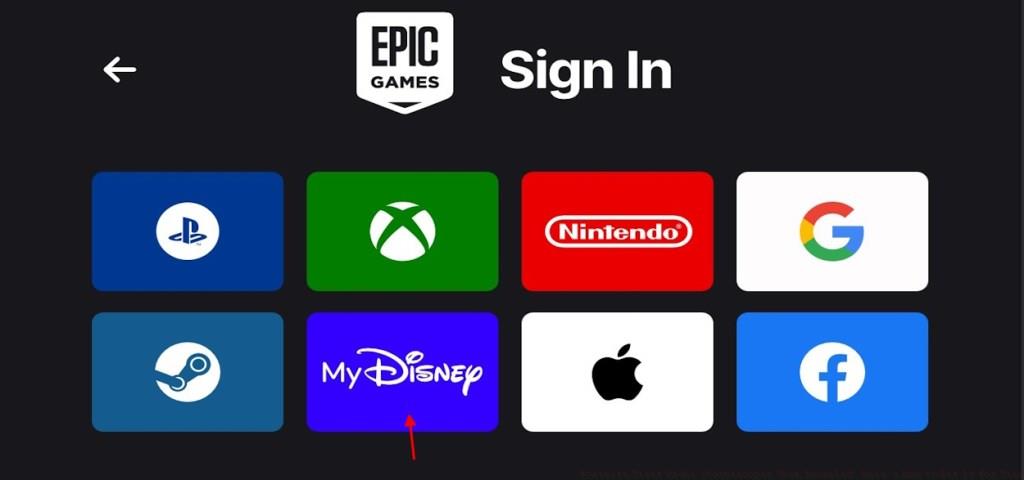
Creating a MyDisney account takes approximately two minutes if you don’t already have one. Visit the official MyDisney website and complete the registration form with your basic information. Once verified, return to the Epic Games login and access Fortnite using your new credentials.
For Existing Fortnite Players
Current players with established Epic Games accounts need to link their existing profile with a MyDisney account. This connection process preserves all your current progress, purchases, and friend lists while adding the promotional benefit.
Follow this detailed procedure to connect accounts:
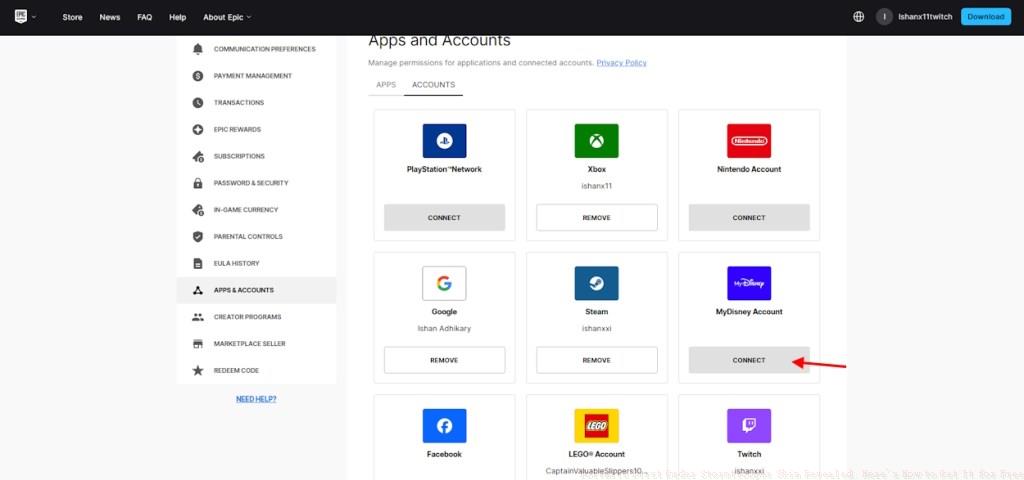
The entire account linking process typically completes within 3-5 minutes, with the skin appearing immediately upon your next Fortnite session. If you encounter any issues during connection, ensure both accounts are in good standing and that you’re using correct login credentials.
While the account linking process is generally smooth, some players may encounter technical hurdles. The most frequent complication involves authentication errors during the MyDisney connection phase. This usually resolves by verifying your MyDisney account email address before attempting the link.
If the Stormtrooper skin doesn’t appear immediately after connecting accounts, don’t panic. First, completely close and restart Fortnite to refresh your account data. If the cosmetic still hasn’t appeared, check your locker’s archived items section, as new acquisitions sometimes filter there initially.
Connection failures often stem from browser-related issues. Attempt the linking process using an incognito or private browsing window to eliminate extension conflicts. Alternatively, try using a different web browser entirely or the Epic Games Launcher if available.
For players concerned about cross-platform functionality, rest assured that once unlocked, the First Order Stormtrooper skin becomes available across all platforms where you play Fortnite, whether PC, console, or mobile. The cosmetic integrates permanently with your account, similar to item shop purchases.
Remember that this promotional opportunity has limited availability. While Epic Games hasn’t specified an exact expiration date, similar cross-promotional skins typically remain available for 2-4 weeks. Complete the process promptly to avoid missing out on this free high-value cosmetic. For more comprehensive gaming guides, check out our Complete Guide to Battlefield 6 for additional strategic insights.
Action Checklist
- Create or verify your MyDisney account on the official website
- Access Epic Games account portal and navigate to Connections section
- Link MyDisney account using the connect button and authentication
- Restart Fortnite completely and check locker for new skin
- Verify skin appears in cosmetic loadouts and troubleshoot if necessary
No reproduction without permission:Tsp Game Club » Fortnite First Order Stormtrooper Skin Revealed: Here’s How to Get It for Free Complete guide to unlock the free First Order Stormtrooper skin in Fortnite with MyDisney account linking