
TL;DR
- Cosmetic Shop located between Gear Shop and Pet Eggs Shop offers items restocking every 10 hours
- Crates require garden placement and timed unlocking, with exotic variants available via Robux
- Use tools menu for item placement with full rotation and movement capabilities
- Currency system uses Sheckles for common/uncommon items, Robux for rare/legendary variants
- Strategic crate placement and garden cleanup maximize aesthetic appeal and functionality
The recent cosmetic expansion in Grow a Garden introduces extensive decorative options that transform ordinary plots into visually stunning landscapes. These aesthetic enhancements complement your botanical arrangements but often necessitate plot reorganization to achieve optimal visual harmony.
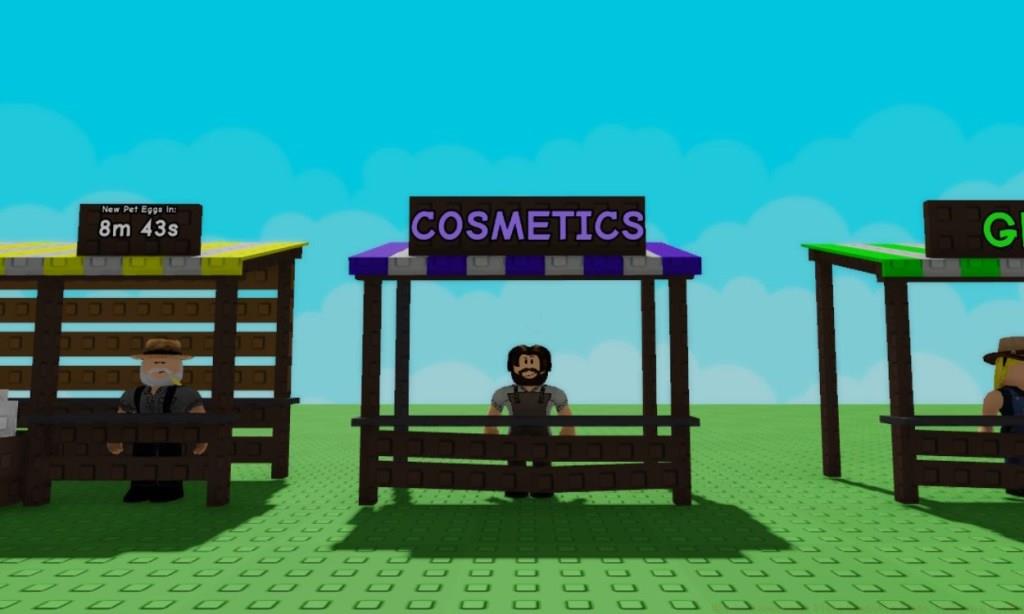
Navigating to the Cosmetic Shop requires traveling to the commercial district situated between the Gear Shop and Pet Eggs Shop. Efficient access methods include utilizing the recall wrench for instant teleportation to the Gear Shop entrance followed by a left turn, or conventional navigation to interact with the Sam merchant character.
Engaging with Sam via the E key interaction (PC controls) reveals the current cosmetic inventory through an interface panel. This display features a prominent 10-hour restock countdown mechanism, consistent with seed and equipment vendor refresh cycles, indicating when new decorative selections become available.
The purchasing economy operates on dual currency principles: Sheckles serve as the primary currency for Common and Uncommon tier items, while Rare and Legendary decorations provide supplementary Robux payment alternatives. Strategic purchasing involves monitoring both currency reserves and anticipating restock cycles to acquire desired items efficiently.
Beyond individual decorative pieces, the Cosmetic Shop offers various crate containers that grant randomized cosmetic bundles upon activation. These containers provide access to specialized item collections including decorative Signboards, collectible Gnomes, and various ornamental accessories.
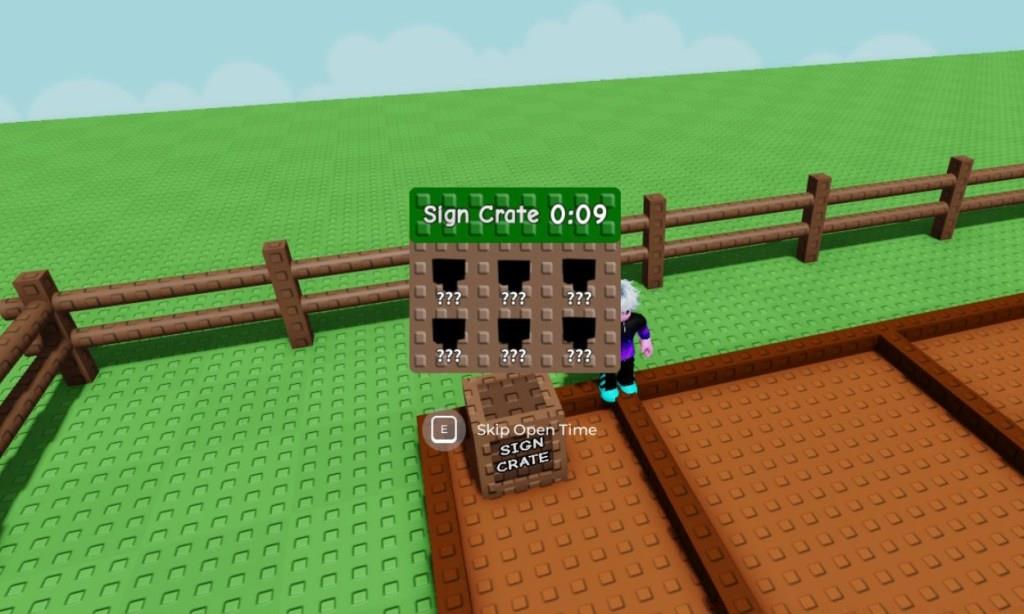
Standard cosmetic crates remain accessible through conventional Sheckles transactions at the Cosmetic Shop, whereas the exclusive Exotic Cosmetic Crate variant mandates Robux expenditure via the premium marketplace interface.
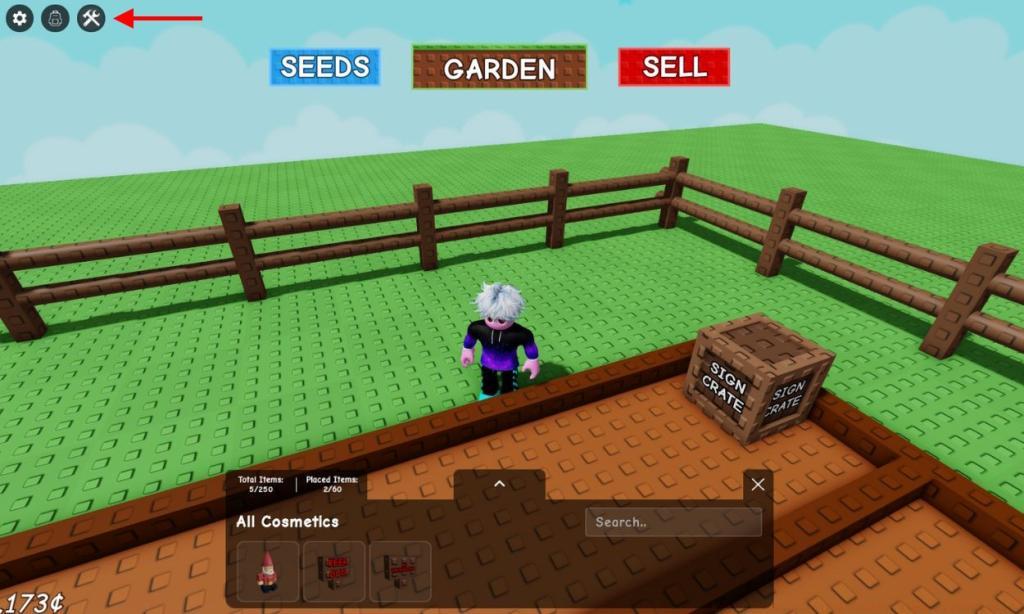
Crate activation follows a systematic procedure: Position yourself adjacent to suitable garden space and activate the Backpack interface through the top navigation panel. This inventory management system enables crate deployment initiation and subsequent unlocking countdown commencement.
The unlocking mechanism employs a temporal progression system where placed crates initiate countdown sequences. Completion of these timers reveals the contained cosmetic items, which then become available for garden integration. Advanced strategies involve pre-planning crate placement locations to minimize garden disruption during unlocking phases.
Seasoned gardeners recommend dedicating specific garden sectors for crate unlocking operations, maintaining aesthetic coherence while awaiting timer completions. This approach prevents visual clutter and ensures seamless decorative integration upon item acquisition.
Cosmetic implementation utilizes the tools interface accessible through the upper-left navigation cluster. Selection from available decorative items enables precise garden placement, with comprehensive manipulation options including positional adjustment and rotational orientation.
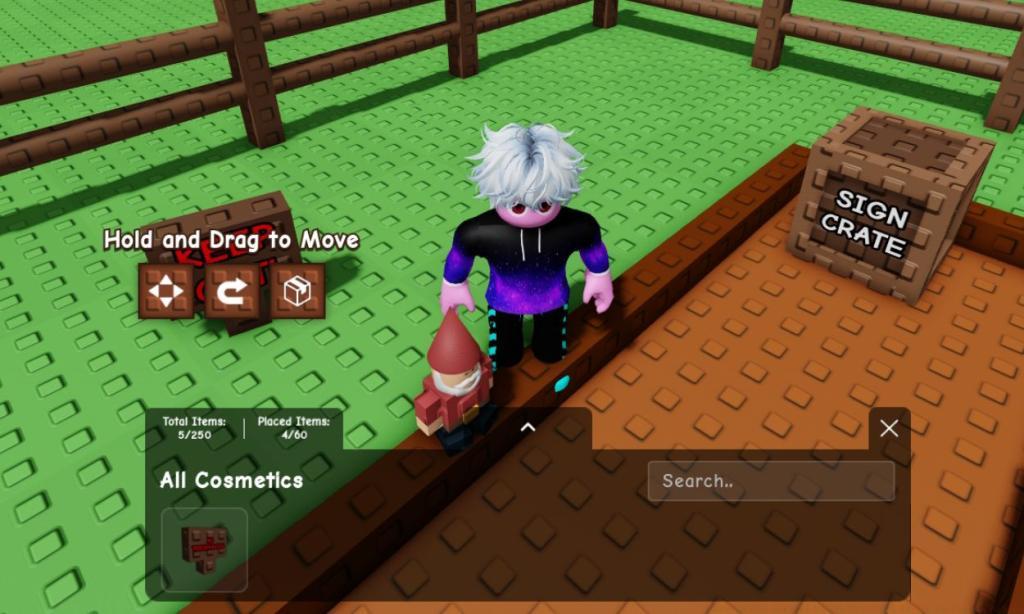
Optimal decorative placement considers both visual appeal and functional garden access. Strategic positioning avoids obstruction of planting areas while maximizing aesthetic visibility from common viewing angles. Common placement errors include overcrowding decorative elements and blocking essential gardening pathways.
Item manipulation extends beyond initial placement, allowing gardeners to reposition and reorient decorations as garden layouts evolve. This flexibility supports continuous garden redesign and aesthetic refinement without permanent commitment to initial decorative arrangements.
Advanced customization techniques involve creating thematic garden sections with coordinated decorative elements, establishing visual narratives through careful item selection and arrangement. This approach transforms functional gardens into personalized virtual spaces that reflect individual creative vision.
Pro gardeners emphasize maintaining balance between decorative density and planting functionality. Over-decoration can impede gardening efficiency, while strategic placement enhances both visual appeal and operational workflow.
Action Checklist
- Navigate to Cosmetic Shop between Gear Shop and Pet Eggs Shop
- Purchase items using Sheckles (common/uncommon) or Robux (rare/legendary)
- Place crates in dedicated garden area and monitor unlock timers
- Access tools menu for item placement and garden arrangement
- Optimize decorative layout with rotation and movement functions
No reproduction without permission:Tsp Game Club » How to Access and Place Cosmetic Items in Grow a Garden Master cosmetic customization in Grow a Garden with expert shopping, crate opening, and placement strategies