
Master Cyberpunk 2077’s Auto Drive feature with practical tips, common mistakes to avoid, and advanced optimization strategies
Understanding Auto Drive: Night City’s Automated Navigation System
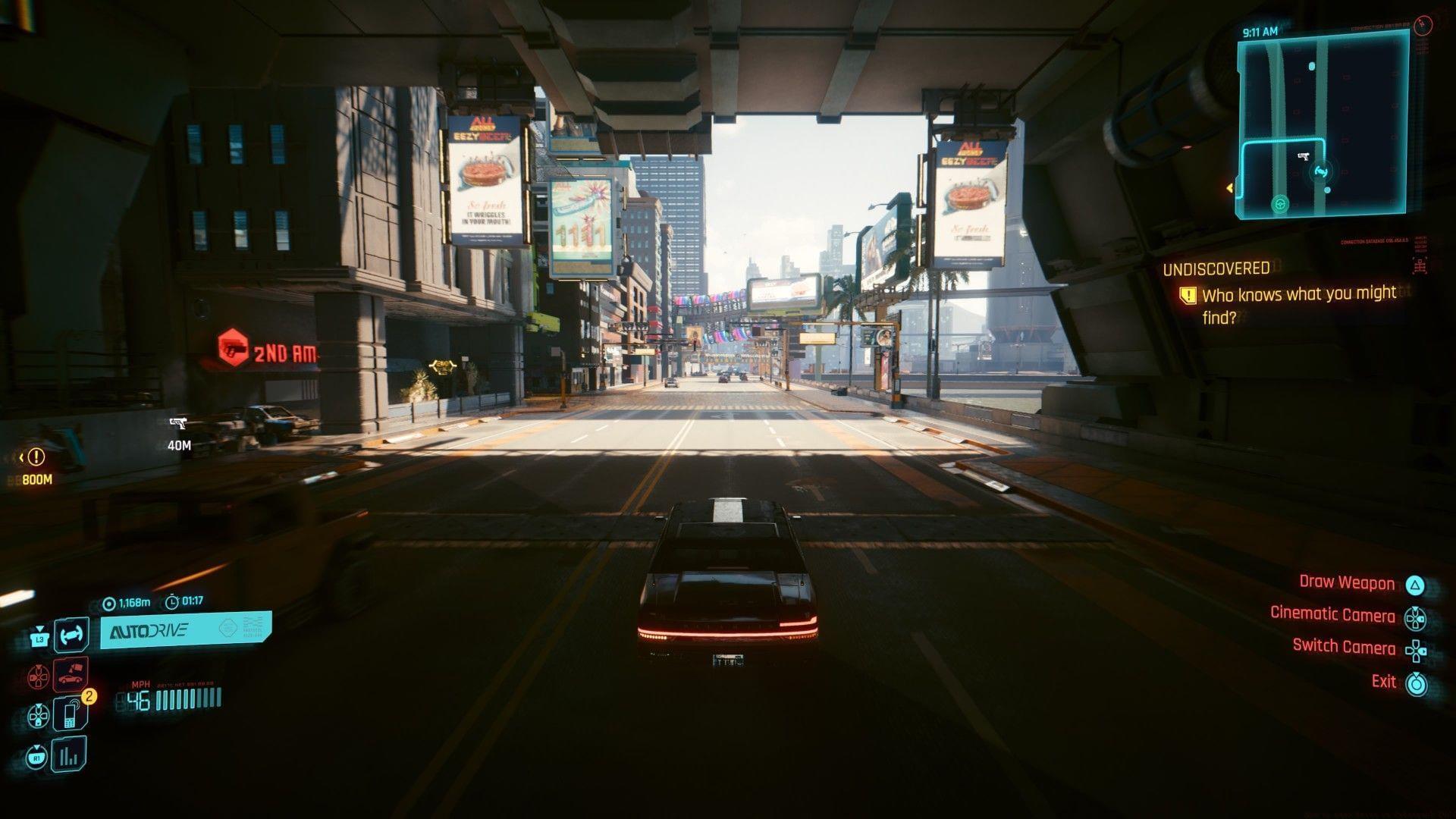
Cyberpunk 2077’s Auto Drive functionality transforms transportation by enabling complete vehicle autonomy for destination navigation. This innovative system debuted with the substantial 2.3 Update on July 17, 2025, representing a significant quality-of-life enhancement for players. The timing coincided with similar automated driving mechanics appearing in Death Stranding 2, establishing a trend toward autonomous vehicle systems in contemporary open-world games.
For optimal performance, ensure your vehicle remains on designated road surfaces rather than off-road terrain. The automated navigation system deactivates automatically during active combat engagements or when your vehicle sustains substantial structural damage. These limitations exist to maintain gameplay balance while providing convenience during standard exploration and travel scenarios.
Practical Activation Guide: How to Engage Auto Drive Successfully
When you successfully initiate the Auto Drive mechanism, a detailed informational panel materializes in your screen’s bottom-left quadrant. This display provides real-time metrics including precise distance to your selected destination alongside dynamic estimated arrival timing calculations. Without active waypoints or mission objectives, the system defaults to scenic routing through Night City’s diverse districts, offering immersive urban exploration opportunities.
Strategic tip: Position your vehicle centrally within traffic lanes rather than near sidewalks or barriers for smoother activation. Many players encounter issues when attempting engagement near intersection boundaries or construction zones. For consistent performance, maintain moderate speed before activation and avoid areas with dense pedestrian traffic that might trigger unintended disengagement.
Advanced technique: Combine Auto Drive with quick save functionality before long journeys to prevent progress loss from unexpected encounters. This approach lets you experiment with different routes while minimizing frustration from random events interrupting your automated travel sessions.
Advanced Features: Delamain Cabs and Cinematic Camera
The 2.3 enhancement also introduced autonomous Delamain Cab services for players who’ve successfully concluded the “Don’t Lose Your Mind” mission sequence and obtained subsequent communication from the AI taxi service. This premium transportation option becomes accessible through standard vehicle summoning interfaces by specifically choosing the Delamain Cabs category.
Once comfortably situated within the automated taxi, engage self-driving capabilities by pressing L3 on controllers or maintaining H key input on computer systems. The Delamain experience differs from personal vehicle automation through unique dialogue interactions and occasionally unexpected detours that showcase Night City’s hidden narrative elements.
Enhance your visual experience during automated travel by engaging the cinematic perspective via Q key (computer) or directional pad right (console controllers). This camera mode provides dramatic vehicle interior and exterior angles, perfect for capturing stunning screenshots or simply appreciating Night City’s meticulously crafted environments during transit periods.
Expert Tips and Common Mistakes to Avoid
Avoid these frequent errors: Many players attempt Auto Drive activation while stationary at traffic signals or partially obstructed by environmental objects. The system requires clear forward pathing with minimal obstructions for reliable engagement. Additionally, damaged vehicles—even with functioning mobility—often fail to trigger the feature until repaired at maintenance terminals.
Optimization strategy: Plan automated travel during nighttime cycles when traffic density decreases significantly. This reduces potential interruption from civilian vehicle interactions and provides smoother navigation through Night City’s complex road networks. Combine this with waypoint setting to key destinations before activation for maximum efficiency.
Advanced player insight: The Auto Drive system memorizes frequently traveled routes, potentially offering alternative paths on subsequent journeys. Pay attention to these variations as they might reveal hidden shortcuts or interesting locations not encountered during manual driving. For completionists, this represents an excellent method for discovering overlooked content while minimizing travel tedium.
Performance consideration: Monitor your system performance during extended automated travel sessions, as some players report minor frame rate fluctuations during complex routing calculations. If experiencing instability, consider disabling the feature in densely populated districts until reaching open highway sections.
No reproduction without permission:Tsp Game Club » How to Auto Drive in Cyberpunk 2077 Master Cyberpunk 2077's Auto Drive feature with practical tips, common mistakes to avoid, and advanced optimization strategies