
TL;DR
- Link your Shift and Twitch accounts through the official website to enable drop eligibility
- Watch 4 hours of Borderlands 4 streams from participating creators to unlock both legendary weapons
- Monitor your progress through Twitch’s inventory system and claim rewards promptly
- Choose active streams with drop-enabled tags and maintain consistent viewing sessions
- Troubleshoot common issues like delayed rewards and connection problems systematically
Borderlands 4 introduces an exciting opportunity for players to acquire premium gear through Twitch Drops, offering two community-designed legendary weapons completely free. These exclusive items provide significant power boosts during early and mid-game progression, making them valuable additions to any vault hunter’s arsenal.
Twitch Drops represent a collaboration between Gearbox Software and content creators, allowing viewers to earn in-game rewards simply by watching designated Borderlands 4 streams. The system benefits both players seeking powerful gear and creators building their audiences through engaging community events.
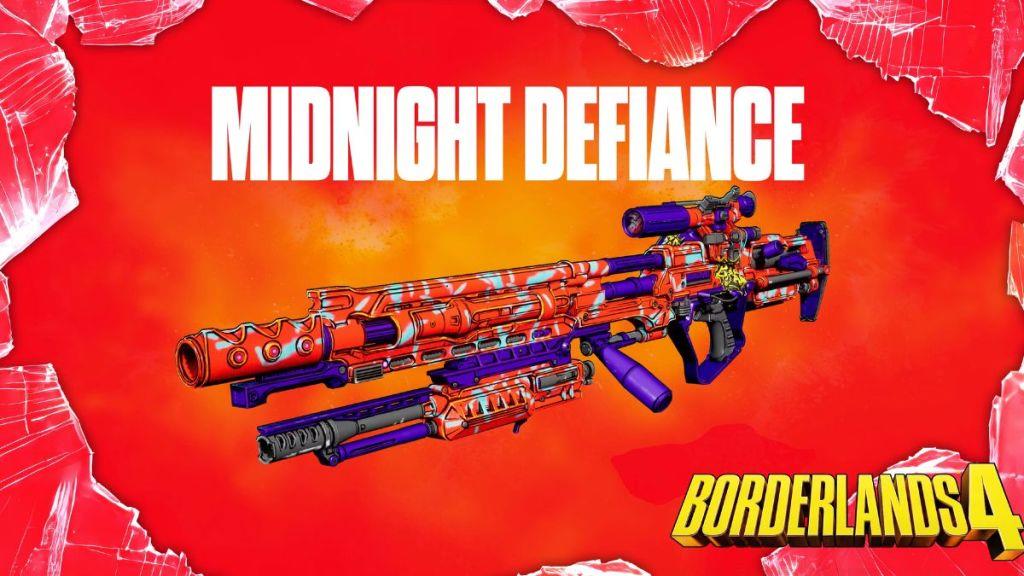
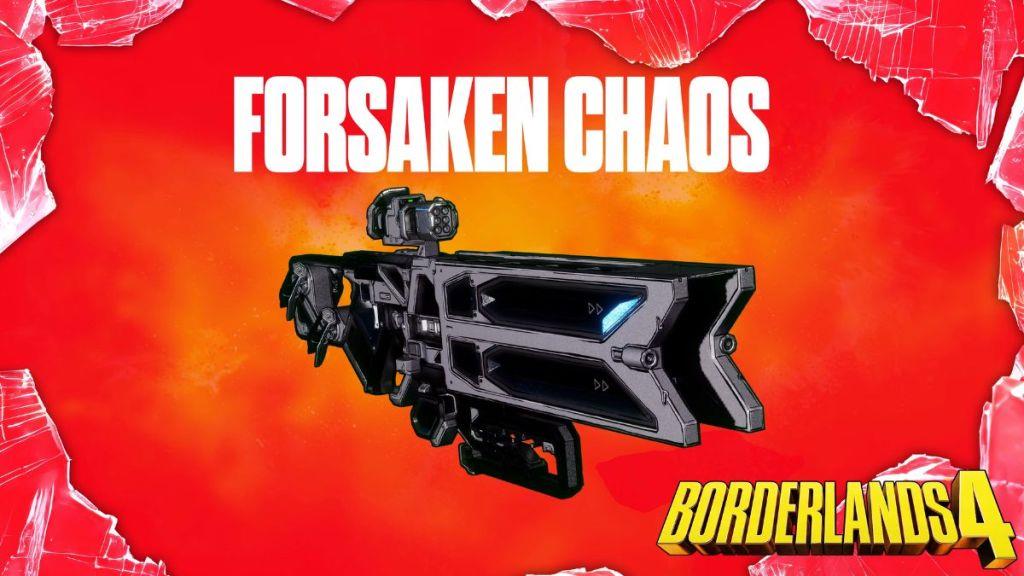
The current drop campaign features two particularly noteworthy weapons: the Midnight Defiance sniper rifle and Forsaken Chaos shotgun. Both firearms were developed through community input sessions, incorporating fan-suggested features and design elements that reflect the Borderlands community’s creativity.
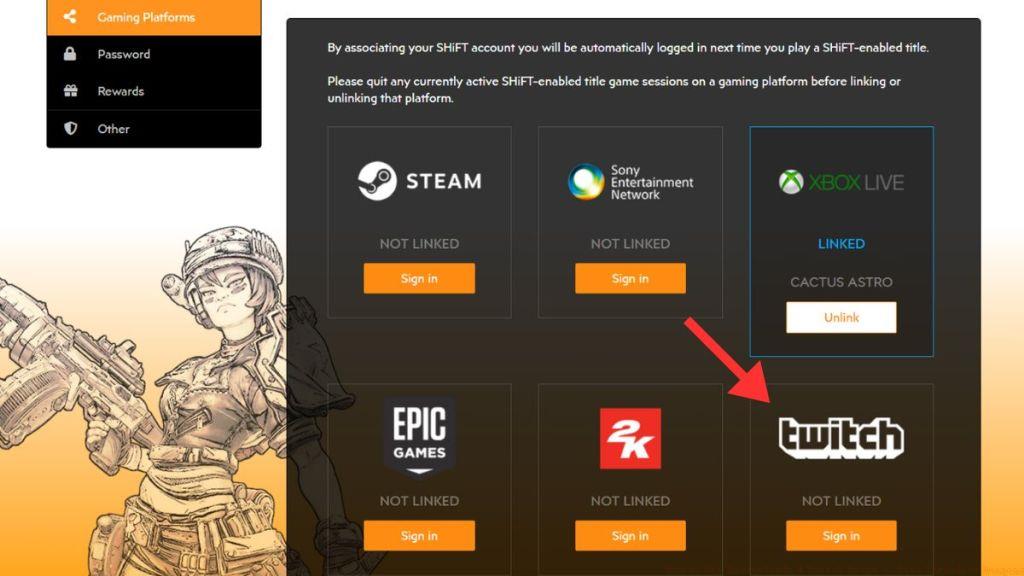
Before you can begin earning Borderlands 4 Twitch Drops, establishing a secure connection between your Shift and Twitch accounts is essential. This one-time setup process ensures rewards are properly tracked and delivered to your gaming account.
The account linking procedure requires careful attention to detail, as incomplete connections represent the most common reason players miss out on their earned rewards. Follow these comprehensive steps to guarantee successful integration:
Successful account linking immediately enables drop eligibility across all participating Borderlands 4 streams. The system automatically tracks your viewing progress once connected, eliminating the need for manual check-ins or additional activation steps.
Pro Tip: Always log out and back into both accounts after linking to refresh authentication tokens and prevent synchronization issues. This simple step resolves many common connection problems before they impact your reward eligibility.
Earning both legendary weapons requires accumulating four total hours of watch time across eligible Borderlands 4 streams. Strategic viewing approaches can significantly reduce the time investment while maximizing your reward acquisition efficiency.
Focus your viewing on streams explicitly tagged with ‘Drops Enabled’ in their title or description. These broadcasts are configured to participate in the reward program and will properly track your progress toward weapon unlocks.
Progress tracking occurs in real-time through Twitch’s inventory system, accessible via the notifications menu. Monitor your advancement through clearly marked progress bars that indicate both current watch time and remaining requirements for each weapon tier.
Advanced Strategy: Schedule your viewing during peak streaming hours when multiple drop-enabled channels are active. This approach provides backup options if your primary stream experiences technical difficulties or goes offline unexpectedly.
Unlike traditional gaming challenges that might require understanding complex mechanics like those found in our BF6 Class Selection Guide, Twitch Drops simply demand consistent viewing. However, maintaining stream audio at audible levels and avoiding excessive tab minimization ensures the system properly registers your engagement.
Reward distribution typically occurs within minutes of completing watch time requirements, though occasional delays during high-traffic periods may extend this to 30-60 minutes. Claim your rewards promptly through the Twitch inventory interface to initiate the delivery process to your Borderlands 4 account.
Even with proper setup, occasional technical issues can interrupt your Twitch Drop progress. Understanding common problems and their solutions ensures you don’t miss out on hard-earned rewards due to preventable issues.
Connection Verification: If rewards aren’t tracking after account linking, first confirm both accounts show as connected in your Shift profile. If discrepancies appear, disconnect and re-establish the linkage following the original step-by-step process.
Delayed reward delivery represents another frequent concern, particularly during weekend events or major content updates. The system typically processes claims within 24 hours, though checking your in-game mailbox periodically can confirm successful distribution.
For persistent synchronization problems, consider consulting our comprehensive Battlefield 6 Complete Guide for general gaming account troubleshooting principles that apply across multiple titles.
Stream Eligibility Check: Ensure your chosen broadcast displays the ‘Drops Enabled’ tag throughout your viewing session. Some streamers may accidentally disable this feature between games or during setup changes.
Remember that these community weapons provide excellent foundation gear, similar to early unlocks you might pursue through our BF6 Weapons Unlock Guide, making them worth the minimal troubleshooting effort required.
Action Checklist
- Link Shift and Twitch accounts through official Gearbox website
- Verify connection status in both account dashboards
- Identify and select streams with ‘Drops Enabled’ tags
- Monitor progress through Twitch inventory every 30 minutes
- Claim rewards promptly and verify in-game delivery
No reproduction without permission:Tsp Game Club » How to Get Borderlands 4 Twitch Drops – Free Legendary Weapons Complete guide to claiming Borderlands 4 Twitch Drops with expert strategies and troubleshooting tips