
TL;DR
- M4 Mac delivers surprisingly competent Cyberpunk 2077 performance at 1080p resolution
- AMD FSR 3.1 with frame generation achieves 60+ FPS for smooth gameplay
- Ray tracing remains demanding but playable with frame generation enabled
- MetalFX upscaling provides excellent stability for consistent 30 FPS experience
- 16GB RAM limitation affects maximum performance potential on base configurations
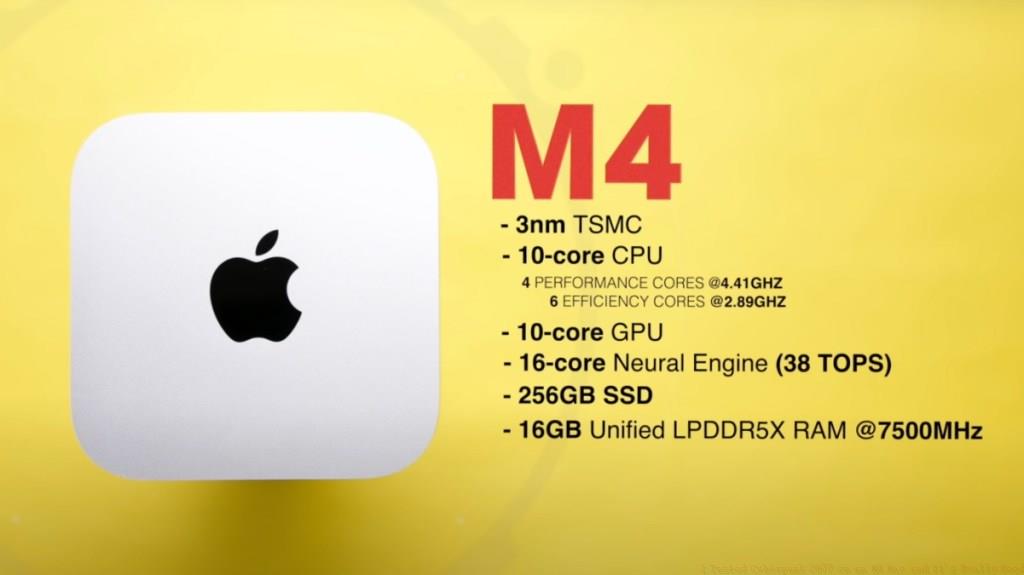
Cyberpunk 2077 represents the pinnacle of modern gaming performance demands, pushing even high-end PC configurations to their thermal limits. When CD Projekt Red announced the Mac port, my initial reaction was pure skepticism. “Apple Silicon simply cannot handle this level of graphical intensity,” I thought. However, extensive testing on the base M4 Mac Mini has completely overturned my expectations, delivering a surprisingly playable Night City experience.
My testing methodology involved comprehensive benchmarking across multiple graphics configurations at 1080p resolution. I evaluated native rendering, various upscaling solutions including MetalFX and AMD FSR 3.1, frame generation technologies, and ray tracing implementations. Each setting combination underwent rigorous testing in diverse gameplay scenarios from crowded city streets to intense combat encounters.
Common optimization mistakes include blindly enabling all graphics settings without understanding performance impacts and neglecting to test frame generation technologies that can dramatically improve smoothness. Advanced players should prioritize stable frame rates over maximum visual fidelity for competitive gameplay advantages.
For newcomers to Night City, Cyberpunk 2077 presents a massive open-world first-person experience set in a dystopian metropolis teeming with criminal enterprises and corporate conspiracies. The game’s setting combines breathtaking vertical cityscapes with gritty street-level detail that demands substantial graphical processing power.
Players embody V, an aspiring mercenary navigating the dangerous underworld while partnered with the digitally preserved consciousness of Johnny Silverhand. The narrative-driven gameplay involves executing various missions for different factions, with consequences that ripple throughout the game world. The Phantom Liberty expansion significantly expands this experience with additional story content and gameplay mechanics.
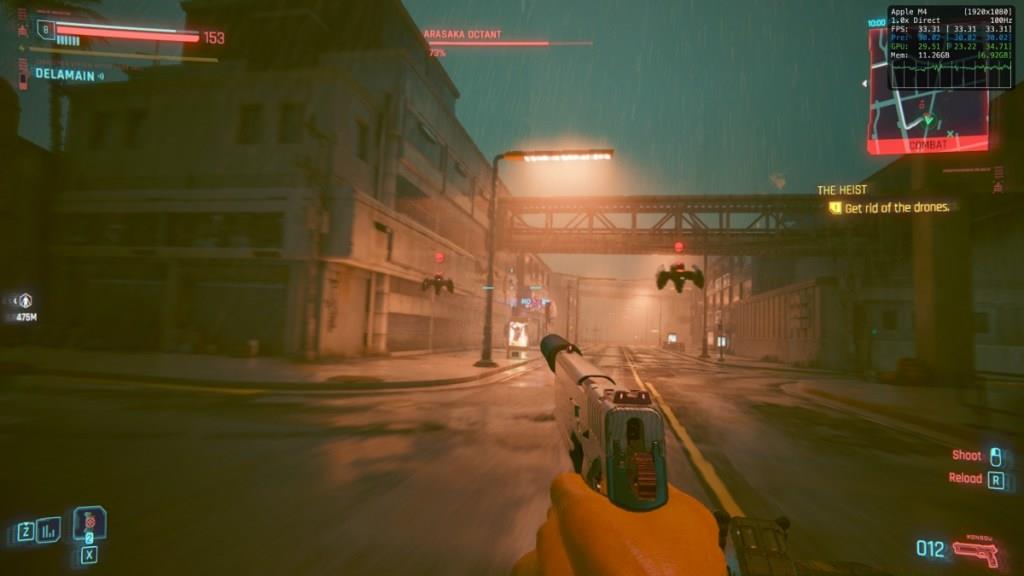
Understanding the game’s core mechanics is essential for optimizing performance. Key systems include the cyberware enhancement tree, weapon modification mechanics, and the intricate skill progression system that affects both gameplay and visual complexity.
The base M4 Mac configuration demonstrates remarkable capability when properly optimized. Without any upscaling assistance, Cyberpunk 2077 struggles to maintain playable frame rates, typically hovering around 20 FPS. This baseline establishes why intelligent graphics configuration is absolutely essential for enjoyable gameplay.
MetalFX Dynamic Resolution Scaling represents Apple’s proprietary upscaling solution, automatically adjusting resolution to maintain target frame rates. This technology proves particularly effective for achieving stable performance, though it comes with occasional visual compromises during intense action sequences.
AMD’s FSR 3.1 implementation delivers the most significant performance uplift, leveraging temporal upscaling and frame generation to dramatically improve smoothness. The quality preset maintains excellent visual fidelity while nearly tripling performance compared to native rendering.
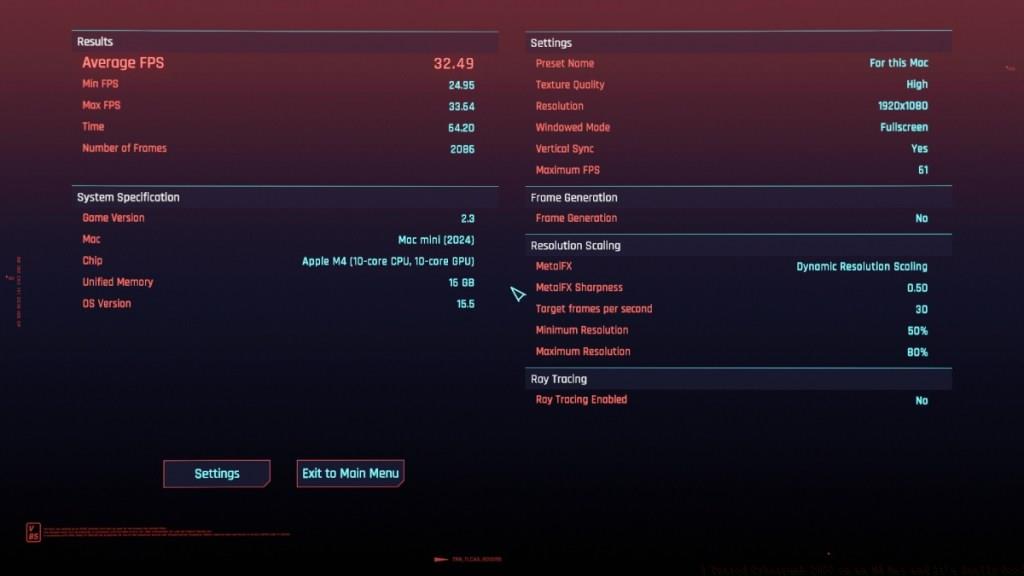
| FPS | For this Mac Preset (Target FPS 30) | For this Mac Preset (Target FPS 120) |
|---|---|---|
| Average | 32 | 33 |
| Maximum | 33 | 37 |
| Minimum | 24 | 30 |
| FPS | AMD FSR 3.1 Quality Upscaling with frame generation | AMD FSR 3.1 DRS Upscaling with frame generation |
|---|---|---|
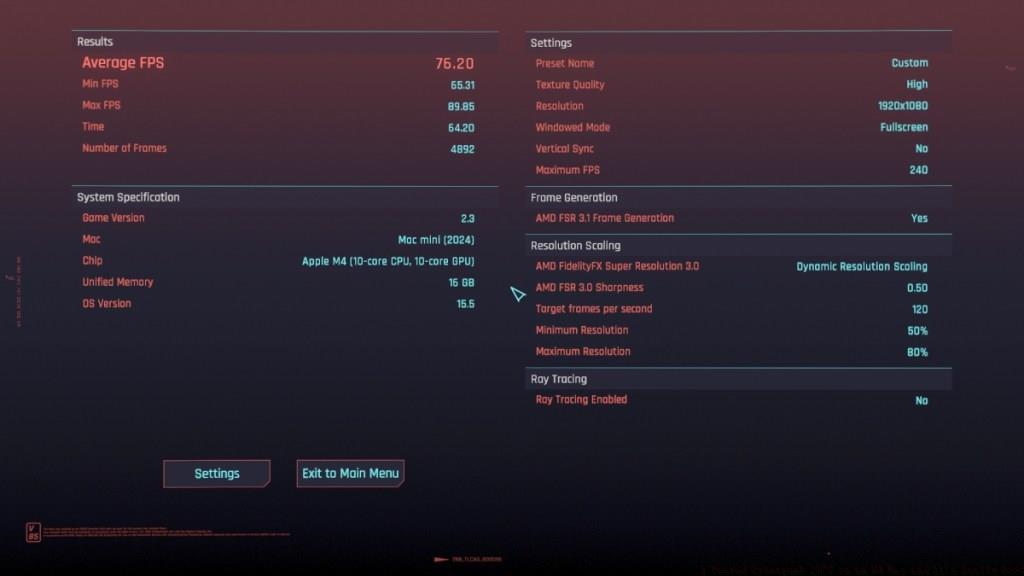
| Average | 65 | 76 |
| Maximum | 77 | 89 |
| Minimum | 56 | 65 |
The For This Mac automatic configuration provides the most stable starting point for new players. This preset intelligently balances visual quality and performance, typically targeting 30 FPS for consistent gameplay. The system’s 16GB RAM limitation significantly influences these automatic decisions, preventing higher frame rate targets from achieving their full potential.
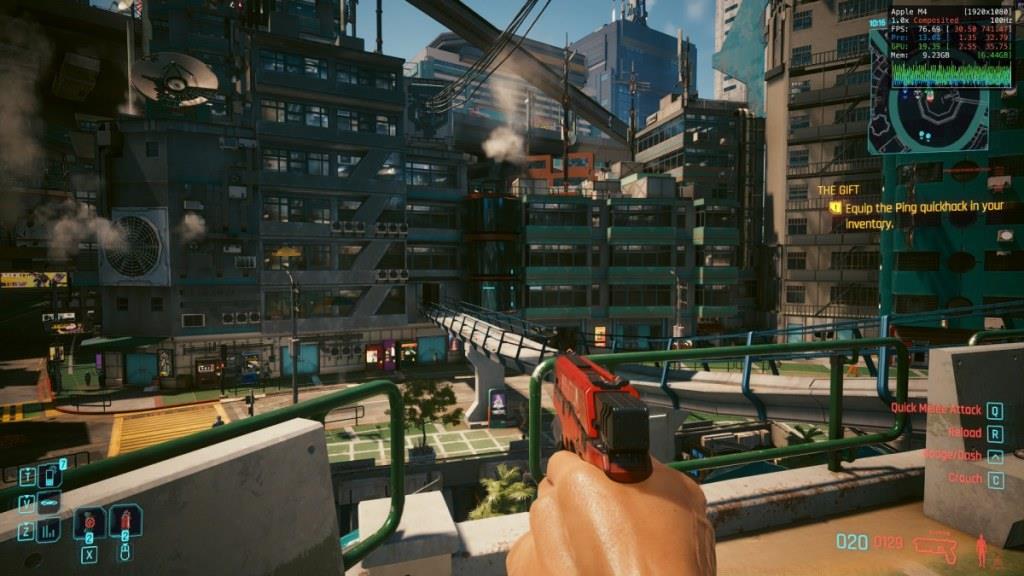
AMD FSR 3.1 upscaling transforms the gaming experience when combined with frame generation. The Quality preset delivers approximately 65 FPS average with excellent visual preservation, while Dynamic Resolution Scaling pushes performance even higher at 76 FPS average with minor quality reductions.
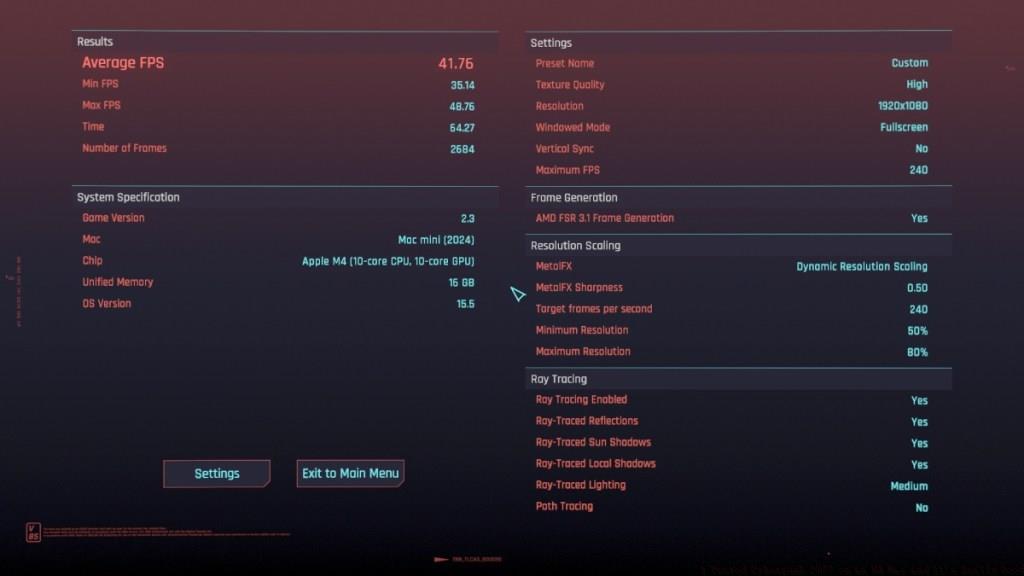
Ray tracing implementation remains the most demanding graphical feature, reducing performance to approximately 23 FPS average without assistance. However, enabling frame generation alongside medium ray tracing settings boosts performance to 41 FPS average, making this visually stunning feature actually playable on M4 hardware.
| FPS | Ray tracing (medium) with MetalFX upscaling | Ray tracing (medium) with MetalFX upscaling and frame generation |
|---|---|---|
| Average | 23 | 41 |
| Maximum | 33 | 48 |
| Minimum | 19 | 35 |
| FPS | MetalFX Quality Upscaling with Frame Generation |
|---|---|
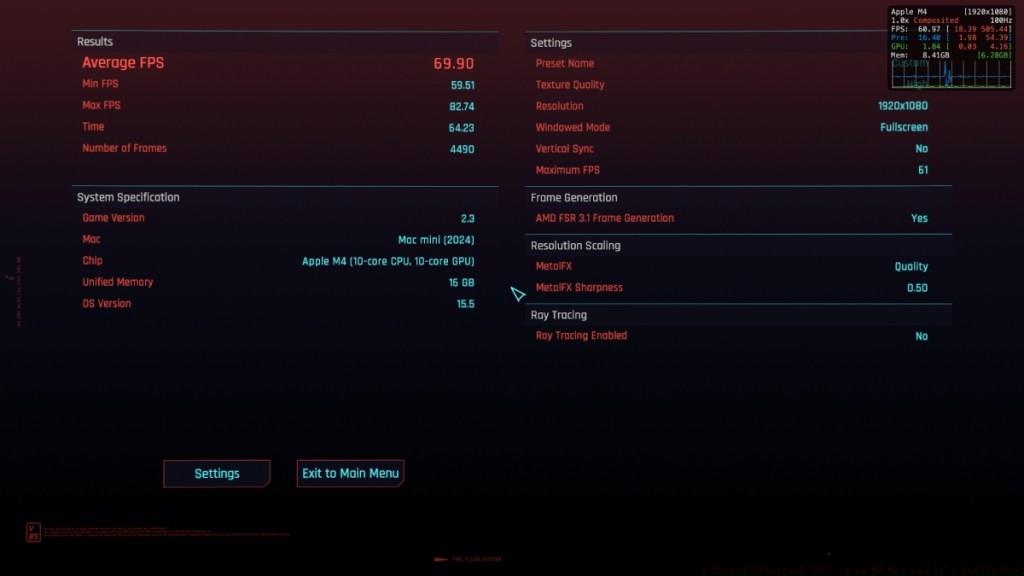
| Average | 69 |
| Maximum | 82 |
| Minimum | 59 |
For optimal Cyberpunk 2077 performance on M4 Mac systems, prioritize MetalFX Quality upscaling with frame generation for the best balance of visual quality and performance. This configuration delivers 69 FPS average with excellent stability across different gameplay scenarios.
The 16GB RAM limitation presents the most significant bottleneck for M4 systems. While the processor and graphics capabilities are clearly sufficient, memory constraints prevent achieving the full 60 FPS potential in more demanding scenes. Players considering higher RAM configurations would likely see improved minimum frame rates and overall stability.
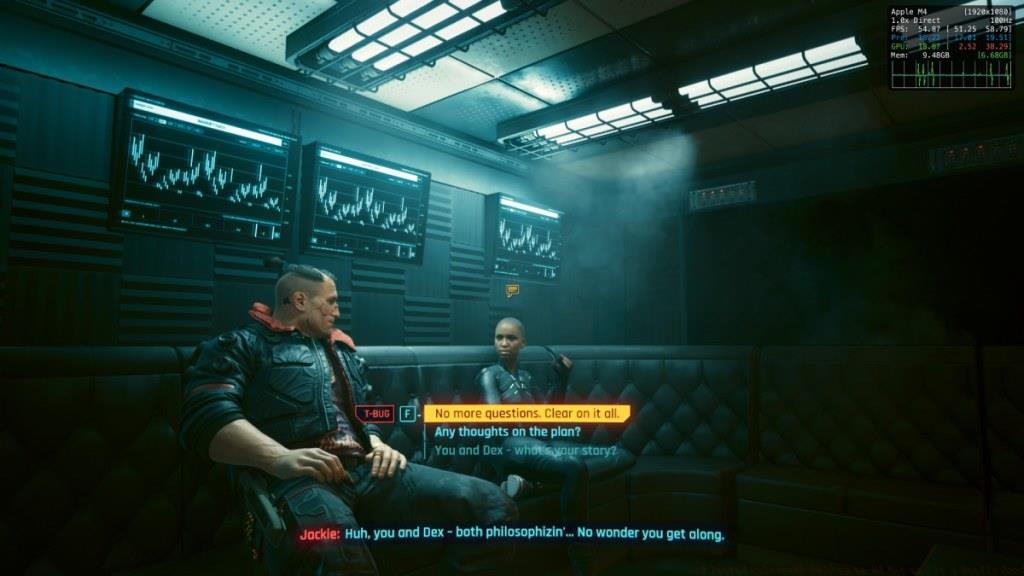
Should you play Cyberpunk 2077 on Mac? Absolutely—with proper expectations and configuration. The experience surpasses initial PlayStation 4 performance significantly and provides a genuinely enjoyable way to experience Night City without dedicated gaming hardware. For those seeking the ultimate gaming experience, our Complete Guide to upcoming titles provides additional context for Mac gaming capabilities.
Advanced optimization strategies include manually adjusting shadow quality settings, which consume substantial resources with minimal visual impact. Disabling motion blur and depth of field can also improve responsiveness without significantly affecting visual quality.
Action Checklist
- Start with For This Mac preset for baseline stability testing
- Enable AMD FSR 3.1 Quality upscaling with frame generation
- Test MetalFX Quality with frame generation for optimal balance
- Evaluate ray tracing performance with frame generation enabled
- Adjust shadow quality and post-processing effects for additional performance gains
- Monitor performance using Mac’s built-in FPS tool during gameplay
No reproduction without permission:Tsp Game Club » I Tested Cyberpunk 2077 on an M4 Mac and It’s Really Good Comprehensive performance analysis and optimization guide for Cyberpunk 2077 on M4 Mac hardware