
TL;DR
- Locator Bar replaces XP bar in multiplayer, showing player positions within 120-degree view
- Stealth mechanics allow players to hide using crouching, mob heads, or invisibility potions
- Server admins can customize colors with /waypoint command and disable via gamerule
- Realms UI now features four organized tabs for streamlined server management
- Regional preferences and cloud optimizations improve multiplayer stability and performance
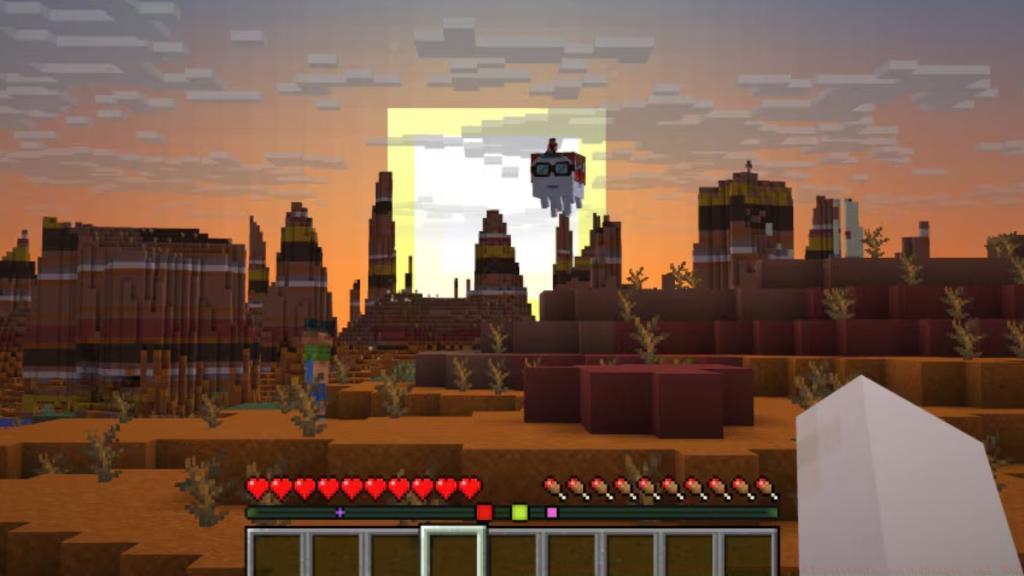
Mojang Studios has officially elevated the Player Locator Bar from experimental status to a fully integrated gameplay component in Minecraft Java Edition’s latest 25W17A snapshot. This strategic enhancement follows last week’s transportation system improvements and introduces sophisticated multiplayer tracking capabilities alongside several quality-of-life refinements.
The Locator Bar’s journey began in snapshot 25W15A as a test feature, but it now stands as a polished HUD element accessible through standard gameplay mechanics. To activate this powerful tool, simply download the current snapshot via your Minecraft launcher and prepare to revolutionize your multiplayer coordination strategies.
When enabled during multiplayer sessions, the Locator Bar dynamically replaces your experience bar, displaying vibrant colored indicators for each teammate positioned within your 120-degree forward field of vision. These intuitive markers feature directional arrows that reveal whether allies occupy elevated terrain or explore subterranean caverns, providing crucial spatial awareness without overwhelming visual clutter.
For players seeking stealth gameplay opportunities, several effective concealment methods exist. Crouching movement, equipping mob heads or carved pumpkins, and consuming invisibility potions all successfully mask your presence from the tracking system. This creates engaging hide-and-seek dynamics and tactical depth for coordinated team play.
Server administrators maintain comprehensive control through the /waypoint command for customizing indicator colors and the locatorbar gamerule for complete feature deactivation. This flexibility ensures the system adapts to various playstyles and server rules.
Beyond the Locator Bar advancements, snapshot 25W17A delivers a comprehensive Realms interface overhaul designed to streamline server administration. The redesigned layout organizes configuration options into four intuitive tabs: World management, Player permissions, Subscription details, and Settings adjustments.
This structural reorganization dramatically simplifies Realm maintenance by logically grouping related functions. World tab handles backup creation and version management, while Players centralizes invitation systems and permission controls. Subscription monitors billing cycles and member limits, with Settings offering granular customization of server parameters.
The introduction of Regional Preferences represents a significant technical improvement, granting server owners precise control over hosting locations to optimize connection stability. This geographical targeting reduces latency issues and improves synchronization during intense multiplayer encounters.
Performance optimizations include reduced cloud synchronization ranges that minimize bandwidth consumption without compromising gameplay functionality. These backend improvements contribute to smoother frame rates and reduced server lag during peak usage periods.
Action Checklist
- Download and install snapshot 25W17A through your Minecraft launcher
- Enable Locator Bar in multiplayer sessions to track teammates within 120-degree view
- Experiment with stealth tactics using crouching, mob heads, or invisibility potions
- Customize indicator colors with /waypoint command as server admin
- Explore new Realms UI tabs to optimize server management workflows
No reproduction without permission:Tsp Game Club » Minecraft Snapshot 25W17A Brings Locator Bar Out of Experiments, Realm Changes and More Master Minecraft's new Locator Bar and Realms UI with expert multiplayer tracking strategies