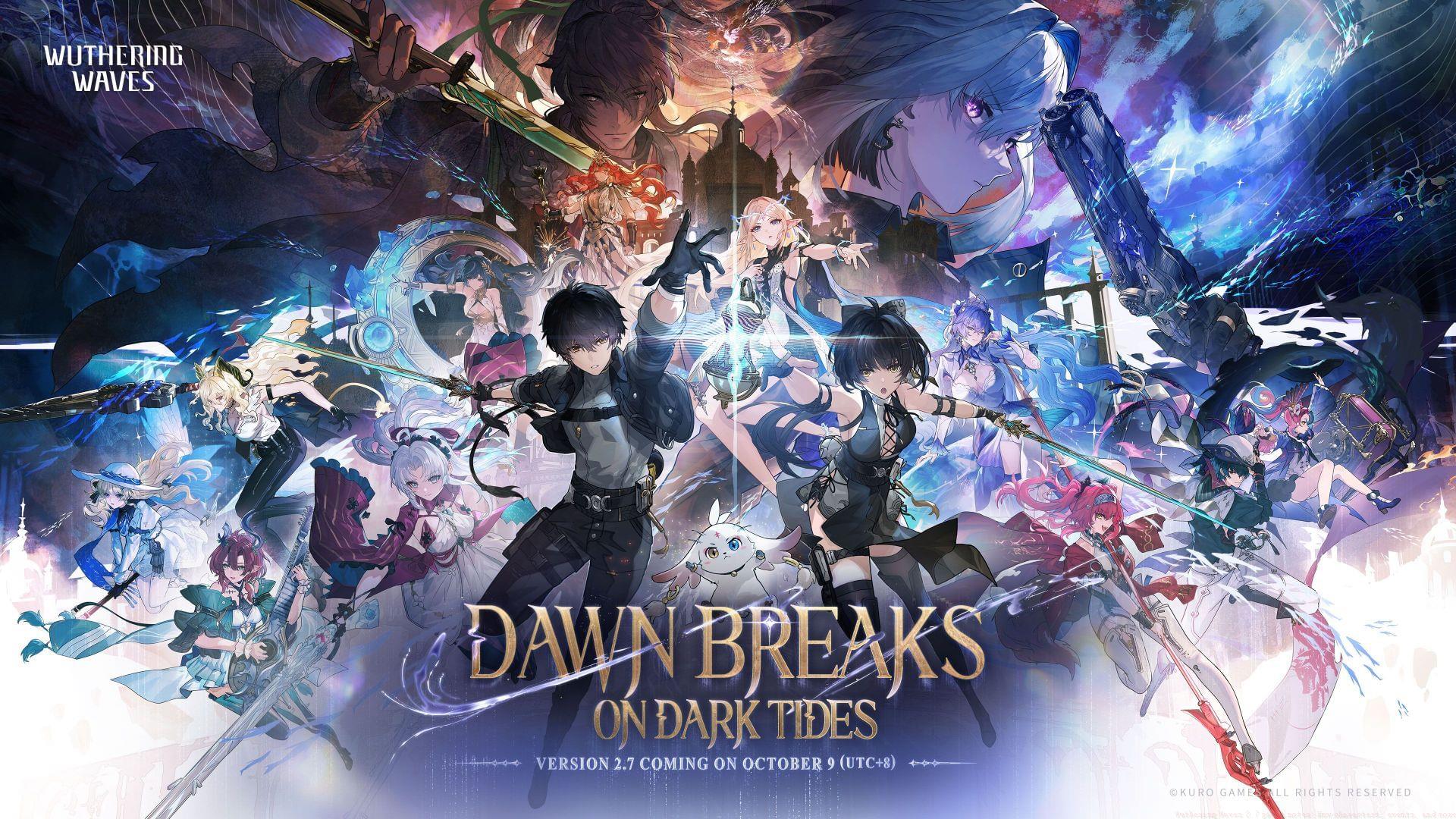
Complete guide to Wuthering Waves 2.7 update with new characters, events, and gameplay optimization strategies
New Characters and Combat Dynamics
Patch notes for 2.7 update (Image via Kuro Games)
Patch notes for 2.7 update (Image via Kuro Games)
The Wuthering Waves 2.7 update introduces substantial gameplay additions with two distinctive Resonators who bring unique combat mechanics to your roster. Beyond the fresh events and character introductions, this version expands the narrative universe with compelling story arcs and challenging boss encounters that provide essential upgrade materials for your new acquisitions.
Galbrena emerges as a formidable presence, characterized by her cold decisiveness and reputation as the “Discord Slayer” operating across Solaris. Known in whispers as the “Fiend of Ever-burning Flame,” she specializes in aggressive combat approaches that reward precision timing and strategic positioning.
Combat Roles: Main Damage Dealer, Heavy Attack DMG
Also Read: Best Galbrena Build in Wuthering Waves
Qiuyuan brings a different tactical approach as a former senior agent of Mingting’s Internal Security Agency. His background informs a combat style that balances offense with strategic support capabilities, making him versatile in various team compositions.
Despite a past marked by conflict and betrayal that left him wandering as a blind swordsman, Qiuyuan’s loyalty and combat expertise make him a valuable addition to any team seeking concerto efficiency and heavy attack specialization.
Combat Roles: Concerto Efficiency, Heavy Attack DMG
Galbrena’s combat philosophy revolves around seizing power from darkness, accumulating strategic advantages through layered techniques. Her methodology focuses on relentless pursuit and decisive elimination of threats through calculated offensive maneuvers.
Her fall from grace informs her current combat approach, with deeply etched vows guiding her targeting priorities. This psychological depth translates to gameplay mechanics that reward players who understand her narrative motivations and tactical preferences.
Also Read: Best Galbrena weapons in Wuthering Waves
Advanced players should note that both characters benefit from specific echo sets and weapon combinations that maximize their inherent strengths. Galbrena particularly shines with equipment that enhances critical hit potential, while Qiuyuan performs optimally with gear that boosts concerto regeneration rates.
Story Content and Quest Additions
The narrative landscape expands significantly with new environmental lore and challenging domains. The Three Heroes’ Crest represents the highest peak in Sanguis Plateaus, named for both its distinctive summit and the legendary trio of heroes—Fabius, Atilius, and Valeria—who once defended this strategic location.
Dark Tide introduces another dimension concealed within the game world, from which emanate the whispers of ancient “Divinity” representing the origin of malevolent forces and existential fears that threaten Rinascita’s stability.
At the underworld’s periphery, an immaculate Paradise attracts confused souls whose lifeless forms chant continuously in pursuit of redemption and divine grace, creating atmospheric tension in new exploration areas.
New Nightmare Purification Challenge: Three Heroes’ Crest Nightmare Nest
Within Nightmare Purification mechanics, players receive a designated number of Nightmare Tacet Discords daily. Successfully defeating these challenges grants corresponding Echoes without consuming valuable Waveplates, making this an efficient farming method for resource-conscious players.
Flamewing’s Shadow (3pcs Set): Dealing Echo Skill DMG increases Heavy Attack Crit. Rate by 20% for 6s. Dealing Heavy Attack DMG increases Echo Skill Crit. Rate by 20% for 6s. While both effects are active, gain 16% Fusion DMG Bonus.
The main narrative advances as you and Abby prepare to access the Civilization Capsule left by Imperator, traveling to Ragunna in search of Cartethyia only to discover the local population suffering from nightmare infestations. Concurrently, within the Inverted Tower at Avinoleum, the returning Discord Slayer confronts the once Blessed Maiden while Fractsidus’s storyline in Rinascita approaches its dramatic conclusion.
Duration: Permanently available after the Version 2.7 update.
Eligibility: Complete Main Quest Chapter II Act IX “By Moon’s Fated Light.”
The prophesied Journeying Paradise descends upon the game world, triggering responses from familiar characters determined to prevent Rinascita’s destruction. Carrying collective hopes forward, you must venture into the Dark Tide to gather remaining hope reserves for the inevitable confrontation with the ancient “Divinity” threatening existence itself.
Duration: Permanently available after the Version 2.7 update.
Eligibility: Complete Main Quest Chapter II Act X “The Bygone Shall Always Return.”
The fate-sealing battle for Rinascita witnesses its people rising in unified defiance. Among the countless combatants stands a Huanglong swordsman, guided across seas by Huanglong Mingting to lend strategic support. While his combat contributions prove invaluable during this critical hour, the details of his personal journey and shadowed past remain largely unknown to most participants.
Duration: Permanently available after 2025-10-30 10:00 (server time)
Eligibility: Complete Main Quest Chapter II Act XI “Dawn Breaks on Dark Tides.”
Pro tip: Complete these story chapters sequentially to unlock maximum rewards and ensure proper narrative comprehension. The permanent availability means you can progress at your preferred pace without missing crucial character development or lore revelations.
Limited-Time Events and Rewards
Strategic collaboration between Black Shores and Rinascita produces a joint initiative to prevent Waveworn Phenomenon recurrence on Dark Tide scales. This project involves hologram device simulations in regions vulnerable to Threnodian influence, inviting you and trusted companions to test this innovative technology through structured challenges.
KU-Ryan, a specialized Black Shores robotic unit, currently seeks assistance gathering Surveillance Datasets on Waveworn Phenomena within Septimont. Interested participants can engage with this character to contribute data collection efforts while earning valuable compensation.
Wutherium Film Studio launches its Special Feature: Resonators in Combat Edition, encouraging players to capture dynamic combat moments featuring their Resonators. Submit photographic evidence to Fulmine and C-MOSS to receive substantial rewards celebrating combat excellence and photographic skill.
Lollo Logistics expresses gratitude through campaign completion rewards in the form of Lollo Stamps. These specialized stamps can be exchanged for exclusive Lollo Helper deliveries containing valuable resources and collectible items.
Daily login rewards remain available throughout the update period, providing consistent resource influx for dedicated players. Simply access the event page during active periods to claim your daily allocations.
Duration: Version 2.7 update – 2025-11-19 03:59 (server time)
Additional login incentives appear later in the update cycle, offering further opportunities for resource acquisition through consistent engagement with the game’s event systems.
New “Tactical Hologram: Phantom Pain” Challenge: Lioness of Glory
New Sigil: “Lighthouse and Blake Bloom” Medal
New Avatar: Lighthouse and Blake Bloom
Event strategy recommendation: Prioritize time-sensitive events with shorter durations first, then focus on longer-running activities. The Surveillance Datasets event ending October 30 should take precedence over later-ending events to ensure you don’t miss limited-time rewards.
Gameplay Systems and Quality Improvements
This feature is accessible via Terminal > Resonators > Ascension Planner.
Ascension plans are generated based on your current highest SOL3 Phase. The planner has four sections: Resonator, Weapon, Echo, and Skill, with each section providing relevant upgrade recommendations and details. Moreover, by pressing the “Go” button, you can quickly track the locations where specific Materials are available.
The Resonator panel on the Resonator Ascension Planner page lists the featured Resonators in the current version, along with the Resonators that will become available in the next version, whose Ascension plans will be partially released a short time ahead of the upcoming Featured Resonator Convene.
In addition to the current switchable features (Resonator Outfits, Weapon Projection, and Echo Aspect), Terminal Swap will be available.
Switching to a different Terminal will change the appearance of the main interface and the Echo upgrade page and affect the Echo absorption animation, but will not affect a Resonator’s stats.
Note: Complete Main Quest Chapter II Act XI “Dawn Breaks on Dark Tides” in Version 2.7 to obtain a new Terminal: Daylight Flintstone.
Optimized the display effects of some weapons on the upgrade menu.
Both the blade and scabbard/sheath of a Sword will be shown on the page and in finer detail.
Pistols and Gauntlets will be shown in pairs.
Added a new Gallery category: Enemies
This Gallery category is accessible via Terminal > Gallery > Enemies.
Defeat specific enemies for the first time to unlock the corresponding images. The defeated enemies are divided into four categories: Calamity Class, Overlord Class, Elite Class, and Common Class.
Press the button at the bottom left of the Quest menu to access this feature.
The Journey Log lists all the Main Quests you’ve completed. By pressing an image for a specific Main Quest, you can view an enlarged version of the image and a summary of the Main Quest.
You can gain early access to Main Quest Chapter II via Next Stop: Rinascita (Main Quest Fast Track Event) and unlock the corresponding images (along with text) in the Journey Log.
Added a countdown mechanic for the Burning Waves state after it’s been triggered (in Whimpering Wastes), to show how much longer it will last via a progress bar and percentage number.
Added a level cap for “Septimont Sonance Casket Collector” and opened access to Levels 7, 8, and 9.
Adjusted the availability of the “Fast Travel” button on the Banners Never Fall menu. The “Fast Travel” button will remain on the relevant screen if a challenge is completed without all the chests being claimed.
Adjusted the description of the Trophy “The Horn That Never Dies.” This adjustment will not affect the requirement for obtaining this Trophy.
Adjusted some of the images that accompany the Permanent Events.
Added skill icon layout self-adjustment. On screens where skill icons are displayed (as in combat scenes), the layout will be adjusted automatically based on the number of the current Resonator’s skill icons and the current resolution.
Adjusted the WASD movement speed while using the Map. The smaller the scale, the higher the movement speed.
Added Controller: Cursor Magnetism to Map Settings. You can manually adjust the level of Cursor Magnetism.
Adjusted the left joystick movement speed while using the map. The smaller the scale, the higher the movement speed.
The “Overworld” button can be found on the top right corner of most in-game menus, next to the “Exit” button.
Press this button to jump right back to the Overworld after you’ve opened up several menus.
This button is not available on menus where you need to edit or save settings.
Adjusted the functionality of the Profile panel
The equipped Sigil is now displayed.
Access to Resonator Showcase has been added.
A slider has been added to the Avatar section of the Edit Profile menu, as in the Sigil and Title sections.
The equipped Avatar, Sigil, or Title will jump to the first slot of their respective section of the Edit Profile menu.
Previews of locked Titles and your progress in meeting the unlocking requirement are now accessible, and a message will appear when a new Title is unlocked.
Better categorization. Events will be divided into three categories: Featured Events, Recurring Events, and Permanent Events.
Latest limited-time events will be shown first as Featured Events.
Events that receive regular updates will appear under Recurring Events.
When you are in Co-op Mode but no other players have joined you, a prompt will pop up to remind you that you’re in Co-op Mode and will appear again at set times after you close it.
In Co-op Mode, the recommended level for a specific domain will appear when you enter it.
Added a “Refresh” button that allows you to refresh the list of players.
Added a shortcut to Data Modify on the Echo upgrade menu (in addition to the already available Echo Enhancement and Echo Tuning), making it easier to modify the stats of the selected Echo.
When an Echo is successfully modified, a prompt will appear letting you jump straight to that Echo’s page and start upgrading.
Adjusted the display of the screen that shows the details of a Weekly Challenge, and the prompt that appears after a challenge is completed now shows how many challenge attempts remain.
Adjusted the functionality of the weapon Syntonization feature; with weapons that can only be Syntonized using specific Materials (weapons such as Bloodpact’s Pledge), the Syntonize page now displays the state of such Materials.
Added an icon in the bottom right corner of each Echo image in Nightmare Purification; the icon shows which of Sonata Sets the Echo belongs to.
Optimized the display of the menu that lists the gameplay of a Trial Character in Ascendant Aces and added the “Instructions” section.
Removed the “Tower of Adversity” icon on the top right corner of the Map and added a new icon that can be pressed to show all the Recurring Events and your progress in each of them.
Added an image representing the weapon type to each of the selectable weapons when you open a weapon chest.
When upgrading/tuning Echoes or upgrading weapons, the Returned Item image will not be shown on its own screen, but on the bottom left corner of the screen that appears upon completing an upgrade attempt.
Global Filter will become available on mobile, in addition to the platforms where this feature is already available (PC/PS5™/Mac).
This feature is accessible via Settings > Graphics > Image Display Mode. Change Image Display Mode to Global Filter and proceed to adjust the settings.
In addition to the already available Color Palette, an “Advanced” button has been added. Under “Advanced,” you can find the existing color options (Brightness, Saturation, Contrast), along with many more new ones.
Cutscenes and UI elements will not be affected by the filter.
Select Global Filter or Eye Comfort via Settings > Graphics > Image Display Mode.
Note: Please note that these two options are mutually exclusive. They cannot be enabled at the same time.)
Eye Comfort comes with three options: Low Light, Bright Light, and Custom. With the Custom option, you can adjust color temperature, intensity, brightness, and texture intensity. Please adjust the settings according to your personal preferences.
Cutscenes and UI elements will not be affected by Eye Comfort mode.
The Auto FPS option will be available on PC (in addition to the Android devices on which this option is already available).
With this option enabled, if your device’s utilization becomes too high (causing issues such as hardware overheating or unstable frame rates), the graphics settings will be lowered automatically; and when the device’s utilization normalizes, the settings will revert to their original configurations.
Note: If your device utilization becomes too high, a prompt will pop up to advise you to adjust your graphics settings or enable the Auto FPS function.
Added better environmental interactions on PC between certain skills and fallen leaves.
The “DLSS” option under Graphics Quality is now enabled by default on devices that support this option.
Better environmental interactions on PC between grass and Resonators when they sheath their blades.
Optimized the volume of the music for Resonator Ciaccona’s Resonance Liberation relative to distance; optimized the sound effects of switching to another Resonator after the skill has been cast.
Adjusted how Voicelines play when Resonators are moving, to reduce instances of Voicelines being cut off.
Adjusted the background music in certain combat scenes to better reflect the strength of the enemies.
Adjusted the background music and sound effects in certain scenes.
Added the “hidden cursor” feature
The cursor is now hidden by default on PC during text reading, cutscenes and dialogues.
To reveal the cursor, move or click the mouse.
The cursor will be hidden again if no mouse input for 5s.
Adjusted the mechanics of how certain information becomes available in the Crossing Stars and Weapons sections of the Gallery. Following this adjustment, the information of the upcoming featured Resonators and Weapons will not be shown until the corresponding Convene events go live.
Pressing the “Go” button for the Activity task “Complete Synthesis once” now opens the Synthesis page directly.
Adjusted the maximum number of certain openable Materials, such as Morphable Overlord Class Echoes, that can be opened at once. Following the Version 2.7 update, the number will be increased to 999.
Optimized the descriptions of certain in-game settings and functions.
Pro tip: Utilize the new Ascension Planner feature to efficiently track material requirements for your preferred Resonators. The “Go” button functionality significantly reduces time spent searching for upgrade components across different game areas.
Bug Fixes and Performance Updates
Fixed an issue where the character models of Resonators Iuno and Augusta might appear blurry on some Android devices with the AMD FSR option enabled.
Fixed an issue in Co-op mode where the special effects for Resonator Iuno’s Resonance Liberation “Beneath Lunar Tides” or Heavy Attack “Absolute Fullness” would be imposed on other Resonators.
Fixed a clipping issue that affected Resonator Iuno’s character model when shown in Idle Animation: I.
Fixed an issue in Co-op mode where the special effects for some of Resonator Augusta’s skills would be imposed on other Resonators.
Fixed an issue where the visual effects of Resonator Augusta’s Outro Skill “Battlesong of the Unyielding” looked skewed.
Fixed an issue in Dreams of Cindertides where switching Resonator Augusta off the field after casting Resonance Liberation “Sublime is the Sun – Sunborne” might prevent time from being added to the timer.
Fixed an issue in Camera mode where Resonator Augusta’s headgear was duplicated and overlapping.
Fixed an issue that affected the sound effects being played when certain skills of Resonator Augusta hit an enemy.
Fixed an issue where Resonator Augusta’s skill tutorial contained incorrect icons.
Fixed an issue where some of Resonator Phrolova’s motions on her Overview menu failed to display properly.
Fixed an issue where enabling “Ray Tracing” might cause Resonators’ shadows to display abnormally while in motion.
Fixed an issue where switching between Resonators when logged in to the game for the first time could cause the screen to flash.
Fixed an issue where the special effects for certain skills of the enemy Glacio Drake were missing.
Fixed an issue where the game might crash on some Android devices when logging in from the login screen.
Fixed an issue where enabling the Frame Generation option on Android devices equipped with Qualcomm Snapdragon 8 Elite might cause the game to crash.
Fixed an issue where the items “Unfading Glory” and “Truth in Lies” could not be recovered.
Fixed an issue where a wrong “Reminiscence – Glory of Blazing Crown” icon appeared in the mail to claim this reward.
Fixed an issue where the “Lady of the Sea” domain was marked as accessible in the “Guidebook – Recurring Challenges – Boss Challenge” menu when this domain had yet to be unlocked.
Fixed an issue where the game might crash on PC with the Volumetric Fog option enabled (in Graphics > Volumetric Fog).
Fixed an issue where tracking Blobflies via Map > Exploration Progress might cause the Blobfly icon to appear outside the Map.
Fixed an issue where quest tacking was impossible while in the vicinity of a Nightmare Nest.
Fixed an issue where the Trophy “Bird Without Legs” might not be granted after the requirement was met in the “Over the Edge – Turbulent Surge” challenge while in the “Rinascita – Septimont” area. If you encounter this issue, you can try this challenge again in Version 2.7 and claim the Trophy.
Fixed an issue where certain NPC models in the “Rinascita – Septimont” area overlapped each other.
Fixed an issue in Echo Challenge: Clear Cloud where transforming into Lottie Lost was impossible under certain circumstances in some parts of the “Rinascita – Whisperwind Haven” area, preventing task completion.
Fixed an issue where certain scenery lighting was overly bright in the “Rinascita – Septimont – Capitoline Hill” area.
Fixed an issue on PS5 where entering the Lost Beyond might cause some scenery models to behave abnormally.
Fixed an issue where Rover’s character model floated in mid-air while sitting after Main Quest “By Moon’s Fated Light” was completed.
Fixed an issue where Resonator Augusta’s shadow failed to display properly during certain cutscenes in Main Quest “By Sun’s Burning Hand.”
Fixed an issue where following the conclusion of Main Quest “By Sun’s Burning Hand,” some visuals in the skies above the “Rinascita – Sanguis Plateaus – Murmurstown” area failed to display properly.
Fixed an issue in Main Quest “Dreamcatchers in the Secret Gardens” where certain player actions might result in the quest objectives not appearing on the quest panel, preventing task tracking.
Fixed an issue where exiting Co-op Mode after entering it during Main Quest “First Resonance” might cause certain in-game features to become inaccessible.
Fixed an issue where the quest guide for Side Quest “Dreams of Cindertides” contained errors.
Fixed an issue where the character model of the NPC “Dane” was missing under certain circumstances, preventing the completion of Event Quest “Love of Wisdom.” If you encounter this issue, this Event Quest will be completed automatically when you log in to the game in Version 2.7.
Fixed an issue where enabling “Ray Tracing” might cause surface reflections or object shadows to display abnormally.
Fixed an issue in the PC version where the graphics quality might drop or reflections of objects on water surfaces might fail to display properly after Fast Traveling from the Sanguis Plateaus to Huanglong.
Fixed an issue where climbing or walking in mid-air was possible in certain parts of the “Huanglong – Port City of Guixu” area.
Adjusted the mechanics of how certain information becomes available in the Crossing Stars and Weapons sections of the Gallery. Following this adjustment, the information of the upcoming featured Resonators and Weapons will not be shown until the corresponding Convene events go live.
Fixed an issue where Resonator Augusta’s skill tutorial contained incorrect icons.
Fixed an issue where the items “Unfading Glory” and “Truth in Lies” could not be recovered.
Fixed an issue where exiting Co-op Mode after entering it during Main Quest “First Resonance” might cause certain in-game features to become inaccessible.
Fixed an issue where the character model of the NPC “Dane” was missing under certain circumstances, preventing the completion of Event Quest “Love of Wisdom.” If you encounter this issue, this Event Quest will be completed automatically when you log in to the game in Version 2.7.
That covers the entire Wuthering Waves 2.7 update patch notes.
Performance recommendation: If you previously experienced crashes or graphical issues, particularly on Android devices or with Ray Tracing enabled, these comprehensive fixes should significantly improve stability. Consider re-enabling previously problematic graphics options to test performance improvements.