
TL;DR
- Navigate complex menus efficiently using specific button combinations for PlayStation and Xbox controllers
- Prioritize Infantry Aim Sensitivity (40-50) and Soldier Aim Input Curve (BF 1/BF 4) for immediate performance gains
- Set FOV between 100-110 for optimal battlefield awareness and target acquisition
- Configure deadzones precisely (2-6) to eliminate stick drift while maintaining responsive controls
- Enable Uniform Infantry Aiming and optimize zoom sensitivity coefficients for consistent aiming across scopes
Mastering Battlefield 6 requires more than just raw shooting skills – the game’s extensive controller customization options can dramatically impact your combat effectiveness across massive 128-player battlefields. While teamwork and strategic positioning remain crucial, properly configured controls provide the mechanical foundation for executing advanced maneuvers and winning critical engagements.
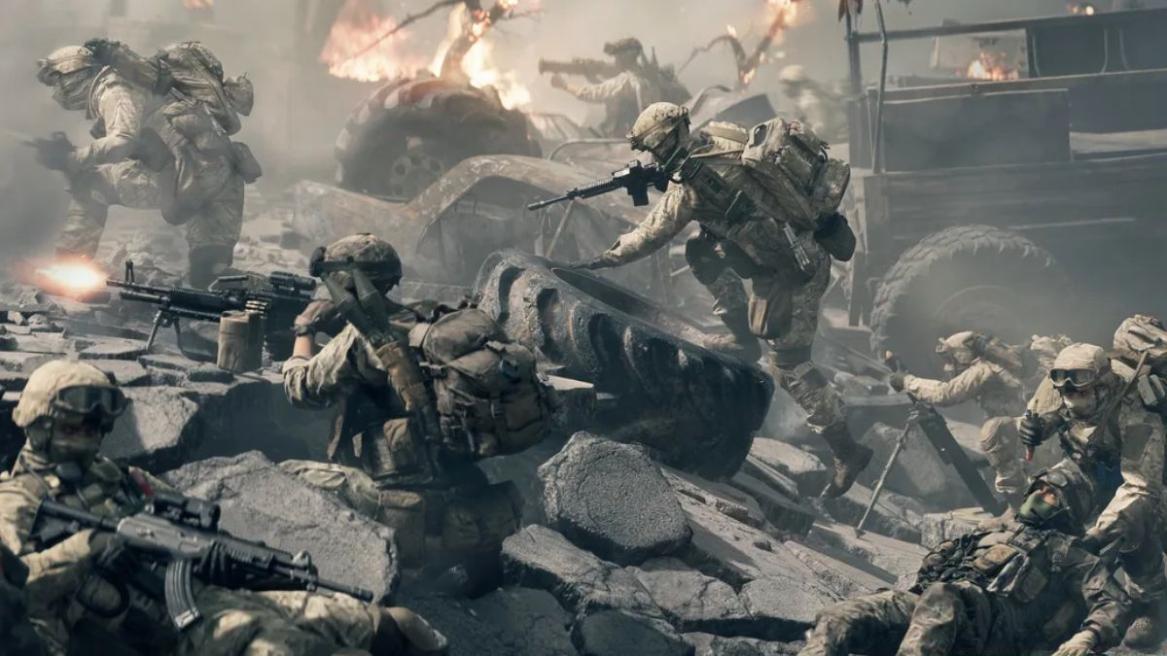
The BF6 settings interface presents a daunting array of options spread across multiple sub-menus, but focusing on specific high-impact adjustments will yield immediate performance improvements.
Navigation Strategy
Accessing the full suite of controller customization requires navigating through several menu layers:
- Initiate BF6 and select the settings cog positioned at the screen’s upper edge to open configuration options
- Locate the sidebar containing the dedicated ‘Controller‘ section
- Switch to this tab and activate the Triangle button on PlayStation or Y button on Xbox controllers to access the comprehensive ‘Edit Settings‘ interface
Common navigation mistake: Many players overlook the secondary ‘Controller Tuning’ menu accessible by pressing Square/X and scrolling to the bottom, missing critical precision adjustments.
Critical Settings Priority
While Battlefield 6 offers dozens of customizable parameters, these three adjustments deliver the most significant competitive advantages:
- Infantry Aim Sensitivity: This controls your turning speed when aiming down sights and significantly impacts target tracking accuracy
- Soldier Aim Input Curve: Determines how controller stick input translates to camera movement, with BF 1/BF 4 curves providing the most responsive feel
- Field of View (FOV): Expanding your visual perspective reveals more of the battlefield but can make distant targets appear smaller
FOV Optimization
We strongly recommend configuring your FOV within the 100-110 range for optimal situational awareness. This wider perspective allows you to spot flanking enemies earlier while maintaining reasonable target size for medium-range engagements. Advanced players often combine 110 FOV with slightly higher sensitivity settings (45-55) to compensate for the increased camera speed.
Gameplay Settings
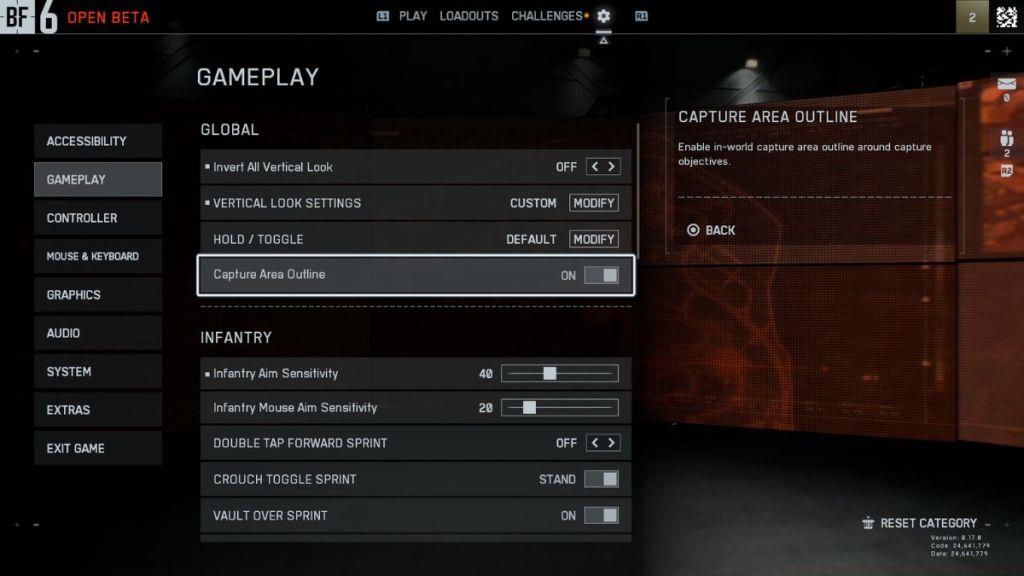
- Global
- Hold/Toggle settings: Configure all actions as hold/Adjust based on individual playstyle preferences
- Capture Area Outline: Enabled for clear objective visualization
Infantry
- Infantry aim sensitivity: 50
- Infantry mouse aim sensitivity: 20
- Double Tap Forward Sprint: Disabled to prevent accidental activation during intense firefights
- Crouch toggle sprint: Stand configuration for intuitive posture transitions
- Vault over sprint: Enabled for seamless environmental navigation
- Sprint foot barfe: Activated
- Double tap crouch for sprint slide: Enabled for advanced movement techniques
- Landing roll: Activated to reduce fall damage and maintain momentum
- Mount breakout: Instant for quick disengagement from cover positions
- Interact & Reload: Prioritize Reload to ensure weapon readiness takes precedence over environmental interactions
- Invert demolition charge: Disabled
- Inventory visibility: Displayed for comprehensive equipment awareness
Vehicle
- Vehicle aim sensitivity: 40
- Vehicle mouse aim sensitivity: 20
- Aircraft control sensitivity: 40
- Helicopter control sensitivity: 40
- Helicopter control assists: Disabled for maximum pilot control
- Vehicle aim-relative controls: Deactivated
- Decouple tank turret aiming from turning: Disabled
- Decouple aiming from turning (As Passenger): Disabled
- Vehicle Boost: Toggle configuration for consistent speed management
Aim Assist
- Infantry Aim Assist: 100
- Infantry Aim Assist Slowdown: 100
- Infantry Aim Assist Zoom Snap: 100
- Vehicle Aim Assist: 100
- Vehicle Aim Assist Slowdown: 100
- Vehicle Aim Assist Zoom Snap: 100
Pro tip: While aim assist settings at 100 provide maximum assistance, competitive players often reduce Zoom Snap to 0 for more precise manual target acquisition, especially when engaging multiple targets in rapid succession.
Controller Settings
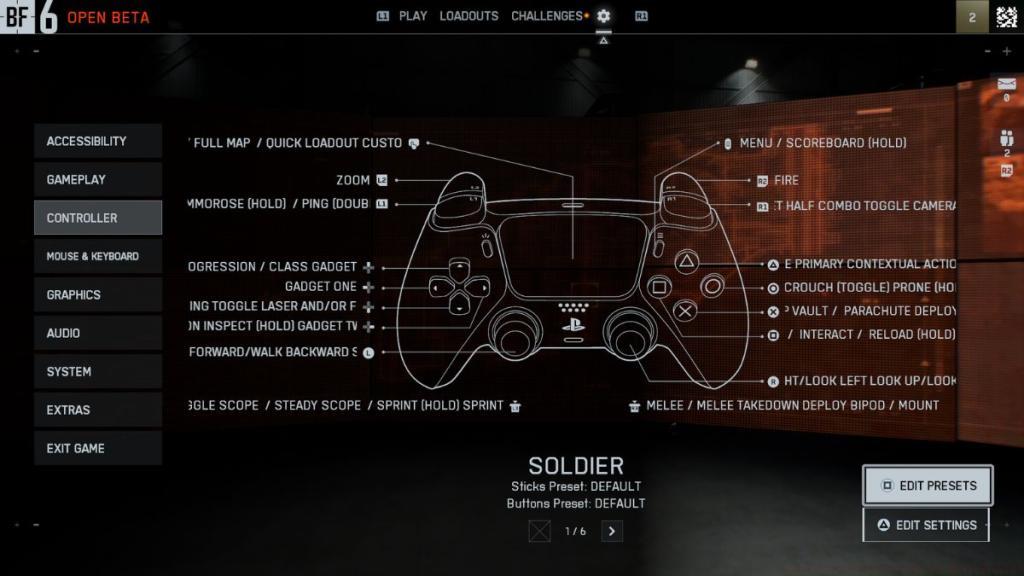
To modify default button assignments, activate the Square button on PlayStation or X button on Xbox controllers to access the ‘Edit Preset‘ interface. Within this menu, navigate to the bottom section and choose the ‘Controller Tuning‘ option. This reveals a specialized sub-menu containing essential precision adjustments we recommend configuring as follows:
Controller Vibration
- Controller vibration: Disabled for improved aiming stability during precise shots
- Vibration intensity: 0
- Vibration mix: Default configuration
Controller Left Stick
- Center deadzone: 2
- Axial deadzone: 6
- Max input threshold: 80
Controller Right Stick
- Center deadzone: 2
- Axial deadzone: 6
- Max input threshold: 80
Controller L2 and R2 Buttons
- L2 deadzone: 0
- L2 max input threshold: 100
- R2 deadzone: 0
- R2 max input threshold: 100
Beyond these configurations, you’ll discover Gyro and Flick settings within this interface. We suggest maintaining their default values unless you possess specific motion control preferences. After establishing your preferred controller mappings, proceed to the ‘Edit Settings’ menu and refine these additional parameters:
Infantry Control Settings
- Infantry aim sensitivity: 40
- Invert vertical look – Infantry: Disabled
- Field of view: 110
- UNIFORM INFANTRY AIMING: Enabled for consistent sensitivity across different zoom levels
- Zoom sensitivity coefficient: 178
- Infantry aim assist: 100
- Infantry aim assist slowdown: 100
- Infantry aim assist zoom snap: 0
- Soldier aim input curve: BF 1, BF 4
- Soldier zoom aim input curve: Standard configuration
- Stick input acceleration preset: BF 1
- Aiming left/right acceleration: 0
Movement
- Infantry sprint: Toggle configuration
- Double tap forward sprint: Disabled
- Sprint: L3
- Crouch toggle sprint: Stand
- Vault over sprint: Enabled
- Crouch slide: All configurations available
- Double tap crouch for sprint slide: Activated
Zoom
- Infantry weapon zoom: Hold configuration
- Zoom: L2/LS
- Steady scope: Hold
- Steady scope: L3/LS
- Vertical aim ratio: 56
- Vertical zoom ratio: 80
- Infantry zoom aim sensitivity: 90
- Zoom transition sensitivity smoothing: Enabled
- 1.25x zoom aim sensitivity: 100
All recommended configurations derive from extensive testing during the Battlefield 6 beta phase and aim to deliver balanced performance across various combat scenarios. Critical parameters like sensitivity and FOV ultimately depend on individual preferences, so experiment to determine optimal values for your playstyle. Deadzone adjustments similarly vary based on controller condition – units experiencing stick drift may require higher values (8-12) to prevent unintended input detection.
These controller optimizations provide the foundation for excelling in BF6‘s dynamic warfare environments. For comprehensive strategic guidance, explore our Complete Guide covering all aspects of Conquest mode tactics and team coordination.
Share your experiences with these configurations in the comments section below.
Action Checklist
- Navigate to Controller Settings using Triangle/Y button after selecting the settings cog
- Configure Infantry Aim Sensitivity to 40-50 based on preference
- Set Field of View between 100-110 for optimal battlefield awareness
- Adjust stick deadzones (2-6) to eliminate drift while maintaining responsiveness
- Enable Uniform Infantry Aiming and optimize zoom sensitivity coefficients
No reproduction without permission:Tsp Game Club » Best Controller Settings for Battlefield 6 Master Battlefield 6 with optimized controller settings for improved accuracy, movement, and competitive advantage