
Optimize your AMD RX 7600 XT graphics card performance with these tested Oblivion Remastered settings for 60+ FPS gameplay
AMD RX 7600 Series Graphics Card Overview
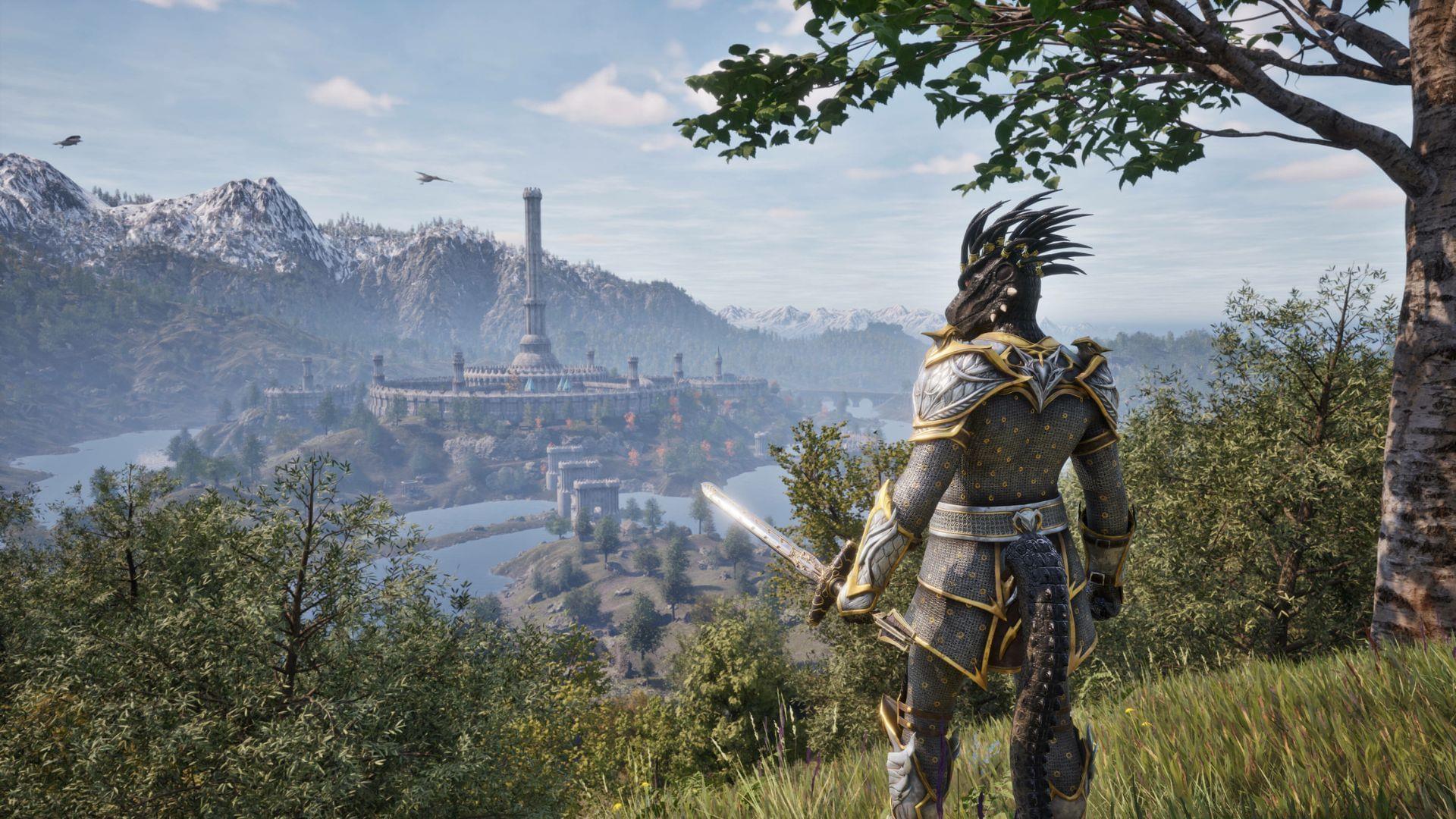
With the official launch of Oblivion Remastered, optimizing graphics settings becomes essential for AMD Radeon RX 7600 and RX 7600 XT owners seeking the perfect balance between visual quality and performance. These mid-range graphics processors deliver exceptional value for budget-conscious gamers, providing the horsepower needed to experience Cyrodiil’s enhanced landscapes without compromising frame rates.
The RX 7600 series represents AMD’s latest RDNA 3 architecture, featuring advanced ray tracing capabilities and improved power efficiency. Both cards are specifically engineered for 1080p gaming, making them ideal companions for Oblivion Remastered’s updated graphics engine. Understanding their technical differences helps maximize your gaming investment.
RX 7600 vs RX 7600 XT Performance Comparison: While both cards share similar core architecture, the RX 7600 XT distinguishes itself with 16GB GDDR6 memory compared to the standard RX 7600’s 8GB configuration. This doubled VRAM capacity proves particularly valuable in texture-heavy environments like Oblivion’s dense forests and detailed dungeons. The XT variant also operates at higher clock speeds, reaching 2755 MHz boost frequency versus the standard model’s 2655 MHz.
VRAM Considerations for Oblivion Remastered: Modern remasters often demand substantial video memory for high-resolution textures and advanced lighting effects. The RX 7600 XT’s 16GB buffer provides ample headroom for texture streaming and future mods, while the standard RX 7600 requires more careful settings management to avoid VRAM-related stuttering.
AMD Radeon RX 7600 Settings Guide
The standard Radeon RX 7600 delivers smooth Oblivion Remastered performance when configured with our carefully tested settings. This 8GB card achieves consistent 60+ FPS gameplay by leveraging AMD’s FidelityFX Super Resolution technology while maintaining impressive visual fidelity.
Core Graphics Configuration for RX 7600:
Performance Optimization Tips: For the RX 7600, Shadow Quality and Global Illumination represent the most performance-intensive settings. Reducing these to Medium provides significant frame rate improvements with minimal visual compromise. Monitor your VRAM usage in demanding areas like Imperial City to ensure you’re not exceeding the 8GB limit, which can cause stuttering.
AMD Radeon RX 7600 XT Enhanced Settings
The Radeon RX 7600 XT’s additional VRAM and higher clock speeds enable more aggressive graphics settings while maintaining smooth performance. This card competes directly with NVIDIA’s RTX 4060 Ti, offering comparable Oblivion Remastered performance at a potentially better value proposition.
Advanced Graphics Configuration for RX 7600 XT:
Native AA vs FSR Comparison: The RX 7600 XT’s extra performance headroom allows using Native AA instead of FSR upscaling, resulting in sharper image quality with native resolution rendering. While FSR provides higher frame rates, Native AA delivers superior texture detail and eliminates reconstruction artifacts. Test both options to determine your preference between performance and visual fidelity.
Also read: 5 things The Elder Scrolls IV: Oblivion does better than Skyrim
Performance Optimization Strategies
Beyond the basic settings, several advanced techniques can further enhance your Oblivion Remastered experience on AMD RX 7600 series graphics cards. These strategies address common performance issues and provide solutions for achieving the perfect balance between visual splendor and smooth gameplay.
Advanced Tuning Techniques: For users seeking every possible frame, consider reducing Shadow Quality to Medium on the RX 7600 XT – this single change can provide 5-10% performance improvement with minimal visual impact. Additionally, disabling Screen Space Reflections in exchange for higher Global Illumination may better suit your visual preferences. Experiment with these tradeoffs to find your ideal configuration.
Common Performance Pitfalls: Many players encounter unexpected frame drops in specific locations like the Imperial City marketplace or dense forest areas. These typically result from VRAM limitations or CPU bottlenecks. Monitor your performance metrics to identify whether your graphics card or processor is causing the bottleneck. The RX 7600 XT’s additional VRAM significantly reduces texture-related stuttering in modded gameplay scenarios.
Driver Optimization: Ensure you’re running the latest AMD Adrenalin drivers, which often include game-specific optimizations for new releases like Oblivion Remastered. The driver’s built-in tuning features allow custom fan curves and slight GPU overclocking for additional performance headroom. However, avoid aggressive overclocking that might cause instability during extended gaming sessions.
Temperature Management: Both RX 7600 variants operate efficiently, but maintaining optimal temperatures ensures consistent performance. Use AMD’s metrics overlay to monitor GPU temperatures during gameplay. Sustained performance above 80°C may indicate inadequate cooling and potential thermal throttling. Ensure proper case ventilation and consider custom fan profiles if temperatures regularly exceed 75°C.
These optimized Oblivion Remastered configurations transform your AMD Radeon RX 7600 or 7600 XT into the perfect gateway to Cyrodiil’s enhanced landscapes. By carefully balancing visual settings and understanding your hardware’s capabilities, you’ll experience smooth 60+ FPS gameplay without compromising the visual enhancements that make this remaster special.
For more articles regarding The Elder Scrolls 4: Oblivion Remastered, check out these posts:
No reproduction without permission:Tsp Game Club » Best Oblivion Remastered settings for Radeon RX 7600 and 7600 XT Optimize your AMD RX 7600 XT graphics card performance with these tested Oblivion Remastered settings for 60+ FPS gameplay