
TL;DR
- Press R3 button to temporarily disable cinematic horse camera aspect ratio
- No permanent setting exists to disable the widescreen format switch completely
- The aspect ratio change triggers inconsistently during different riding scenarios
- Cinematic mode enhances immersion but reduces peripheral vision awareness
- Strategic camera switching improves both combat readiness and navigation efficiency
Ghost of Yotei immerses players in the expansive Ezo region surrounding the majestic Mount Yotei, where equestrian travel becomes essential for traversing Japan’s northern territories. Your loyal companion horse serves as the primary transportation method throughout the adventure, making horseback riding a fundamental gameplay component that demands mastery.
The sequel introduces a distinctive cinematic presentation technique where the aspect ratio dynamically shifts to a widescreen CinemaScope format whenever protagonist Atsu mounts their steed. This artistic choice creates immediate visual drama but presents practical challenges for sustained gameplay sessions, particularly during extended exploration or combat sequences.
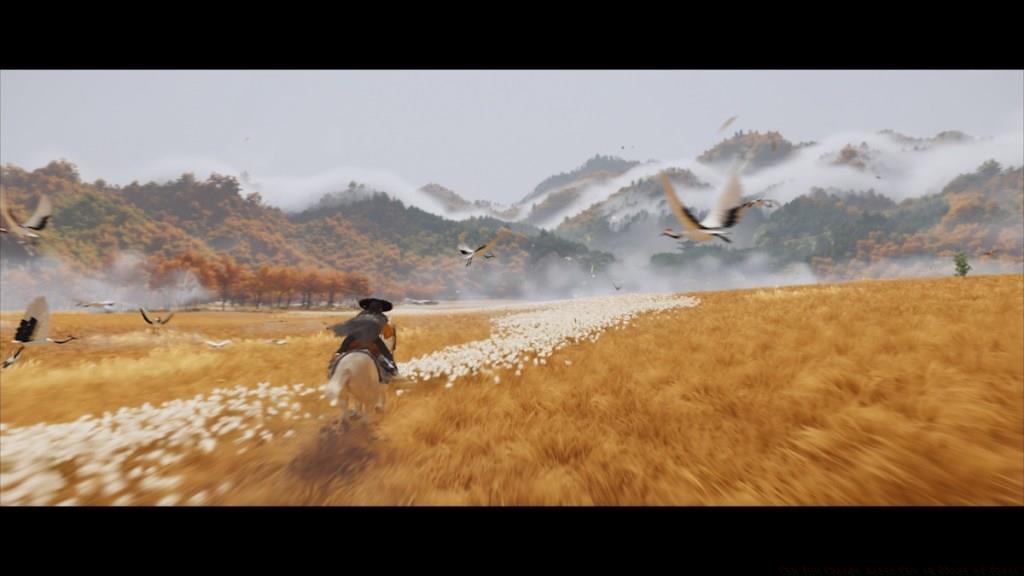
Upon mounting your horse, the game automatically transitions to a letterboxed cinematic view that reduces vertical screen space through prominent black bars. This presentation style mimics traditional film aesthetics but compromises gameplay visibility, especially during navigation-intensive segments or enemy encounters.
Extensive testing reveals no permanent configuration option within the settings menu to disable this automatic aspect ratio adjustment. However, players can immediately restore standard full-screen display by clicking the right analog stick, designated as R3 on PlayStation controllers. This manual override provides temporary relief while maintaining the developers’ artistic vision.
The cinematic transition exhibits inconsistent activation patterns throughout gameplay. Certain riding scenarios, particularly scripted sequences or specific environmental contexts, may not trigger the aspect ratio change, creating unpredictable visual experiences that require adaptive player responses.
- Whenever Atsu begins to ride a horse, the aspect ratio switches to a widescreen format, similar to CinemaScope.
- Currently, there is no permanent way to disable the aspect ratio switch in Ghost of Yotei.
- However, you can press ‘R3’ once the aspect ratio changes to switch back to the full screen mode.
Strategic camera management significantly enhances combat preparedness during horseback engagements. The full-screen perspective provides superior situational awareness for detecting ambushes and targeting enemies, while the cinematic mode offers immersive aesthetics during peaceful travel moments. Mastering when to switch between views becomes crucial for optimal performance.
Navigation efficiency improves dramatically when using standard aspect ratio during complex route-finding sequences. The additional vertical visibility helps identify terrain features, collectible items, and environmental clues that might remain obscured in cinematic mode.
For players seeking maximum immersion during story moments and exploration, the cinematic aspect ratio creates unparalleled atmospheric depth. However, during time-sensitive missions or combat scenarios, prioritizing practical visibility through manual R3 activation ensures gameplay success without sacrificing the developers’ artistic intentions.
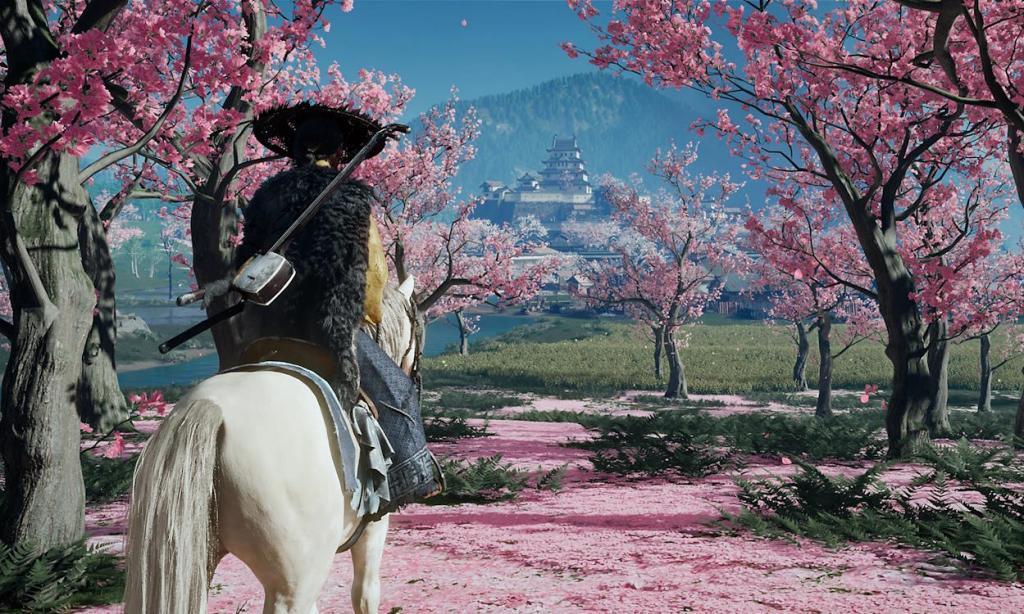
Image Credit: Sucker Punch Productions (via PlayStation)
Understanding the nuanced balance between cinematic presentation and functional gameplay represents a key skill for mastering Ghost of Yotei’s equestrian mechanics and overall navigation systems.
Action Checklist
- Mount your horse and observe the automatic cinematic aspect ratio transition
- Press R3 button to manually switch back to full-screen mode when needed
- Use full-screen view during combat for better enemy awareness and targeting
- Switch to cinematic mode during exploration for enhanced immersion and atmosphere
- Monitor inconsistent activation patterns during different riding scenarios
No reproduction without permission:Tsp Game Club » Can You Change Horse Cam in Ghost of Yotei? Master the cinematic horse camera in Ghost of Yotei with essential controls and gameplay optimization strategies