
TL;DR
- Clair Obscur: Expedition 33 demands modern hardware with surprisingly high CPU requirements
- The game requires 55GB storage and benefits significantly from SSD installation
- Minimum specs target 1080p/30fps while recommended specs aim for 1440p/60fps+
- Windows 11 provides optimization advantages but Windows 10 remains fully supported
- Performance tuning can significantly improve frame rates on borderline systems
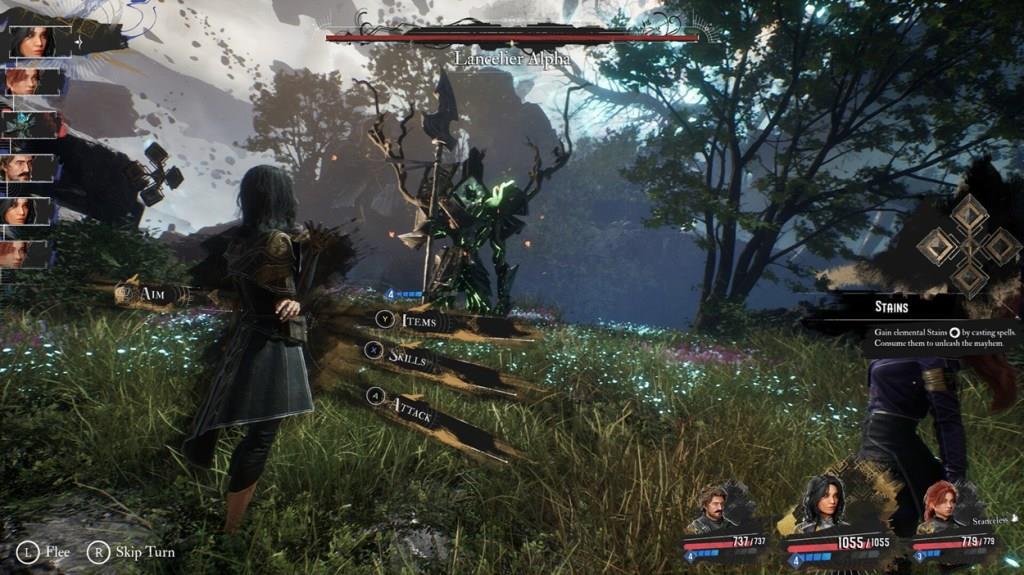
Clair Obscur: Expedition 33 stands out as a visually stunning turn-based RPG that leverages cutting-edge graphics technology. The game’s breathtaking art style and detailed environments come with substantial hardware demands that PC gamers need to carefully consider. Unlike console versions that offer standardized performance, the PC edition provides customizable visual settings but requires appropriate hardware configuration to achieve optimal performance.
Before committing to purchase, understanding these system specifications becomes crucial for ensuring smooth gameplay. The developers have implemented advanced rendering techniques that particularly stress CPU performance, making processor selection more important than typical RPG titles. This comprehensive guide breaks down both minimum and recommended specifications while providing practical optimization strategies.
These baseline specifications target 1080p resolution at 30 frames per second with medium graphical settings. Meeting these requirements ensures playable performance, though you may need to adjust certain settings for optimal smoothness during intense combat sequences.
- Processor: Intel Core i7-8700 / AMD Ryzen 5 1600X – These six-core processors provide the necessary multithreading capability for the game’s complex AI and physics calculations
- Graphics: NVIDIA GeForce GTX 1060 (6 GB) / AMD Radeon RX 5600 XT (6 GB) / Intel Arc A380 (6 GB) – These GPUs handle the game’s texture streaming and post-processing effects at acceptable levels
- Storage: 55 GB available space – SSD strongly recommended for reduced loading times and better asset streaming
- Operating System: Windows 10 64-bit (latest Service Pack) – Ensure all system updates are installed for optimal DirectX performance
Performance Insight: The minimum CPU requirements are notably demanding compared to similar RPG titles, reflecting the game’s sophisticated enemy AI systems and real-time environmental interactions. Players with older quad-core processors may experience performance bottlenecks during crowded battle scenarios.
For players seeking optimal visual fidelity and smooth 60fps gameplay at 1440p resolution, these specifications deliver the intended experience. The upgraded components significantly enhance texture quality, draw distances, and special effects while maintaining stable frame rates.
- Processor: Intel Core i7-12700K / AMD Ryzen 7 5800X – These high-performance CPUs eliminate potential bottlenecks and ensure consistent performance during the most demanding sequences
- Graphics: NVIDIA GeForce RTX 3060 Ti (8 GB) / AMD Radeon RX 6800 XT (16 GB) – Substantial VRAM improvements enable higher resolution textures and advanced lighting effects
- Storage: 55 GB available space – NVMe SSD recommended for instantaneous level loading and seamless world transitions
- Operating System: Windows 11 64-bit (latest Service Pack) – Takes advantage of DirectStorage technology for faster asset loading
Advanced Considerations: The recommended specifications provide headroom for future content updates and mod support. The AMD Radeon RX 6800 XT’s 16GB VRAM offers particular advantages for high-resolution texture packs and extended gameplay sessions without memory-related stuttering.
Even if your system barely meets the minimum requirements, several optimization techniques can significantly improve your gameplay experience. These practical adjustments help bridge performance gaps without sacrificing visual quality excessively.
Graphics Settings Priority: Focus on reducing shadow quality and post-processing effects first, as these typically offer the best performance-to-visual trade-offs. Anti-aliasing can also be adjusted from TAA to FXAA for immediate frame rate improvements with minimal visual degradation.
Driver Optimization: Ensure you’re running the latest GPU drivers with game-specific optimizations. Both NVIDIA and AMD frequently release driver updates that can improve performance by 10-15% for newly released titles.
System-Level Tweaks: Close background applications, especially web browsers and streaming software, to free up CPU and memory resources. For systems with 16GB RAM, consider increasing virtual memory allocation to prevent stuttering during asset streaming.
For players interested in broader gaming optimization strategies, our Complete Guide covers system tuning techniques applicable across multiple titles, including crucial settings that impact performance in demanding games.
Action Checklist
- Verify your current hardware against both minimum and recommended specifications
- Update GPU drivers to latest stable version from manufacturer website
- Clear 55GB of SSD space for installation and optimal loading performance
- Run system updates to ensure Windows is current with latest DirectX improvements
- Benchmark performance in initial game areas and adjust settings before continuing
No reproduction without permission:Tsp Game Club » Clair Obscur: Expedition 33 System Requirements (Minimum and Recommended) Complete PC performance guide for Clair Obscur: Expedition 33 with optimization tips and hardware analysis