
Complete guide to Heated Metal Siege X mod – features, installation, and advanced customization tips
Understanding Heated Metal Mod Capabilities
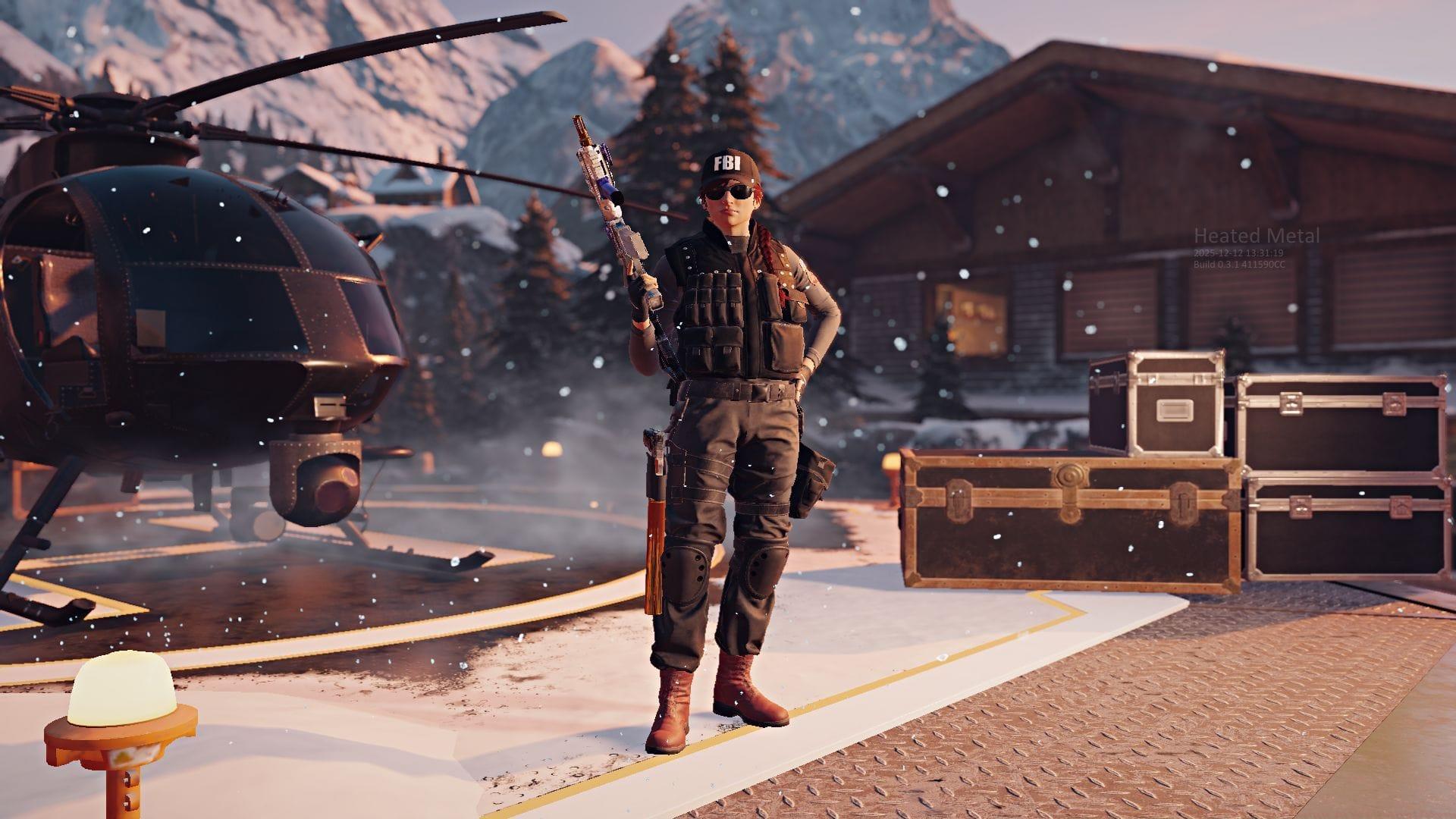
The gaming community has witnessed a groundbreaking development with the emergence of the Rainbow Six Siege X mod known as Heated Metal. Created by community developer Zer0Byt3s, this revolutionary custom editor breathes new life into Ubisoft’s tactical shooter by enabling unprecedented levels of customization. Players gain access to comprehensive tools for creating and editing maps, modifying weapon attachments, and altering the structural integrity of game environments. Built on an older iteration of Rainbow Six Siege, this mod unlocks access to content spanning the game’s entire ten-year history.
Pro Tip: Start with simple map modifications before attempting complex structural changes to understand the editor’s capabilities gradually.
The Heated Metal project benefits from an active Discord community where developers and creators collaborate on ongoing improvements. Newcomers can join these channels to access real-time support, share creations, and discover innovative mod applications demonstrated by experienced community members.
Community content creator KianChopper recently showcased the mod’s extensive capabilities through detailed YouTube demonstrations. The platform enables players to completely rework existing maps, design original level layouts, and perform intricate modifications like removing obstructive metal bars from flooring structures. This level of environmental control transforms traditional gameplay dynamics.
Weapon customization reaches new heights with Heated Metal’s loadout system. Operators can equip any attachment combination regardless of traditional restrictions, enabling setups like pairing a vertical grip and 1.5X scope with secondary weapons such as the SMG-12. Both Attacker and Defender gadgets undergo functional modifications that alter their operational mechanics and tactical utility.
The modding community has already produced impressive creations, including functional elevator systems within the Tower map environment. Ambitious creators have reconstructed iconic maps from other franchises, including Shipment from Call of Duty and Dust 2 from Counter-Strike, demonstrating the platform’s versatility.
Heated Metal introduces innovative equipment interactions, such as a new flashlight attachment that synergizes with Thatcher’s EMP grenades. When deployed together, these tools create tactical scenarios where EMPs disable ambient lighting, forcing defenders to rely on portable illumination sources.
Step-by-Step Installation Process
Implementing the Heated Metal modification requires careful execution of a multi-stage installation procedure. Follow these comprehensive steps to ensure successful deployment.
Downloader Configuration Phase:
Common Mistake to Avoid: Failing to add the folder to antivirus exclusions may cause downloader termination during execution.
Downloader Implementation Stage:
Optimization Tip: Schedule installation during off-peak hours for faster download speeds and minimal interruption.
Mod Integration Procedure:
Advanced Features and Troubleshooting
Once successfully installed, Heated Metal unlocks extensive customization interfaces and gameplay modifications. Explore the comprehensive Playlist options available within the custom game menu to access various mod configurations. The Editor interface becomes accessible by pressing the F3 key, providing detailed environmental manipulation tools.
After loading into any map through the custom game interface, pressing F1 reveals the developer console containing advanced modification utilities and debugging functions.
Troubleshooting Common Installation Issues:
Initial execution of the R6Downloader-V6.bat file may generate a ‘dotnet‘ command error. This automatically triggers download of the official Windows .NET framework components. Installation of these dependencies resolves the compatibility issue and enables proper downloader functionality.
Security Considerations: While the downloader stores Steam credentials locally without external transmission, cautious users may employ an alternative Steam account with Rainbow Six Siege access for the Neon Dawn file acquisition process. This approach maintains primary account security while enabling full mod functionality.
Advanced Customization Techniques: Experienced modders can combine multiple modification layers for unique gameplay experiences. Experiment with combining environmental changes (like destructible surfaces) with gadget modifications to create completely new tactical scenarios. The community Discord server offers dedicated channels for sharing advanced techniques and troubleshooting complex modifications.
Performance Optimization: Monitor system resources when running heavily modified maps, as additional assets and scripting may impact game stability. Consider adjusting graphical settings when testing extensive environmental modifications to maintain smooth performance.
For continued updates and community developments, follow Sportskeeda gaming coverage:
No reproduction without permission:Tsp Game Club » Heated Metal: A new Rainbow Six Siege X mod opens new frontiers for this 10-year-old shooter Complete guide to Heated Metal Siege X mod - features, installation, and advanced customization tips