
TL;DR
- Link your Bethesda and Twitch accounts before starting the viewing requirement
- Watch exactly 60 minutes of eligible Doom The Dark Ages streams with Drops enabled
- Claim your reward code from Twitch inventory and redeem on Bethesda’s website
- Verify stream eligibility using the ‘Drops Enabled’ tag and check progress regularly
- Complete the process during active promotion periods to ensure reward availability
Twitch Drops represent an exclusive collaboration between streaming platforms and game developers to distribute limited-time cosmetic items. For Doom The Dark Ages, this partnership offers players access to premium Slayer skins without additional purchase costs. These digital collectibles hold significant value since customization options remain scarce in the base game.
The available Slayer skin through this program stands out as particularly valuable. Most alternative skins require either pre-ordering the game or buying the Premium Edition, making this Twitch Drop one of the few freely accessible customization options. This scarcity makes securing the reward especially important for dedicated players seeking to personalize their gaming experience.
Promotional windows for these drops typically run during specific marketing campaigns or around major gaming events. Players should monitor official Doom social channels for exact timing details since missing these limited periods means losing access to the exclusive cosmetic entirely.
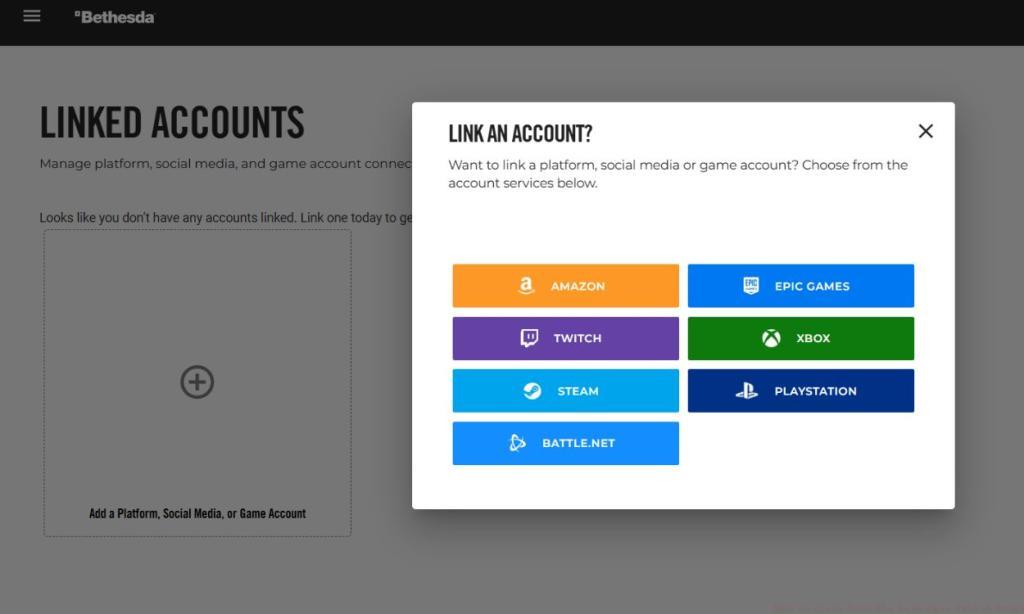
Proper account synchronization forms the foundation of successfully claiming your Twitch Drop rewards. Begin by accessing your Bethesda account through their official website portal. If you don’t have an existing account, creation takes approximately five minutes and requires basic information verification.
Navigation to the account linking section requires clicking your username in the screen’s upper-right corner, then selecting the ‘Linked Accounts‘ option from the dropdown menu. This interface displays all available platform integration options, with Twitch typically appearing among the primary choices.
Critical linking verification step: Always confirm successful synchronization by checking both your Bethesda profile and Twitch connections page. Many users encounter issues because they assume linking completed automatically without proper validation. Ensure both platforms show the connection as active before proceeding to stream watching.
Identifying eligible streams represents the most crucial step in the reward acquisition process. Look specifically for channels broadcasting Doom The Dark Ages content that display the ‘Drops Enabled‘ tag above the chat interface. This indicator confirms the stream participates in the official drops program.
Progress tracking methodology: Twitch provides a progress bar within the inventory section showing your advancement toward the 60-minute requirement. Avoid switching between multiple streams as this may reset or pause your accumulation timer in some cases.
Advanced viewing optimization: Consider muting stream audio and minimizing the browser tab if you cannot actively watch content. However, ensure the stream continues playing visibly since background tabs sometimes stop progress tracking. Setting volume to the minimum level rather than complete mute often maintains progress registration.
Upon completing the viewing requirement, your reward code automatically appears within the Twitch inventory system. Access this section by clicking your profile icon and selecting ‘Drops and Rewards’ from the menu. The system typically processes code generation within 2-5 minutes after reaching the time threshold.
Bethesda website navigation for redemption requires accessing the ‘Redeem‘ section found within the ‘Shop’ category. Navigate to the top-left toolbar menu, expand the shopping options, and locate the code redemption interface.
Common troubleshooting scenarios: If your code fails validation, verify you’re logged into the correct Bethesda account region. Additionally, ensure the code contains no extra spaces when copying from Twitch to the redemption portal.
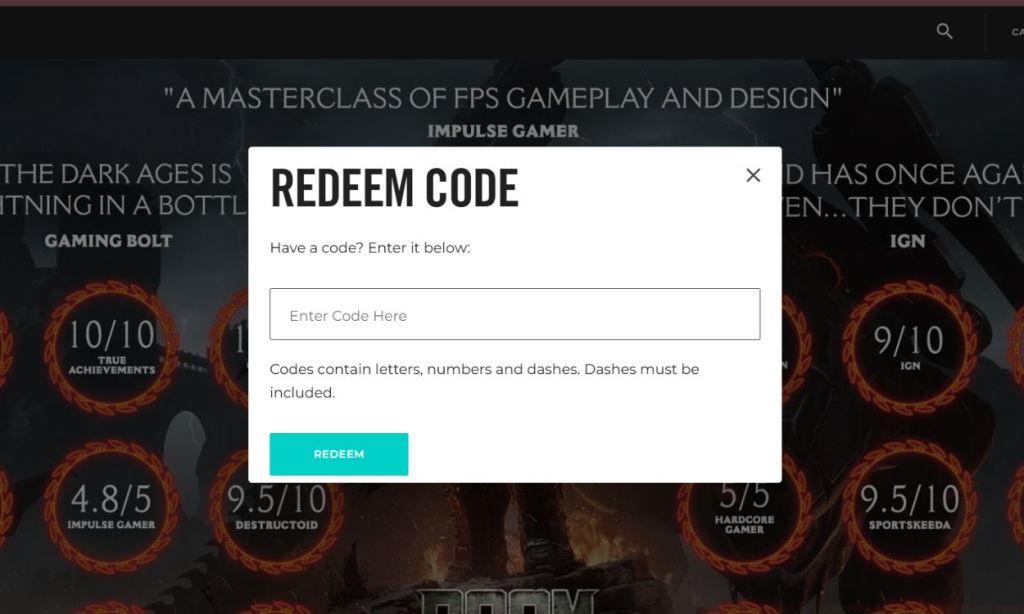
Reward delivery timing varies, with the Slayer skin typically appearing in your game inventory within 24-48 hours after successful redemption. For players encountering extended delays, contacting Bethesda support with your redemption confirmation typically resolves distribution issues.
Action Checklist
- Verify and link Bethesda and Twitch accounts
- Identify eligible streams with ‘Drops Enabled’ tags
- Watch 60 minutes of qualified Doom The Dark Ages content
- Claim reward code from Twitch inventory
- Redeem code on Bethesda website and verify success
No reproduction without permission:Tsp Game Club » How to Claim Doom The Dark Ages Twitch Drops Complete guide to claiming Doom The Dark Ages Twitch Drops with expert strategies and common pitfalls