
TL;DR
- Access emotes via pause menu using platform-specific controls (1/Triangle/Y)
- Customize your emote wheel by reordering favorites for quick access
- Purchase additional gestures at Small Jar Bazaar for 200 Murk each
- Time emotes carefully as animations lock your character and cannot be canceled
- Use emotes strategically for PvP communication and co-op coordination
Elden Ring Nightreign continues FromSoftware’s beloved tradition of expressive gestures, offering players numerous ways to communicate non-verbally with fellow adventurers. These animations serve both practical and social functions within the game’s multiplayer ecosystem.
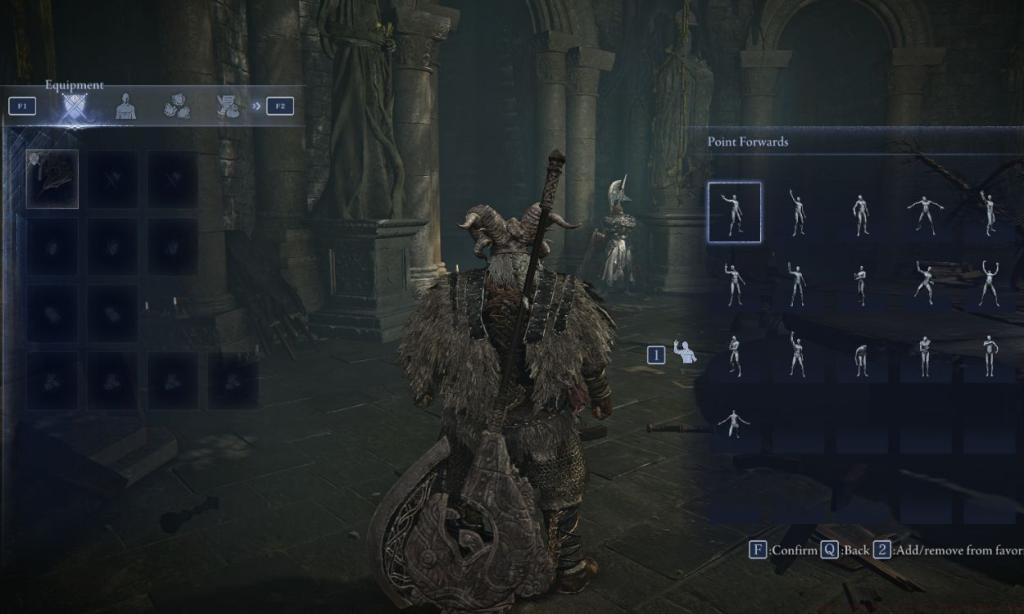
To activate any emote, first open your pause menu, then press ‘1’ on keyboard, Triangle on PlayStation, or Y on Xbox to reveal the comprehensive gestures interface. Once the menu appears, choose your desired animation and confirm with left mouse click, Cross button on PlayStation, or A on Xbox to perform the selected gesture.
The default configuration includes 16 distinct emotes, which can become cumbersome to navigate during intense gameplay moments. Fortunately, you can optimize your emote wheel by selecting preferred gestures and pressing ‘2’ on keyboard, Square on PlayStation, or X on Xbox to reposition them at the list’s forefront for immediate access.
Advanced players should note that certain emotes feature unique properties – some create audible sounds that can attract enemy attention, while others provide brief invincibility frames during specific animation phases. Understanding these nuances can significantly enhance your Class Guide effectiveness in both cooperative and competitive scenarios.
Executing any gesture temporarily immobilizes your character within the animation sequence, with many emotes preventing cancellation once initiated. This mechanic demands careful timing consideration, particularly during enemy encounters or PvP situations where vulnerability windows can be exploited.
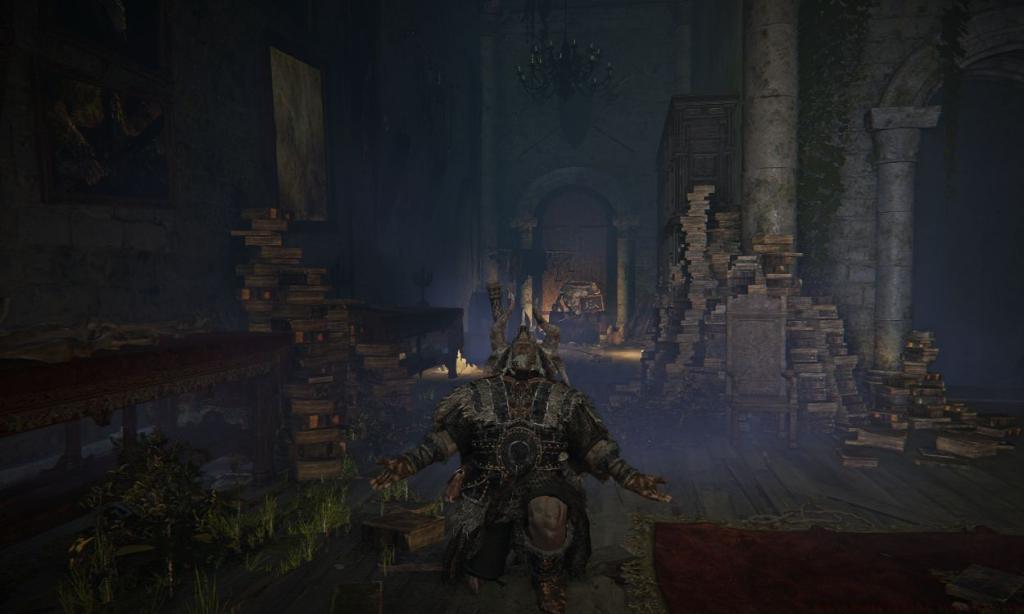
Strategic emote usage extends beyond simple communication – experienced players employ specific gestures to bait opponents in PvP, signal tactical positions during co-op sessions, or even manipulate enemy AI behavior patterns. The “Point Forward” emote, for instance, can coordinate team movements without voice chat.
Common mistakes include using lengthy emotes during boss fights or activating gestures near environmental hazards. New players often underestimate animation durations, leading to preventable deaths. Always survey your surroundings and assess combat status before committing to any gesture.
For optimization, consider binding frequently used communication emotes like “Hello” and “Thank you” to easily accessible slots. This efficiency becomes particularly valuable when coordinating with random co-op partners or during time-sensitive multiplayer events.
Understanding these advanced techniques complements your overall Complete Guide to mastering Nightreign’s multiplayer dynamics and social interactions.
While Nightreign provides 16 default emotes at launch, the complete gesture repertoire extends significantly through acquisition at the Small Jar Bazaar located within Roundtable Hold. This charming merchant offers numerous additional expressions, each priced at 200 Murk, the game’s primary currency.
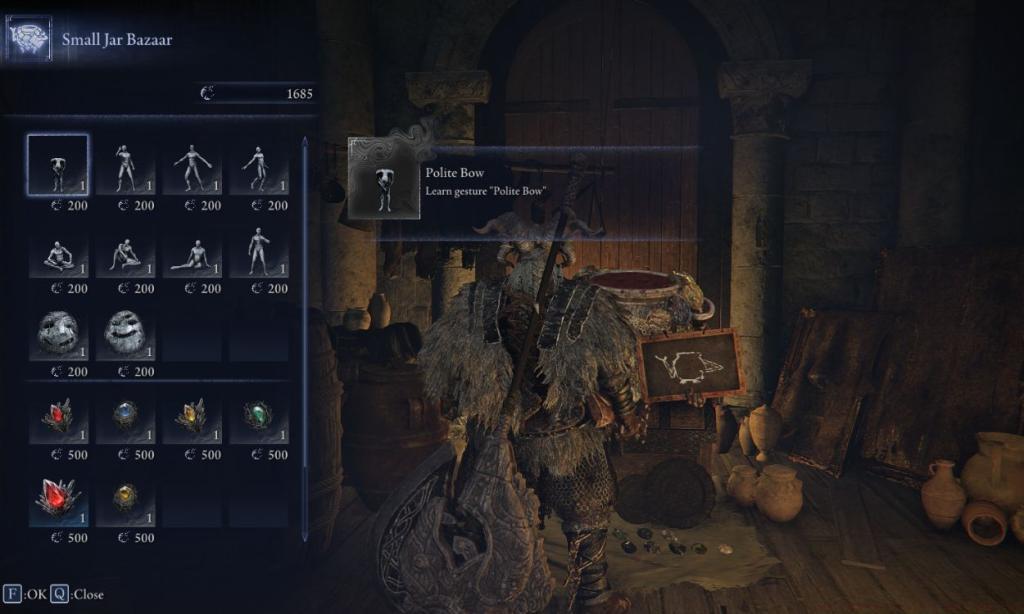
Available purchasable gestures include essential communication tools like the Prattling Pate “Hello” and Prattling Pate “Thank you”, along with more expressive options that enhance role-playing possibilities. Budget-conscious players should prioritize emotes that complement their preferred Weapons Unlock strategies and playstyle preferences.
Beyond merchant purchases, several rare gestures remain hidden throughout the game world, discoverable through exploration, NPC quest completion, or specific multiplayer interactions. These exclusive animations often require substantial time investment but offer unique communicative capabilities.
Currency management becomes crucial when expanding your emote collection. With each gesture costing 200 Murk, players should balance their spending between practical combat enhancements and expressive social tools based on their multiplayer engagement frequency.
Action Checklist
- Access gesture menu via pause menu + platform-specific button
- Reorder 3-5 most used emotes to front of list for quick access
- Visit Small Jar Bazaar at Roundtable Hold to purchase additional gestures
- Practice timing shorter emotes during safe moments to understand animation locks
- Integrate strategic emote usage into your PvP and co-op tactics
No reproduction without permission:Tsp Game Club » How to Emote in Elden Ring Nightreign Master Elden Ring Nightreign emotes with advanced controls, strategic uses, and comprehensive gesture acquisition guide