
TL;DR
- Moods are nameplate cosmetics that function as persistent emoticons visible to all players
- Acquire Moods through shop bundles (Jeff bundle for 400 Lattice) or season pass progression rewards
- Navigate to profile settings and use the smiley edit button to equip your preferred Mood
- Strategic Mood selection can enhance team communication and psychological gameplay advantages
- Regularly check seasonal updates for limited-time Mood bundles and free acquisition opportunities
Marvel Rivals introduces an innovative personalization system through Mood cosmetics, offering players continuous self-expression during matches. Unlike traditional emotes that require activation, Moods function as persistent visual elements displayed prominently on your nameplate throughout gameplay sessions.
These cosmetic enhancements serve as always-visible emoticons that communicate your current attitude or playstyle to both teammates and opponents. The strategic implementation of Moods can influence team dynamics and create psychological advantages during competitive encounters.
Obtaining Mood cosmetics follows two primary pathways: direct purchase through the in-game shop or progression rewards from seasonal content. The shop consistently features rotating Mood bundles available for Lattice, Marvel Rivals’ premium currency, while seasonal passes offer limited-time acquisition opportunities.
Current available bundles include the Jeff Mood bundle priced at 400 Lattice, providing immediate cosmetic enhancement. For free-to-play enthusiasts, the Season 2.5 Combat Chest progression track rewards dedicated players with the exclusive Galacta Mood bundle upon reaching specific milestone tiers.
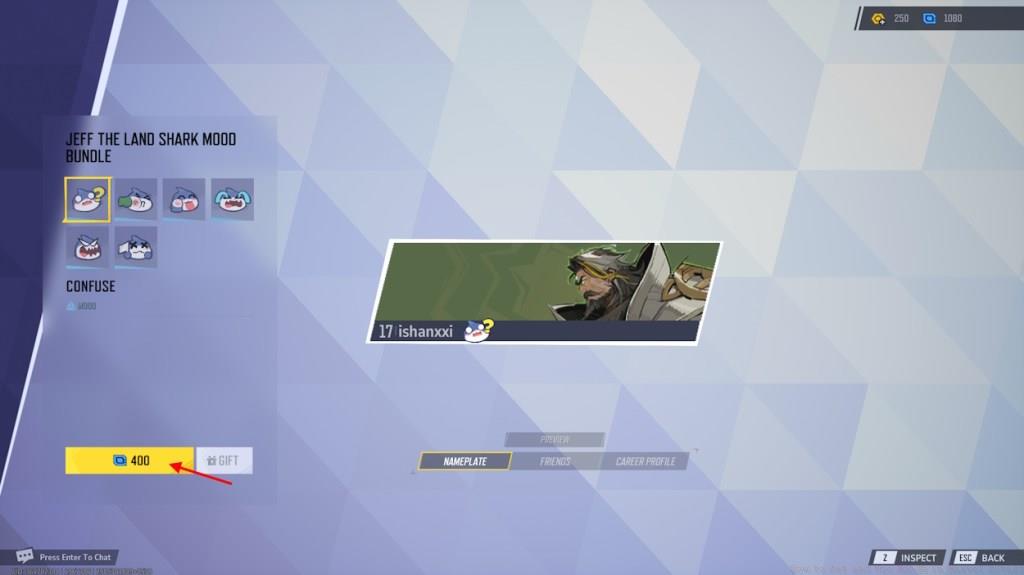
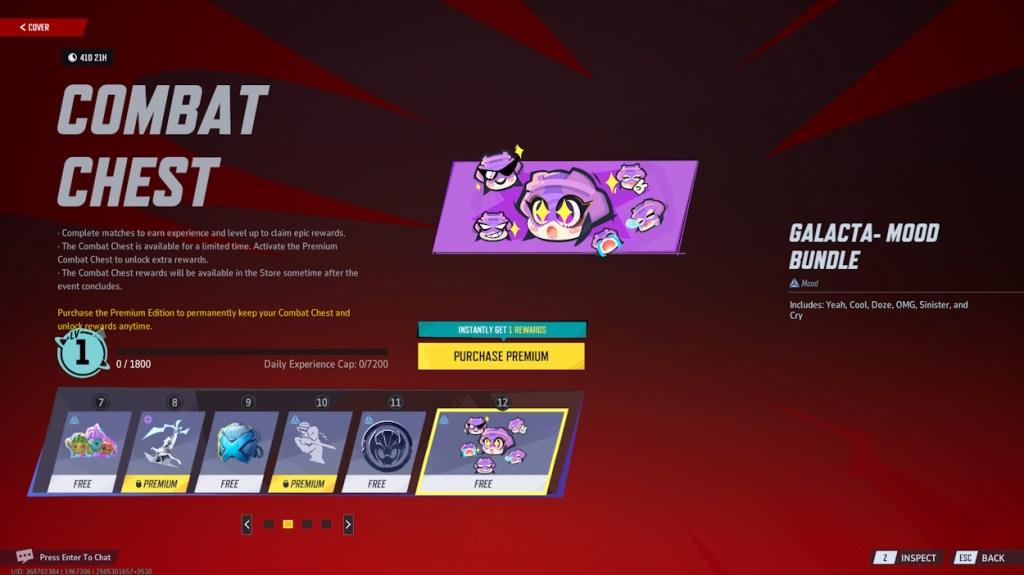
Seasonal rotations typically introduce 2-3 new Mood bundles every major update, with limited-time availability creating collector urgency. Regular shop checking ensures you don’t miss exclusive Mood releases that may not return for several seasons.
After securing your desired Mood cosmetic through purchase or seasonal progression, implementation requires navigating Marvel Rivals’ customization interface. The process involves specific menu navigation that new players might overlook without proper guidance.
Immediately following bundle acquisition, the game typically provides a direct equip option from the purchase confirmation screen. If you’ve navigated away from this prompt, manual equipping follows this structured approach:
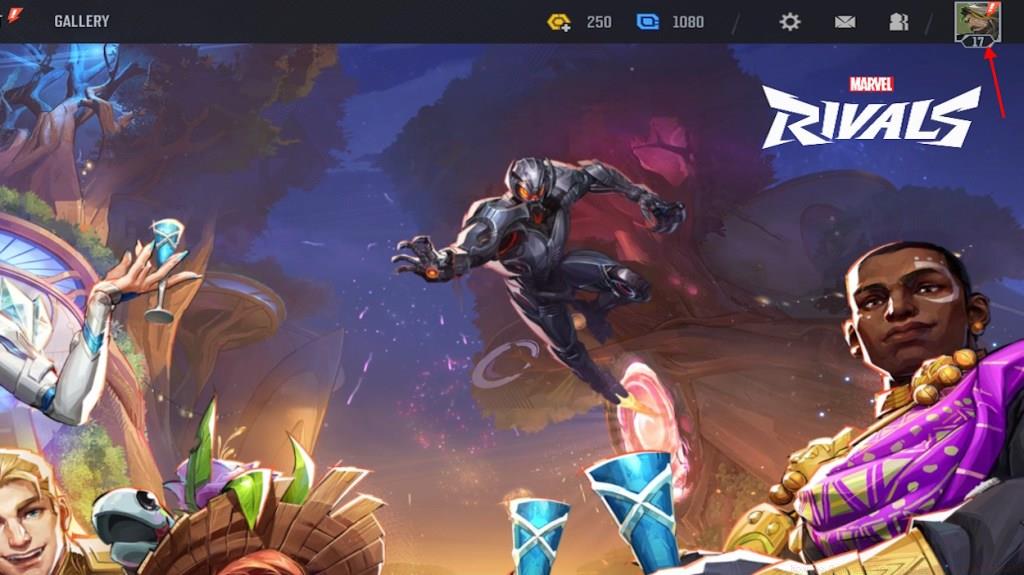
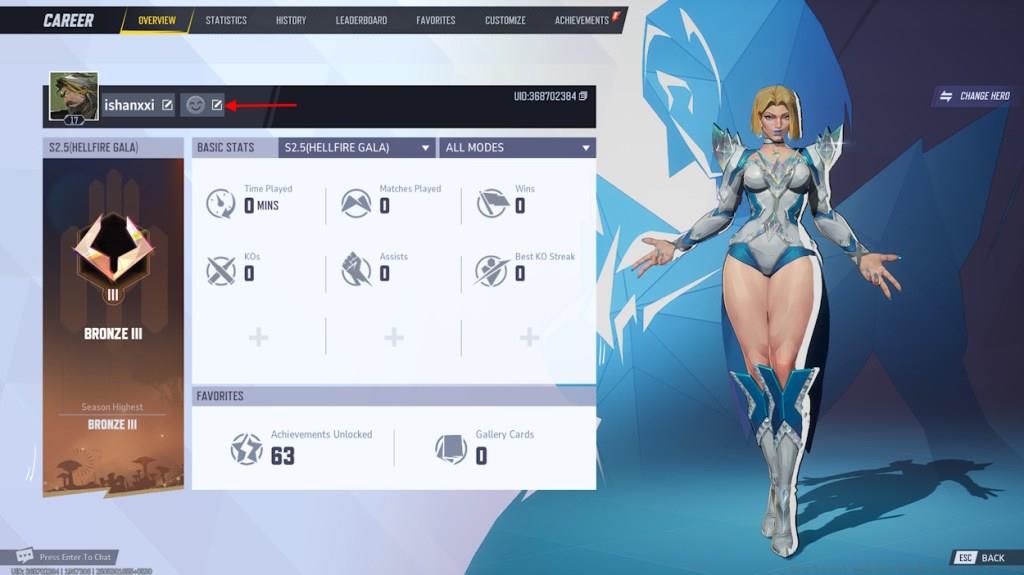
Within the Mood selection interface, browse your available cosmetics and highlight your preferred option. Finalize the process by selecting the equip confirmation button, then verify the change reflects on your nameplate in subsequent matches.
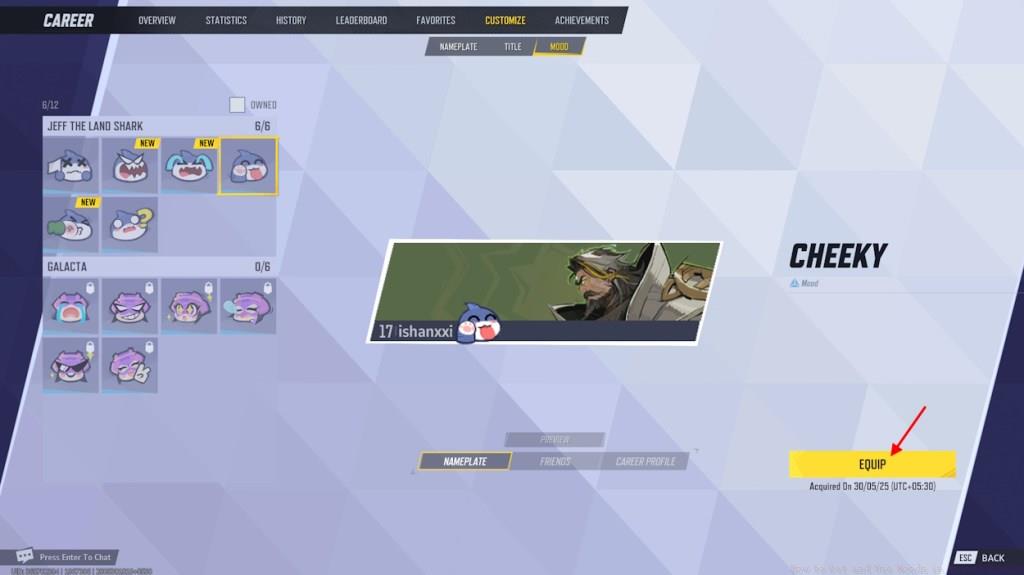
Beyond basic equipping, seasoned Marvel Rivals competitors employ sophisticated Mood strategies to maximize their cosmetic impact. Strategic Mood rotation based on map selection, team composition, or competitive mode can enhance your psychological presence within matches.
Resource management becomes crucial when building a diverse Mood collection. Prioritize free seasonal Moods before investing Lattice in shop bundles, and monitor bundle rotation patterns to identify optimal purchase timing.
Display optimization involves selecting Moods with high visibility and clear readability against various map backgrounds. Test your equipped Mood in different environments to ensure consistent visibility and communicative effectiveness.
Common implementation errors include forgetting to verify Mood application after equipping, overlooking free seasonal opportunities, and purchasing overlapping Mood bundles with similar visual themes. Avoid these pitfalls through systematic collection management and regular interface checks.
Action Checklist
- Check seasonal pass progression for free Mood bundle rewards
- Review shop bundles and prioritize Lattice purchases based on rotation patterns
- Navigate to profile settings and access Mood customization via smiley edit button
- Test equipped Mood visibility across different maps and adjust selection if needed
- Coordinate with teammates for thematic or strategic Mood alignment
No reproduction without permission:Tsp Game Club » How to Get and Use Moods in Marvel Rivals Master Marvel Rivals Mood cosmetics with acquisition strategies and advanced customization techniques