
Unlock the exclusive Phoenix Discord avatar with our step-by-step guide, plus expert strategies to maximize your Marvel Rivals Season 3 rewards.
Season 3 Phoenix Discord Avatar: Your Exclusive Reward
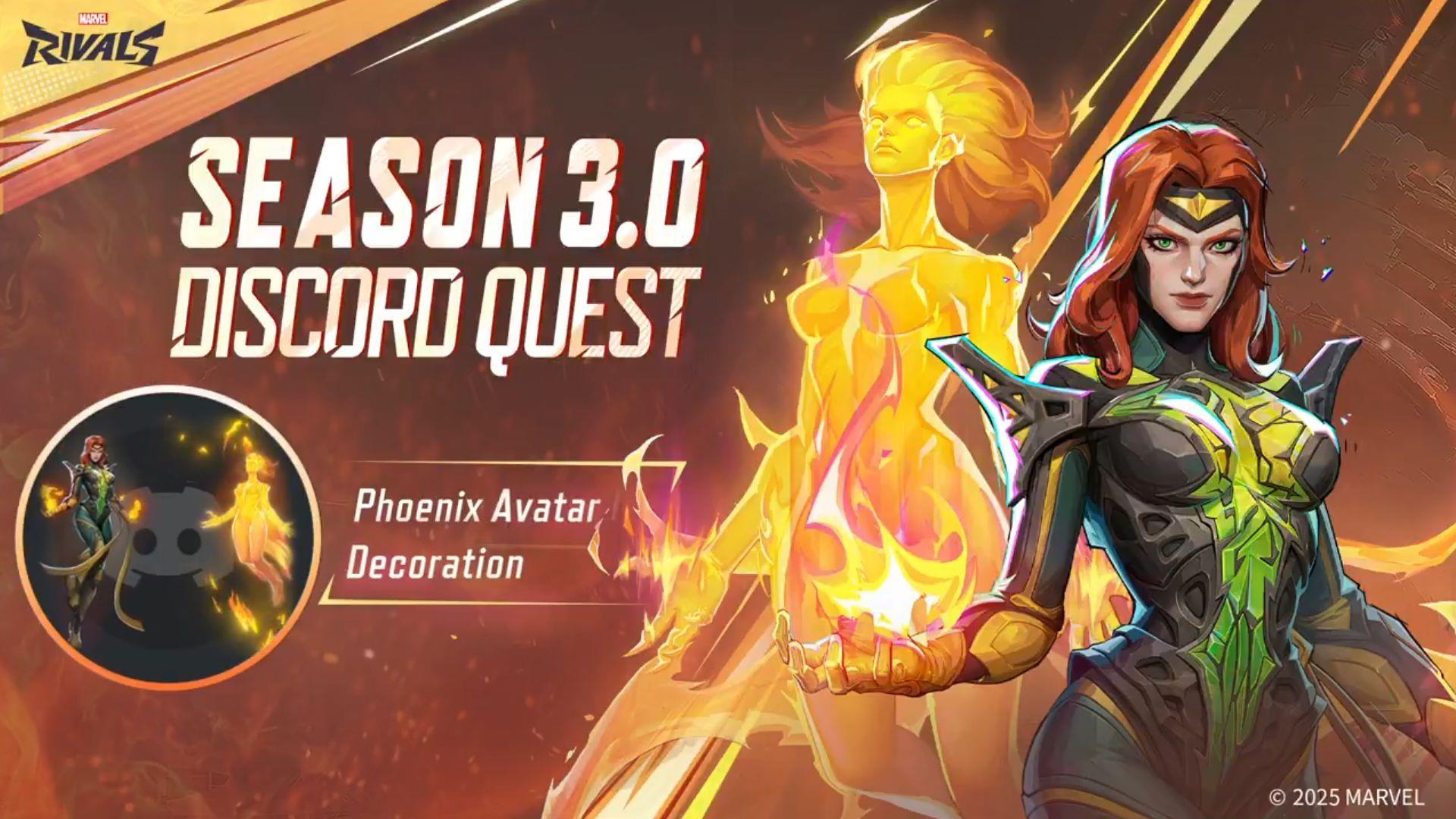
Marvel Rivals has launched its fiery Season 3, and with it comes an exclusive collaboration reward: the Discord x Marvel Rivals Phoenix Avatar. This digital collectible celebrates the season’s dual themes of Phoenix’s cosmic flames and the alien Symbiotic skins. Unlike standard battle pass items, this avatar is obtained through a unique cross-platform quest, making it a distinctive badge for dedicated players.
This promotional avatar is a limited-time offer. Players have a strict window to both unlock and claim it. The quest must be completed and the reward claimed by July 19, 2025. Furthermore, once unlocked, the avatar will only remain in your Discord gift inventory for two months from the date of acquisition. This creates a dual expiration system, emphasizing the urgency of participation.
Step-by-Step Unlock Guide: Accepting the Discord Quest
Before you can earn the Phoenix avatar, you must formally accept the quest within Discord. This process is not automatic and requires manual activation.
- Launch the Discord application on your preferred device (PC or console).
- Navigate to User Settings by selecting the gear icon typically located in the app’s lower-left corner.
- Within settings, scroll to find the Gift Inventory section and click on View Quests.
- Locate the promotional banner for Marvel Rivals and click the Accept Quest button to enroll.
- You will be prompted to choose your gaming platform (e.g., Steam, console). Ensure this matches the platform where you will play Marvel Rivals.
Pro Tip: Double-check your platform selection. If you play on multiple devices, choose the one where you’ll complete the 15-minute play session. An incorrect selection is a common mistake that will void your progress.
Playing to Unlock: Game Modes & Critical Tips
After accepting the quest, you need to log at least 15 minutes of playtime in Marvel Rivals Season 3. The good news is that NetEase allows great flexibility in how you achieve this.
You can play any standard matchmaking mode, but you can also fulfill the requirement efficiently by creating a solo lobby against AI opponents or a custom lobby with friends. This lets you control the match flow and complete the time requirement quickly, perhaps while testing new Season 3 characters or strategies.
The Absolute Requirement: For the playtime to register correctly, both Discord and Marvel Rivals must be running simultaneously on the same platform. If you accept the quest on PC Discord but play on console, the time will not count. A common pitfall is having Discord minimized or in the background on a different monitor; ensure the application is fully active.
Advanced Strategy: Coordinate this 15-minute session with other Season 3 goals. Use a custom lobby to complete daily challenges, practice with the newly balanced heroes, or explore the new Symbiotic skins. This turns a simple reward unlock into a productive gaming session.
Claiming Your Reward & Managing Your Inventory
Once your 15-minute play session is verified, return to Discord to claim your prize. Go back to Gift Inventory under User Settings, but this time look for the Claimed Quests tab. The Phoenix avatar should be listed there, ready for you to claim.
Remember the strict deadlines: the claim action itself must be performed no later than July 19, 2025. After claiming, the avatar item enters your Discord inventory where it will remain for only two months. This is not a permanent unlock. Mark your calendar to use it before it expires from your inventory.
Inventory Management Tip: Discord’s gift inventory can fill up with various promotional items. Consider using the Phoenix avatar immediately as your server profile picture to showcase your Season 3 participation, ensuring you get value from it before its two-month timer expires.
Advanced Player Optimization & Strategy
For players looking to maximize efficiency, here are targeted optimizations. First, complete the Discord quest early in the season. This gives you the full two-month window to use the avatar and avoids last-minute technical issues that could lock you out.
Second, integrate the 15-minute play session into your regular login routine. Since the requirement is so short, you can complete it while waiting for friends to queue up or during a break. The flexibility to use AI lobbies means you can do this even during off-peak hours with shorter matchmaking times.
Common Mistakes to Avoid:
- Platform Mismatch: The #1 reason for failure. Confirm your linked platform in Discord matches the platform you’re playing on.
- Background Apps: Ensure Discord is fully running, not just installed. On consoles, verify the Discord connection is active in the system menu.
- Missed Deadlines: Don’t confuse the July 19 claim deadline with the two-month inventory timer. Both are independent and strict.
By treating this avatar unlock as part of your broader Season 3 strategy, you enhance your overall reward acquisition and save valuable time.
No reproduction without permission:Tsp Game Club » How to get Discord x Marvel Rivals Phoenix Avatar for free Unlock the exclusive Phoenix Discord avatar with our step-by-step guide, plus expert strategies to maximize your Marvel Rivals Season 3 rewards.