
TL;DR
- Roblox Moments enables in-platform video capture, editing, and sharing without external tools
- The feature doubles as a discovery engine, allowing instant access to featured games
- Proper preparation and editing significantly increase your content’s visibility and engagement
- Avoid common recording mistakes like poor timing and cluttered backgrounds
- Strategic content creation can boost both personal profiles and game discovery
Roblox Moments represents a revolutionary shift in how players interact with and share their gaming experiences. Announced at the Roblox Developers Conference 2025, this cloud-based video capture system transforms how the community documents and discovers content. Unlike traditional screen recording that requires third-party software, Moments integrates directly into the Roblox ecosystem, providing seamless recording and publishing capabilities.
At its core, Roblox Moments functions as both a content creation tool and a discovery platform. Players can capture short video segments of their most impressive gameplay achievements, edit them with built-in tools, and publish directly to the Roblox platform. What makes this particularly powerful is the dual-purpose nature – while you’re showcasing your skills, you’re also helping other players find exciting new experiences through your content.
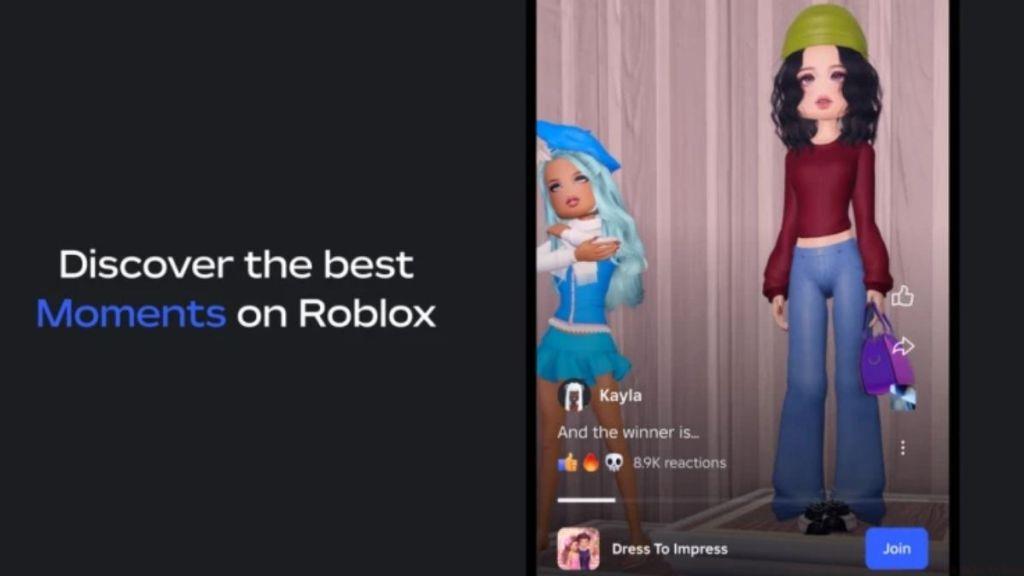
The discovery aspect cannot be overstated. When browsing Moments, players encounter a curated feed of gameplay highlights that serve as instant gateways to new games. The seamless integration means clicking on any clip immediately launches you into that specific experience, creating an organic discovery loop that benefits both players seeking new content and developers looking to expand their audience reach.
For creators, this represents unprecedented exposure opportunities. Well-crafted Moments can drive significant traffic to your games, while players gain access to a constantly refreshed stream of engaging content. This feature aligns with Roblox’s broader strategy of incorporating advanced technologies like AI to enhance user experiences across the platform.
Mastering Roblox Moments requires understanding both the technical process and strategic approach to content creation. The following comprehensive guide ensures you maximize both the functionality and visibility of your shared content.
1. Preparation and Recording Process
- Launch the Roblox application and select your target game experience
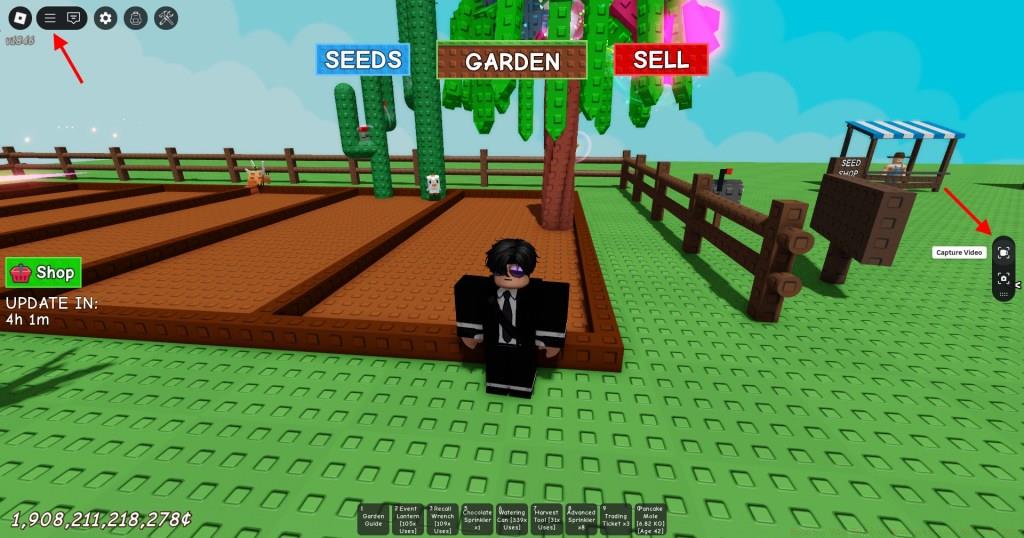
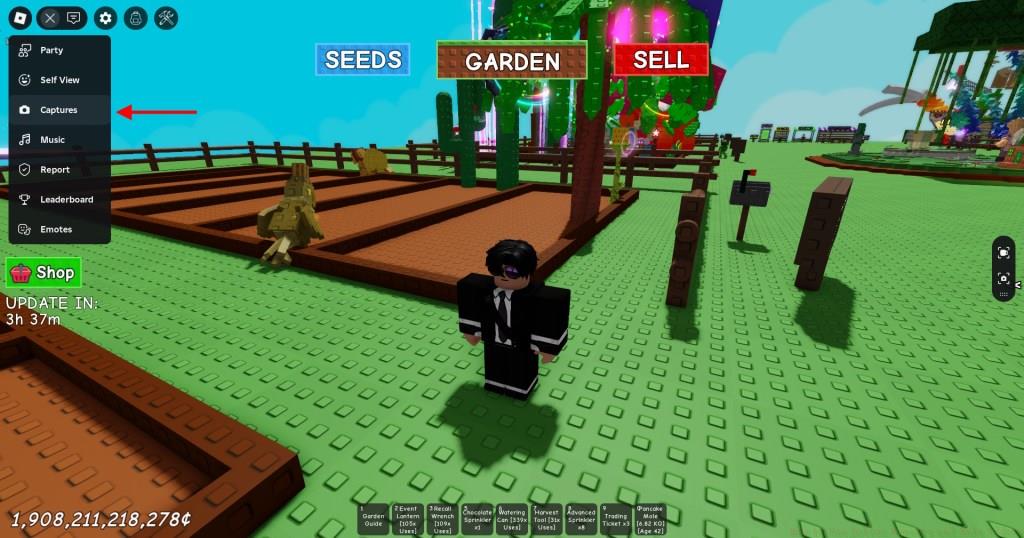
- Initiate gameplay and access the Hamburger menu positioned in the top-left interface corner
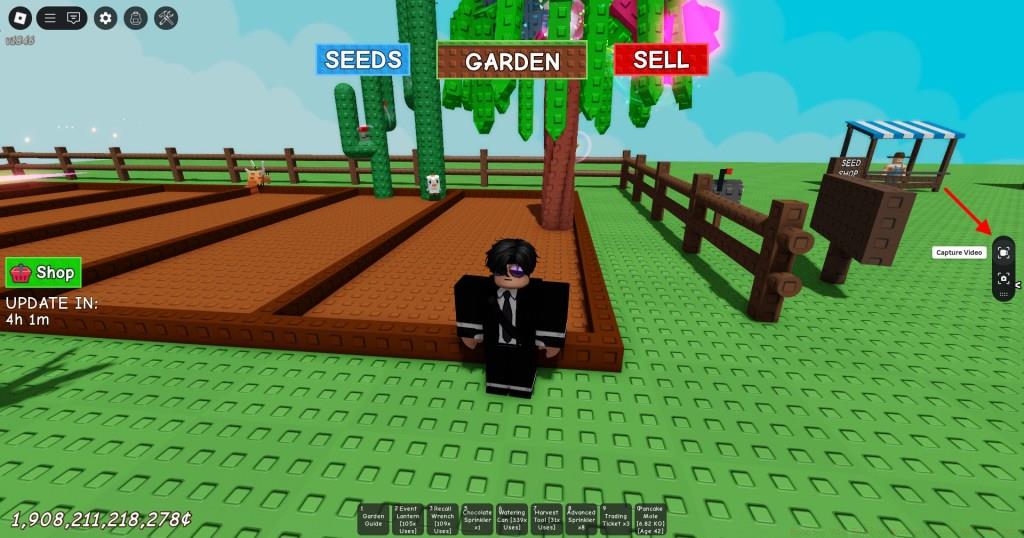
- Activate the capture panel displaying both photo and video recording options
- Select the video recording function and position yourself for optimal capture timing
2. Editing and Publishing Your Content
- Exit your current game session and navigate to the Moments hub via search
- Access the content creation interface using the ‘+‘ button in the top-right corner
- Grant platform access permissions – note Roblox only accesses videos captured within its ecosystem
- Select your target recording and proceed to the editing suite
- Utilize trimming tools to highlight key segments and add background music for enhanced engagement
- Finalize with descriptive captions and publish your Moment for community visibility
-
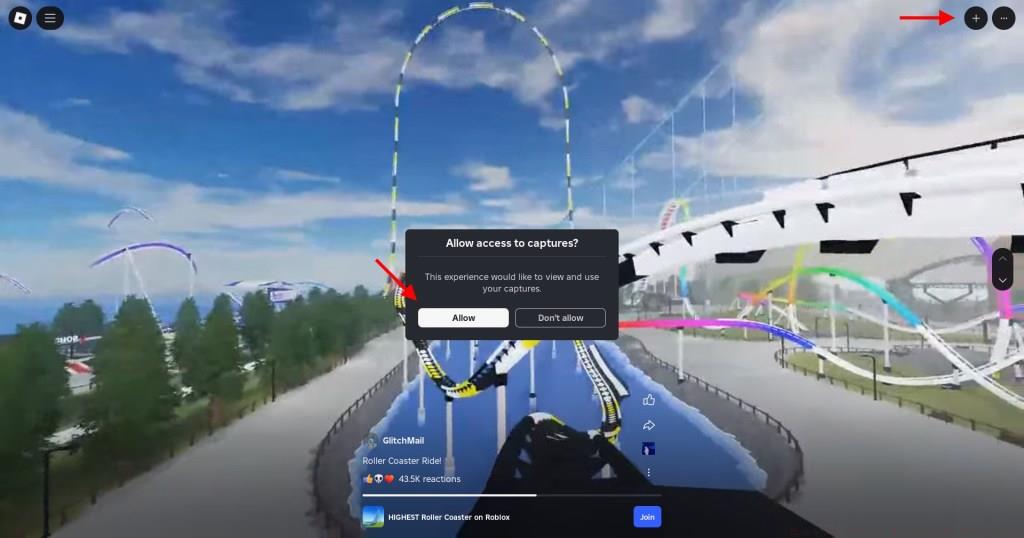
Image Credit: Moments/Roblox (screenshot by Bipradeep Biswas/Beebom) -
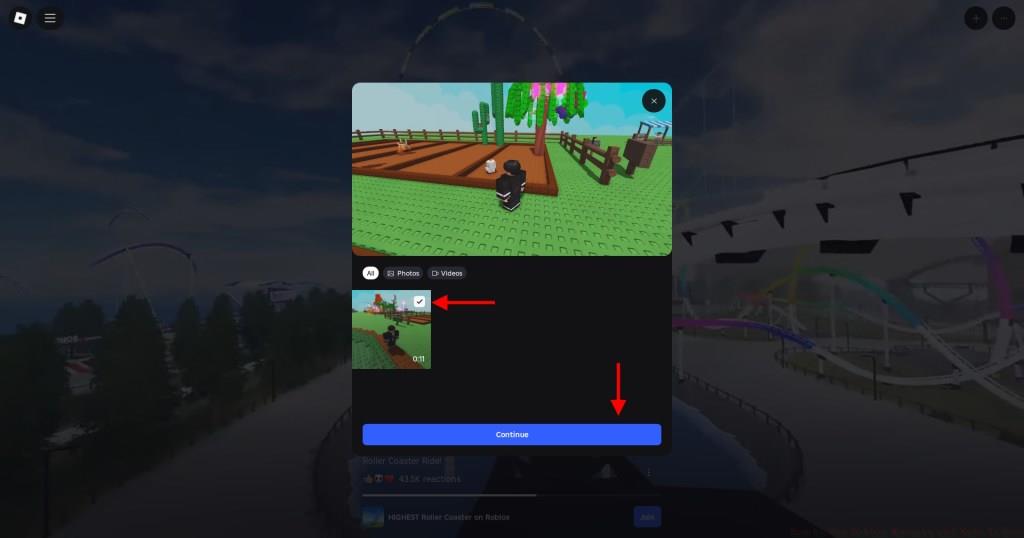
Image Credit: Moments/Roblox (screenshot by Bipradeep Biswas/Beebom) -
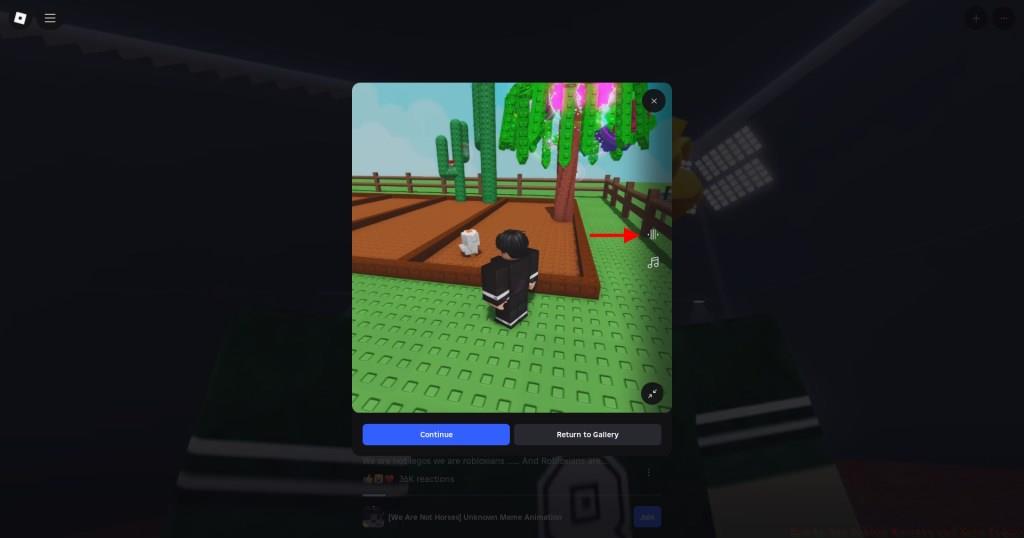
Image Credit: Moments/Roblox (screenshot by Bipradeep Biswas/Beebom) -
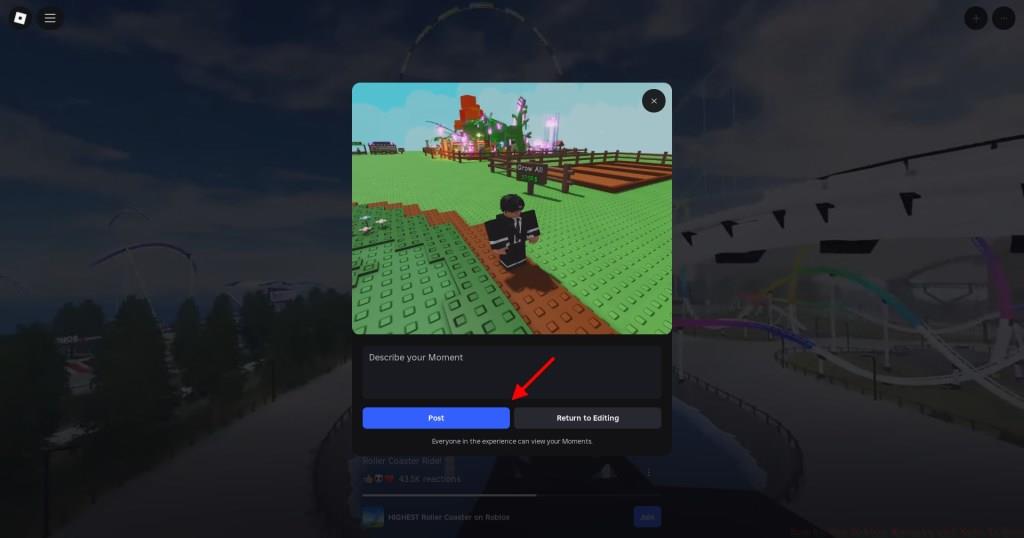
Image Credit: Moments/Roblox (screenshot by Bipradeep Biswas/Beebom)
Elevating your Roblox Moments from basic recordings to engaging content requires understanding both technical optimization and content strategy. These professional insights help maximize both quality and reach.
Content Optimization Strategies: Plan your recordings around key gameplay moments – impressive kills, puzzle solutions, or unexpected events. Ensure clean UI by disabling unnecessary interface elements before recording. Position your camera to capture the most visually engaging angles while maintaining gameplay functionality.
Common Recording Pitfalls: Avoid capturing during loading screens or repetitive gameplay segments. Steer clear of cluttered backgrounds that distract from the main action. Time your recordings to avoid capturing private chat conversations or personal information.
Privacy and Safety Considerations: Roblox’s permission system only grants access to videos captured within the platform, maintaining security boundaries. However, always review your content for accidentally captured personal details before publishing.
Engagement Maximization: Craft descriptive titles that highlight the unique aspect of your clip. Use relevant tags to improve discoverability. The editing tools allow you to trim to the most exciting 15-30 second segments, which typically maintain viewer attention most effectively.
For creators looking to expand their skills beyond Moments, our Complete Guide offers comprehensive gaming strategy insights. Additionally, mastering game mechanics through our Weapons Unlock guide can provide additional content opportunities.
Action Checklist
- Prepare your recording by clearing UI clutter and positioning camera optimally
- Capture key gameplay moments using the video recorder in Hamburger menu
- Navigate to Moments hub and grant necessary permissions
- Edit your clip by trimming to highlight segments and adding background music
- Publish with descriptive captions and relevant tags for maximum visibility
No reproduction without permission:Tsp Game Club » How to Use Roblox Moments and Make Videos Master Roblox Moments: Capture, Edit, and Share Gameplay Clips with Pro Tips