
TL;DR
- Download SERAPH preseason client across PC, iOS, and Android with cross-platform compatibility
- PC installation requires specific system specifications and extraction of compressed files
- iOS users access through TestFlight with limited availability slots
- Android installation involves APK download and security permission adjustments
- Complete account activation for full access to Void Realm features and progression
Master the download process for SERAPH: In the Darkness preseason client across multiple platforms with this definitive installation guide. This dark fantasy adventure game offers immersive gameplay that demands proper setup for optimal performance.
Welcome to the expansive universe of SERAPH: In the Darkness! This detailed installation manual provides comprehensive instructions for downloading the preseason build on your preferred gaming platform. Whether you’re playing on desktop computers or mobile devices, our guide ensures you’re fully prepared to explore the mysterious Void Realm without technical hurdles.
Before initiating your journey into SERAPH’s dark fantasy world, verify your device meets the necessary specifications. The game delivers seamless cross-platform functionality, supporting diverse player bases across Windows computers, iOS smartphones, and Android mobile devices with synchronized progression systems.
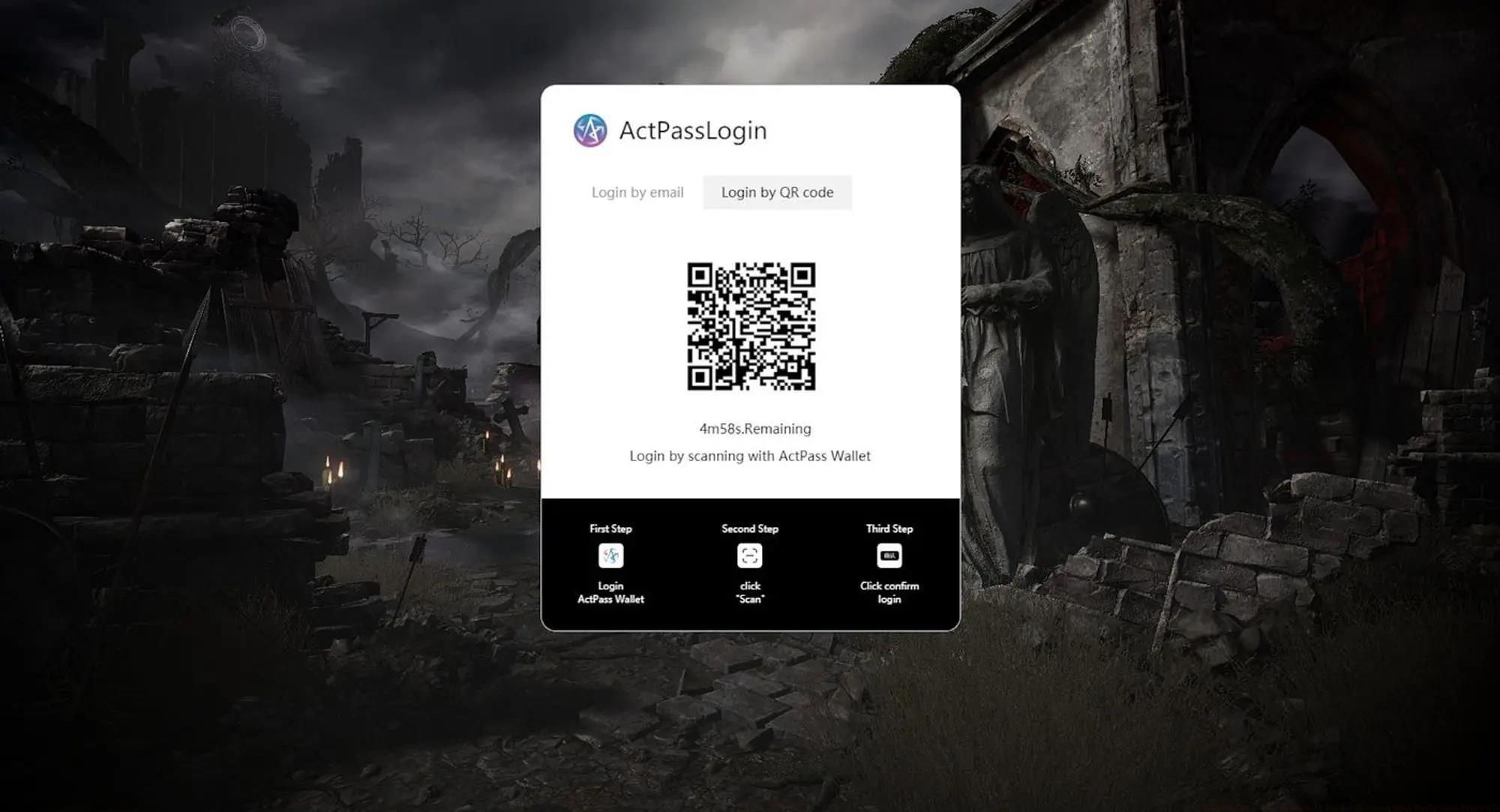
Installing SERAPH: In the Darkness on your Windows computer involves a streamlined process with specific hardware considerations. Follow these enhanced steps for optimal performance and stability.
System Requirements Verification: Before downloading, confirm your PC meets the minimum specifications. The game demands substantial processing power for its detailed environments and complex visual effects.
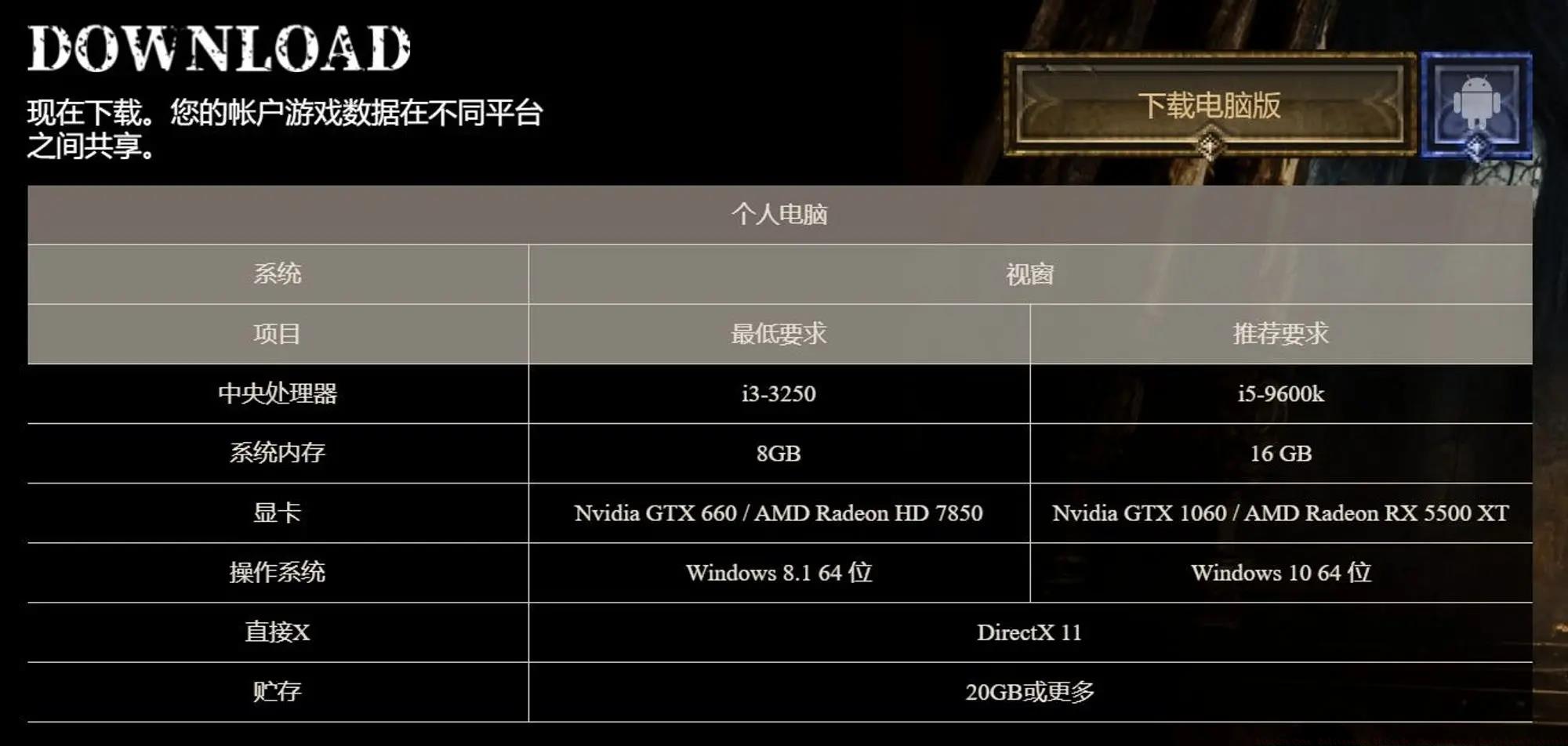
Installation Procedure:
- Navigate to the official SERAPH: In the Darkness website using a modern web browser
- Locate and select the preseason client download option for PC platform
- Download the compressed installation package to your preferred directory
- Extract the archived files using software like WinRAR or 7-Zip
- Execute the game launcher and prepare to enter the Void Realm adventure
Performance Optimization: For best results, close background applications before launching the game. Allocate sufficient disk space (minimum 15GB recommended) and ensure your graphics drivers are updated to the latest version for compatibility with the game’s rendering engine.
Apple device users access SERAPH: In the Darkness preseason through Apple’s TestFlight platform, which manages beta application distribution with controlled access limitations.
TestFlight Setup: Ensure you have the TestFlight application installed from the App Store. This specialized platform facilitates pre-release software testing with built-in feedback mechanisms.
Installation Process:
- Acquire the exclusive testing invitation link from the official SERAPH website or authorized community channels
- Open the TestFlight application on your iOS device (iPhone or iPad)
- Accept the invitation to join the SERAPH testing program
- Download and install the preseason build through TestFlight’s interface
- Launch the game and complete the initial device configuration
iOS-Specific Considerations: TestFlight builds typically have expiration dates and limited availability slots. Download promptly when access is granted. Ensure your iOS device runs version 14.0 or later and has at least 8GB of available storage. For optimal performance on mobile devices, consider disabling background app refresh during gameplay sessions.
Android users can install SERAPH: In the Darkness preseason client through direct APK distribution, requiring specific security adjustments for successful installation.
Security Configuration: Before installation, enable “Unknown Sources” in your device security settings to permit installations from outside the Google Play Store. This setting is typically found under Settings > Security > Install unknown apps.
Installation Procedure:
- Visit the official SERAPH website from your Android device’s browser
- Download the preseason APK file to your device storage
- Locate the downloaded file using your file manager application
- Tap the APK file to initiate the installation process
- Grant necessary permissions when prompted by the system
- Launch SERAPH: In the Darkness from your application drawer
Android Optimization: For smoother performance on Android devices, close other running applications and ensure at least 3GB of RAM is available. Consider connecting to stable Wi-Fi during initial download and updates. Regularly check for updated APK versions as the preseason client receives frequent improvements and bug fixes.
Complete your SERAPH: In the Darkness experience by finalizing account activation and cross-platform synchronization for seamless gameplay across all your devices.
Account Creation: After installing the game client, proceed through the initial setup wizard to establish your player account. This process includes character customization, control configuration, and tutorial completion.
Cross-Platform Synchronization: SERAPH supports progress synchronization across PC, iOS, and Android platforms. Ensure you use the same login credentials on all devices to maintain consistent game state, inventory, and achievement progress regardless of which platform you’re playing on.
Initial Configuration Tips: Adjust graphical settings according to your device capabilities for optimal performance. Complete the introductory tutorial missions to familiarize yourself with game mechanics. Connect your account to social features for enhanced multiplayer functionality and community engagement opportunities. Regularly back up your save data through the cloud synchronization features to prevent progression loss.
For advanced gameplay strategies and character optimization, consult our Class Guide to master different playstyles and abilities within the SERAPH universe.
Action Checklist
- Verify device meets minimum system requirements
- Download appropriate client for your platform (PC/iOS/Android)
- Install game client and configure security settings if needed
- Create game account and complete initial setup
- Optimize graphics and performance settings for your device
No reproduction without permission:Tsp Game Club » SERAPH: In the Darkness Guide: How to Download SERAPH Preseason Client Complete guide to downloading SERAPH: In the Darkness preseason client across PC, iOS, and Android platforms