
TL;DR
- Mouse offers superior long-range precision while controllers excel in close-quarters with aim assist
- Crossplay makes input choice crucial for competitive advantage across platforms
- Single-player and small maps favor controllers; large-scale modes demand mouse accuracy
- Advanced players can switch inputs based on specific game situations for optimal performance
- Proper controller settings and mouse sensitivity tuning significantly impact gameplay effectiveness
Battlefield 6 delivers an unprecedented variety of combat scenarios, ranging from intense close-quarters firefights to vast open battlefields demanding precision shooting at extreme distances. Your input device selection becomes a critical tactical decision that directly influences your combat effectiveness across all multiplayer engagements. With cross-platform functionality enabling BF6 players from PC, Xbox, and PlayStation to compete together, understanding the strengths of each control method provides a genuine competitive edge.
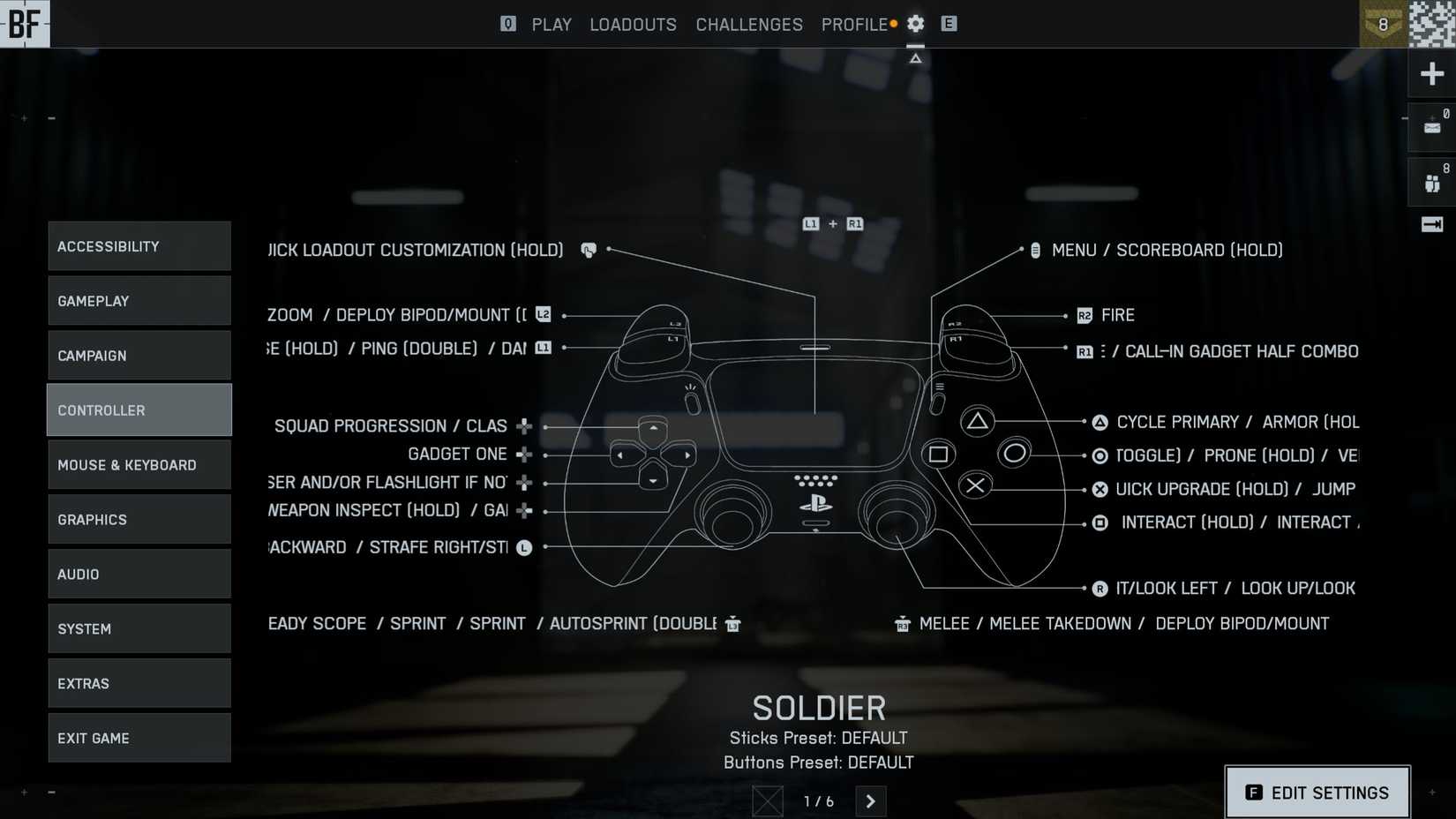
The crossplay environment in Battlefield 6 creates unique competitive dynamics where input device advantages become magnified. PC gamers typically achieve superior aiming precision through mouse control, while console players benefit from ergonomic comfort and sophisticated aim assistance systems. This technological balancing act means your controller choice isn’t just about personal preference—it’s about optimizing performance for specific combat situations.
Understanding the fundamental differences between input methods reveals why each excels in particular combat scenarios. The mouse provides unmatched pixel-level precision for long-range engagements and quick target acquisition, giving PC players a distinct advantage in sniper duels and vehicle combat. This precision becomes particularly valuable in Battlefield 6‘s massive-scale modes where engagements frequently occur beyond 100 meters.
Conversely, controllers deliver superior ergonomic comfort for extended gaming sessions, allowing players to maintain focus during marathon Conquest matches. Modern controllers incorporate advanced haptic feedback and adaptive trigger systems that enhance immersion and provide tactile combat information. The aim assist functionality for gamepads has evolved into a sophisticated system that intelligently tracks moving targets and compensates for recoil patterns.
Many competitive players underestimate how controller settings optimization can dramatically close the performance gap. Proper sensitivity configuration, dead zone adjustments, and response curve customization can transform a standard gamepad into a precision instrument. For those pursuing Assignments and achievement hunting, the right input configuration can significantly reduce completion times for specific challenges.
Strategic input selection based on game mode characteristics can improve your performance by 15-20% according to gameplay analytics. The key insight involves matching your control method to the predominant engagement distances and pace of each mode.
|
Input Device |
Best Battlefield 6 Modes |
Recommendation Reason |
|---|---|---|
|
Controllers |
Single-Player Campaign |
The cinematic storytelling and scripted sequences in Single-Player Campaign benefit from controller ergonomics and intuitive control schemes. For multiplayer, compact maps like those in Domination and Team Deathmatch create ideal conditions for aim assist activation, where targets remain within optimal tracking distances. Close-quarters engagements maximize the controller’s rotational assistance while minimizing the precision disadvantage against mouse users. |
|
Domination |
||
|
Team Deathmatch |
||
|
Squad Deathmatch |
||
|
King of the Hill |
||
|
Keyboard & Mouse |
Conquest |
Large-scale warfare modes like Conquest and Breakthrough demand precision shooting at varied distances, where mouse control provides decisive advantage. The extensive sightlines in these maps frequently present targets beyond effective aim assist range, making pixel-perfect accuracy essential for consistent performance. |
|
Escalation |
||
|
Breakthrough |
||
|
Rush |
Advanced players should note that certain specialized roles within these modes may benefit from alternative input methods. For example, helicopter pilots often find controllers provide superior analog input for vehicle control, while designated marksmen absolutely require mouse precision for consistent long-range effectiveness.
Elite Battlefield 6 competitors often employ hybrid strategies, switching between input devices based on in-game circumstances. This approach requires practice but delivers maximum flexibility—using controllers for vehicle segments and mouse for infantry combat provides the best of both worlds.
Common input mistakes include sticking rigidly to one control method regardless of situation, improper sensitivity settings that hinder performance, and underestimating the learning curve when switching inputs. Beginners should allocate 2-3 hours of practice with a new input method before expecting competitive performance.
For controller users, mastering the Pax Armata control scheme or creating custom button mappings can significantly improve reaction times. Meanwhile, keyboard and mouse players should experiment with different DPI settings and sensitivity combinations to find their personal optimal configuration.
When preparing for specific Assignments or achievement hunting, consider which input method best suits the challenge requirements. Speed-based challenges often favor mouse precision, while endurance objectives may benefit from controller comfort during extended gameplay sessions.
Action Checklist
- Analyze your most played game modes and predominant engagement distances
- Configure controller sensitivity and dead zones for optimal responsiveness
- Practice with both input methods in appropriate game modes for 2-3 hours each
- Create custom button mappings for controllers or key bindings for keyboard
- Experiment with hybrid input strategies for different roles and vehicles
No reproduction without permission:Tsp Game Club » Should You Play Battlefield 6 With a Keyboard & Mouse or Controller? Master Battlefield 6 with optimal input device selection strategies for every game mode