
Complete guide to The Alters PC requirements, release details, and optimization strategies for smooth gameplay
Game Overview and Release Details
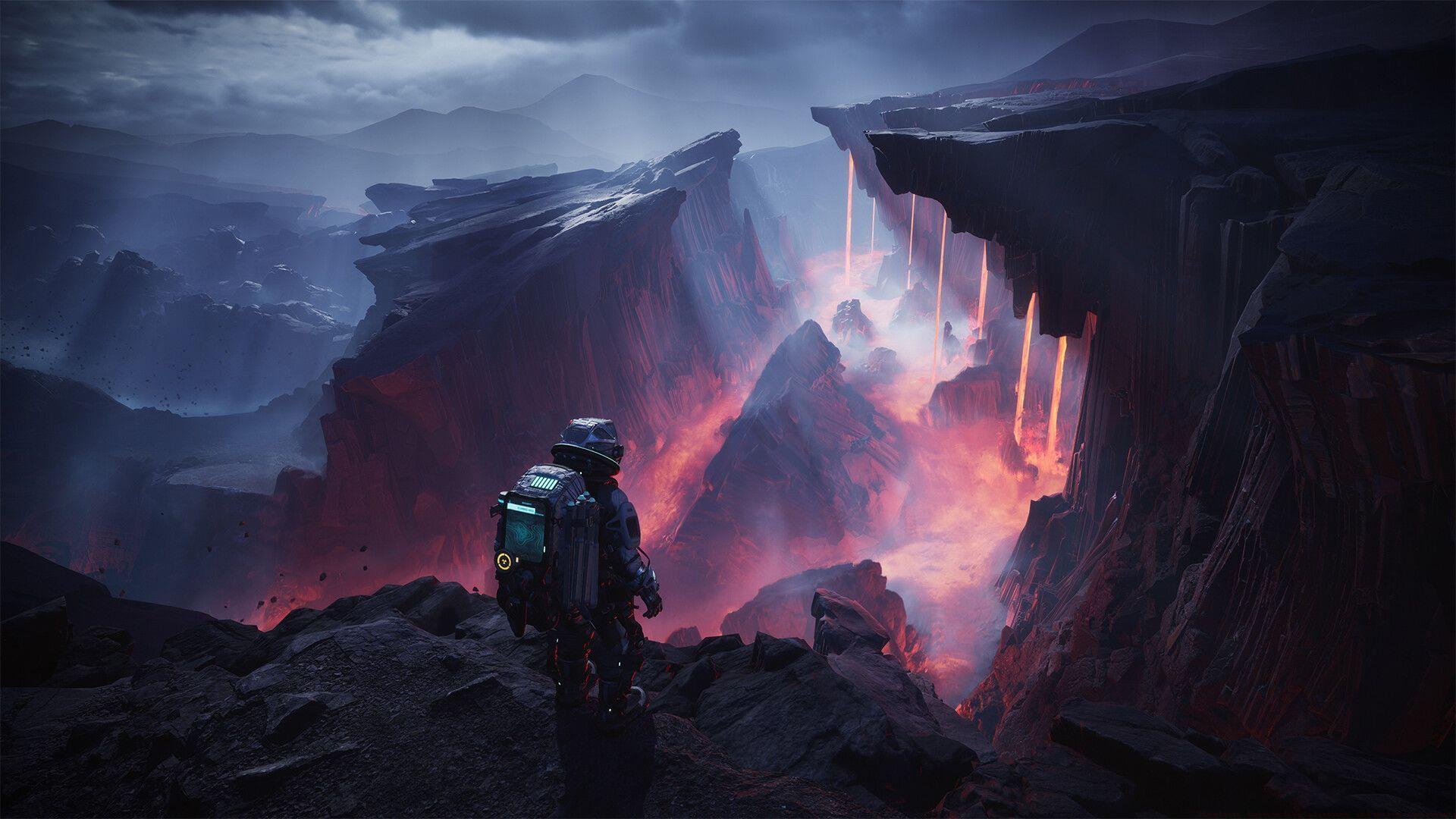
Prepare for an immersive journey into deep space survival with The Alters, the latest groundbreaking title from acclaimed developers 11 bit studios. This narrative-driven action-adventure survival experience launches worldwide on June 13, 2025, bringing players a compelling single-player sci-fi narrative that challenges conventional gaming paradigms.
The Alters will debut exclusively on current-generation hardware platforms, including PlayStation 5, Xbox Series X/S, and PC systems. This strategic platform selection ensures the game can fully leverage modern hardware capabilities for enhanced visual fidelity and performance. Unfortunately, players still using PlayStation 4, Xbox One, or Nintendo Switch consoles will need to upgrade their systems to experience this cutting-edge title.
Minimum System Requirements Analysis
For PC gamers seeking the baseline experience, The Alters demands specific hardware configurations to ensure playable performance. Understanding these requirements helps prevent frustrating gameplay issues and technical problems.
- OS: Windows 10 or later, 64-bit – Ensure you’re running the latest updates for optimal compatibility
- Processor: AMD Ryzen 5 1600, Intel Core i7-6700 – These processors provide sufficient multi-threading capabilities for the game’s physics and AI systems
- Graphics: AMD Radeon RX 570, Nvidia GeForce GTX 1060, Intel Arc A570. 6+ GB video memory – These GPUs deliver adequate performance for 1080p gaming at medium settings
- Storage: 50 GB available space – The substantial installation size accommodates high-resolution assets and expansive game worlds
- Additional Notes: SSD Disk – Solid-state drive storage dramatically reduces loading times and improves asset streaming performance
Performance Insight: Meeting minimum specifications typically yields 30-45 FPS at 1080p resolution with medium graphical settings. Consider upgrading if you prefer smoother frame rates or higher visual quality.
Recommended System Specifications
For optimal visual quality and smoother gameplay, the recommended specifications provide a significantly enhanced experience. These configurations target 60 FPS performance at 1440p resolution with high settings enabled.
- OS: Windows 10 or later, 64-bit – Current Windows versions ensure full DirectX 12 feature support
- Processor: AMD Ryzen 7 5800X, Intel Core i7-8700K – Higher core counts better handle the game’s complex simulation systems
- Graphics: AMD Radeon RX 6600 XT, Nvidia GeForce RTX 2070, Intel Arc A770. 8+ GB video memory – These mid-range GPUs deliver excellent performance for high settings gaming
- Storage: 50 GB available space – Maintain adequate free space for future updates and patches
- Additional Notes: SSD Disk. – NVMe SSDs provide even faster loading than SATA SSDs for minimal interruption
Optimization Tip: The Ryzen 7 5800X offers exceptional value for gaming performance, while the RTX 2070 supports advanced features like DLSS for improved frame rates without sacrificing visual quality.
4K Gaming Requirements
For gamers targeting ultra-high-definition 4K resolution, The Alters demands premium hardware to maintain smooth performance. 4K gaming quadruples the pixel count of 1080p, substantially increasing GPU workload.
- For 4K Graphics, you will need: AMD Radeon RX 6800 XT, Nvidia GeForce RTX 3080. 10+ GB video memory – These high-end GPUs provide the necessary processing power for native 4K rendering
4K Performance Considerations: Even with these powerful graphics cards, expect to utilize upscaling technologies like AMD FidelityFX Super Resolution or NVIDIA DLSS to maintain consistent 60 FPS at maximum settings. The substantial video memory requirements (10GB+) accommodate high-resolution textures that would otherwise cause stuttering or texture streaming issues.
Common Mistake to Avoid: Don’t pair a high-end GPU with an outdated CPU. The Alters utilizes substantial CPU resources for its alternate reality simulations, creating potential bottlenecks if processor performance doesn’t match your graphics card capabilities.
Performance Optimization Strategies
Beyond meeting system requirements, several optimization strategies can significantly enhance your experience with The Alters. These practical approaches help maximize performance regardless of your hardware configuration.
Graphics Settings Priority: Focus optimization on shadow quality, anti-aliasing, and ambient occlusion settings first, as these typically have the greatest performance impact. Consider reducing these settings if experiencing frame rate issues while maintaining texture quality at high levels.
Driver Optimization: Always ensure you’re running the latest graphics drivers from AMD, NVIDIA, or Intel. Game-ready drivers often include specific optimizations for new titles that can improve performance by 5-15%.
System Maintenance: Close background applications before launching the game, particularly web browsers and streaming software. These applications consume valuable RAM and CPU resources that The Alters needs for its complex simulations.
Advanced Player Tip: Monitor your system temperatures during gameplay. Thermal throttling can significantly reduce performance, especially during extended gaming sessions. Consider undervolting your GPU for better thermal performance without sacrificing frames.
For additional gaming news and comprehensive guides, continue visiting Sportskeeda for the latest updates and expert analysis.
No reproduction without permission:Tsp Game Club » The Alters: Release date, platforms, and system requirements Complete guide to The Alters PC requirements, release details, and optimization strategies for smooth gameplay