
TL;DR
- The Garden Guide is your central hub for tracking all game progress, collections, and achievements
- Access it instantly from your hotbar and navigate through six main tabs for comprehensive game management
- Use the Daily Quests tab strategically to maximize XP gains and unlock rare items faster
- Track your plant and pet collections to identify missing items and focus your farming efforts
- Avoid common mistakes like ignoring daily quests and not checking achievement requirements regularly
The Garden Guide represents a significant quality-of-life enhancement introduced during the Beanstalk event update in Grow a Garden. This comprehensive digital journal serves as your personal progress tracker, collection manager, and achievement hub all in one convenient interface. Unlike traditional inventory items, the guide provides real-time data about your gardening journey, making it an indispensable tool for both new and experienced players.

Every player receives the Garden Guide automatically upon launching the game post-Beanstalk update. You’ll find it conveniently positioned as the first item in your hotbar, ensuring immediate access whenever you need to check your progress or review available quests. The guide consolidates what was previously scattered across multiple interfaces into a single, organized system.
Accessing your Garden Guide requires just a few simple steps, but mastering its navigation can significantly enhance your gameplay efficiency. Begin by equipping the guide using either the corresponding hotkey for its slot position or by left-clicking it directly in your inventory. Once equipped, a single left-click anywhere on screen will open the comprehensive interface.
The guide’s layout features a clean, intuitive design with navigation tabs along the left side and detailed content panels on the right. The system automatically opens to your Player Profile tab, providing an immediate overview of your current standing. From here, you can seamlessly switch between different sections without closing the entire interface.
Pro tip: Keep the guide in an easily accessible hotbar slot and develop the muscle memory to open it quickly during gameplay. This allows for on-the-fly progress checks without interrupting your gardening flow. Many players underestimate how frequently they’ll reference the guide once they become accustomed to its convenience.
The Garden Guide organizes your gameplay data across six specialized tabs, each serving a distinct purpose in tracking your gardening journey. Understanding how to leverage each section effectively can dramatically improve your progression speed and collection completion rates.
Player Profile & Statistics
Your Player Profile serves as the dashboard of your gardening accomplishments. This tab displays comprehensive experience points (XP) tracking, level progression, playtime statistics, and overall completion percentages. Monitoring this section helps you identify which activities yield the best XP returns and where to focus your efforts.
Daily Quests System
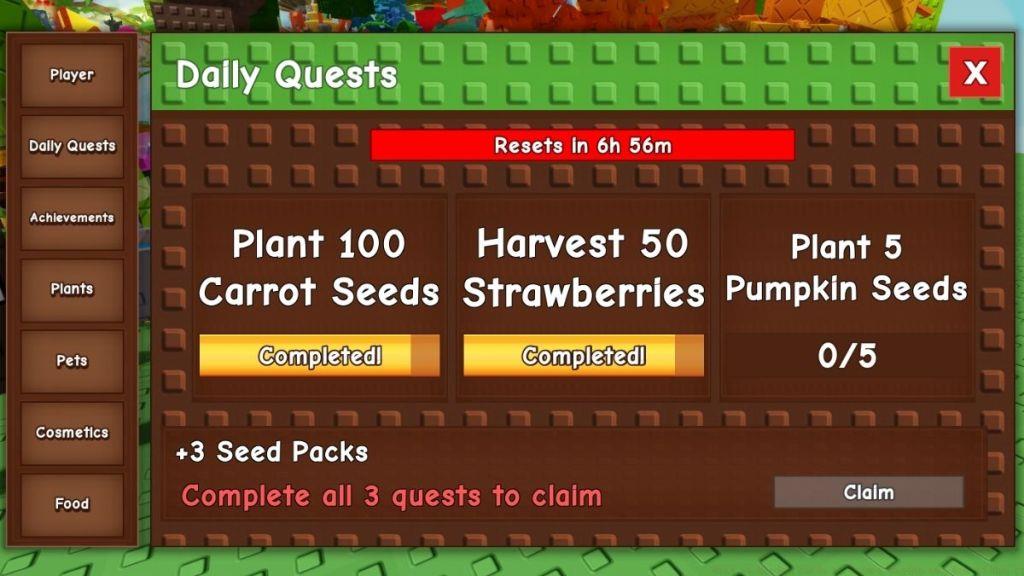
The Daily Quests tab presents time-limited objectives that refresh every 24 hours. These quests typically involve specific gardening tasks, collection challenges, or interaction requirements. Completing daily quests provides substantial XP bonuses and occasional rare item rewards that aren’t available through regular gameplay.
Achievements Tracking
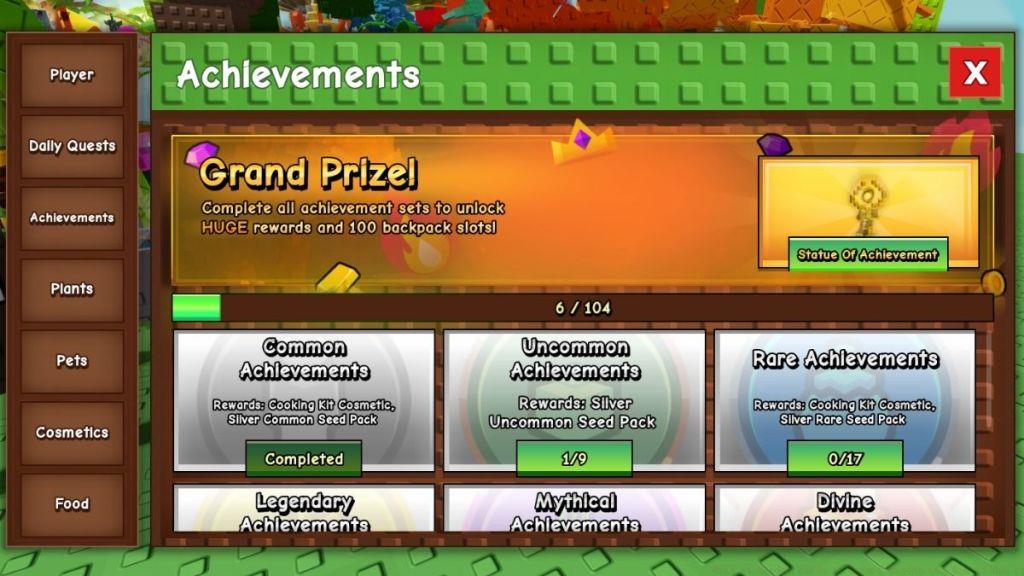
This section catalogues all permanent accomplishments within Grow a Garden. Achievements range from simple milestones like “Plant Your First Seed” to complex challenges requiring specific combinations or extended dedication. Each achievement displays clear progress indicators and reward information, helping you prioritize which ones to pursue based on your current resources and goals.
Plants & Pets Collection
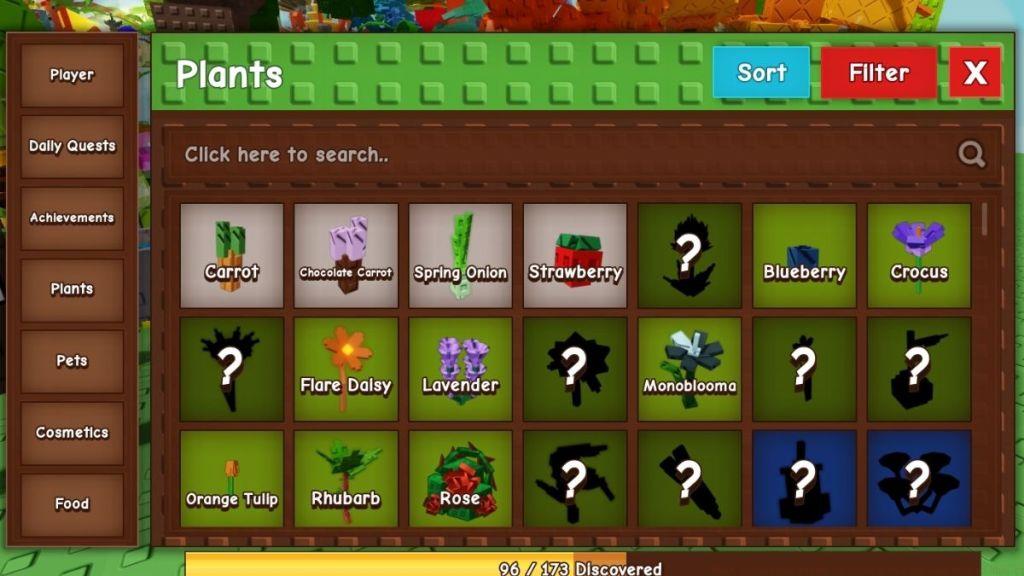
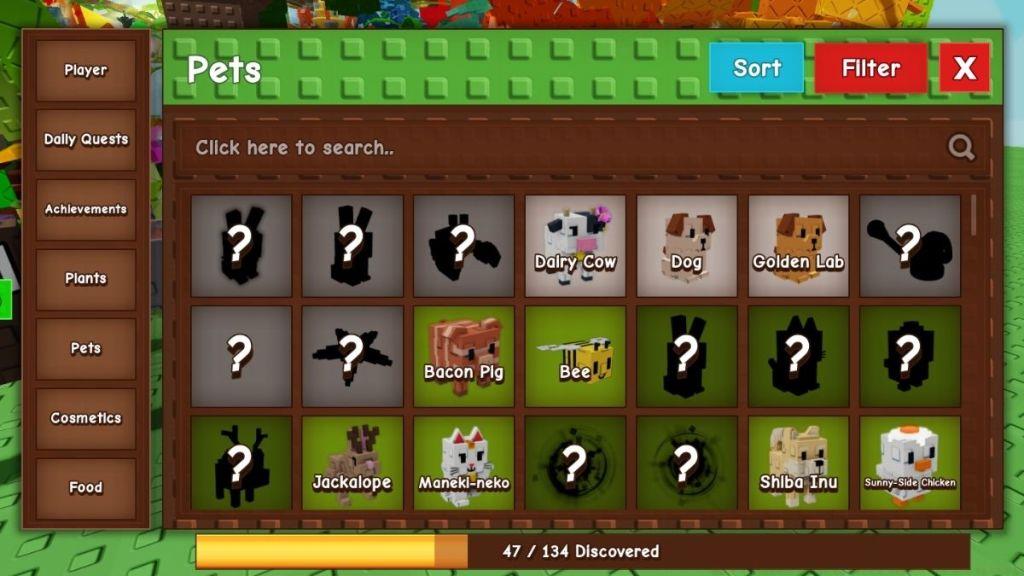
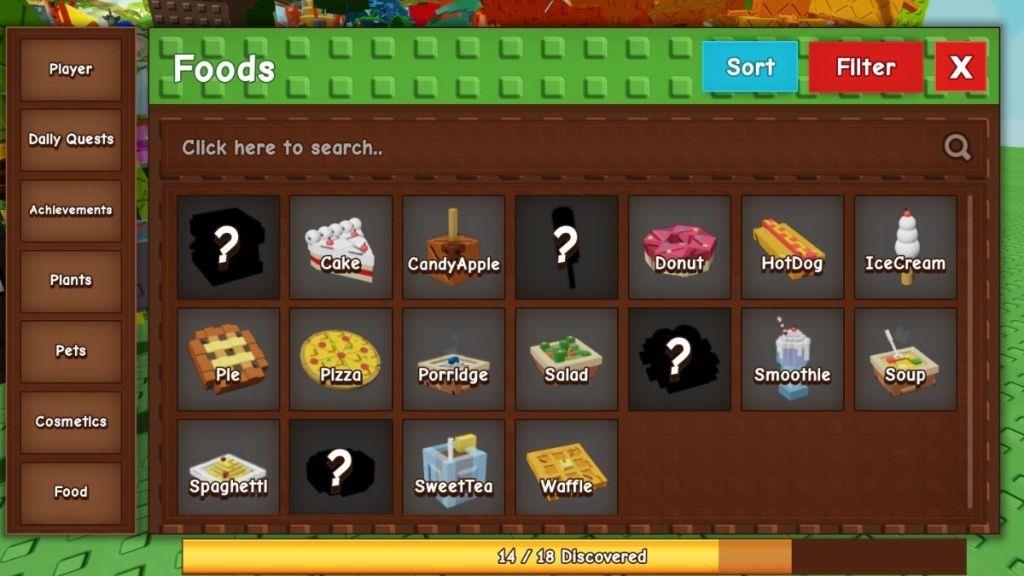
Arguably the most visually satisfying section, the Plants and Pets tabs showcase every discoverable item in the game. Each entry displays whether you’ve unlocked it, along with acquisition methods and any special requirements. Use this section to identify missing items and plan targeted farming sessions.
Cosmetics & Customization
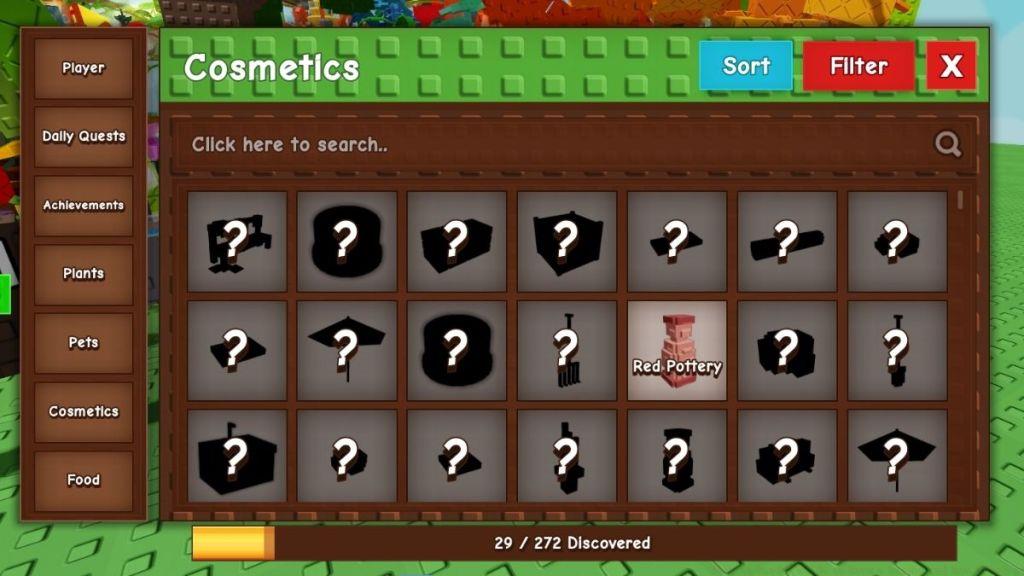
The Cosmetics tab houses all aesthetic items available for personalizing your garden and avatar. This includes decorative elements, special effects, and visual enhancements that add personality to your gameplay experience. The interface clearly indicates locked versus unlocked cosmetics and their acquisition methods.
Maximizing the Garden Guide’s potential requires more than basic familiarity—it demands strategic implementation. Advanced players consistently reference their guide every 15-30 minutes to ensure they’re maximizing efficiency and not missing time-sensitive opportunities.
Optimization Techniques: Schedule your gameplay around daily quest resets to capitalize on fresh objectives. Use the Plants and Pets collection tabs to identify patterns in your missing items—often certain types cluster together due to specific growth conditions or seasonal requirements.
Time Management: Allocate specific sessions for achievement hunting versus general progression. Many achievements require focused effort that doesn’t necessarily align with optimal XP farming, so balancing these activities is crucial.
Common Pitfalls: New players frequently underestimate the importance of daily quests, missing out on substantial bonus rewards. Others fail to regularly check their achievement progress, resulting in missed opportunities to complete multiple objectives simultaneously through coordinated efforts.
Collection Strategy: Rather than randomly pursuing every plant and pet, use the guide to identify categories where you’re closest to completion. Focusing on nearly-complete collections often yields quicker satisfaction and tangible rewards that can accelerate overall progression.
Remember: The Garden Guide isn’t just a passive reference—it’s an active planning tool. The most successful gardeners integrate guide consultation into their regular gameplay rhythm, checking it during natural breaks like plant growth cycles or resource gathering sessions.
Action Checklist
- Equip Garden Guide from hotbar slot 1 and open interface with left-click
- Review Daily Quests tab and prioritize time-sensitive objectives
- Check Achievements tab for near-completion challenges
- Analyze Plants & Pets collections to identify missing items and patterns
- Use Player Profile statistics to identify optimal XP farming activities
No reproduction without permission:Tsp Game Club » What is Garden Guide in Grow a Garden and How to Use It Master the Garden Guide to track progress, complete quests, and unlock all plants, pets, and cosmetics efficiently