
TL;DR
- Controller sensitivity at 7-7 provides optimal balance between precision and mobility
- Tactical stick layout enables faster slide-canceling and movement mechanics
- Field of View settings dramatically impact target acquisition and situational awareness
- Advanced settings require testing in combat scenarios, not just menus
- Regular adjustments based on gameplay feedback are essential for peak performance
Warzone’s combat dynamics demand split-second reactions where operators transition between sprinting, sliding, and precision aiming within milliseconds. Mastering controller configuration becomes the difference between victory and defeat in high-stakes engagements. The integration with Black Ops 6 introduced advanced movement mechanics that require refined control schemes to execute effectively.
Our controller recommendations stem from extensive in-game testing across various skill levels and playstyles. While personal preference influences sensitivity choices, core behavioral settings and assistance options provide universal advantages when properly configured.
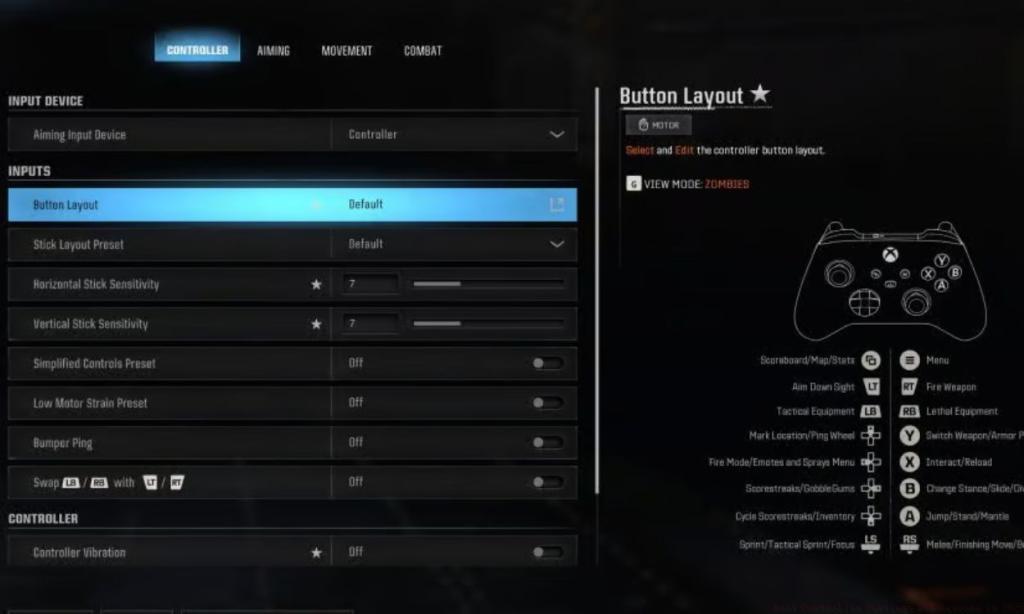
Optimal controller configuration balances precision with mobility, creating a setup that responds intuitively to your playstyle. The foundation begins with input device selection and extends through sensitivity calibration.
- Aiming Input Device: Controller – This ensures proper aim assist functionality, a critical advantage in close-quarters combat
- Stick Layout Preset: Tactical – This configuration moves crouch/slide to the right stick, enabling faster movement execution without sacrificing aim control
- Horizontal Stick Sensitivity: 7 – Provides optimal turning speed while maintaining target tracking accuracy during strafing engagements
- Vertical Stick Sensitivity: 7 – Maintains consistency with horizontal sensitivity for predictable recoil control and vertical tracking
- Simplified Controls Preset: Off – Advanced players benefit from granular control over individual settings rather than presets
- Low Motor Strain Preset: Off – Disabling this preserves controller vibration feedback, which provides crucial environmental awareness cues
- Swap L1/R1 or LB/RB with L2/R2 or LT/RT: Off – Maintains standard trigger configuration for consistent muscle memory development
- Stick Layout Preset: Default – This ensures compatibility with standard control schemes across different game modes
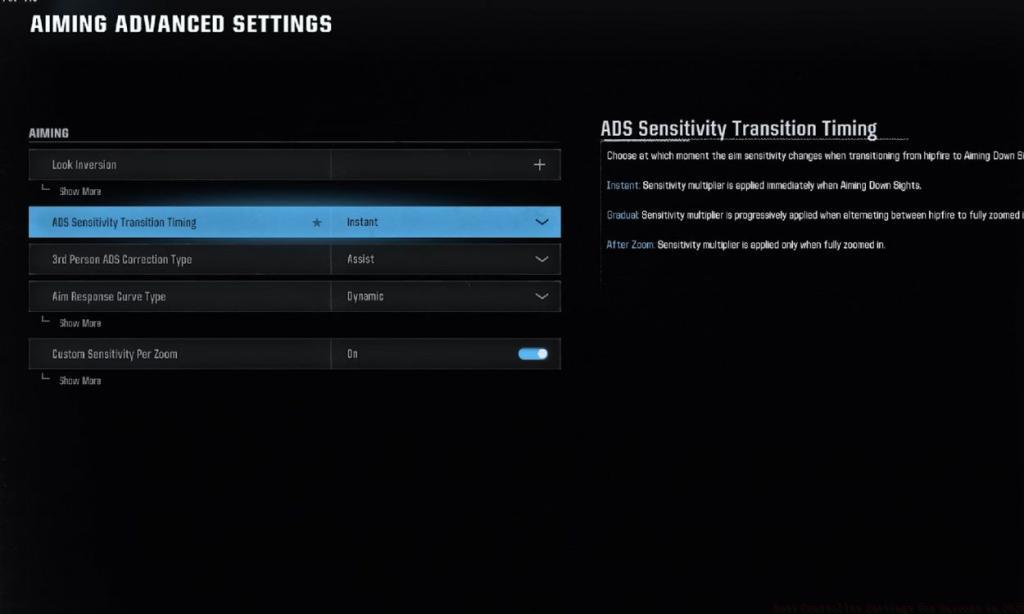
Advanced players should experiment with sensitivity increments of 0.5 rather than whole numbers, as minor adjustments can significantly impact long-range accuracy. The 7-7 sensitivity recommendation works particularly well for players using kontrol freaks or other thumbstick extensions.
Field of View configuration dramatically impacts both target acquisition and situational awareness in Warzone. Proper FOV settings allow players to spot enemies earlier while maintaining precision during aimed engagements.
For controller players, we recommend starting at 100-110 FOV, balancing peripheral vision with target size. Higher FOV values make distant targets appear smaller but provide critical information about flanking maneuvers and environmental threats. The sweet spot typically falls between 100-110 for most display setups and playstyles.
Advanced FOV considerations include aspect ratio compatibility – wider screens benefit from higher FOV settings while standard monitors perform better with moderate values. Players transitioning from Battlefield 6 may need adjustment periods as FOV perception differs between titles.
Common FOV mistakes include setting values too high, which can cause motion sickness and reduce mid-to-long range accuracy. Always test FOV settings in actual combat scenarios rather than just the menu environment.
Beyond basic configurations, elite Warzone competitors fine-tune advanced settings that provide marginal but critical advantages. These include deadzone adjustments, response curve modifications, and trigger sensitivity calibration.
Most players overlook the importance of testing settings in high-pressure situations. We recommend creating a custom game with bots to simulate real combat conditions before committing to configuration changes.
Configuration pitfalls include changing multiple settings simultaneously, which makes identifying improvement sources impossible. Always adjust one variable at a time and play several matches to assess impact. This systematic approach prevents configuration confusion and accelerates improvement.
For players seeking comprehensive loadout strategies beyond controller settings, our BF6 Weapons Unlock guide provides detailed weapon customization advice that complements these control optimizations.
Remember that optimal settings evolve with your skill level. As you improve with specific Class Guide selections and playstyle evolution. Revisit your configuration every 20-30 hours of gameplay to ensure it still matches your developing capabilities.
Action Checklist
- Set controller sensitivity to 7-7 and test in combat scenarios
- Configure Tactical stick layout and practice movement combinations
- Adjust FOV between 100-110 based on your display and preference
- Test configuration in custom matches before competitive play
- Fine-tune one setting at a time and track performance changes
No reproduction without permission:Tsp Game Club » Best Controller Settings for Warzone in 2025 Master Warzone's controller and FOV settings to dominate in 2025 with expert optimization strategies