
TL;DR
- Claim the free Common Cape by logging into Minecraft Bedrock with Microsoft account between May 6, 2025 – May 5, 2026
- Must claim in Bedrock first before accessing in Java Edition
- Equip via Skins tab in Java or Dressing Room in Bedrock
- Cape automatically appears in both editions after successful claim
- Check customization settings if cape doesn’t appear immediately
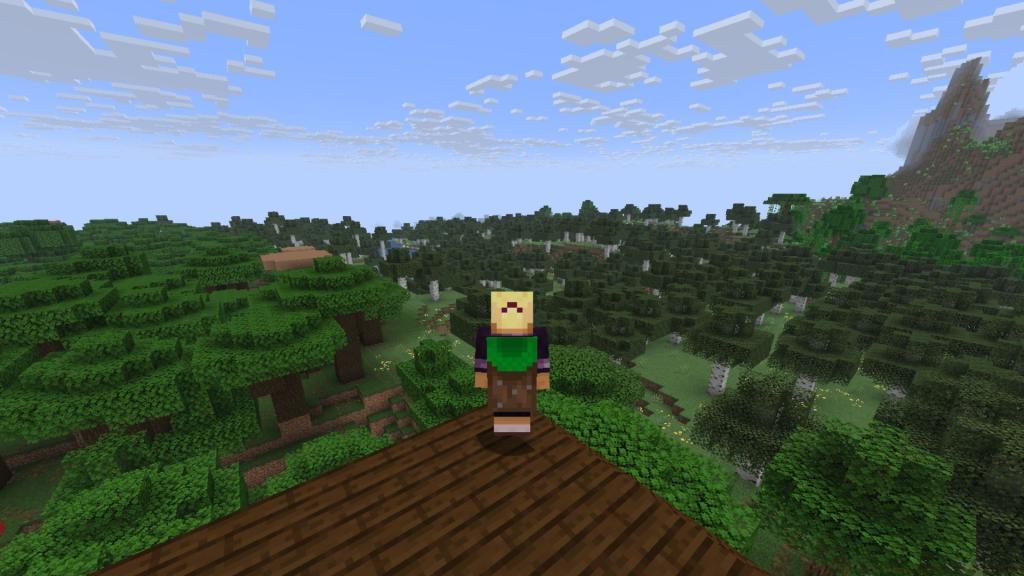
Minecraft enthusiasts now have access to an exclusive cosmetic item that pays homage to one of the game’s most recognizable elements. The recently introduced Common Cape features the distinctive texture pattern of the classic grass block, making it instantly identifiable to veteran players and newcomers alike.
This cosmetic accessory serves as more than just visual flair – it represents a connection to Minecraft’s core identity. Unlike premium capes that require purchases or special events, this particular item is completely free for all eligible players who meet the straightforward claiming criteria.
The availability window for this special cosmetic spans from May 6, 2025 through May 5, 2026, giving players ample time to secure their copy. What makes this cape particularly valuable is its cross-platform functionality, appearing automatically in both Java and Bedrock editions once properly claimed.
Securing your Common Cape follows a surprisingly simple procedure that requires minimal effort. The essential first step involves launching the Minecraft Bedrock Edition and ensuring you’re signed in with your primary Microsoft account credentials.
Many players mistakenly believe they need to complete complex tasks or participate in special events, but the reality is much simpler. Your single login action during the eligibility period automatically registers the cape to your account across all supported platforms.
One critical requirement that often catches players off guard: you must complete the initial claim process through Bedrock Edition before the cape becomes accessible in Java Edition. This account synchronization ensures that your cosmetic inventory remains consistent regardless of which version you’re playing.
After successfully logging into Bedrock Edition during the designated timeframe, the system automatically flags your account as eligible. The cape then becomes permanently added to your collection, available for future use even after the claiming period concludes.
Once you’ve successfully claimed the Common Cape through Bedrock Edition, accessing it in Java Edition requires navigating to the character customization interface. Before launching your game session, locate the Skins tab in the main menu to begin the process.
Within the Skins interface, select the character model you wish to modify and proceed to the Cape section. Here you’ll find the Common Cape listed among your available cosmetic options, identifiable by its distinctive grass block patterning.
After highlighting the Common Cape from your collection, confirm your selection by clicking the Save and Use button to apply the changes to your character.
If the cape doesn’t appear immediately after claiming, don’t panic. Simply pause your active game, navigate to Options > Customization, and ensure the Cape button is toggled to the active position. This visibility setting ensures your cosmetic items display properly during gameplay sessions.
For players who frequently switch between multiple capes, consider creating separate character profiles for different cosmetic combinations. This approach saves time when you want to quickly change your appearance between gaming sessions.
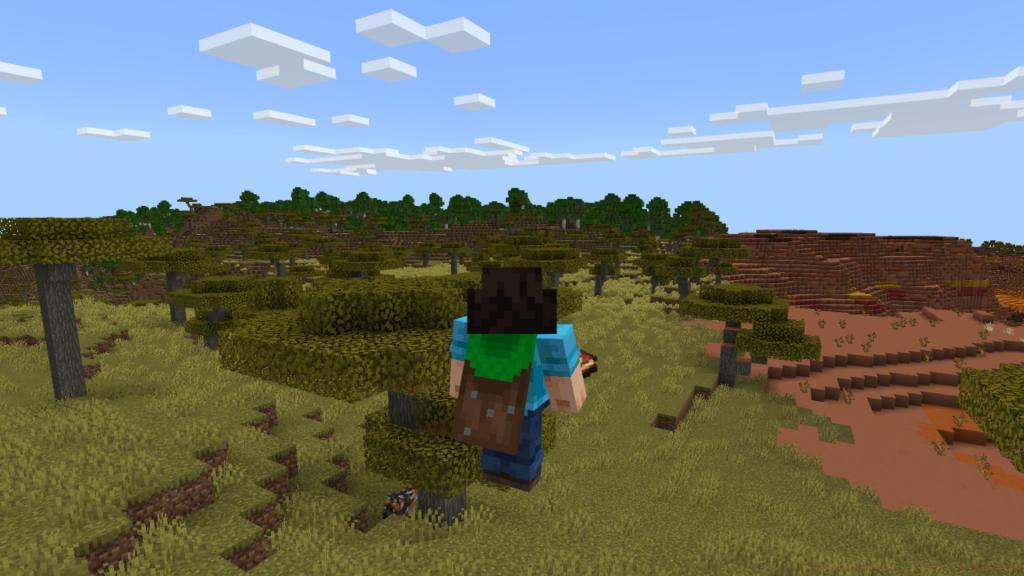
Bedrock Edition offers a more streamlined approach to cosmetic management through its integrated Dressing Room system. Begin by launching your game and locating the Dressing Room button on the main interface.
Once inside the Dressing Room, direct your attention to the left-side navigation panel where you’ll find the distinctive red Cape icon. Selecting this option reveals your complete cape collection, including the newly acquired Common Cape.
Highlight the Common Cape from your available options and press the Equip button to apply it to your current character.
Unlike Java Edition’s pre-game customization requirement, Bedrock allows you to modify your appearance at any point during your gameplay session. This flexibility means you can switch capes without interrupting your current world exploration or construction projects.
After equipping your chosen cape, simply return to your game world to see the changes reflected on your character model immediately.
Many players encounter issues when their Microsoft account isn’t properly linked between game editions. Ensure you’re using the exact same account credentials across both Java and Bedrock versions to guarantee proper synchronization of cosmetic items.
One frequent mistake involves attempting to claim the cape through Java Edition first. Remember the golden rule: Bedrock login must precede Java access for the system to recognize your eligibility correctly.
If you’ve recently migrated from a Mojang to Microsoft account, allow up to 24 hours for full cosmetic synchronization between platforms.
For players who own multiple Minecraft accounts, the Common Cape will only appear on the specific account used to log into Bedrock Edition during the eligibility period.
Advanced players should note that while the cape appears in both editions, it cannot be transferred between different Microsoft accounts once claimed.
When troubleshooting visibility issues, first verify that you’ve completed the initial Bedrock login during the correct timeframe. Then check both the Skins tab (Java) and Dressing Room (Bedrock) before investigating the customization settings. This systematic approach resolves most common display problems efficiently.
For comprehensive guidance on other Minecraft features and mechanics, check out our Complete Guide to maximize your gaming experience across all aspects of gameplay.
Action Checklist
- Launch Minecraft Bedrock Edition and sign in with Microsoft account
- Verify login occurs between May 6, 2025 – May 5, 2026
- Access Java Edition – navigate to Skins tab, select Common Cape, click Save and Use
- Check cape visibility in Options > Customization if needed
- Use Dressing Room in Bedrock for quick equip functionality
No reproduction without permission:Tsp Game Club » How to Get Free Common Cape in Minecraft Complete guide to claiming and equipping Minecraft's free Common Cape across both Java and Bedrock editions