
TL;DR
- Black Ops 7 preload begins November 10 at 9 AM PT, four days before November 14 launch
- Game requires 97 GB total storage with modular component downloads available
- Preload access requires game purchase or active Game Pass subscription
- Platform-specific procedures vary between Steam, Battle.net, PlayStation, and Xbox
- Optimize download speed by managing bandwidth and verifying installation integrity
With Call of Duty: Black Ops 7 launching globally on November 14, strategic preloading becomes essential for immediate access. Treyarch’s ambitious installment delivers unprecedented content volume, making advance preparation crucial for maximizing playtime from minute one. Whether you prioritize the cooperative campaign or the expanded Zombies mode, proper preload execution ensures you’re combat-ready at launch.
Activision has confirmed preload availability starting November 10 at 9 AM Pacific Time, providing a four-day window for installation completion. This staggered approach helps distribute server load while guaranteeing players worldwide can join simultaneously.
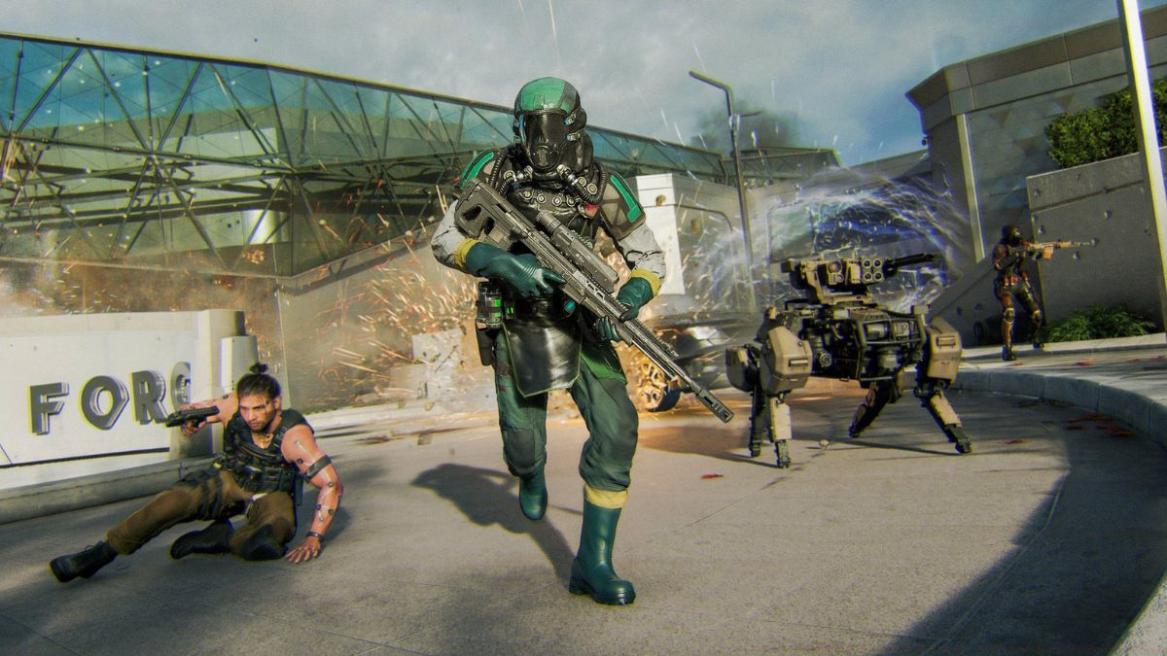
Accessing the preload requires either purchasing Black Ops 7 or maintaining an active Xbox Game Pass Ultimate/PC Game Pass subscription. This dual-access model accommodates both ownership-focused players and subscription-based gamers.
Global Preload Schedule and Regional Timing
The worldwide preload rollout follows a carefully orchestrated schedule to manage global server capacity. Below are the precise regional activation times:
- US (West): November 10, 9 AM PT
- US (East): November 10, 12 PM ET
- Brazil: November 10, 2 PM BRT
- London (UK): November 10, 5 PM BST
- Europe (Central): November 10, 6 PM CET
- Russia: November 10, 8 PM MST
- India: November 10, 10:30 PM IST
- Japan: November 11, 2 AM JST
- China: November 11, 1 AM CST
- Australia: November 11, 4 AM AEDT
- New Zealand: November 11, 6 AM NZDT
Storage management proves critical with Black Ops 7’s substantial 97 GB footprint. The modular installation system allows selective component downloads, with the Co-Op Campaign consuming 15.8 GB and Warzone requiring approximately 20 GB. Multiplayer and Zombies package sizes remain unconfirmed but will likely follow similar scaling patterns seen in previous Call of Duty titles.
Preload Countdown and Timing Strategy
Monitoring the precise preload activation moment becomes simpler with our integrated countdown system. This real-time tracker accounts for timezone differences while providing visual confirmation of your local availability window.
Pro tip: Schedule your preload during off-peak hours (typically late evening or early morning) to maximize download speeds when network congestion decreases significantly.
PC Platform Preload: Steam, Battle.net & Game Pass
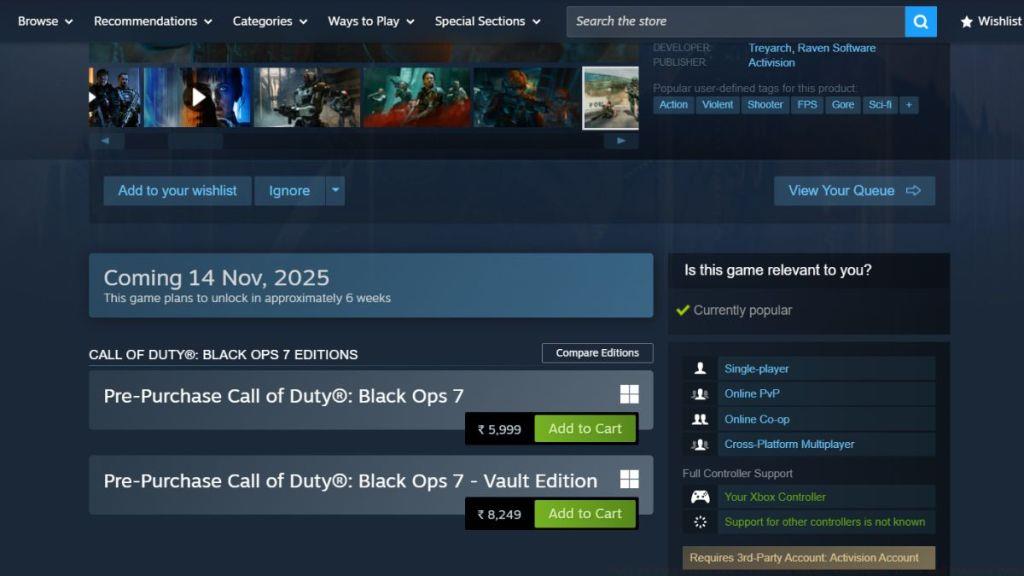
PC gamers enjoy multiple access pathways to Black Ops 7, each with distinct procedural requirements. Before initiating download, verify your platform credentials and subscription status to prevent authentication delays.
Follow this optimized sequence for PC preloading:
- Launch your preferred client (Steam, Battle.net, or Xbox app for PC Game Pass)
- Navigate directly to Black Ops 7’s dedicated store page
- At the designated regional time, the preload option will replace the pre-order button
- Initiate download and monitor progress through your client’s library interface
- Validate file integrity post-download using platform-specific verification tools
Common PC preload mistake: Attempting download before regional activation time. The system enforces strict timing controls, so premature attempts will display error messages rather than progressing to download.
PlayStation Preload: PS4 & PS5 Systems
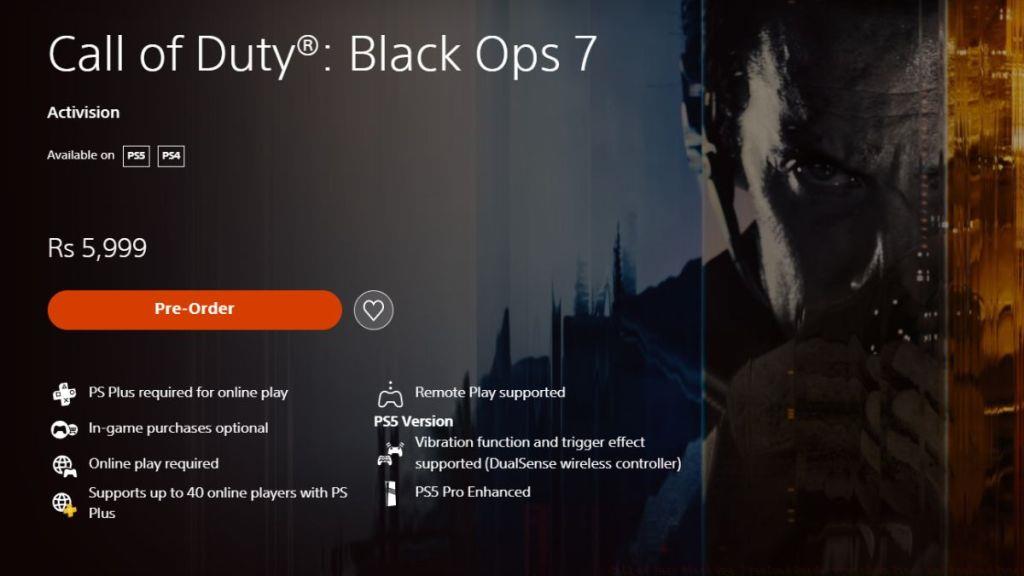
PlayStation users must complete purchase authorization before preload access unlocks. The platform’s integrated commerce system requires transaction completion before download permissions activate.
Execute PlayStation preload using this methodical approach:
- Access the Black Ops 7 product page through PlayStation Store search or featured sections
- Complete the pre-purchase transaction if not already done
- Navigate to your Library and locate Black Ops 7 in the purchased games section
- Select the Download option when it becomes available at your regional time
- Enable automatic updates in system settings to ensure day-one patch integration
Advanced optimization: For PS5 users, prioritize downloading campaign components first if you have limited solid-state drive space, then add multiplayer elements post-campaign completion.
Xbox Preload: Console & Subscription Access
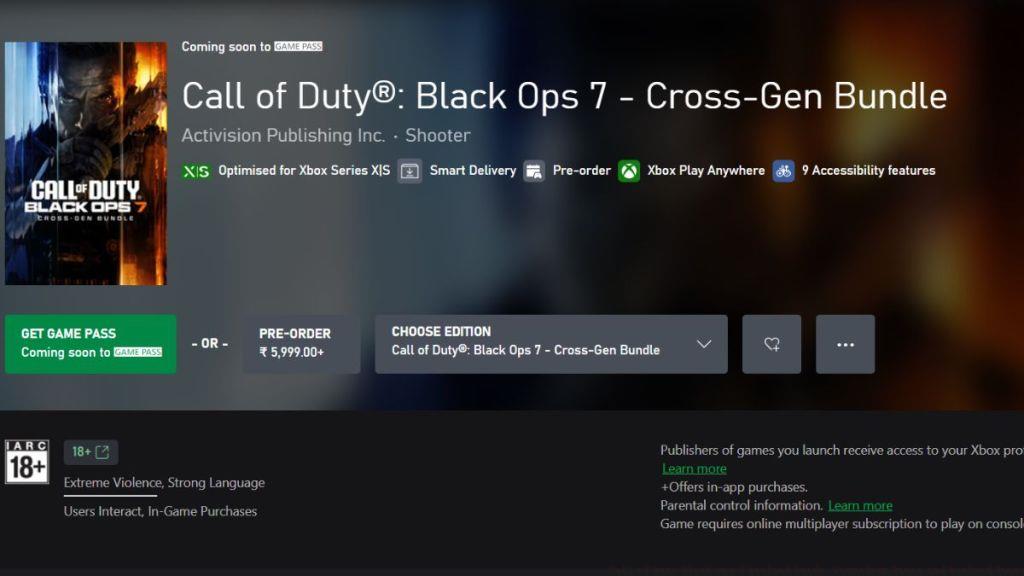
Xbox platforms offer the most flexible access model, accommodating both direct purchasers and Game Pass subscribers. This dual-path system ensures broad availability regardless of payment preference.
Implement Xbox preload through these definitive steps:
- Open the Xbox Store interface through your console dashboard or PC application
- Locate Black Ops 7 using search functionality or curated store sections
- Activate the preload option when it appears at your regional activation moment
- Monitor installation progress through “My Games & Apps” while maintaining network connectivity
Critical reminder: Xbox Game Pass subscribers must maintain active membership throughout preload and launch periods to retain access privileges.
Beyond basic installation, strategic preloading involves optimizing both technical performance and launch readiness. These advanced techniques separate prepared gamers from those troubleshooting at launch.
Network Bandwidth Management: During preload, temporarily pause other downloads and streaming activities to allocate maximum bandwidth to Black Ops 7. For congested household networks, consider scheduling downloads during typically low-usage periods (2-6 AM local time) when internet service providers experience reduced traffic loads.
Storage Optimization: With the game’s substantial footprint, consider external storage solutions for consoles or additional drives for PC. The modular installation system allows prioritizing essential components if space proves limited.
Common Preload Issues and Solutions:
- Download Stalling: Restart your client/console and resume rather than canceling the entire process
- Authentication Errors: Verify subscription status or purchase confirmation through platform account settings
- Insufficient Space Errors: Clear temporary files and consider uninstalling unused games to free necessary capacity
- Regional Timing Confusion: Use world clock converters referencing Pacific Time as the baseline for calculation
Launch Preparation Checklist:
- Confirm preload completion through platform library status indicators
- Verify available storage meets the 97 GB requirement with additional space for future updates
- Test network connectivity and consider wired connections for stability during launch
- Review component installation to ensure required game modes are ready
- Coordinate with squad members to ensure simultaneous readiness across platforms
Final strategic insight: Complete your preload at least 24 hours before launch to accommodate any last-minute patches or verification requirements.
Call of Duty Black Ops 7 preloads kick off on November 10 at 9 AM PT.
What is Black Ops 7’s file size?
Black Ops 7’s total file size is around 97 GB with modular component options.
With these comprehensive preload strategies implemented, you’ll transition seamlessly from download completion to combat engagement when Black Ops 7 launches globally on November 14.
Action Checklist
- Verify platform access (purchase or Game Pass subscription)
- Clear 100+ GB storage space and verify network connectivity
- Calculate local preload time using 9 AM PT as baseline reference
- Execute platform-specific preload procedure at designated time
- Validate installation integrity using platform verification tools
- Monitor for day-one patches and ensure automatic updates enabled
No reproduction without permission:Tsp Game Club » Call of Duty Black Ops 7 Preload Guide: Countdown Timer and Preload Times Complete guide to preloading Black Ops 7 with platform-specific instructions, storage optimization, and troubleshooting tips