
TL;DR
- Weapon Build Codes instantly share complete loadouts via unique alphanumeric codes
- Access through Weapons menu and use Import option without entering Gunsmith
- Codes only apply unlocked attachments – plan your progression accordingly
- Copy opponent builds during Killcam for immediate competitive advantage
- Save 3-5 minutes per loadout setup while maintaining optimal performance
Black Ops 7 introduces a revolutionary weapon customization feature that transforms how players share and replicate optimal loadouts. Weapon Build Codes serve as digital blueprints that encapsulate every attachment selection, tuning adjustment, and cosmetic modification applied to any firearm in your arsenal.
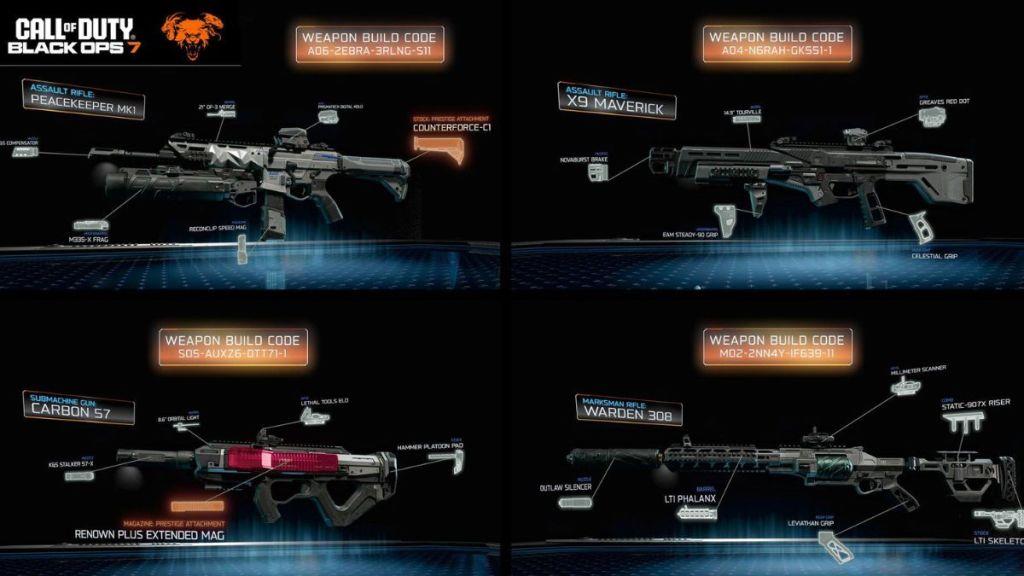
These unique alphanumeric sequences function like recipe cards for weapon configurations, allowing you to distribute your carefully crafted setups to teammates or the broader community. When executed properly, this system eliminates the tedious process of verbally describing each attachment choice across multiple menu screens.
The underlying mechanics operate on a conditional application principle. When you input a build code, the game cross-references each specified attachment against your personal unlock progression. Only components you’ve already earned through gameplay will be equipped, preventing players from bypassing progression systems while still benefiting from optimized configurations.
Build Codes maintain visibility throughout the Gunsmith interface and can even be captured during tactical review moments. The innovative Killcam integration lets you immediately save an opponent’s effective loadout when they eliminate you, adding their configuration directly to your Notification Feed for post-match retrieval and experimentation.
Implementing Weapon Build Codes requires navigating specific menu pathways while avoiding common procedural errors. Follow this comprehensive walkthrough to ensure seamless integration of shared configurations into your personal arsenal.
-
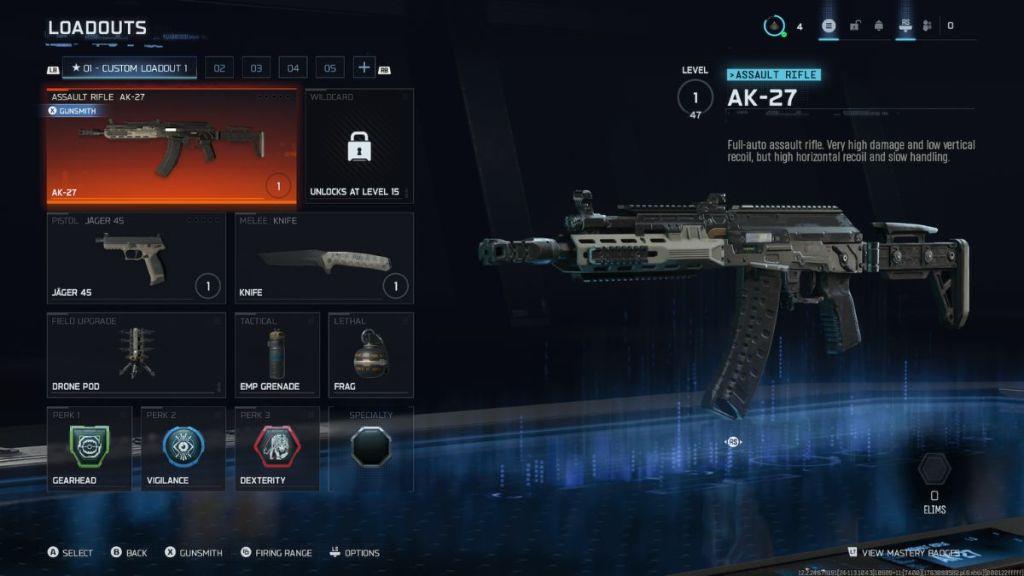
Image Credit: Activision -
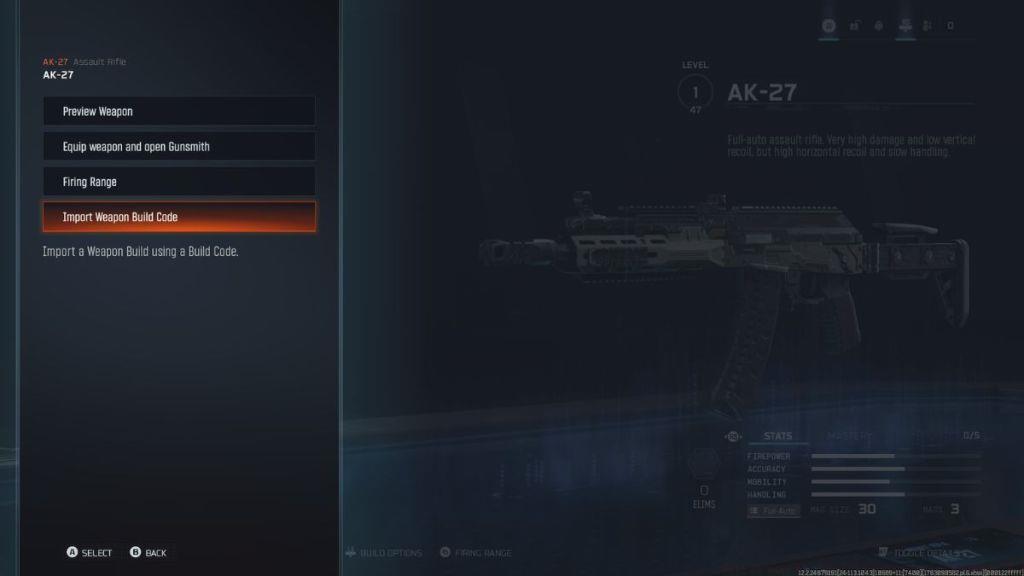
Image Credit: Activision
- From the main menu interface, navigate directly to the comprehensive ‘Weapons’ management section rather than individual loadout slots.
- Choose any available custom loadout configuration and access the primary weapon assignment slot for modification.
- Identify and select the specific firearm platform associated with the build code you intend to implement.
- After confirming your weapon selection, press the right analog stick on your controller while ensuring you remain outside the Gunsmith environment.
- Within the contextual pop-up interface, locate and activate the ‘Import Weapon Build Code‘ functional option.
- Execute the final step by inputting the complete alphanumeric sequence, then confirm application to receive all available attachments.
The conditional attachment system operates with precision – any component remaining locked within your progression pathway will be automatically excluded from the final configuration. This maintains competitive integrity while still providing access to optimized weapon setups.
Beyond basic implementation, mastering Weapon Build Codes requires understanding nuanced strategies that separate casual users from competitive advantage seekers. Professional players utilize these codes not just for convenience, but as tactical tools for rapid meta-adaptation and loadout optimization.
Pro Player Insights: Top competitors maintain curated code libraries organized by map type, game mode, and engagement distance. They recommend creating separate codes for close-quarters combat versus long-range engagements, as detailed in our BF6 Weapons Unlock Guide which covers attachment synergy principles.
Common Implementation Errors: Many players mistakenly enter the Gunsmith before accessing the import function, which disables the build code option. Another frequent mistake involves attempting to apply codes to incompatible weapon platforms – always verify firearm compatibility before code entry.
Optimization Techniques: Schedule regular code updates every 2-3 weeks to adapt to meta shifts. Utilize the Notification Feed as a temporary storage system for promising opponent configurations discovered during matches. For comprehensive strategic frameworks, reference our Battlefield 6 Complete Guide covering broader gameplay optimization.
Progression Planning: Since codes only apply unlocked attachments, strategically prioritize weapon leveling for platforms commonly featured in shared builds. This ensures maximum compatibility with community-shared configurations.
The time efficiency gains are substantial – experienced users report saving 3-5 minutes per loadout configuration while maintaining optimal performance characteristics. This rapid setup capability becomes particularly valuable during competitive matches and tournament play.
Action Checklist
- Navigate to Weapons section from main menu, bypassing Gunsmith entry
- Select custom loadout and identify correct weapon platform for code application
- Press right stick to access Import option without entering Gunsmith
- Input complete alphanumeric code sequence accurately
- Verify applied attachments match expected configuration and adjust manually if needed
- Save successful configurations to personal code library for future use
No reproduction without permission:Tsp Game Club » Call of Duty Black Ops 7 Weapon Build Codes Explained Master Black Ops 7 weapon sharing with build codes - complete guide with pro tips and strategies