
Complete guide to customizing Alma’s appearance in Monster Hunter Wilds with outfit changes and accessory options
Getting Started with Alma Customization
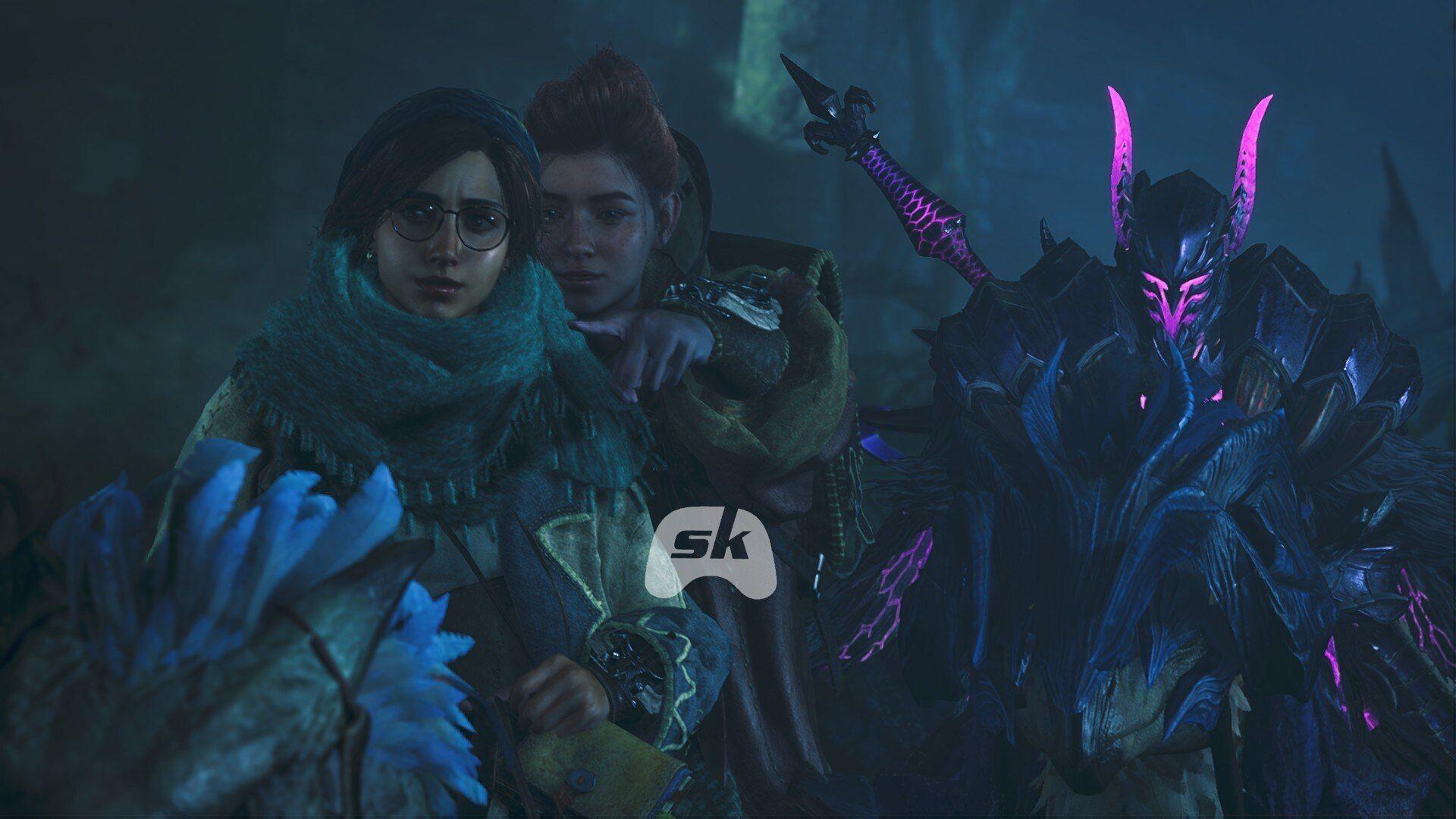
Alma’s outfits in Monster Hunter Wilds received a significant enhancement with Title Update 1, transforming from static character design to fully customizable elements. This addition represents one of the more subtle yet deeply appreciated quality-of-life improvements introduced post-launch. Previously, character personalization focused exclusively on your hunter companion, Palico feline allies, and Seikret mounts, leaving Alma’s appearance fixed. The new wardrobe system injects additional personality into your base camp interactions while maintaining the game’s established aesthetic standards.
To initiate Alma’s appearance modifications, you must first progress through the main storyline until reaching Windward Plains during Chapter 1. This milestone unlocks permanent access to your personal tent, which serves as the central hub for all visual customization features. If you’ve previously experimented with character redesigns or adjusted Palico aesthetics, you’ll find the interface comfortably familiar. The tent functions as your character’s personal space for managing all cosmetic alterations.
Step-by-step customization process:
- Access your personal tent at any established base camp location
- Open the comprehensive camp management menu, typically positioned in the screen’s bottom-left quadrant
- Navigate downward to locate the Appearance Menu tab within the interface
- Select Change Appearance, then specifically choose the Change Alma’s Outfit option
- Browse through available wardrobe selections displayed in the menu
- Confirm your preferred outfit choice to apply the visual changes
The transformation becomes immediately visible upon exiting your tent. Alma typically patrols near camp perimeters or stations herself at the Grand Hub, making it convenient to admire your stylistic decisions. Her updated appearance persists across all camp instances until you decide to make further alterations.
Available Outfit Options
Currently, Monster Hunter Wilds offers three distinct Alma outfit selections that provide varying aesthetic appeals. You can freely switch between these options at any time, though it’s important to understand that customization extends only to selection—not modification. The system doesn’t support color palette alterations, pattern adjustments, or design tweaks beyond the predefined appearances.
1) Default Outfit
This represents Alma’s standard attire worn from the game’s initial moments. While functionally straightforward and visually uncomplicated, it maintains the character’s established design language and serves as a reliable baseline option for players preferring her original appearance.
2) Scrivener’s Coat
Alma’s inaugural alternate costume, the Scrivener’s Coat, debuted with Title Update 1 on April 4, 2025. This design pays homage to the academic researchers and historical archivists within the Monster Hunter universe, featuring more scholarly aesthetics with additional pouches, writing implements, and research materials integrated into the design.
Acquisition method:
- Visit your platform’s digital marketplace (PlayStation Store, Xbox Marketplace, etc.)
- Locate the Monster Hunter Wilds section containing additional content or downloadable expansions
- Download “Alma Outfit: Scrivener’s Coat” specifically—this complimentary content accompanies the update
Following successful download completion, the outfit becomes immediately accessible within your game without requiring additional unlocking procedures. This free cosmetic addition commemorates the franchise reaching 10 million copies sold, offering a more experienced, scholarly appearance that contrasts with her default youthful design.
3) New World Commission
The New World Commission outfit (premium DLC) resurrects Alma’s iconic handler appearance from Monster Hunter World, serving as nostalgic fan service for series veterans. This paid cosmetic option perfectly replicates her adventurous researcher aesthetic from the previous installment, complete with distinctive accessories and color schemes that longtime players will instantly recognize.
Advanced Customization: Glasses Options
Alma’s visual personalization extends beyond clothing into accessory territory through specific gameplay accomplishments. Upon completing the Apple of Her Eye side quest, an additional customization category emerges within her appearance menu—this dedicated section enables glasses switching, providing finer control over her facial aesthetics.
This secondary customization layer unlocks two distinct eyewear options:
- Strategist’s Spectacles
- Additional optical accessory
To activate these options, you must successfully conclude the Wudwud-infested side quest chain. Without delving into significant spoilers, the undertaking involves interacting with a dormant Wudwud creature named Ayejack, collecting Eastern Honey resources, and strategically waiting for appropriate seasonal conditions and temporal windows to advance quest progression. Following completion, both glasses variants become craftable headgear items at the Smithy, then toggleable through Alma’s specialized customization interface in Monster Hunter Wilds.
Pro Tip: The Eastern Honey gathering component often proves challenging—focus on flowering areas during dry seasons and utilize gathering-dedicated armor sets to maximize your collection efficiency. The seasonal timing mechanic requires patience, as certain quest stages only advance during specific weather conditions or time-of-day parameters.
Pro Tips and Common Mistakes
Optimization Strategies: Always check for new downloadable content between major hunting sessions, as Capcom frequently releases complimentary cosmetic items. Create a routine of visiting your tent after significant story progression to review new customization options. For players seeking maximum visual coherence, coordinate Alma’s outfit with your hunter’s armor set for immersive roleplaying experiences.
Common Pitfalls to Avoid: Many players mistakenly believe outfit changes require currency or resources—all base outfit switches are completely free once unlocked. Don’t waste time searching for non-existent color customization options; the system only permits selection between predefined outfits. Avoid attempting to change Alma’s appearance outside of base camps; the functionality remains exclusive to personal tents.
Advanced Techniques: For rapid appearance checking, use the camera mode to examine outfit details without dialogue interruptions. When showcasing your customized Alma to other players, position her near well-lit camp areas during daylight cycles for optimal visibility. Remember that certain story sequences may temporarily override custom outfits, with her appearance reverting to narrative-appropriate attire during key moments.
Troubleshooting: If outfits don’t appear in your menu despite downloading them, completely exit and restart the game to refresh the content registry. When the Change Alma’s Outfit option remains grayed out, ensure you’ve actually progressed to Windward Plains rather than simply reaching that geographical area without completing the associated story mission.
No reproduction without permission:Tsp Game Club » How to change Alma’s Outfits in Monster Hunter Wilds Complete guide to customizing Alma's appearance in Monster Hunter Wilds with outfit changes and accessory options