
TL;DR
- CS2 currently lacks official commands to remove bullet marks and blood effects
- Bullet tracers can be controlled via console commands but face server restrictions
- Understanding spray patterns becomes easier with visible tracers for weapon mastery
- Performance improvements require strategic visual setting adjustments beyond blood removal
- Server-side limitations often override individual player customization preferences
Counter-Strike 2 represents a significant graphical evolution from its predecessor, introducing enhanced visual details that create more immersive combat environments. However, these improvements come with performance considerations that competitive players must address. The transition to Source 2 engine has fundamentally changed how visual effects are managed within the game.
Currently in CS2’s development phase, players face a critical limitation: remove bullet marks and blood commands have been completely removed from the available console options. This intentional design choice by developers reflects a shift toward standardized visual experiences across all gameplay sessions. Despite community preferences for cleaner surfaces to maximize frames per second, the current build offers no native solutions for eliminating these combat remnants.
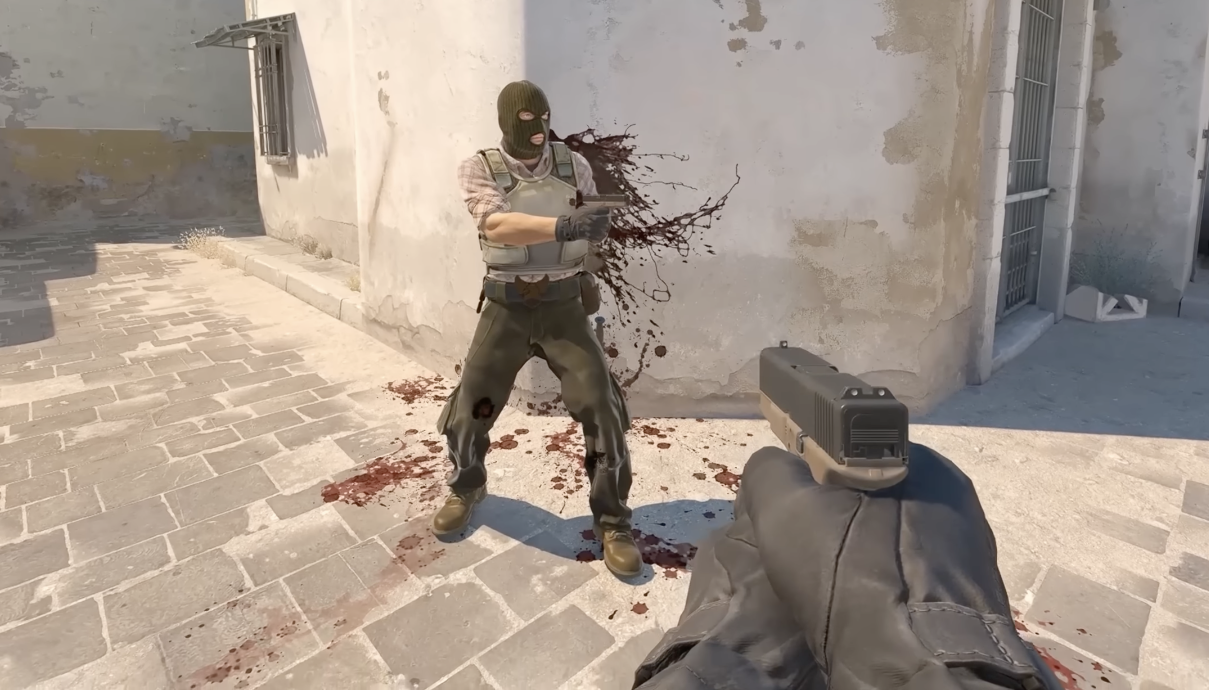
Competitive players should note that while blood and bullet mark removal isn’t currently possible, focusing on other performance optimization strategies can yield substantial FPS improvements. Many professional competitors report that adjusting shadow quality, texture details, and anti-aliasing settings provides more significant performance gains than removing surface effects alone.
Many players mistakenly conflate bullet tracers with bullet marks, leading to confusion when attempting to customize their visual experience. Bullet tracers represent the visible path of projectiles during flight, appearing as glowing lines that trace your bullets’ trajectory. In contrast, bullet marks are the permanent impact decals left on surfaces after shots connect.
Historically, Counter-Strike 1.6 offered limited tracer visibility through console commands, but these implementations were visually crude and provided minimal practical value. Modern CS:GO and CS2 implementations deliver significantly enhanced tracer visuals that serve genuine gameplay purposes beyond mere aesthetics.

The educational value of visible bullet tracers cannot be overstated for developing weapon proficiency. New players gain immediate visual feedback about spray patterns, bullet spread, and weapon accuracy characteristics. This real-time visual information accelerates the learning curve substantially compared to relying solely on muscle memory development.
Advanced players utilize tracers for precise spray control adjustments, particularly with weapons like the AK-47 and M4A4 where mastering spray patterns separates average from exceptional performance. Understanding this distinction helps players make informed decisions about which visual elements to prioritize in their customization efforts.
Unlike many visual settings accessible through game menus, bullet tracer management requires console command expertise. The primary command r_drawtracers_firstperson 1 controls first-person tracer visibility, but its effectiveness varies significantly based on server configurations.
By default, most servers enable tracers for all players, providing consistent visual feedback across matches. However, when utilizing custom configurations or playing on modified servers, tracer settings may be unexpectedly disabled or overridden by server-side rules.

Server administrators frequently implement restrictions on visual customization to maintain competitive integrity. Some competitive servers forcibly disable tracer modifications to ensure all players experience identical visual conditions, eliminating potential advantages from customized settings.
For training purposes, maintaining tracer visibility proves invaluable when practicing spray control on community aim maps. The visual feedback allows for immediate pattern recognition and correction, significantly reducing the time required to master complex weapon recoil behaviors. Professional players often create separate training configurations with tracers enabled specifically for skill development sessions.
While players cannot currently remove blood and bullet marks in CS2, numerous alternative optimization strategies deliver substantial performance improvements. Adjusting shadow quality from High to Medium typically provides 15-20% FPS gains on mid-range systems, while maintaining acceptable visual clarity for competitive gameplay.
The most distracting visual elements for experienced competitors remain the persistent black bullet holes that accumulate during extended firefights. These decals can obscure visibility on key angles and create visual noise that interferes with target acquisition. Surface blood splatters present similar challenges, particularly in close-quarters combat scenarios.
Advanced optimization involves creating custom autoexec.cfg files that streamline multiple settings simultaneously. Combining texture detail adjustments with optimized multicore rendering settings often yields better performance returns than focusing exclusively on blood and mark removal, even when those options were available in previous Counter-Strike versions.
Increase your rank, win rate, and KDA in CS:GO
Sign up at Scope.gg, analyze your matches, learn mistakes, fix them and win more.
For players transitioning from CS:GO to CS2, understanding that visual customization approaches must evolve is crucial. The Source 2 engine handles decals and effects differently, meaning historical workarounds may no longer apply. Focusing on documented performance tuning methods ensures consistent frame rates across different maps and gameplay situations.
Action Checklist
- Verify current CS2 build limitations for blood and bullet mark removal
- Configure bullet tracers using r_drawtracers_firstperson command
- Optimize shadow and texture settings for maximum FPS improvement
- Create separate training configurations with tracers enabled for practice sessions
- Monitor official patch notes for potential visual customization additions
No reproduction without permission:Tsp Game Club » How to disable bullet tracers & blood in CS:GO? Guide by SCOPE.GG Master CS2 visual settings to optimize performance and eliminate distracting bullet marks and blood effects