
Master free driving mode in Assetto Corsa Rally with comprehensive setup tips and advanced techniques
Understanding Free Drive Mode
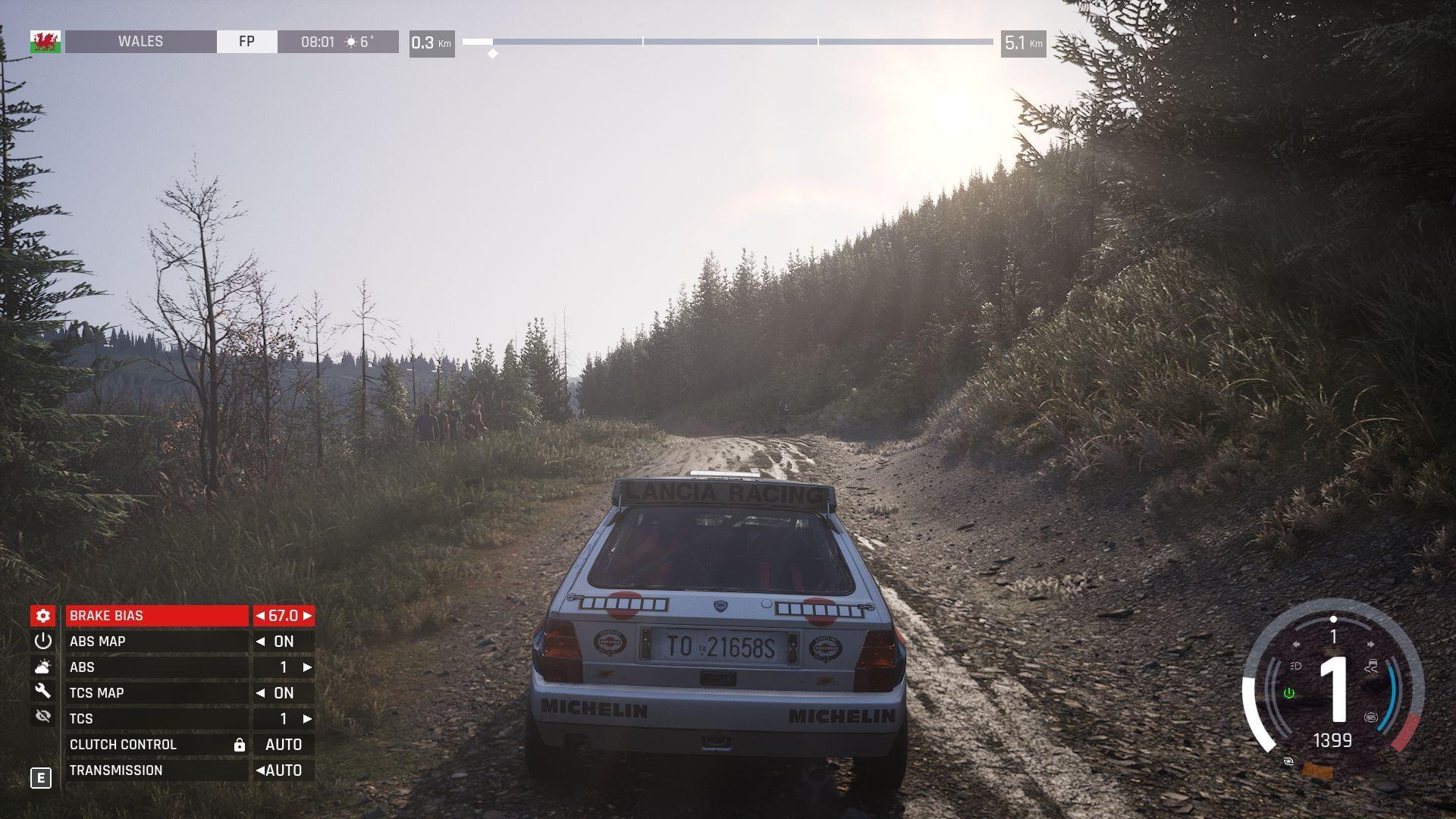
Assetto Corsa Rally delivers an authentic rally simulation experience that has captivated racing enthusiasts worldwide. Among its diverse gameplay options, Free Drive mode stands out as an essential feature for players seeking unrestricted exploration. This mode transforms the high-intensity rally experience into a peaceful driving adventure through breathtaking Welsh and Alsatian landscapes.
Free Drive mode fundamentally alters the game’s core mechanics by eliminating competitive elements. The absence of timers, penalties, and co-driver instructions creates a sandbox environment where you can focus entirely on the driving experience. This proves invaluable for newcomers learning vehicle dynamics and veterans perfecting their racing lines alike.
Step-by-Step Activation Process
Activating Free Drive mode requires navigating specific menu options with precision. Begin by launching Assetto Corsa Rally and accessing the main menu interface. The process involves straightforward steps that even novice players can execute efficiently.
- Launch Assetto Corsa Rally from your gaming platform or desktop shortcut
- Navigate to the Session Settings tab within the game’s main menu
- Locate the Free Drive slider control among the session configuration options
- Toggle the Free Drive slider to the ‘On’ position to activate the mode
- Return to the previous menu and select ‘Start Session’ to begin your freeroam adventure
Upon successful activation, you’ll immediately notice the absence of your co-driver and the disappearance of the race timer. The game world becomes your playground without reset triggers or directional restrictions. This allows for backward driving, off-road exploration, and unrestricted route experimentation across all available stages.
Advanced Configuration Options
Beyond the basic Free Drive activation, Assetto Corsa Rally offers sophisticated customization options to tailor your experience. The Car Damage toggle introduces realistic vehicle physics that simulate collision impacts and mechanical wear. Enabling this feature maintains authenticity while exploring, though it may limit extreme off-road adventures.
Hardcore Mode represents the ultimate challenge configuration, locking all settings to their most realistic and demanding presets. While contradictory to the relaxed nature of Free Drive, this option appeals to purists seeking uncompromising simulation accuracy. It transforms exploration into a technical driving test without competitive pressure.
Additional settings worth experimenting with include weather conditions, time of day variations, and surface degradation. These elements dramatically affect vehicle handling and visual immersion. Cycling through different combinations helps you understand how environmental factors influence rally performance across various terrain types.
Pro Strategies & Practical Applications
Free Drive mode serves multiple practical purposes beyond casual exploration. Competitive players utilize it for intensive track memorization, studying corner apexes, braking points, and optimal racing lines without time constraints. Methodically driving each stage builds muscle memory and spatial awareness that translates directly to improved lap times.
Vehicle testing represents another critical application. Each car in Assetto Corsa Rally exhibits unique handling characteristics, weight distribution, and power delivery. Free Drive allows comprehensive evaluation of these attributes across different surfaces and conditions. Pay attention to how front-wheel, rear-wheel, and all-wheel drive vehicles respond to various inputs.
Avoid common mistakes like neglecting to practice in varying weather conditions or overlooking vehicle setup adjustments. Many players focus solely on dry conditions, but rally racing frequently involves changing surfaces and weather. Practice recovering from slides and controlling oversteer/understeer in safe environments before competitive events.
The visual appreciation aspect shouldn’t be underestimated either. The meticulously crafted environments feature stunning details that often go unnoticed during intense racing. Free Drive mode lets you absorb the scenic beauty at your own pace, from forest canopies to mountain vistas.
Also read: Assetto Corsa Rally Review: Immersive gameplay brings the art of rallying to life
Check out some other articles:
- AC Rally best controller settings
- Best camera settings in AC Rally
- Best racing wheel setup for AC Rally
- Assetto Corsa Rally Tyre Choice Guide: When to Use Soft, Medium, or Hard Compounds
- All stages in AC Rally
No reproduction without permission:Tsp Game Club » How to enable free driving mode in Assetto Corsa Rally Master free driving mode in Assetto Corsa Rally with comprehensive setup tips and advanced techniques