
TL;DR
- Enable Player Created Content in System settings to unlock community modes
- Access custom experiences through Community tab’s Search Experiences feature
- Use filtering and direct codes for targeted mode discovery and access
- Leverage custom modes for efficient XP farming and weapon progression
- Verify settings regularly as they may reset after game restarts
While Battlefield 6 offers numerous built-in multiplayer modes, the true depth emerges through community-created experiences. These custom modes originate from EA’s Battlefield Portal platform, providing players with unprecedented creative control. However, accessing this content requires activating a specific setting that many players overlook during initial setup.
Battlefield Portal debuted with Battlefield 2042, empowering gamers to design, code, and deploy unique multiplayer scenarios. This powerful toolset now extends to Battlefield 6, enabling both creation and participation in customized battles whether playing solo or with teammates. The platform represents EA’s commitment to user-generated content, though proper configuration remains essential for participation.
Attempting to join player-created content without proper configuration typically displays a purchase prompt with a “requires player created content enabled” notification. This common hurdle prevents immediate access but resolves easily through proper system configuration.
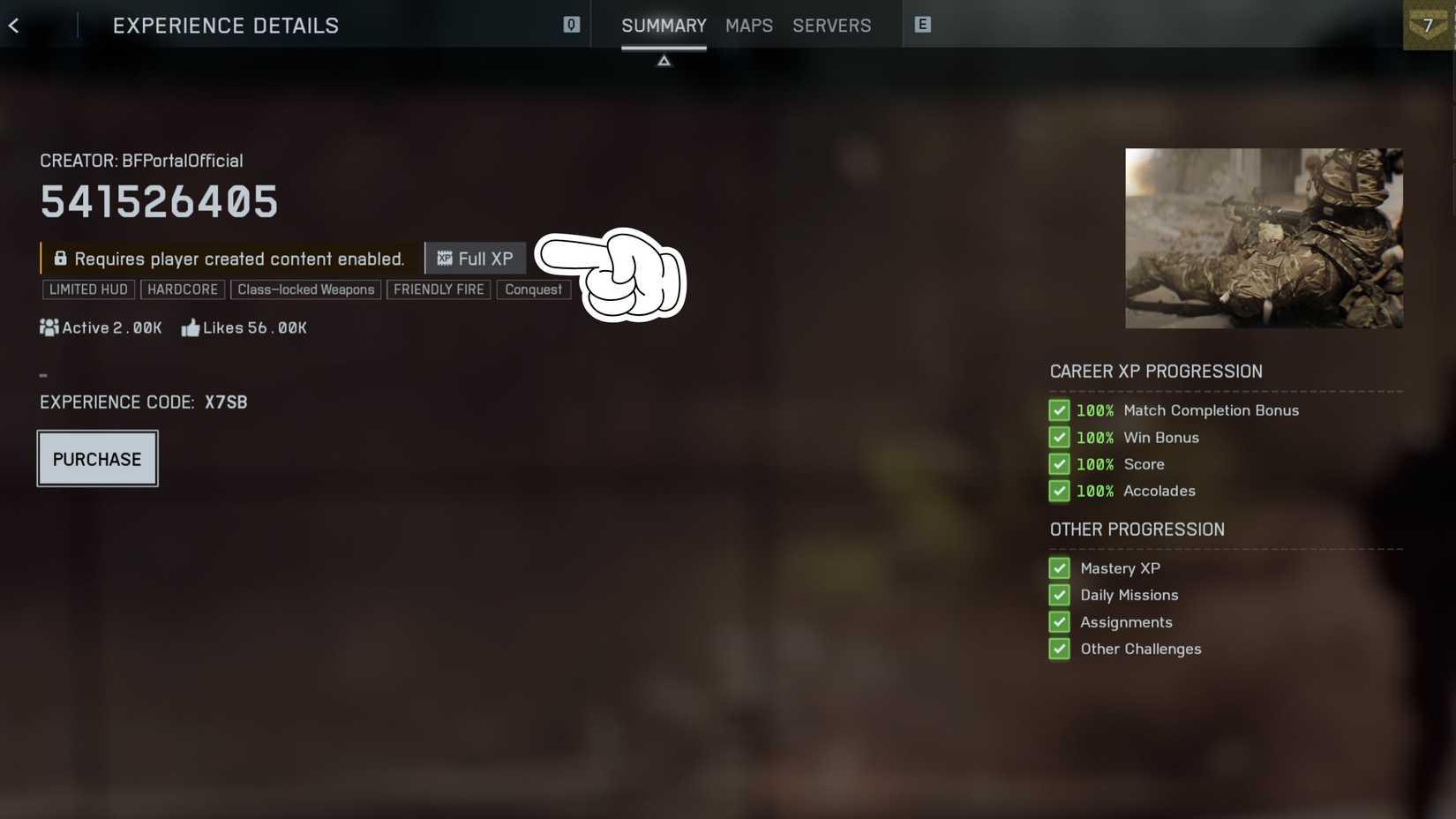
Many players encounter frustration when discovering the Player Created Content option isn’t enabled by default. This intentional design choice ensures players understand the community-created nature of these experiences before participating.
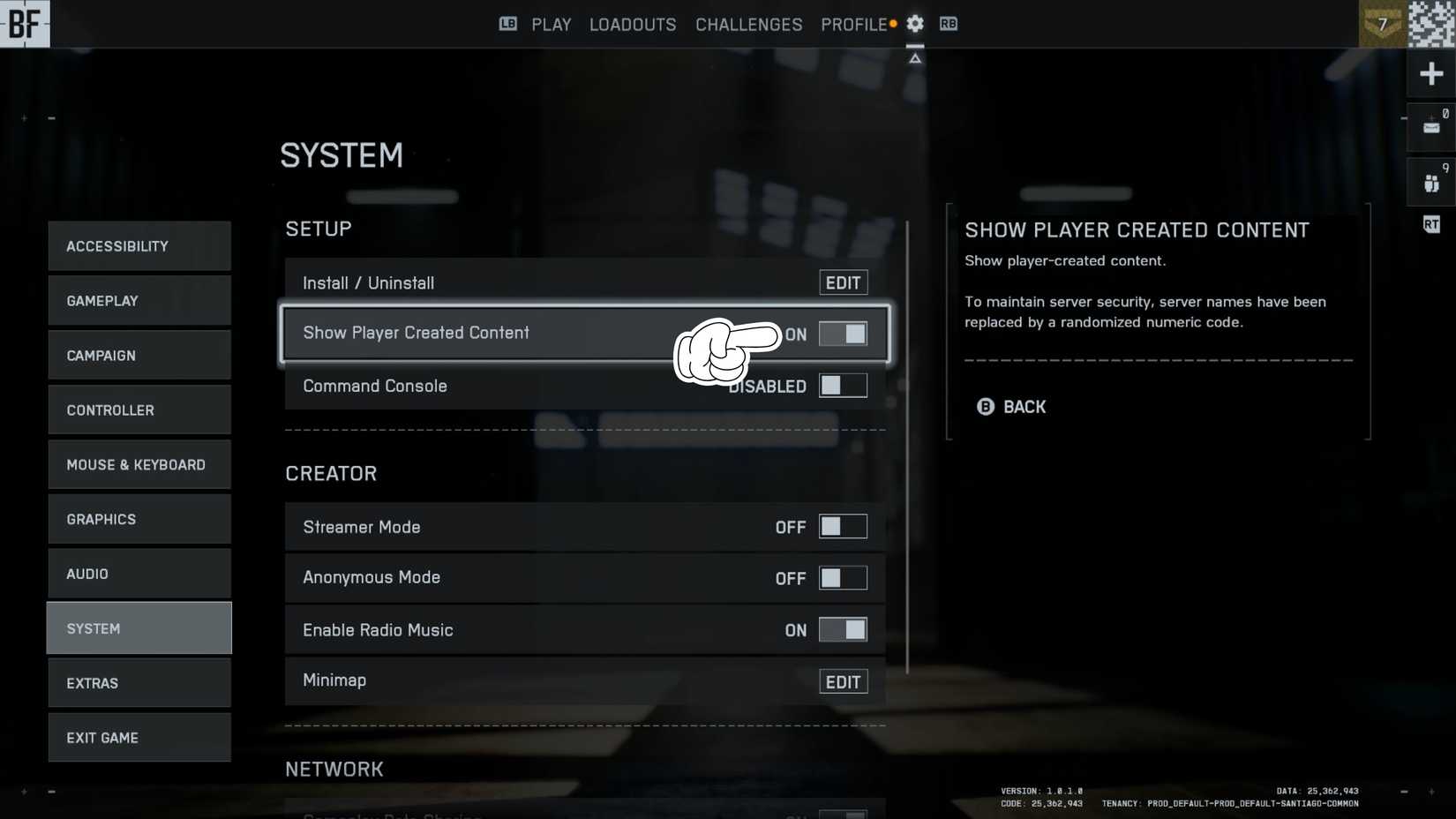
- Access the settings menu directly from the BF6 main interface navigation
- Navigate to the “System” tab located on the left-side configuration panel
- Locate and activate the Player Created Content toggle within system preferences
The Player Created Content setting may automatically disable after quitting and relaunching Battlefield 6 for certain players. Always confirm the option remains active before attempting to join custom matches, as this prevents unexpected access denials.
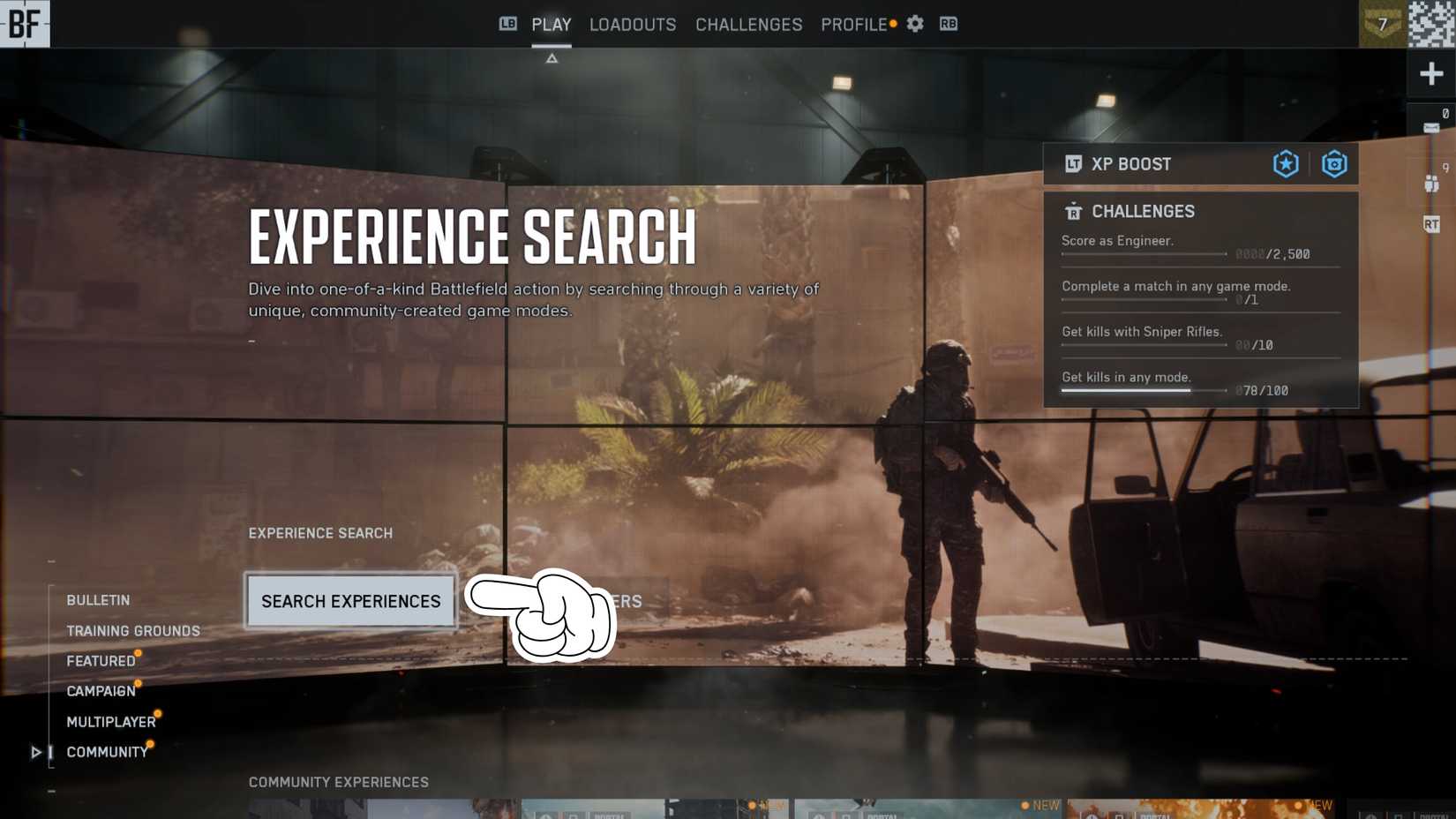
Once you’ve activated the Player Created Content setting in Battlefield 6, proceed to the “Community” section within the main menu and select “Search Experiences.” This interface displays countless player-generated modes, with Portal badges clearly marking creations developed using the utility.
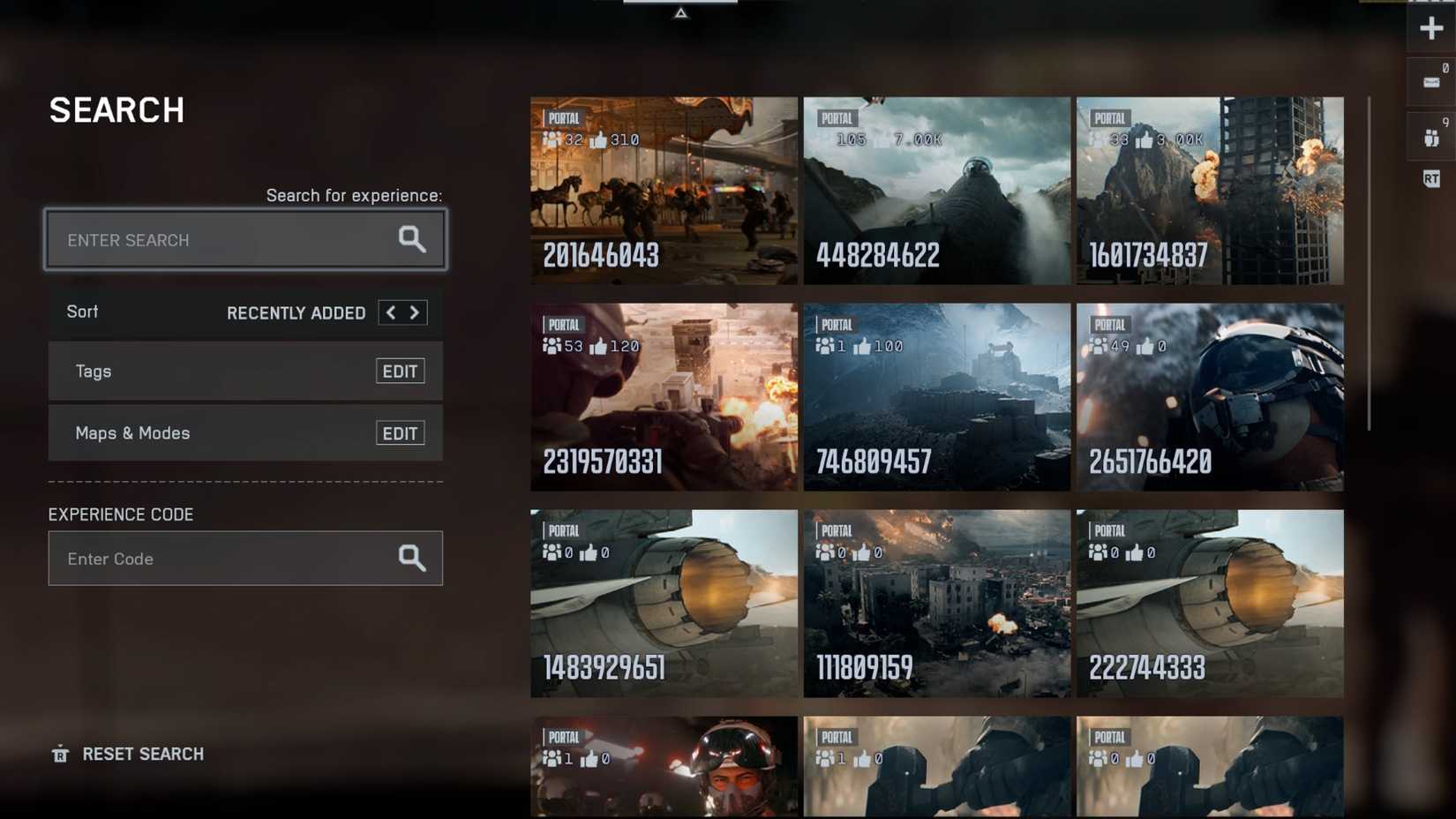
Browse the extensive collection of custom Battlefield 6 modes or utilize filtering options for targeted discovery. The interface provides tag selection capabilities on the left sidebar, plus options to filter by specific game modes or map preferences.
For direct access to specific creations, locate Player Created Content codes within BF6 community forums and directly input them for immediate access to desired experiences.
Custom Battlefield Portal modes present exceptional opportunities for efficient progression. These player-created experiences often provide transparent XP reward information before joining, enabling strategic selection for weapon specialization and character advancement. Given the demanding progression system in Battlefield 6, leveraging solo modes with AI opponents while activating XP boosters and completing specific challenges dramatically accelerates your ranking progression.
Seasoned players recommend focusing on modes that align with your current weapon unlock objectives and class specialization goals. The strategic combination of custom content exploration with our comprehensive Battlefield 6 strategy guide ensures maximum efficiency in your gameplay sessions.
For optimal results, coordinate your custom mode selection with your current class selection strategy to create synergistic progression benefits across multiple gameplay systems simultaneously.
Action Checklist
- Navigate to System settings and enable Player Created Content toggle
- Access Community tab and use Search Experiences to browse modes
- Apply filters by game mode, map, or tags to find relevant content
- Utilize direct codes from community sources for specific mode access
- Verify settings remain enabled after game restart to prevent access issues
No reproduction without permission:Tsp Game Club » How to Enable Player Created Content in Battlefield 6 Master Battlefield 6 custom content: Enable settings, access community modes, and optimize XP farming strategies