
TL;DR
- Elden Ring Nightreign exclusively supports three-player co-op sessions with no duo option available
- Cross-generation play functions between PS4/PS5 and Xbox One/Series X|S, but cross-platform compatibility is absent
- Password-based matchmaking through the Expedition menu provides the primary connection method
- Steam overlay invitations offer alternative direct joining for PC players
- Proper progression through tutorial and network optimization prevent most connectivity problems
Elden Ring Nightreign represents FromSoftware’s dedicated venture into cooperative multiplayer experiences, fundamentally shifting from their traditional solo-focused design philosophy. Unlike previous Soulsborne titles where co-op served as supplementary assistance, Nightreign builds its core gameplay around strategic team coordination and synergistic combat approaches.
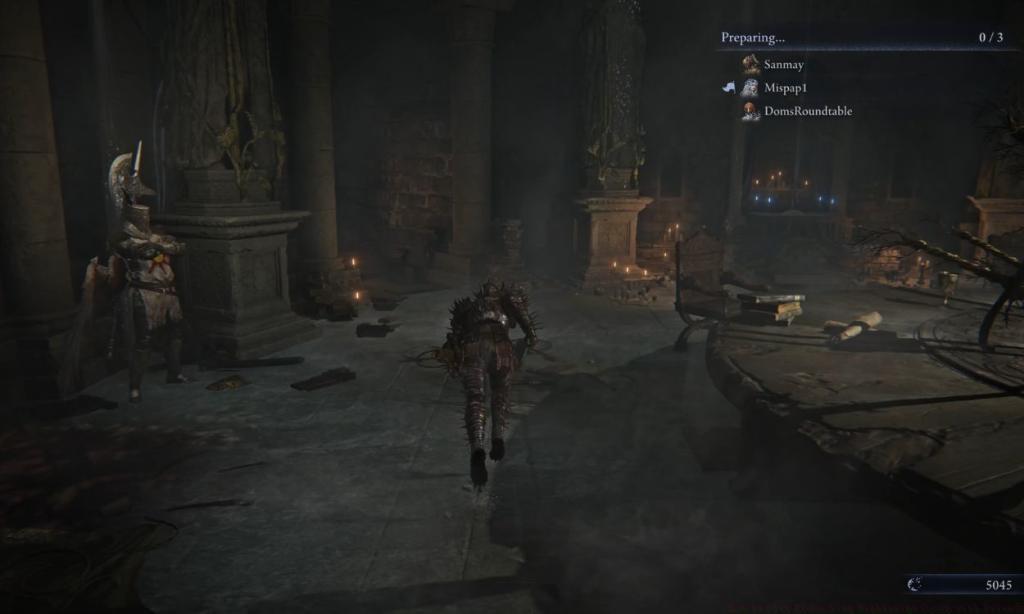
The game’s multiplayer architecture specifically enables three-player co-op formations, deliberately excluding two-player configurations to maintain balanced encounter design. This intentional limitation ensures that enemy scaling and environmental challenges remain consistently challenging regardless of party composition.
Platform interoperability follows a cross-generation compatibility model rather than full crossplay implementation. PlayStation 5 users can seamlessly partner with PS4 adventurers, while Xbox Series X|S operators connect effortlessly with Xbox One companions. However, the technological divide between Sony and Microsoft ecosystems remains intact, preventing PlayStation and Xbox users from joining shared expeditions.
FromSoftware’s design team has indicated they’re evaluating potential two-player functionality for future updates, though current development priorities focus on optimizing the three-player experience. This strategic decision reflects their commitment to delivering polished, balanced cooperative gameplay rather than hastily implementing every requested feature.
Establishing successful co-op sessions requires meticulous attention to progression gates and configuration steps. Begin by completing the mandatory tutorial segment, which typically requires 45-60 minutes depending on player familiarity with Soulslike mechanics. This initial phase cannot be skipped, as it introduces essential gameplay systems and narrative context.
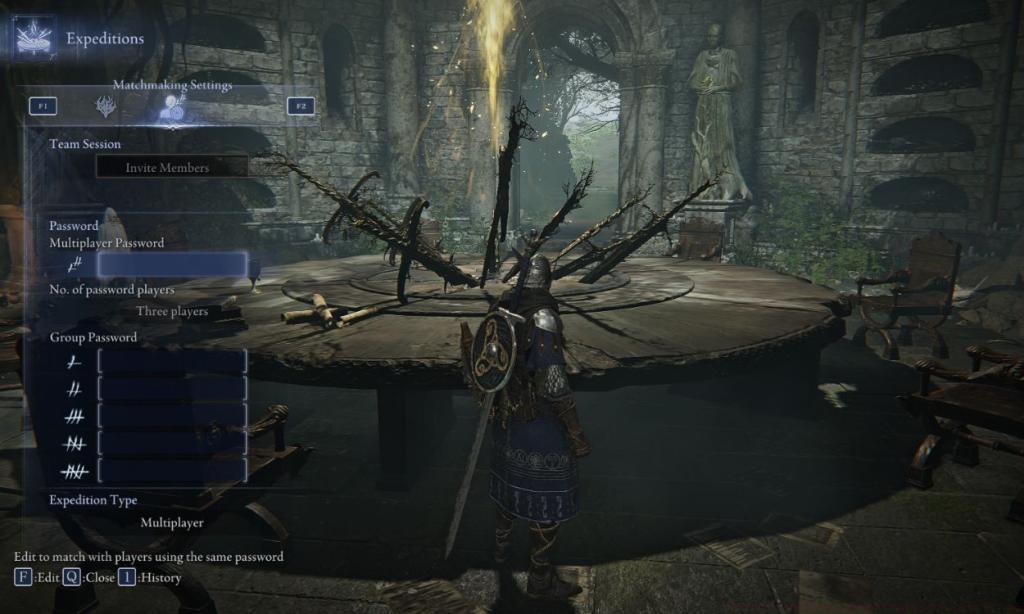
Upon reaching the Roundtable Hold hub area, locate the central Table of Lost Grace interface point. Interaction triggers the Expedition menu system, where you’ll navigate using controller right bumpers or the F2 key on PC platforms.
Switch to the Matchmaking Settings tab where you’ll encounter the critical Multiplayer Password field. Establish a unique alphanumeric code between 4-12 characters, avoiding common phrases to prevent accidental matching with unrelated groups.
Share this authentication sequence with your intended companions, ensuring they input it precisely in their respective Matchmaking Settings sections. Even minor discrepancies like capitalization differences or extra spaces will prevent successful connection.
Before initiating any session, verify all participants have selected identical expedition objectives from the available mission roster. Mismatched destination choices represent the most frequent cause of failed connection attempts among novice players.
Advanced tip: Consider creating password variations for different playgroups (e.g., ‘groupA_main’, ‘groupB_alt’) to streamline recurring sessions without constant reconfiguration.
PC players utilizing Steam platforms benefit from supplementary invitation protocols that bypass traditional password systems. Launch Elden Ring Nightreign and activate the Steam overlay interface using Shift+Tab keyboard commands or the dedicated Steam button on compatible controllers.
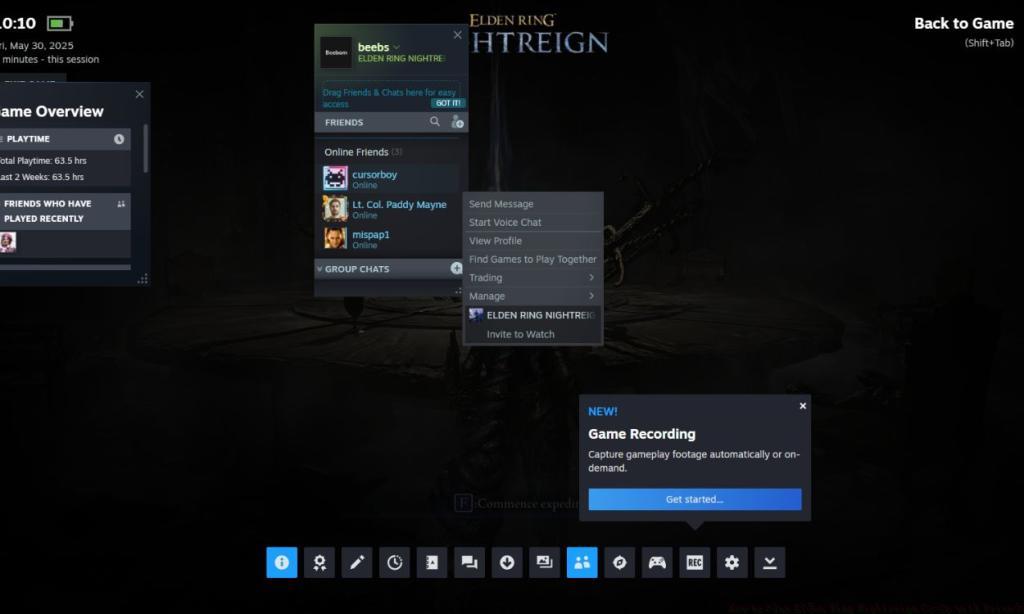
Within the overlay interface, access your Friends list and perform right-click actions on desired companions. Select the ‘Invite to Party‘ option from the contextual menu, which triggers immediate notification delivery to targeted players.
Recipients observe distinctive Steam notifications featuring prominent green acceptance buttons. Clicking these interface elements initiates automatic joining procedures, though success depends on proper network configuration and game state compatibility.
Critical consideration: Steam invitations function independently of in-game password systems. Players connected via Steam invites still require synchronized expedition selections and completed tutorials, similar to password-based connections.
For optimal performance, ensure all participants have stable internet connections with minimum 5 Mbps upload/download speeds. Wireless connections often introduce latency issues that can disrupt the delicate synchronization required for seamless co-op gameplay.
Expert strategy: Combine both methods by setting a group password as backup, then using Steam invites for primary connection. This hybrid approach provides redundancy if overlay functionality experiences temporary issues.
Persistent connectivity problems typically stem from specific technical configurations or gameplay state mismatches. Begin diagnostics by verifying all players have progressed beyond the tutorial phase and reached the Roundtable Hold independently—this requirement cannot be bypassed by higher-level players inviting newcomers.
Network architecture represents another frequent obstacle. Elden Ring Nightreign utilizes peer-to-peer connections rather than dedicated servers, meaning the host’s internet quality directly impacts session stability. Consider our Class Guide for complementary team composition strategies that enhance co-op effectiveness.
Firewall and antivirus applications often block the game’s network traffic. Manually create exceptions for EldenRingNightreign.exe in your security software, and ensure UDP ports 27000-27100 remain open for inbound and outbound connections.
Version synchronization proves equally critical—ensure all participants operate identical game patches. Mismatched versions automatically prevent connection, regardless of other configuration accuracy.
If experiencing repeated disconnections during gameplay, investigate potential NAT type conflicts. Moderate or strict NAT configurations frequently interfere with peer-to-peer connectivity, requiring router configuration adjustments or VPN alternatives.
For comprehensive technical guidance beyond co-op functionality, consult our Complete Guide for system optimization techniques.
Performance optimization: Close bandwidth-intensive applications like streaming services or large downloads during co-op sessions. Even modest background data usage can destabilize the precise timing requirements of Nightreign’s combat systems.
Action Checklist
- Complete the tutorial segment (45-60 minutes) and reach Roundtable Hold
- Interact with Table of Lost Grace and navigate to Matchmaking Settings
- Create unique 4-12 character password and share with companions
- Verify all players select identical expedition destinations
- For Steam users: Use Shift+Tab overlay to send direct invitations
- Configure firewall exceptions and ensure stable 5+ Mbps connections
- Test connection and consult troubleshooting guide if issues persist
No reproduction without permission:Tsp Game Club » How to Play Elden Ring Nightreign Co-Op with Friends Master Elden Ring Nightreign co-op with expert setup guides, troubleshooting tips, and advanced multiplayer strategies