
TL;DR
- Press Q (PC) or L1/LB (console) for basic pings, double-tap for danger markers
- Auto-spotting marks visible enemies automatically for your entire squad
- Hold ping button to access communication wheel for complex tactical requests
- Recon class with Sniper Training Path boosts spotting range by 33%
- Team coordination through pings increases win probability by 40% in objective modes
Effective communication transforms chaotic battles into coordinated victories in Battlefield 6. The completely redesigned spotting system enables precise target designation for squad synchronization. Unlike previous titles, Battlefield 6 introduces contextual pinging that adapts to your tactical situation.
Strategic enemy marking provides immediate battlefield advantages beyond simple assists. You accumulate bonus points through assist tracking while simultaneously creating tactical awareness for your entire team. This intelligence gathering proves invaluable even in uncoordinated public matches where verbal communication remains limited.

Execute basic pings by tapping the Q key on PC or L1/LB on console controllers. This action generates a green positional marker at your aim point. For immediate threat notification, double-press the ping button to create red danger indicators that alert teammates to hostile areas.
Extended button holds activate the sophisticated communication wheel, unlocking granular tactical requests. Beyond simple spotting, you can precisely demand ammunition resupply, medical assistance, or transportation from passing vehicles. The system also facilitates response mechanisms to squad pings and orders, enabling complex attack planning without voice chat.
Battlefield 6 revolutionizes target acquisition through intelligent automatic spotting mechanics. The system eliminates manual enemy marking drudgery by automatically tagging visible hostiles within your line of sight. While the auto-spotting intensity received balancing adjustments post-beta, the core functionality remains integral to the full release.
Simply aiming at enemy combatants triggers the marking process, broadcasting their position to your entire squad. No weapon discharge required—pure visual identification activates the spotting. This automated intelligence extends comprehensively to armored vehicles, aircraft, and infantry units across all combat scenarios.
Advanced players should understand the spotting duration mechanics: automatically marked enemies remain visible for approximately 3-5 seconds, providing brief but critical tactical windows. The system particularly excels in urban environments where target identification proves challenging amidst visual clutter.
Master-level pinging involves predictive marking and strategic communication wheel usage. Instead of reacting to visible threats, anticipate enemy movements by pinging common approach routes and flanking paths before engagements begin.
Critical Mistake to Avoid: Over-pinging creates visual clutter that obscures genuine threats. Limit active pings to 2-3 critical targets maximum. Additionally, avoid ping spamming which causes teammate distraction and reduces system effectiveness.
For squad leaders, combine ping systems with the optimal class composition to maximize intelligence coverage. Designate specific squad members with spotting-enhanced loadouts to maintain constant enemy tracking.
Vehicle operators should establish ping protocols: drivers mark navigation routes while gunners designate primary threats. This division of labor prevents overlapping markers that confuse rather than clarify battlefield situations.
Timing proves crucial—ping enemy positions immediately before engagements rather than during firefights when visual noise peaks. This pre-emptive marking gives teammates crucial split-second advantages.
Specialized perks significantly enhance your auto-spotting capabilities in Battlefield 6. Recon specialists opting for the Sniper Training Path gain Enhanced Perception, boosting detection range by 33% and widening the identification angle by 10%.
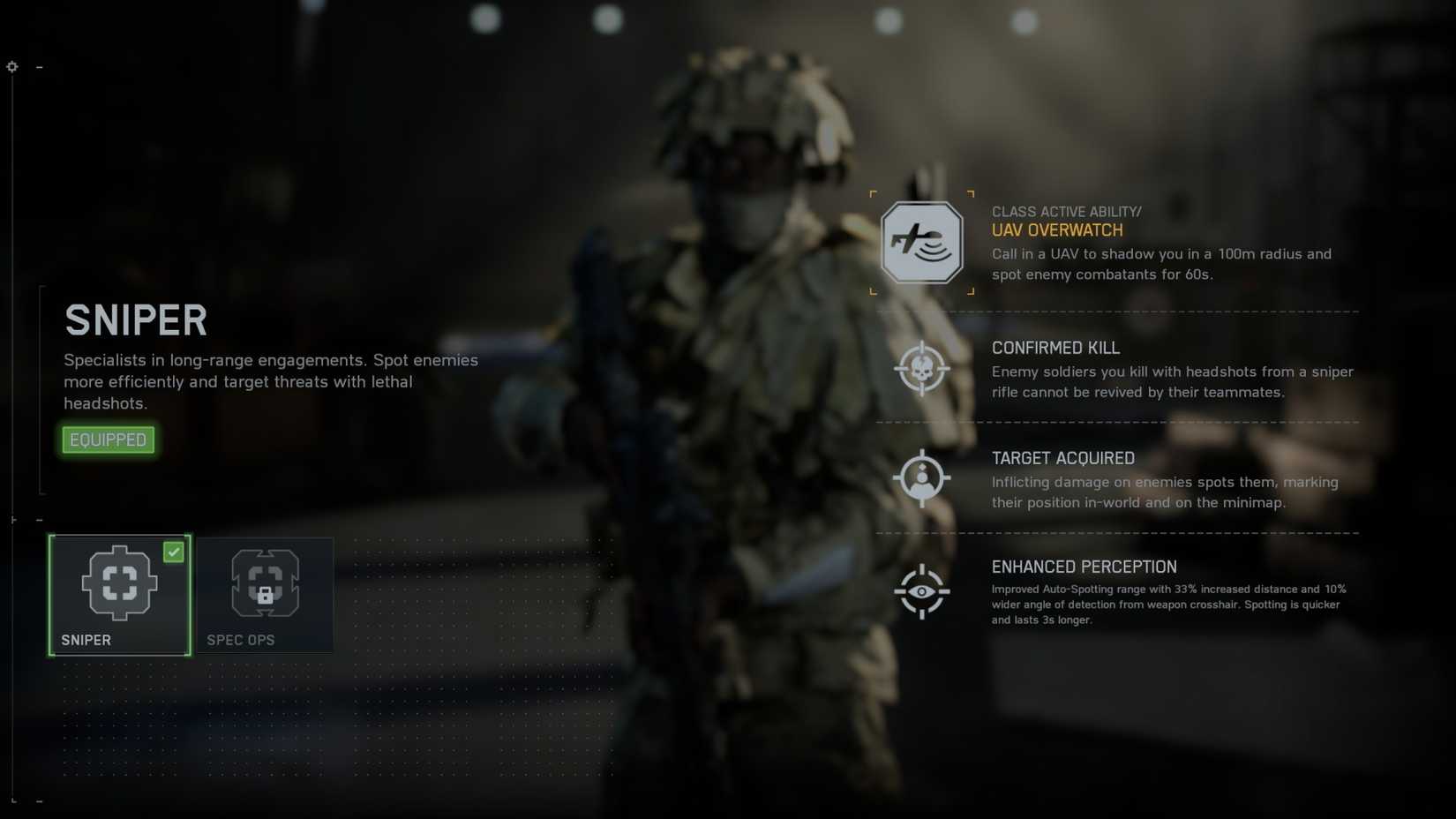
This progression path delivers multiple spotting advantages: extended enemy visibility duration, automatic marking of damaged targets regardless of distance, and improved target persistence through obstructions.
Multiple class-specific perks offer similar intelligence enhancements. Thoroughly investigate Training Paths and specialized equipment for your preferred combat roles. Each class possesses unique spotting synergies—Assault troops spot enemies they suppress, while Support classes mark targets near deployed equipment.
Strategic enemy identification becomes the decisive factor in objective capture across Conquest, Breakthrough, and other game modes. Statistical analysis reveals teams maintaining superior battlefield intelligence win approximately 40% more engagements.
For maximum effectiveness, combine appropriate weapon systems with spotting-enhanced loadouts. This combination creates force multiplication effects that transcend individual player skill levels.
Action Checklist
- Practice basic ping (Q/L1) and danger ping (double-tap) in training mode
- Master communication wheel access by holding ping button for 2 seconds
- Configure Recon class with Sniper Training Path for enhanced spotting
- Develop predictive ping habits by marking common enemy approach routes
- Coordinate with squad to establish ping protocols and division of labor
No reproduction without permission:Tsp Game Club » How to Spot and Ping in Battlefield 6 Master Battlefield 6's revamped ping system with advanced tactics for team coordination and victory