
TL;DR
- LORGAR PLATFORM eliminates driver installation and manual configuration entirely
- Automatic game detection switches presets instantly without user intervention
- Cloud synchronization maintains settings across multiple computers and devices
- Community presets and playtime tracking optimize your gaming performance
- Security features and automatic updates work seamlessly in the background
Remember the nightmare of gaming peripheral setup? Hunting for obscure drivers on manufacturer websites, configuring each mouse and keyboard separately, losing all your carefully tuned settings after system updates, and that infuriating “device not recognized” error message. For countless gamers, particularly those new to PC gaming, the technical configuration process often proved more challenging than the actual gameplay. LORGAR PLATFORM completely redefines this experience. Whether you’re an experienced gamer tired of managing multiple software applications or completely new to PC gaming and simply wanting everything to function properly, these capabilities will fundamentally alter your perspective on gaming hardware management.
The platform addresses common pain points that plague both casual and competitive gamers. Driver conflicts, profile corruption, and manual switching between game configurations become relics of the past. The system’s intelligent automation handles what previously required hours of manual tweaking and configuration.
Plug-and-Play Device Detection
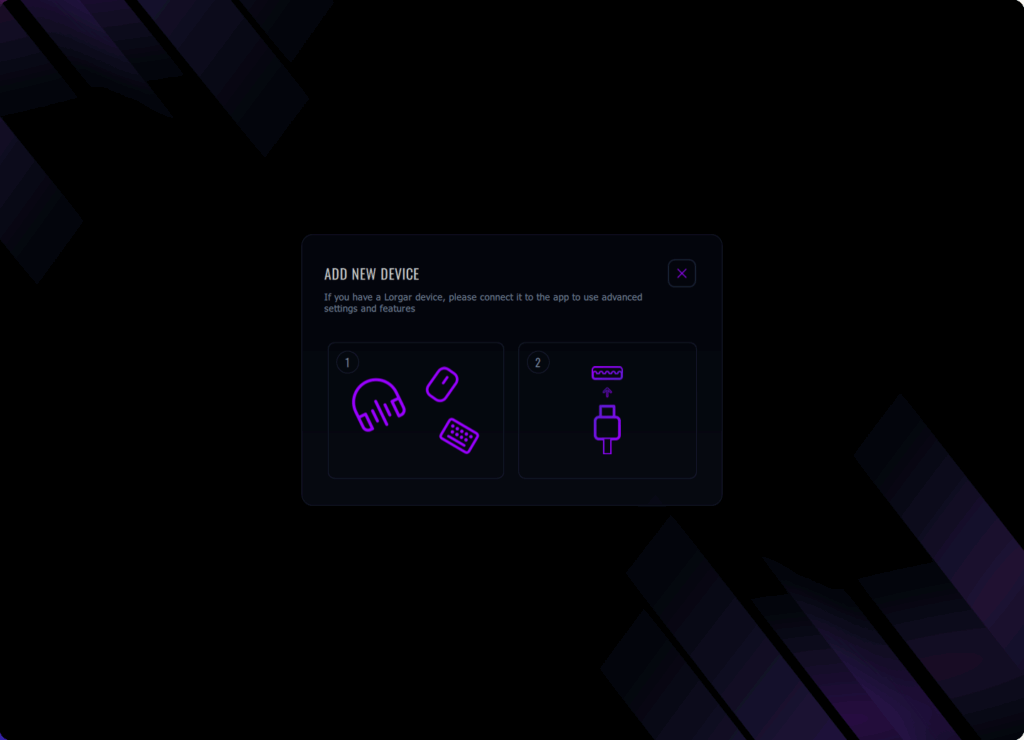
The transformation begins immediately when you connect any LORGAR peripheral. Forget about searching for drivers or manually adjusting settings—experience pure streamlined functionality. Click “Add New Device” and encounter a straightforward two-stage procedure. The initial phase displays all your connected gaming gear including headsets, mice, keyboards, and any other USB devices. The second stage? Simply plug in via USB and you’re finished. The PLATFORM immediately identifies your connected hardware and applies optimized configurations automatically.
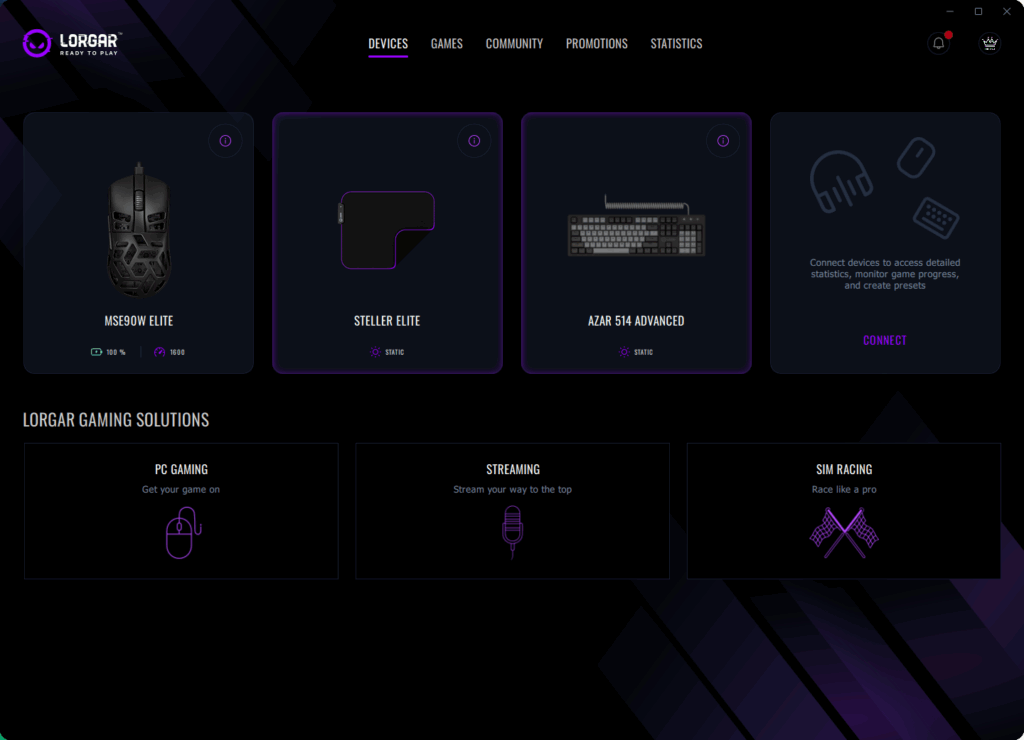
LORGAR PLATFORM effortlessly manages multiple connected devices simultaneously. Have several LORGAR products on your gaming station? They all appear in the Devices section with individual display tiles, featuring battery level indicators and live status information such as current mouse DPI settings. Every peripheral maintains its individual configuration while operating cohesively as an integrated ecosystem.
Account Integration That Actually Makes Sense
Connected accounts within LORGAR PLATFORM represent genuine functionality enhancement rather than mere feature checklist compliance. Steam connectivity occupies the primary position because, realistically, that platform hosts the majority of gaming libraries. Now you can utilize Steam authentication to access LORGAR PLATFORM seamlessly. When initially starting the PLATFORM, you encounter a recognizable Steam button positioned at the bottom of the login/registration interface. Select it, and your Steam credentials manage the entire authentication process. Privacy protection remains critically important since the PLATFORM never directly accesses your Steam login information.
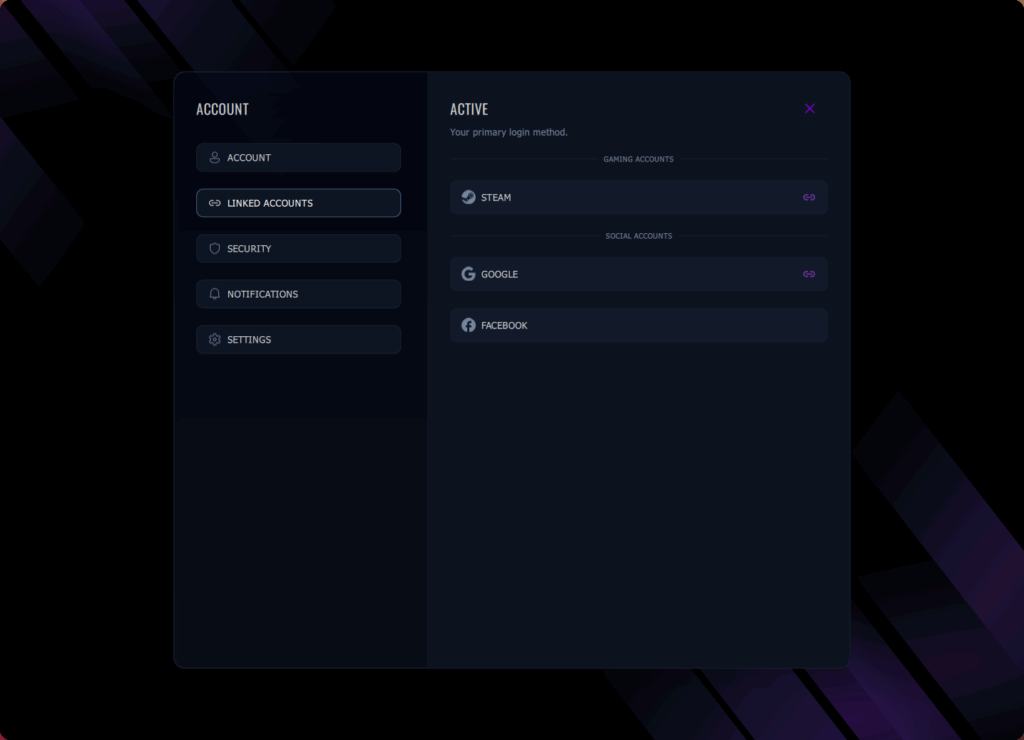
The same principle applies to Google and Facebook connectivity, which provide additional convenience for users who regularly employ these accounts. The system’s beauty lies in its non-compulsory nature. Every integration option remains elective, transparently displaying what benefits it offers, and can be deactivated at any moment. The PLATFORM acknowledges that certain gamers prefer complete isolation while others appreciate interconnected experiences.
Smart Security Without the Hassle
Security implementations frequently degrade software usability. LORGAR PLATFORM demonstrates this represents an unnecessary compromise. Two-step verification remains available without being imposed aggressively. Activate it using a single toggle switch, receive codes through SMS messaging, and then disregard it completely.
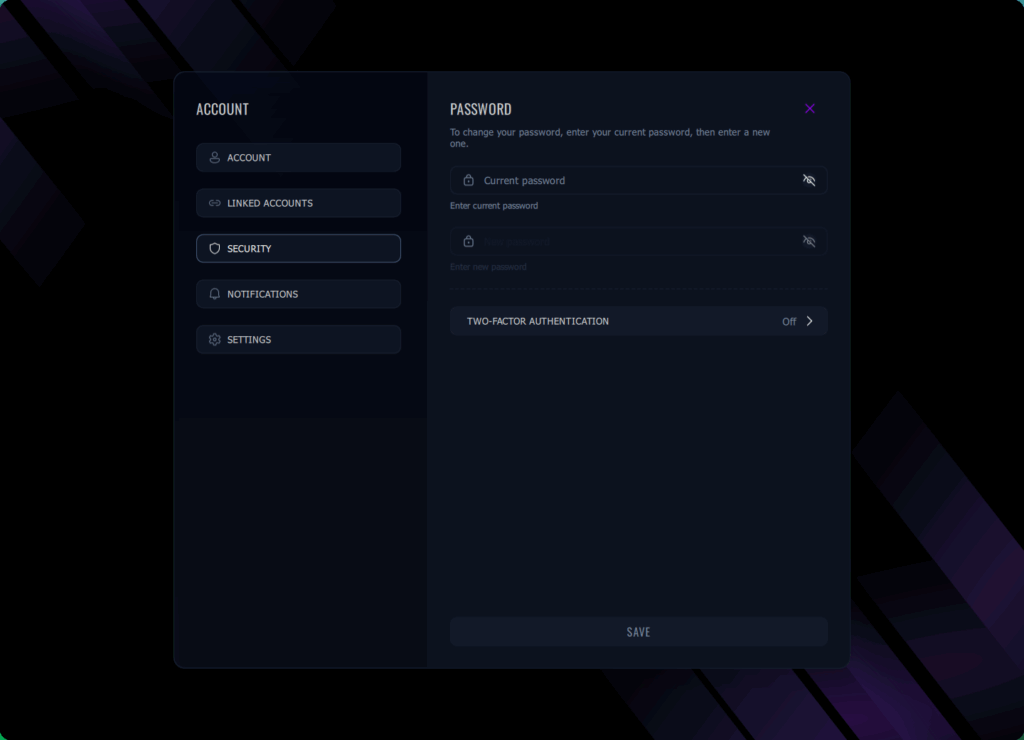
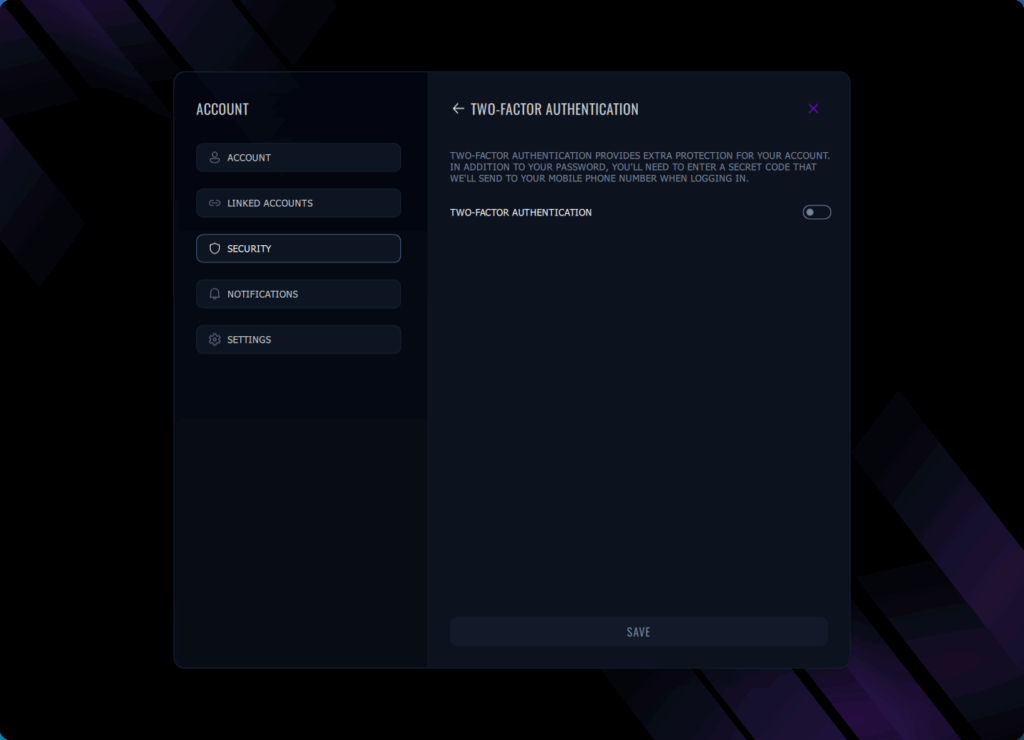
The notification hub warrants particular attention. Rather than overwhelming users with constant popup messages, all alerts consolidate into a single location. System updates, hardware recommendations, guidance for new capabilities, all systematically arranged and easily dismissable. That “Device Instructions” toggle represents brilliant design because it delivers context-aware suggestions based on current activities without becoming intrusive. New to macro development or configuration sharing? It will propose the appropriate procedure. Seasoned user? Disable it and operate undisturbed.
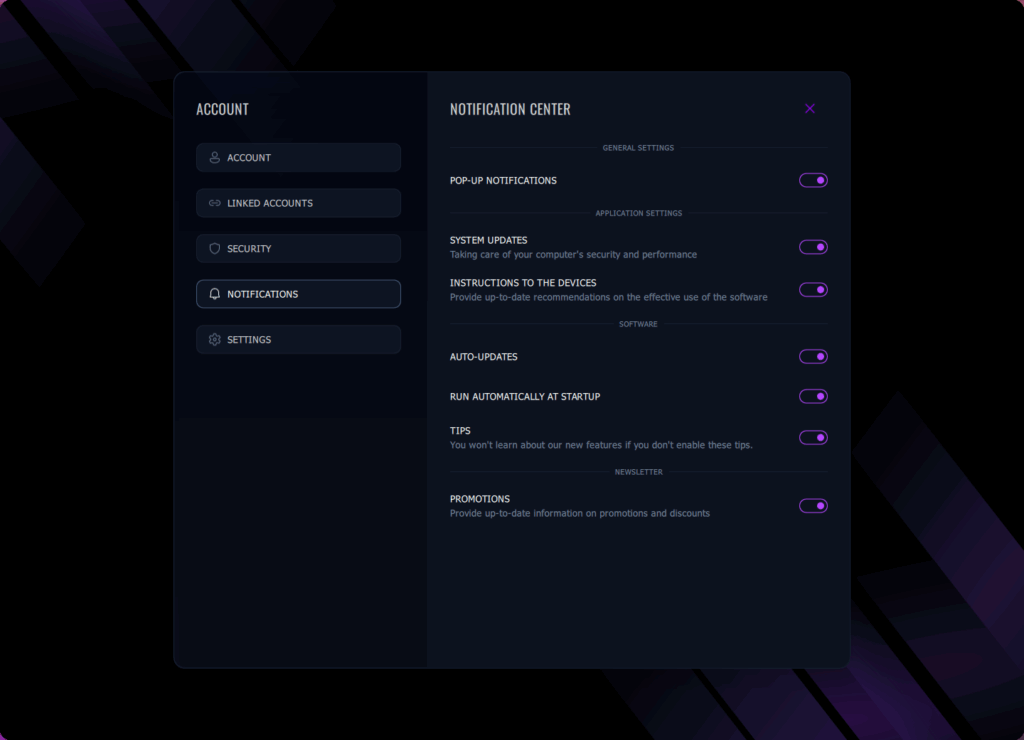
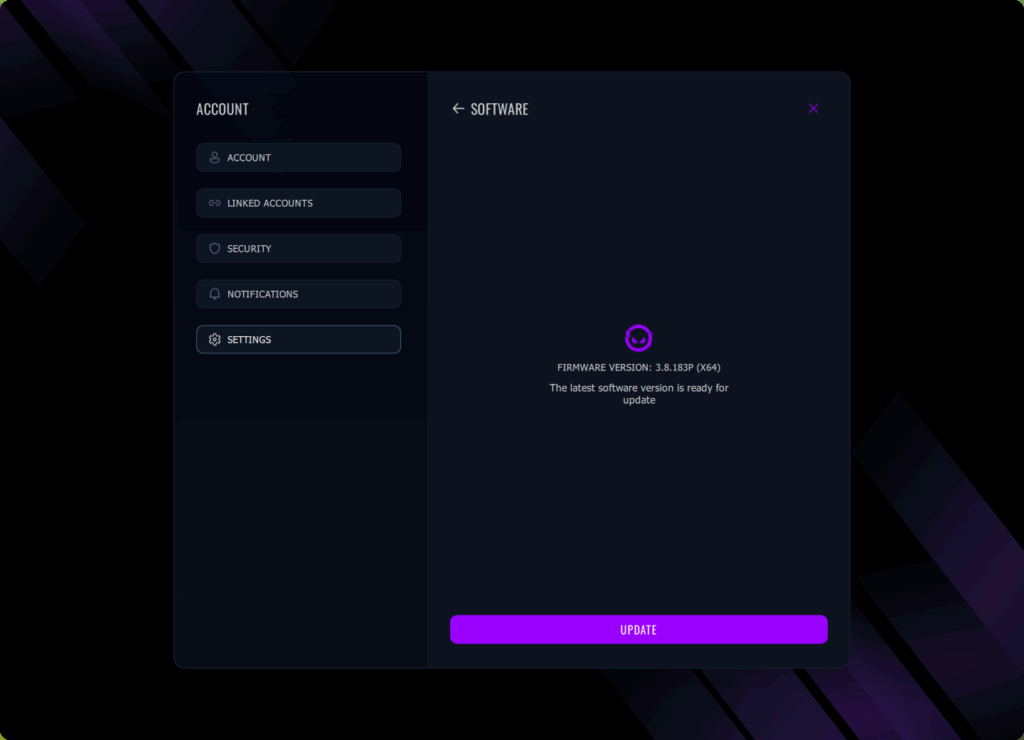
Automatic updates manage themselves intelligently. The PLATFORM performs updates during system inactivity periods, never disrupting your gaming sessions. Software enhancements await your authorization with transparent descriptions of new features accessible from the official website. Single-click updates everything simultaneously, or postpone them indefinitely if your current arrangement functions perfectly.
Game Library Management Done Right
Your gaming collection within LORGAR PLATFORM serves as the central control station for your complete gaming configuration. The navigation panel displays all titles installed on your computer, automatically categorized by gaming platform. Steam, Epic Games, Riot Games, Battle.net – they all appear automatically without requiring manual entry. You can even select the Launch button directly from this interface and initiate the game immediately.
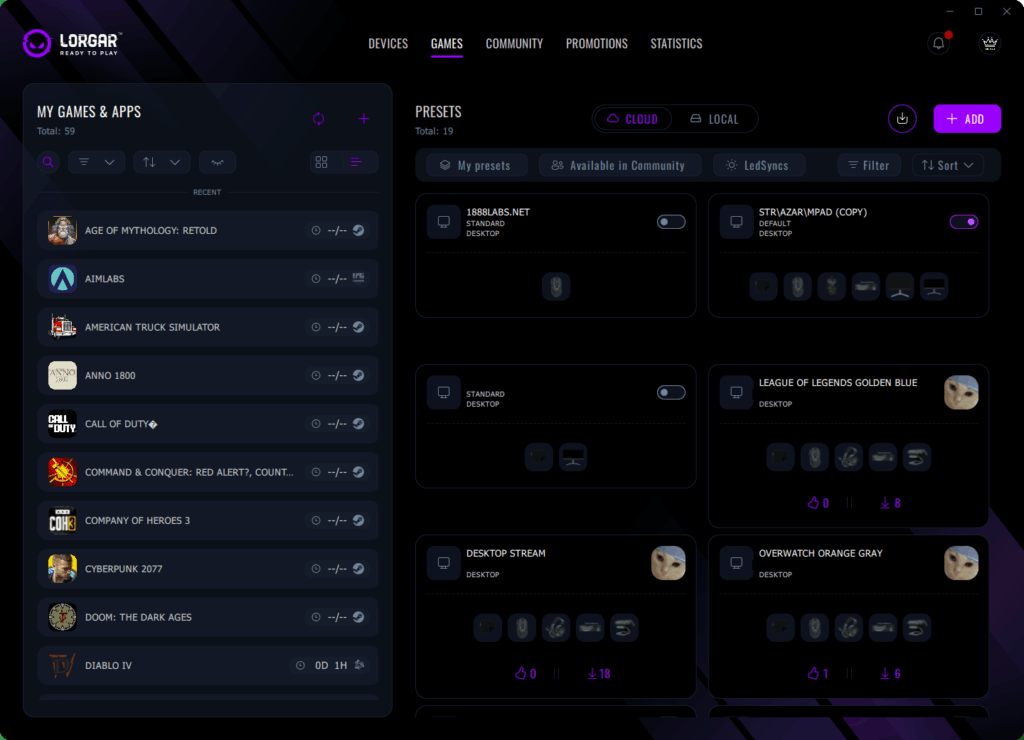
This is where the system demonstrates exceptional intelligence: observe how Diablo IV displays “0D 1H” gameplay duration? The platform monitors your actual gaming time. This proves significant because it establishes correlations between play duration and your performance metrics alongside preset utilization patterns. You can literally observe which configurations perform optimally for specific games using empirical data.
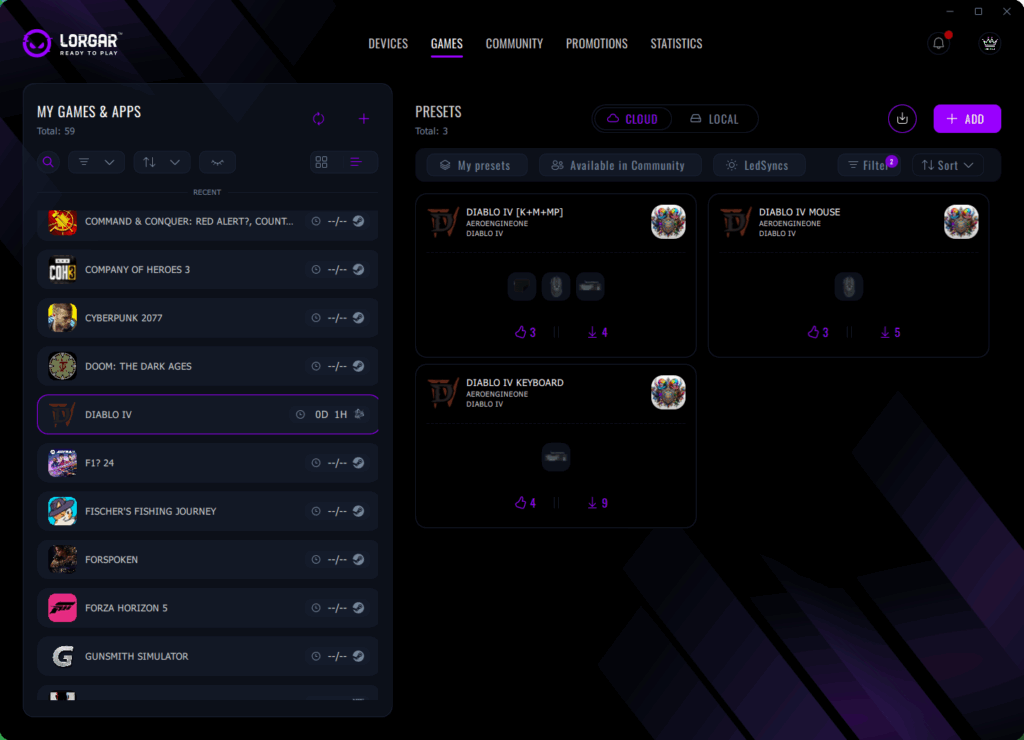
The PLATFORM categories (that “Platforms” filter) enable you to browse games by digital distributor, extremely convenient when you cannot recall whether you purchased that particular title on Steam or Epic Games. Recently played titles ascend to the top position, and all information refreshes in real-time. Start American Truck Simulator, and it immediately transitions to your recent games listing.
Automatic Preset Activation
Perhaps the most remarkable technical accomplishment involves the PLATFORM’s automated game recognition technology. Initiate any game, and within moments, the LORGAR PLATFORM identifies it and adjusts correspondingly. This might appear straightforward, but the underlying technology proves exceptionally advanced. The mechanism operates through multiple detection methodologies to guarantee dependability. Process surveillance identifies game executable files as they commence operation, while window monitoring verifies which application currently has user focus. This capability alone validates utilizing LORGAR PLATFORM. Notice those Diablo IV configurations on the right side? When you start the game, the PLATFORM automatically implements your selected preset. No manual selection, no memorization required, no accidental gameplay using desktop configurations.
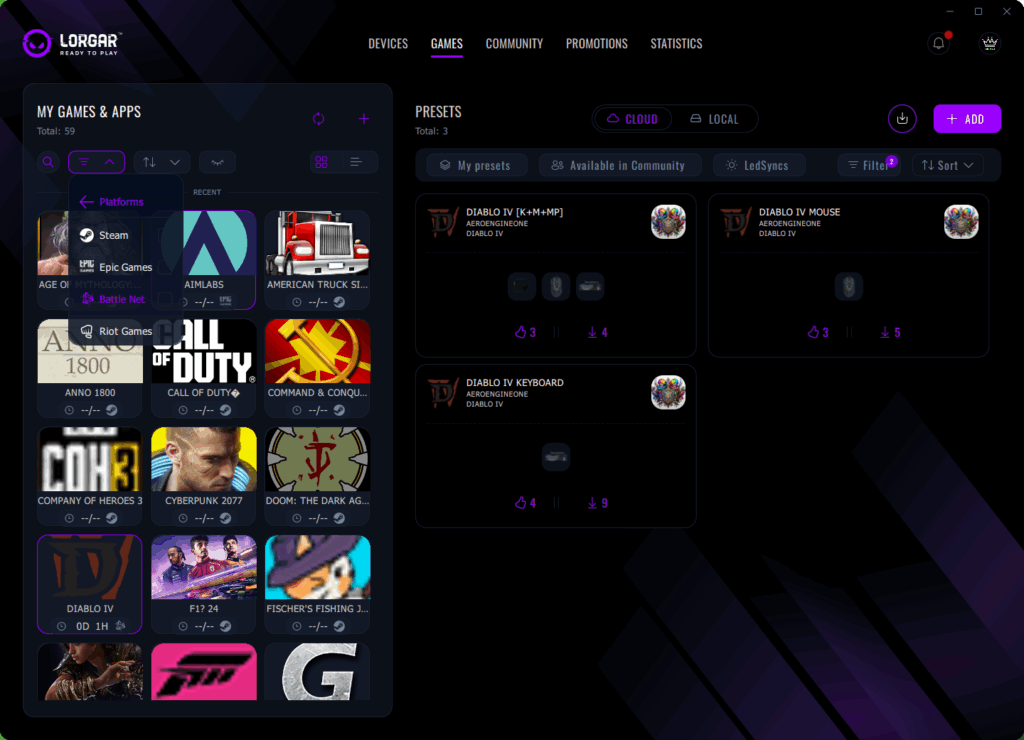
The transformation occurs through sophisticated process identification. Launch Diablo IV, and your mouse automatically transitions to your stored sensitivity settings, your keyboard activates game-specific macro commands, and even your RGB illumination transitions to coordinate. Terminate the game? All settings revert to desktop configurations instantaneously.
What demonstrates exceptional design involves the community integration features. Observe those configurations from AEROENGINE ONE? If another user creates an exceptional setup, you can implement it immediately. The PLATFORM indicates which hardware each configuration utilizes (those miniature icons beneath each preset), so you understand whether it will function with your equipment arrangement. Approval/disapproval tallies assist in distinguishing genuinely beneficial configurations from arbitrary submissions.
Developing game-specific configurations proves remarkably straightforward as well. Experiment with your settings until they achieve perfection, select save, and the PLATFORM retains everything – not merely hardware configurations but also which games they correspond to. You can even establish different configurations for various gaming modes. Competitive Overwatch versus recreational gameplay? Separate configurations, automatically implemented.
The system’s elegance resides in the absolute transparency of this procedure. You merely initiate your game and commence playing. No application switching to change configurations, no recollection of which setup functions for which game, no manual modifications necessary. The PLATFORM manages all operations in the background, enabling you to concentrate completely on your gaming experience.
Profile Synchronization Across Devices
Contemporary gamers frequently utilize multiple computing devices – a high-performance desktop system at home, a portable laptop for mobility, perhaps even an additional configuration at a companion’s location. LORGAR PLATFORM guarantees your ideal configuration accompanies you universally through cloud-based synchronization.
Once authenticated through standard credentials, Steam, Google, or Facebook, all your configurations automatically synchronize across hardware installations. Install the PLATFORM on a new computer, log in, and within moments, everything appears precisely as you configured it previously. This encompasses hardware configurations, game-specific profiles, macro settings, illumination preferences, and even your usage analytics.
Firmware Updates Without Fear
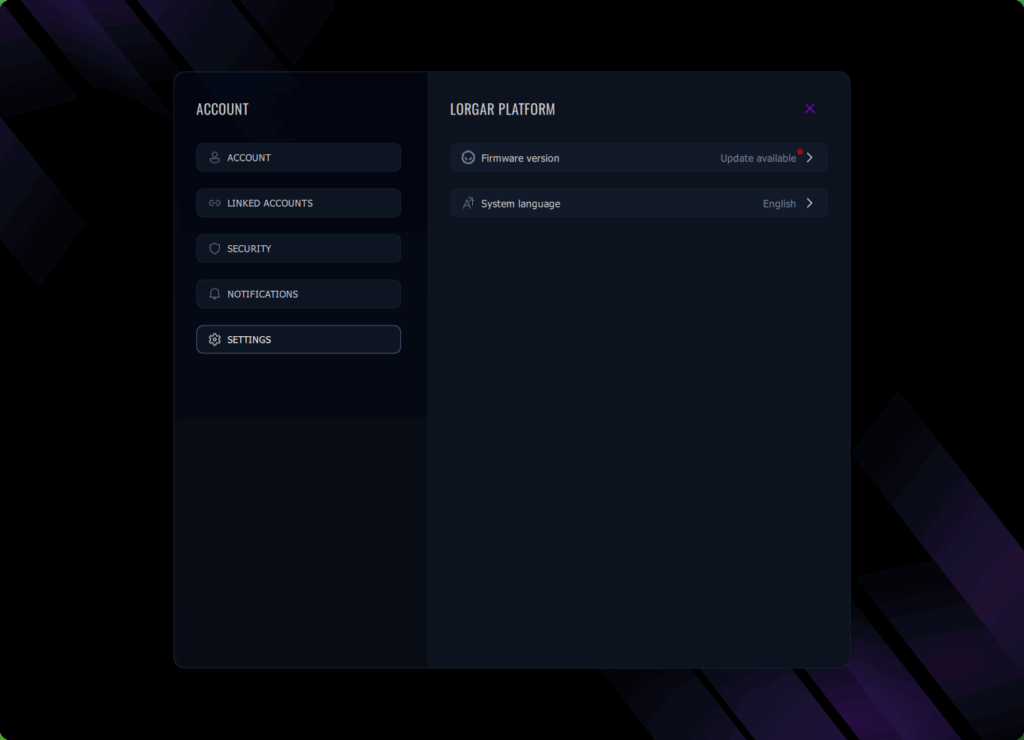
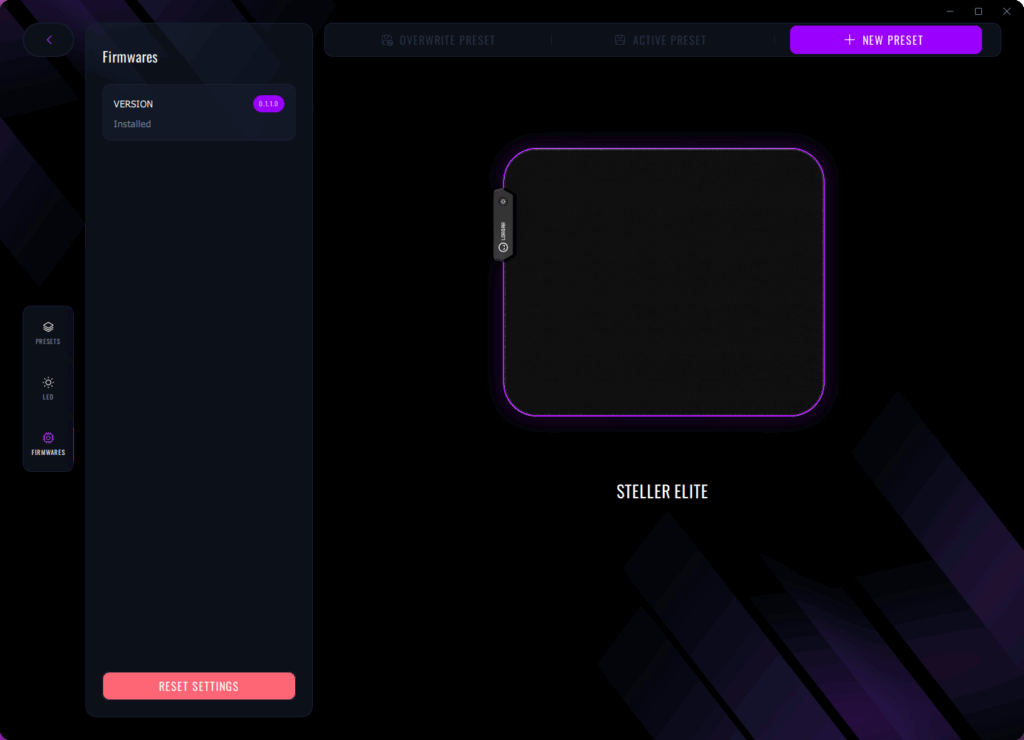
Hardware firmware updates typically generate anxiety. One incorrect action and you possess an inoperative device. LORGAR PLATFORM renders the procedure completely foolproof. Examine that Firmwares section – for instance, our LORGAR Steller Elite mousepad displays version 0.1.10 installed (indeed, mousepads can incorporate firmware as well, particularly when connected via USB to enable RGB illumination effects, even including capability to activate LORGAR LED Sync functionality with additional devices!).
When updates become accessible, you receive unambiguous notification including modification documentation. The update procedure itself proves completely reliable. The optimal aspect? Firmware updates can occur on an individual basis. Your mouse requires updating but you’re engaged in gameplay? Update it subsequently. Every peripheral operates autonomously, so you never encounter compulsory comprehensive update sessions.
Quality of Life Everywhere
Subtle refinements throughout the PLATFORM demonstrate genuine consideration for user experience. Profile customization enables you to personalize your avatar using simple image uploads. Game icons refresh automatically from their respective platforms. Even error notifications prove constructive – “You haven’t initiated technical support conversations yet” appears significantly more approachable than “No support tickets located.”
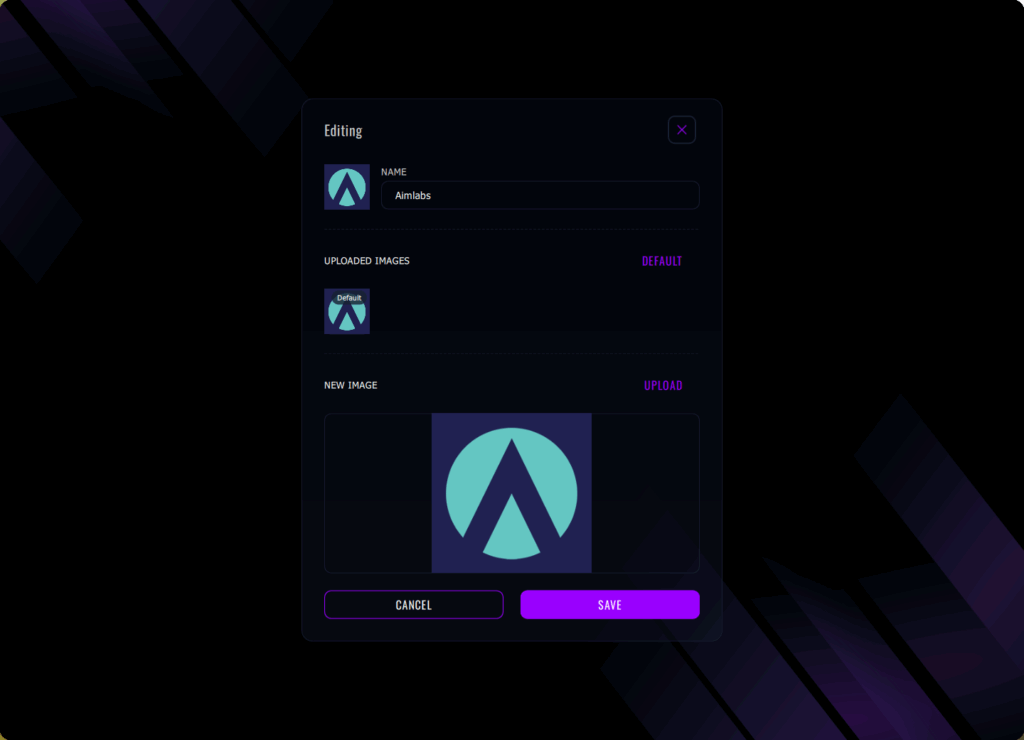
For geographically specific considerations, the PLATFORM recognizes your location. Consequently promotional notifications consistently adapt to regional markets. Receiving offers pertinent to your nation, in your native language, without configuration requirements? That represents considerate automation.
The search functionality across games and configurations actually operates effectively. Begin entering “Diablo” and all Diablo-associated content materializes immediately including games, configurations, even community setups. Filters maintain persistence between sessions, so if you consistently prefer viewing only local configurations, the PLATFORM remembers.
Performance influence remains negligible. The PLATFORM consumes minimal system resources, initiates with Windows optionally (but never imposes it), and never impacts gaming performance. Anti-cheat systems acknowledge it as authorized peripheral management software, so no concerns regarding account restrictions.
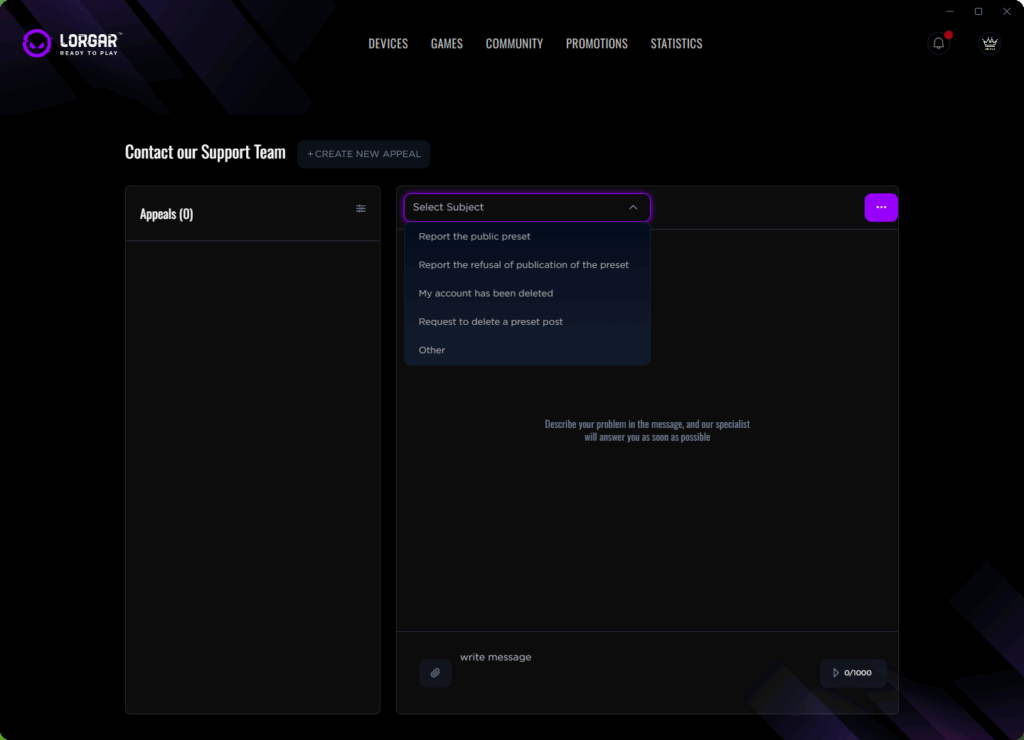
That assistance section doesn’t represent an afterthought, either. It proves genuinely beneficial to both inexperienced and seasoned gamers. Pre-classified problem categories (configuration issues, account removal, publication difficulties) ensure your support request reaches the appropriate team immediately. No further explanations required to initial support personnel that you comprehend what firmware updating entails.
Remember the nightmare of setting up gaming peripherals in the past? Hunting for driver CDs, configuring each device separately, losing settings after system updates, and facing dreaded ‘device not recognized’ errors. For countless gamers, especially those new to PC gaming, the technical configuration process often proved more challenging than the actual gameplay. LORGAR PLATFORM completely revolutionizes this experience. Whether you’re a seasoned veteran tired of managing multiple software applications or completely new to PC gaming and simply wanting everything to function properly, these capabilities will fundamentally transform your perspective on gaming peripherals.
The transformative experience begins immediately when you connect any LORGAR peripheral. No more searching for drivers, no complex manual setup procedures – just straightforward simplicity. Click ‘Add New Device’ and encounter a streamlined two-phase process. Phase one displays all connected accessories including headsets, mice, keyboards, and any other plugged-in equipment. Phase two? Simply connect through USB and you’re finished. The PLATFORM immediately identifies your mouse, keyboard, or even advanced mousepads and implements optimized configurations.
LORGAR PLATFORM efficiently manages multiple peripherals simultaneously. Operating three LORGAR products on your desktop? They all appear in the Devices section with individual tiles, featuring battery level indicators and live status information such as mouse DPI settings. Each peripheral maintains its individual profile while functioning cohesively as an integrated system.
Integrated accounts within LORGAR PLATFORM represent more than just feature checklist compliance – they genuinely enhance your interaction with the tool by enabling faster authentication once configured. Steam integration occupies the primary position because, realistically speaking, that’s where the majority of our game collections reside. Now you can utilize Steam login credentials to authorize access to the LORGAR PLATFORM as well. During initial PLATFORM launch, you encounter a recognizable Steam button positioned at the bottom of the login/registration interface. Select it, and your Steam authentication handles all verification processes. Privacy protection remains crucial since the PLATFORM never directly accesses your Steam login information.
The same principle applies to Google and Facebook integration, which provide additional convenience for users who regularly employ these account services. The advantage lies in the optional nature of these integrations – you’re never compelled to use any specific connection method. Each integration remains voluntary, clearly indicating what functionality it enables, and can be disconnected at any time. The PLATFORM acknowledges that certain gamers prefer complete isolation while others appreciate connected ecosystem experiences.
Your gaming library within LORGAR PLATFORM serves as the central control hub for your complete gaming environment. The left navigation panel displays all titles installed on your computer, automatically categorized by gaming PLATFORM. Steam, Epic Games, Riot Games, Battle.net – they all appear without requiring manual addition. You can even select the Play icon directly from this interface and initiate the game immediately.
Here’s where the system demonstrates exceptional intelligence: observe how Diablo IV displays ‘0D 1H’ play duration? The platform monitors your actual gaming session lengths. This functionality matters significantly because it establishes correlations between playtime duration and your performance metrics alongside preset utilization patterns. You can literally identify which configuration setups perform optimally for specific games based on empirical data analysis.
The PLATFORM categories (specifically that ‘Platforms’ filtering option) enable you to view games organized by digital distribution service, particularly useful when you cannot recall whether you purchased that specific title on Steam or Epic. Recently played titles automatically move to the top positions, and all information refreshes in real-time. Launch American Truck Simulator, and it immediately transitions to your recent games listing.
Arguably the most remarkable technical accomplishment involves the PLATFORM’s automatic game recognition capabilities. Initiate any gaming title, and within moments, the LORGAR PLATFORM identifies it and makes appropriate adjustments. This might appear straightforward, but the underlying technological infrastructure proves exceptionally advanced. The system operates through multiple detection methodologies to guarantee dependability. Process surveillance identifies game executable files as they initialize, while window monitoring confirms which specific game currently has focus. This functionality alone validates adopting LORGAR PLATFORM. Notice those Diablo IV configuration presets visible on the right side? When you start the game, the PLATFORM automatically enables your selected preset configuration. No clicking required, no memorization necessary, no accidental gameplay using desktop settings.
The technological magic occurs through sophisticated process identification mechanisms. Launch Diablo IV, and your mouse automatically transitions to your stored DPI configuration, your keyboard enables game-specific macro commands, and even your RGB illumination automatically adjusts accordingly. Terminate the game? All settings immediately revert to desktop configurations.
What demonstrates exceptional brilliance involves the community integration features. Observe those configuration presets originating from AEROENGINE ONE? If another user develops an exceptional setup configuration, you can implement it immediately. The PLATFORM indicates which specific peripherals each preset utilizes (those small icons beneath every preset), ensuring you understand whether it will function with your specific hardware arrangement. Like/dislike tallies assist in distinguishing genuinely beneficial configurations from randomly uploaded files.
Developing game-specific presets proves remarkably straightforward as well. Experiment with your configuration settings until they achieve optimal performance, select save, and the PLATFORM retains all information – not merely device settings but also which specific game they’re designed for. You can even establish different presets for various gaming modes. Competitive Overwatch versus casual gameplay? Separate presets, automatically enabled.
The exceptional advantage resides in the absolute transparency of this operational procedure. You simply initialize your game and begin playing. No alt-tab switching between profiles, no remembering which configuration setup functions for which game, no manual configuration adjustments required. The PLATFORM manages all processes in the background, allowing you to concentrate completely on your gaming experience.
Contemporary gamers frequently utilize multiple computing systems – a high-performance desktop computer at home, a portable laptop for traveling, perhaps even an additional configuration at a friend’s location. LORGAR PLATFORM guarantees your ideal configuration accompanies you everywhere through cloud-based synchronization technology.
Once authenticated through standard credentials, Steam, Google, or Facebook, all your personalized settings automatically synchronize across different hardware devices. Install the PLATFORM on any new computer system, log in, and within minutes, everything appears exactly as you previously configured it. This comprehensive synchronization includes device configurations, game-specific profiles, macro command settings, lighting preferences, and even your usage analytics data.
Peripheral firmware updates typically generate significant anxiety among users. One incorrect procedure and you potentially have non-functional hardware. LORGAR PLATFORM transforms this process into completely foolproof operations. Examine that Firmwares section carefully – for instance, our LORGAR Steller Elite mousepad displays version 0.1.10 currently installed (indeed, advanced mousepads can incorporate firmware systems, particularly when connected through USB interfaces to deliver RGB lighting effects, even featuring the capability to activate LORGAR LED Sync functionality with other compatible devices!).
When update packages become available, you receive clear notification messages accompanied by detailed change documentation. The update procedure itself proves exceptionally reliable. The most advantageous aspect? Firmware updates can proceed individually for each device. Your gaming mouse requires updating but you’re currently engaged in gameplay? Update it subsequently. Every peripheral manages its update process autonomously, ensuring you never face compulsory all-or-nothing update scenarios.
Subtle refinements distributed throughout the PLATFORM demonstrate genuine consideration for user interaction quality. Profile customization enables you to personalize your avatar representation through simple image upload procedures. Game icons refresh automatically from their respective platform sources. Even system error communications provide helpful guidance – ‘You don’t have chats with tech support yet’ presents significantly more user-friendly communication than ‘No tickets found.’
Regarding region-specific considerations, the PLATFORM automatically identifies your geographical location. Consequently, promotional notifications consistently adapt to local market characteristics. Receiving deals relevant to your specific country, presented in your native language, without requiring configuration adjustments? That represents thoughtfully implemented automation.
The search functionality across gaming titles and configuration presets actually delivers reliable performance. Begin entering ‘Diablo‘ and all Diablo-related content appears immediately including games, presets, even community-shared configurations. Filter preferences persist between gaming sessions, so if you consistently prefer viewing only locally available presets, the PLATFORM retains these preferences.
Performance impact remains minimal and practically unnoticeable. The PLATFORM consumes negligible system resources, initiates with Windows startup if desired (but never mandates it), and never disrupts gaming performance metrics. Anti-cheat protection systems recognize it as authorized peripheral management software, eliminating concerns regarding account restrictions.
That support section doesn’t represent an afterthought either. It proves genuinely valuable for both inexperienced and seasoned gamers alike. Pre-categorized issue classification types (preset configuration problems, account deletion requests, publication complications) ensure your support ticket routes to the appropriate technical team immediately. No more explaining to first-level support personnel that you understand what firmware updating involves.
LORGAR PLATFORM demonstrates conclusively that sophisticated functionality doesn’t necessitate complexity. Every automated characteristic serves a genuine purpose – removing obstacles between you and your gaming experiences. From the initial moment you connect any peripheral device to automatically transitioning between configuration presets when switching games, everything functions seamlessly.
For individuals new to PC gaming, this PLATFORM eliminates every technical barrier to computer gaming enjoyment. No more driver installation complications, no configuration confusion, simply connect and begin playing immediately. For experienced gamers, it provides equivalent value – finally, software that respects your time investment and technical expertise while managing routine tasks automatically.
The integration between hardware devices, gaming titles, and community capabilities creates an ecosystem that increases in value progressively over time. Your ideal CS:GO configuration from half a year ago? Still preserved, automatically enabled each time you initialize the game. Discovered an exceptional preset configuration from a professional player? One selection and it becomes yours, automatically adapted to your specific hardware configuration.
This represents what gaming peripheral software should have embodied from the beginning. Not an additional application requiring management, but an invisible assistant enhancing everything. Welcome to zero-friction gaming.
Action Checklist
- Connect your LORGAR devices via USB and use the ‘Add New Device’ feature for automatic configuration
- Enable Steam or social media integration for faster login and profile synchronization
- Configure two-factor authentication for enhanced security without complexity
- Browse community presets and import configurations that match your hardware setup
- Create game-specific presets for your most played titles
- Set up cloud synchronization to maintain settings across multiple computers
- Schedule firmware updates during system idle periods to avoid gaming interruptions
- Download and install LORGAR PLATFORM from official website
- Connect your LORGAR peripherals via USB ports
- Configure authentication method (Steam, Google, Facebook, or standard login)
- Create game-specific presets for your most played titles
- Enable cloud synchronization for cross-device consistency
- Explore community presets and import configurations from top players
- Configure notification preferences and automatic update settings
- Set up two-factor authentication for enhanced account security
No reproduction without permission:Tsp Game Club » LORGAR PLATFORM Advanced Features: Smarter Gaming Setup Experience effortless gaming with automatic setup, cloud sync, and performance optimization.