
Complete guide to ROG Xbox Ally handheld gaming PC with specifications, release details, and optimization tips
Introduction and Official Reveal
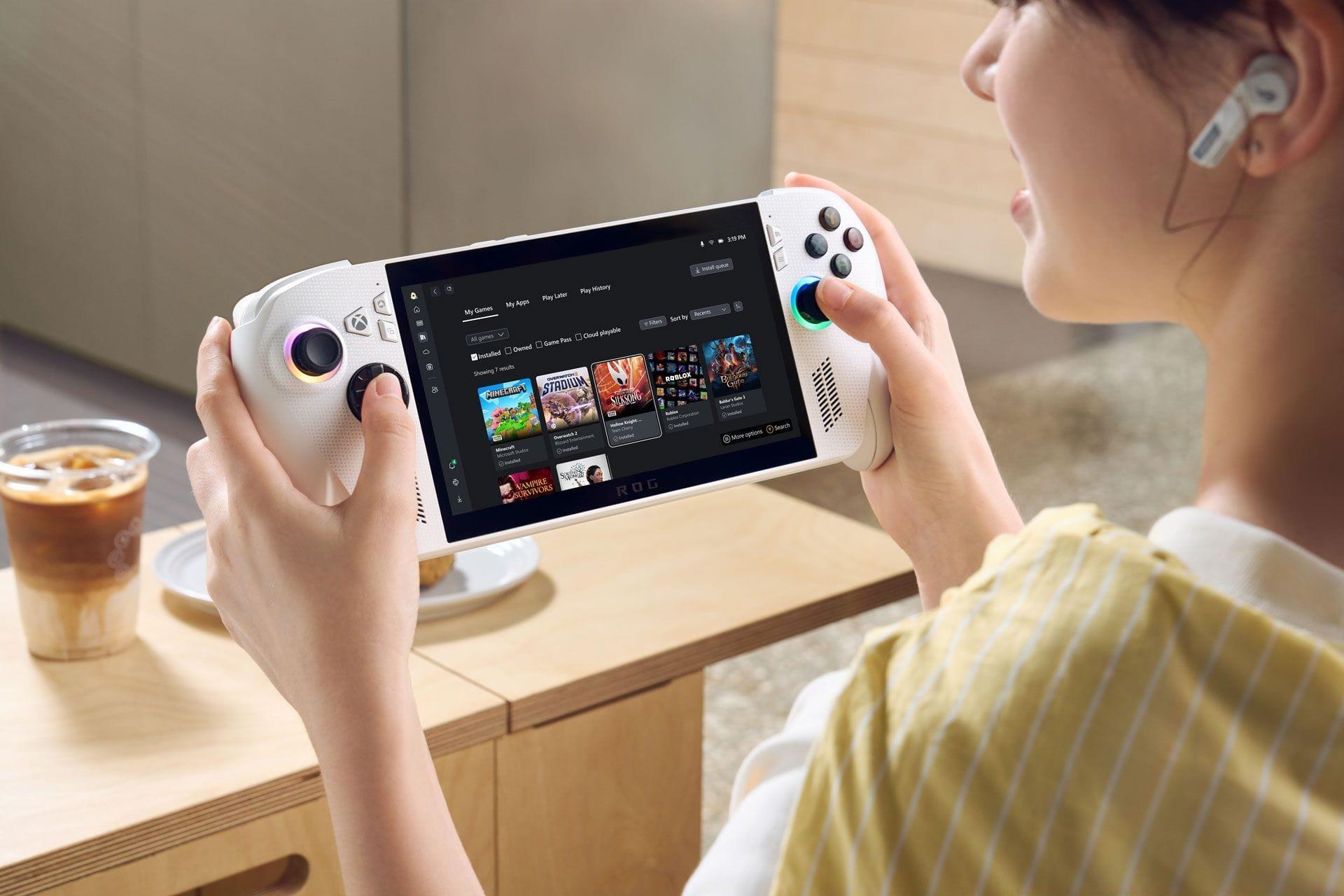
Following extensive speculation and industry leaks, Microsoft’s Xbox division has officially unveiled the ROG Xbox Ally during the Xbox Games Showcase 2025. This strategic partnership with ASUS represents Microsoft’s inaugural venture into the handheld gaming PC market, marking a significant expansion of their gaming ecosystem. The collaboration brings together Xbox’s software expertise with ASUS’s hardware manufacturing capabilities to create two distinct models: the standard ROG Ally and the enhanced ROG Ally X variant.
Pro Tip: For gamers considering this device, start researching compatible Xbox Game Pass titles now to build your launch day library. Many backward-compatible Xbox games perform exceptionally well on handheld hardware.
Model Comparison and Specifications
The standard ROG Ally model targets budget-conscious gamers seeking quality performance, while the Ally X caters to enthusiasts demanding premium specifications and enhanced capabilities. Both devices maintain the distinctive ROG design language but with notable color differentiation – the base unit features a clean white finish, whereas the X variant sports a sophisticated black aesthetic.
Common Mistake to Avoid: Don’t assume the X version is always the better choice. Evaluate your gaming habits – if you primarily play indie titles or cloud stream, the base model may provide better value.
The hardware specifications showcase meaningful differentiation between models:
- Base ROG Ally: Balanced performance for 720p-1080p gaming, optimized battery efficiency
- ROG Ally X: Enhanced cooling solution, increased RAM capacity, superior storage options
- Both Models: Custom AMD APU configurations, high-refresh-rate displays, precision controls
The ergonomic design philosophy draws direct inspiration from Xbox controllers, ensuring comfortable extended gaming sessions with strategically placed grips and intuitively positioned buttons.
Software and Ecosystem Integration
Both handheld configurations operate on Windows 11, providing full desktop functionality alongside specialized Xbox software integration. The operating system includes pre-installed Xbox applications with optimization specifically tailored for handheld use cases. This dual-purpose approach allows users to switch seamlessly between gaming and productivity tasks.
A dedicated Xbox button provides instant access to the Game Bar overlay, enabling quick access to recording features, social functions, and system monitoring without interrupting gameplay. The control scheme has been completely re-engineered to mirror the familiar layout of Xbox wireless controllers, reducing the learning curve for existing Xbox ecosystem users.
Optimization Strategy: Configure your power profiles in Xbox Game Bar to balance performance and battery life based on game requirements. Creating custom profiles for different game genres can extend playtime by 20-30%.
Availability and Regional Launch
The holiday 2025 launch window positions both ROG Ally models for maximum impact during the peak shopping season. Initial availability focuses on 27 key markets across North America, Europe, Asia, and Oceania, with planned expansion to additional territories throughout 2026.
Launch Regions Include:
- Australia, Belgium, Canada, Denmark, Finland, France, Germany, Ireland, Italy, Japan, Korea, Mexico, the Netherlands, New Zealand, Norway, Poland, Portugal, Saudi Arabia, Singapore, Spain, Sweden, Switzerland, Thailand, Turkey, the United Arab Emirates, the United Kingdom, and the United States
Regional Consideration: International buyers should verify regional pricing and warranty terms, as these may vary significantly between markets. Some regions may receive exclusive bundles or color variants.
Microsoft has confirmed that accessory compatibility details and peripheral partnerships will be announced closer to launch, including potential collaborations with third-party manufacturers for specialized docks, cases, and performance-enhancing attachments.
Optimization Tips and Best Practices
Maximizing your ROG Xbox Ally experience requires understanding several key optimization techniques. Begin by adjusting display settings – many games benefit from running at 720p with FSR upscaling rather than native 1080p, providing similar visual quality with significantly better performance and battery life.
Avoid These Common Mistakes:
- Running at maximum brightness unnecessarily drains battery – use adaptive brightness
- Installing too many background applications consumes RAM and CPU resources
- Neglecting driver updates misses crucial performance improvements
- Using aggressive performance modes for lightweight games wastes power
Advanced Configuration: Experienced users can access the ARMOURY CRATE SE utility to create game-specific profiles that automatically adjust TDP limits, fan curves, and display settings. For competitive gaming, prioritize refresh rate over resolution. For RPGs and story-driven games, emphasize visual fidelity with higher resolution settings.
Regular maintenance includes monitoring storage health, as SSD performance can degrade over time with excessive writes. Consider expanding storage via the built-in expansion slot for larger game libraries.
No reproduction without permission:Tsp Game Club » ROG Xbox Ally handheld consoles announced at Xbox Games Showcase 2025: Specs, features, and more Complete guide to ROG Xbox Ally handheld gaming PC with specifications, release details, and optimization tips