
TL;DR
- Master crosshair placement at head level and pre-aim common angles to reduce reaction time
- Optimize mouse DPI (400-1600), polling rate (1000Hz), and sensitivity for optimal control
- Use Scope.gg’s free aim tracker to measure TTK, accuracy, FBA, and headshot percentage
- Practice recoil patterns on dedicated maps and implement counter-strafing techniques
- Analyze professional gameplay and develop strategic awareness for consistent improvement
Developing elite aiming skills in CS2 requires mastering three fundamental pillars that form the foundation of precision shooting. These core elements work together to create a comprehensive aiming system that adapts to any combat situation.
Crosshair Placement Strategy
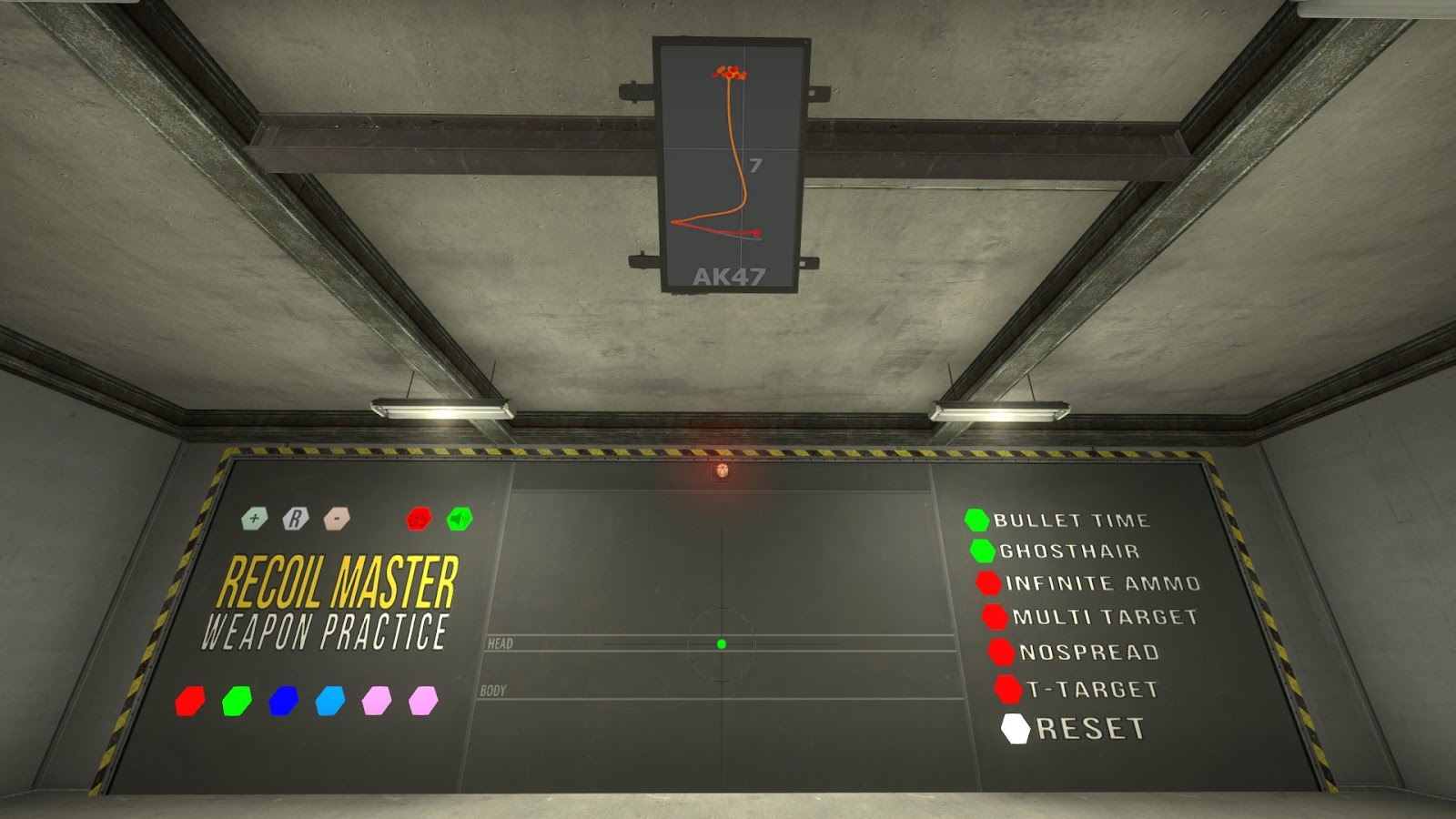
Your crosshair serves as the critical connection point between your visual perception and in-game execution. Strategic crosshair positioning transforms reactive shooting into proactive targeting, significantly cutting down the time needed to acquire and eliminate targets. The most effective technique involves maintaining head-level positioning while navigating the map, which immediately puts you at an advantage during unexpected engagements.
Advanced players develop predictive aiming by studying common enemy positions and pre-aiming high-probability angles. This approach reduces the cognitive load during firefights, allowing you to focus on movement and positioning rather than frantic target acquisition. For deeper insights into advanced positioning strategies, explore our Class Guide for tactical positioning insights.
Recoil Control Mechanics
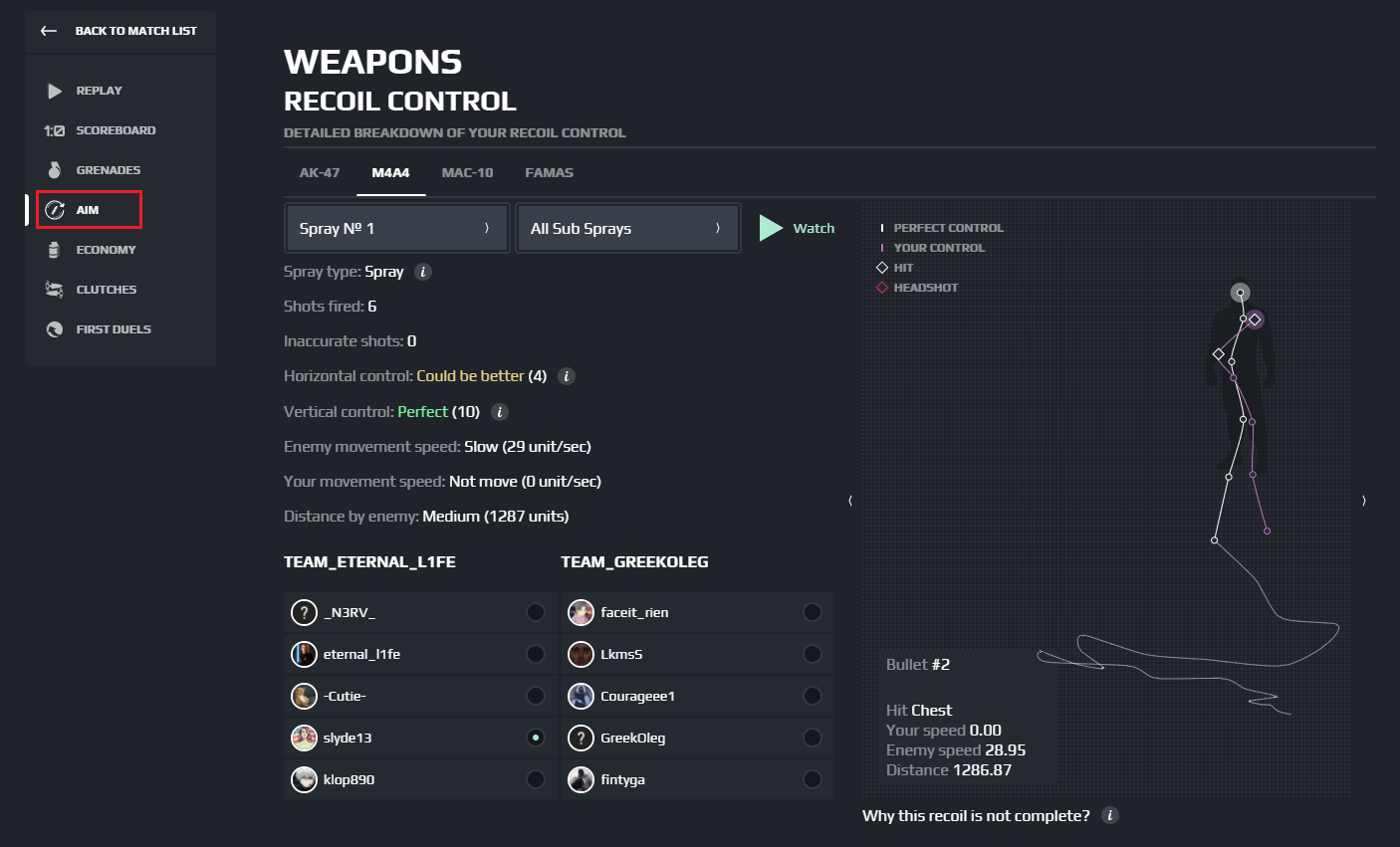
Every firearm in CS2 features distinct recoil behavior that must be mastered through deliberate practice. The transition from CS:GO introduced subtle bullet deviation while maintaining similar recoil patterns, making previous experience valuable but requiring adaptation to new nuances.
Controlled burst firing remains essential for medium to long-range engagements, while full spray patterns dominate close-quarters combat. Understanding when to transition between these firing modes separates average players from exceptional ones.
Common mistake: Many players attempt to control full sprays at distances where burst firing would be significantly more effective.
The right hardware configuration creates a seamless interface between your intentions and in-game actions. Optimizing your equipment eliminates physical barriers to precision, allowing your skill to translate directly into gameplay performance.
Mouse Configuration Science
Your mouse setup directly impacts your ability to execute precise movements consistently. The optimal configuration balances several key parameters:
- DPI/Sensitivity: Find your personal sweet spot between 400-1600 DPI combined with in-game sensitivity that allows both precise micro-adjustments and rapid 180-degree turns
- Polling Rate: 1000Hz polling rate minimizes input latency, providing near-instantaneous response to your movements
- Ergonomics: Choose a shape that fits your grip style to prevent fatigue during extended sessions
Professional players typically prefer lower sensitivity settings (400-800 DPI with 1-2 in-game sensitivity) for enhanced control during precise aiming scenarios.
Monitor Technology Impact
Display characteristics significantly affect target acquisition and tracking capabilities. Key monitor specifications to prioritize:
- Resolution: 1080p or 1440p resolutions provide excellent clarity without sacrificing frame rates.
Refresh Rate: 144Hz or higher refresh rates dramatically reduce motion blur, making tracking moving targets considerably easier
- Input Lag: Gaming monitors with specialized processing minimize delay between your actions and on-screen results
- Response Time: 1ms response times prevent ghosting and ensure crisp visual feedback during rapid movements
Customizing your crosshair for maximum visibility against various backgrounds, selecting resolutions that balance visual clarity with performance, and optimizing graphics settings for smooth gameplay – comprehensive guidance available in our Ultimate Graphics Guide that helps maximize your visual configuration in CS2!
For comprehensive equipment guidance, check our Weapons Unlock guide for additional technical insights.
Structured practice transforms raw aiming potential into consistent in-game performance. Implementing a systematic training approach ensures continuous improvement and skill development.
Aim Training Maps Guide
Dedicated aim training environments provide controlled settings to develop specific aiming skills. The most effective maps include:
- Aim Botz: Excellent for developing flick shots and target transition speed
- Aim Labs: Comprehensive analytics and customizable scenarios for targeted improvement
- KovaaK’s: Advanced scenarios that translate directly to in-game aiming requirements
Allocate 15-30 minutes daily to focused aim training, gradually increasing difficulty as your skills improve.
Performance Tracking Methods
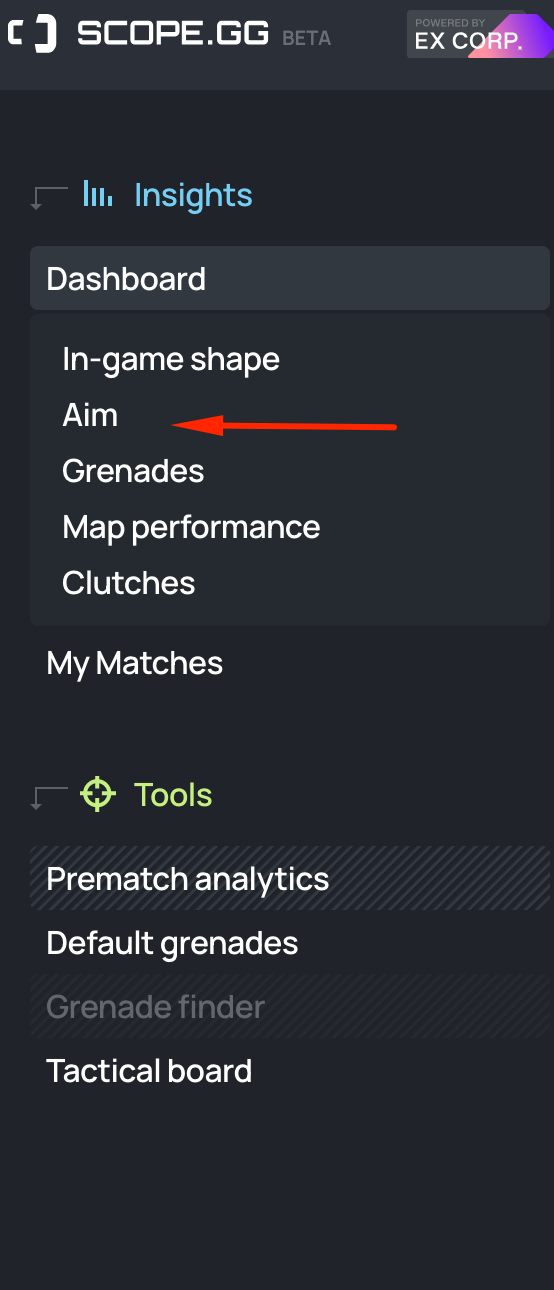
Scope.gg Aim Performance represents just one component of the comprehensive Scope.gg Dashboard tool, delivering actionable insights into your aiming capabilities. The platform enables comparison against players across all skill levels, providing context for your progression. Access this powerful tool completely free ->
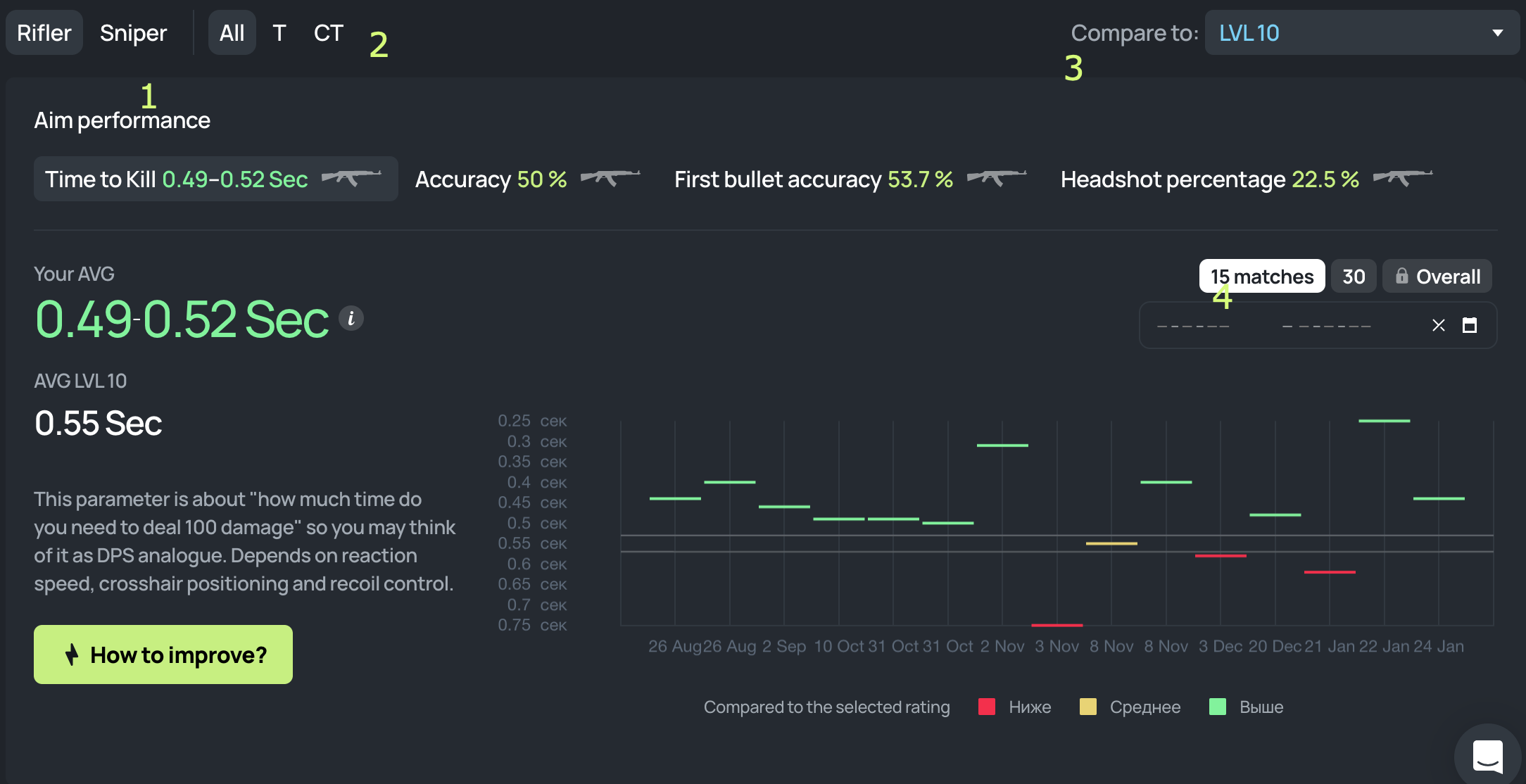
- Aim Performance Metrics
This analytical section decomposes your aiming performance into four critical dimensions:
- Time to Kill (TTK): Measures your efficiency in eliminating opponents, with lower values indicating faster target neutralization
- Accuracy: Represents shot connection percentage, with higher values reflecting superior consistency
- First Bullet Accuracy (FBA): Tracks initial shot precision, crucial for winning opening duels
- Headshot Percentage: Indicates your ability to target the most vulnerable enemy areas
2. Performance Benchmarking
This segment displays your average performance across all four metrics, enabling tracking of improvement trends over time.
3. Competitive Comparison
This analytical component contrasts your performance against Level 10 benchmarks, the highest competitive tier in CS2.
4. Improvement Roadmap
This guidance section delivers personalized recommendations for enhancing your aiming capabilities, leveraging extensive data analysis to identify specific improvement areas.
This represents merely a fraction of our tool’s capabilities. We process and interpret extensive datasets to provide the most thorough understanding of your aiming performance. Access these invaluable analytics at no cost – simply authenticate with your Steam or Faceit credentials and begin refining your aiming proficiency today!
Advanced aiming extends beyond mechanical skill to incorporate strategic decision-making and situational awareness. These techniques separate competent players from truly dominant ones.
Positional Awareness and Prefiring:
Cultivate sophisticated understanding of map geometry and common engagement zones. Predict enemy positioning and execute preemptive shots at high-probability angles, substantially decreasing reaction time and elevating hit probability.
Use of Utility and Map Control:
Employ tactical equipment including flash bangs, smoke grenades, and incendiary devices to restrict enemy advancement. These tactical deployments create temporal advantages while facilitating teammate support. SCOPE.GG has developed a specialized utility tool featuring default grenade positions and accompanying instructional video content.
Crosshair Placement during Movement:
Practice sustaining precise crosshair alignment while navigating the environment. Consistently maintain head-level positioning and remain prepared for potential threats during rotational movements.
Dynamic Adjustments in Firefights:
Comprehend situational appropriateness of controlled bursts, rapid taps, or extended sprays based on target proximity.
Adaptation to Enemy Tactics:
Maintain flexibility against evolving enemy strategies. Identify behavioral patterns in opponent movements and modify your aiming approach accordingly. Maintaining predictive advantage through enemy action anticipation substantially increases aiming effectiveness.
For comprehensive strategic development, our Complete Guide offers additional tactical frameworks.
Studying elite players provides invaluable insights into advanced aiming techniques and strategic thinking. Professional gameplay demonstrates the practical application of fundamental skills in high-pressure scenarios.
Regularly observe professional CS2 matches through in-game spectating or streaming platforms like Twitch or YouTube, focusing specifically on their tactical positioning, engagement decisions, and movement patterns. Analyze their approach to various combat situations and absorb their tactical decision-making processes.
As previously indicated, numerous professional CS2 competitors broadcast their gameplay sessions. Viewing live streams enables observation of their cognitive processes in real-time, and you can frequently pose questions or acquire insights through platform chat functionalities. Additionally, you can review CS2 match recordings or recent broadcasts of relevant competitions if you missed the live event or prefer flexible viewing schedules.
Consume interview content, podcast discussions, or YouTube presentations where CS2 professionals disclose details about their training regimens, aiming methodologies, and strategic approaches. Understanding their mental frameworks provides valuable perspectives for skill enhancement.
1. Is it possible to do on-the-move shooting?
Shot precision diminishes substantially during movement, creating significant challenges for accurate target engagement. Competitive players frequently implement “counter-strafing” techniques. When moving rightward (activating ‘D’ key), briefly engage ‘A’ key to achieve instantaneous stopping before initiating fire.
2. What is the common aiming mistake?
Improper crosshair positioning – neglecting to maintain head-level alignment during map navigation or angle holding.
3. Should I use low or high sensitivity?
Reduced sensitivity enables superior aiming precision and typically facilitates more consistent performance. Elevated sensitivity permits rapid directional changes and may provide enhanced agility for responding to unexpected developments.
4. What is the best map to train to aim at?
As referenced previously, the most effective training environments include Aimlabs, Aim Botz, and KovaaK’s customized scenarios.
5. How to install custom aiming maps?
Navigate to Steam > Library > Counter-Strike 2 > Workshop > Utilize Search functionality or Locate Map within listing > activate Subscribe (alternative method involves locating download linkage for required map through search engine queries). Subsequently, Initiate CS2 > Play> Workshop Maps > Choose Map > Execute.
Action Checklist
- Configure mouse to 400-800 DPI with 1-2 in-game sensitivity
- Practice crosshair placement at head level for 15 minutes daily
- Spend 20 minutes on Aim Botz map focusing on flick shots
- Install Scope.gg tracker and analyze your aiming metrics
- Watch 30 minutes of professional gameplay weekly
- Implement counter-strafing in deathmatch for 15 minutes
No reproduction without permission:Tsp Game Club » CS2 Aim Guide. How to improve AIM and track progress Master CS2 aiming through advanced techniques, hardware optimization, and data-driven performance tracking