
TL;DR
- Over 190 mods available addressing core gameplay issues like AI behavior and stamina systems
- Combat enhancements make parkour and Beast Mode more fluid and responsive
- Mods maintain achievement compatibility while fixing developer oversights
- Multiplayer-friendly modifications ensure co-op sessions remain stable
- Installation is straightforward with proper backup and verification steps
Revolutionize your survival experience in Castor Woods with transformative modifications that address fundamental gameplay limitations and enhance core mechanics. The modding ecosystem has rapidly evolved to provide solutions for the most persistent player frustrations.
Within the first week of Dying Light: The Beast’s launch, Nexus Mods hosted an explosive growth of over 190 community-created modifications. These ranged from subtle zombie AI adjustments to comprehensive weapon durability overhauls, demonstrating the community’s immediate response to gameplay pain points. Whether you’re struggling with excessively aggressive enemy spawns or seeking to maximize your Beast Mode potential, these curated modifications deliver substantial improvements to your Castor Woods survival experience.
The distinguishing characteristic of The Beast’s modding landscape is its emphasis on quality-of-life refinements rather than complete game transformations. These targeted adjustments address specific friction points survivors encounter throughout their journey, creating a more polished and satisfying gameplay loop while preserving the developer’s original vision.
Dying Light: The Beast Mods – Nexus Mods Community
Crucially, PC modifications do not disable achievement progression in Dying Light: The Beast, allowing you to enhance your gameplay without sacrificing reward acquisition or completion tracking.
This comprehensive overhaul by developer aethersquared systematically addresses multiple combat system limitations simultaneously. Stamina depletion rates are substantially reduced while regeneration accelerates dramatically, creating significantly more fluid parkour navigation. The signature dropkick maneuver now consumes 50% less stamina and remains fully functional during Beast Mode activation, promoting more aggressive engagement strategies.
Essential combat improvements implemented include:

Pro Tip: Combine stamina modifications with dodge-enhancing mods to create a hit-and-run combat style that maximizes your mobility advantage against zombie hordes. This approach is particularly effective during nighttime sequences when evasion becomes critical to survival.
Many players overlook the importance of animation timing modifications. Reducing weapon swing recovery times by even 0.2 seconds can dramatically improve your combat effectiveness against multiple opponents. Test different animation speed settings in safe zones before engaging in high-risk encounters.
Zombie behavioral modifications represent some of the most impactful changes available for The Beast. These adjustments address common complaints about unpredictable enemy aggression and unfair grab mechanics that can frustrate even experienced players.
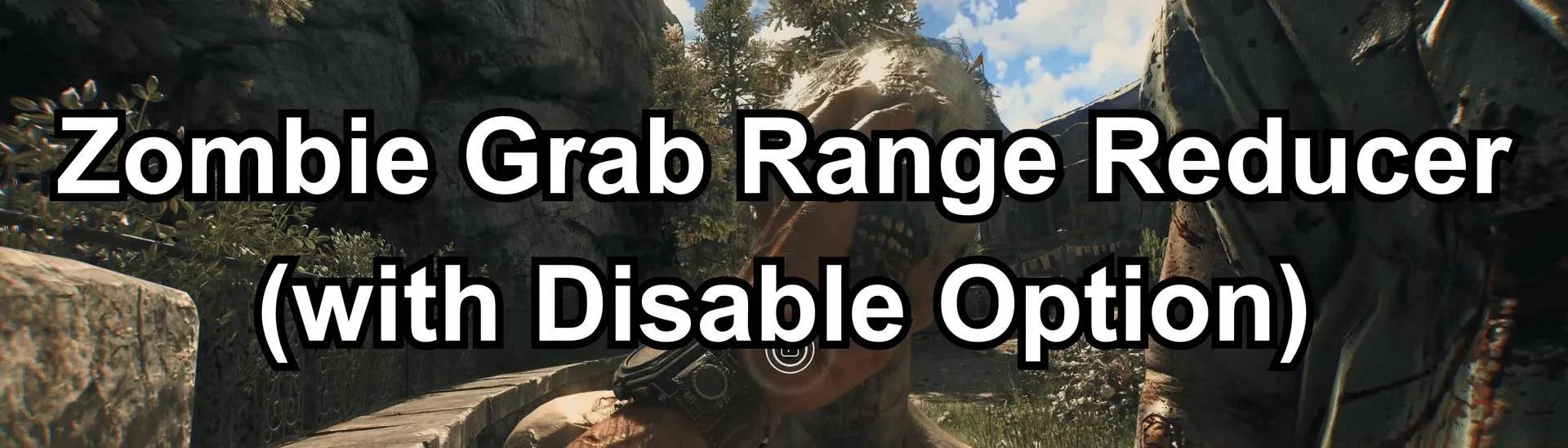
The Zombie Grab Range Reducer modification specifically targets the frustrating tendency of zombies to snag players from seemingly impossible distances. By adjusting collision detection parameters, this mod creates more consistent and predictable engagement distances, rewarding proper positioning and spatial awareness.
Common Mistake: Many players install maximum aggression reduction mods then complain the game becomes too easy. Start with subtle AI adjustments (10-15% reduction values) and gradually increase until you find your ideal challenge level. Drastic changes can undermine the survival tension that makes The Beast compelling.
For advanced players seeking greater challenge, consider mods that increase zombie variety during daytime hours or enhance special infected abilities. These modifications can reinvigorate late-game content that may have become predictable through repetition.
Weapon degradation systems in The Beast often feel excessively punitive, forcing constant maintenance that interrupts gameplay flow. Durability modification suites address this by adjusting wear rates based on weapon quality and usage type, creating a more balanced resource management experience.

Essential equipment modifications include:
Optimization Tip: Pair durability mods with enhanced loot table modifications to ensure you maintain adequate crafting material supplies. Nothing undermines weapon modification benefits faster than constantly searching for repair components instead of engaging with core gameplay loops.
Consider creating separate mod profiles for different playstyles—a survival-focused profile with slower degradation for tense exploration sessions, and an action-oriented profile with faster repairs but more abundant resources for combat-intensive sequences.
Cooperative gameplay introduces unique technical challenges for mod compatibility. Fortunately, The Beast’s modding community has developed sophisticated solutions that maintain multiplayer stability while delivering enhanced experiences.
When preparing for co-op sessions, prioritize mods that affect client-side features only, such as visual enhancements, HUD modifications, and personal gameplay settings. These modifications typically synchronize seamlessly between players without causing desynchronization issues or connection drops.
Pro Strategy: Establish a shared mod checklist with your co-op partners before beginning sessions. Verify that all participants have identical versions of gameplay-altering mods installed to prevent conflicting game states that can corrupt save files or cause progression discrepancies.
For the most stable multiplayer experience, consider using mod managers that support profile switching. This allows you to quickly disable controversial mods when joining public sessions while maintaining your preferred modifications for private games with like-minded players.
Proper mod installation begins with comprehensive save file protection. Always create manual backups before introducing new modifications, and consider using automated backup utilities that capture your progress before each gaming session.

Follow this systematic installation approach for maximum stability:
Troubleshooting Tip: If experiencing crashes or strange behavior after mod installation, disable modifications in reverse order of installation. This systematic elimination process quickly identifies problematic mods without requiring complete reinstallation.
Remember that mod conflicts can sometimes manifest hours after installation once specific game conditions are met. Continue monitoring gameplay stability during extended sessions even after initial testing appears successful.
Action Checklist
- Backup save files and create system restore point
- Install mod manager and verify game file integrity
- Begin with essential QoL mods (stamina, AI adjustments)
- Test each mod individually in safe zone before proceeding
- Create mod profiles for different playstyles (solo/co-op)
No reproduction without permission:Tsp Game Club » Dying Light: The Beast Best Mods for a New Experience Essential Dying Light: The Beast mods that transform combat, fix AI issues, and enhance survival gameplay mechanics