
TL;DR
- Operator display changes are managed through Loadout tabs, not the Profile screen directly
- Press L3 on controller after selecting character in Loadout to update Profile background
- Campaign completion provides fastest free skin unlocks via dog tag collection
- Class challenges unlock additional customization options after reaching Rank 20
- Faction selection and appearance options are consolidated in Loadout customization area
When you first dive into Battlefield 6, one of your initial actions will likely involve exploring the Profile interface after completing several Conquest matches. This dashboard presents crucial statistics including your overall Score, detailed kill-to-death ratio metrics, and provides access to player card editing tools. Many gamers discover that the background operator visualization remains static despite navigating through different menu options.
If you’ve invested time unlocking various operators and cosmetic items through Assignments, you might experience confusion when the operator display refuses to update within the Profile view. This common interface design choice intentionally separates cosmetic preview from statistical displays, requiring a specific workflow that many players overlook during their initial Battlefield 6 sessions. Understanding this separation will save you significant frustration when personalizing your gaming identity.
After verifying that the Profile screen lacks direct operator customization controls, navigate to the Loadout tabs and choose any combat specialization. This interface displays your equipped gear configurations that you can modify extensively, with a critical customization panel positioned at the screen’s lower-left quadrant where you select between preset loadouts or create personalized setups.
Position your cursor over the active loadout configuration to reveal the character highlighting functionality showing your currently equipped skin. Execute the L3 input on your gamepad, then return to the Profile tab to observe your updated operator presentation. This process synchronizes your Loadout selections with the Profile display system.
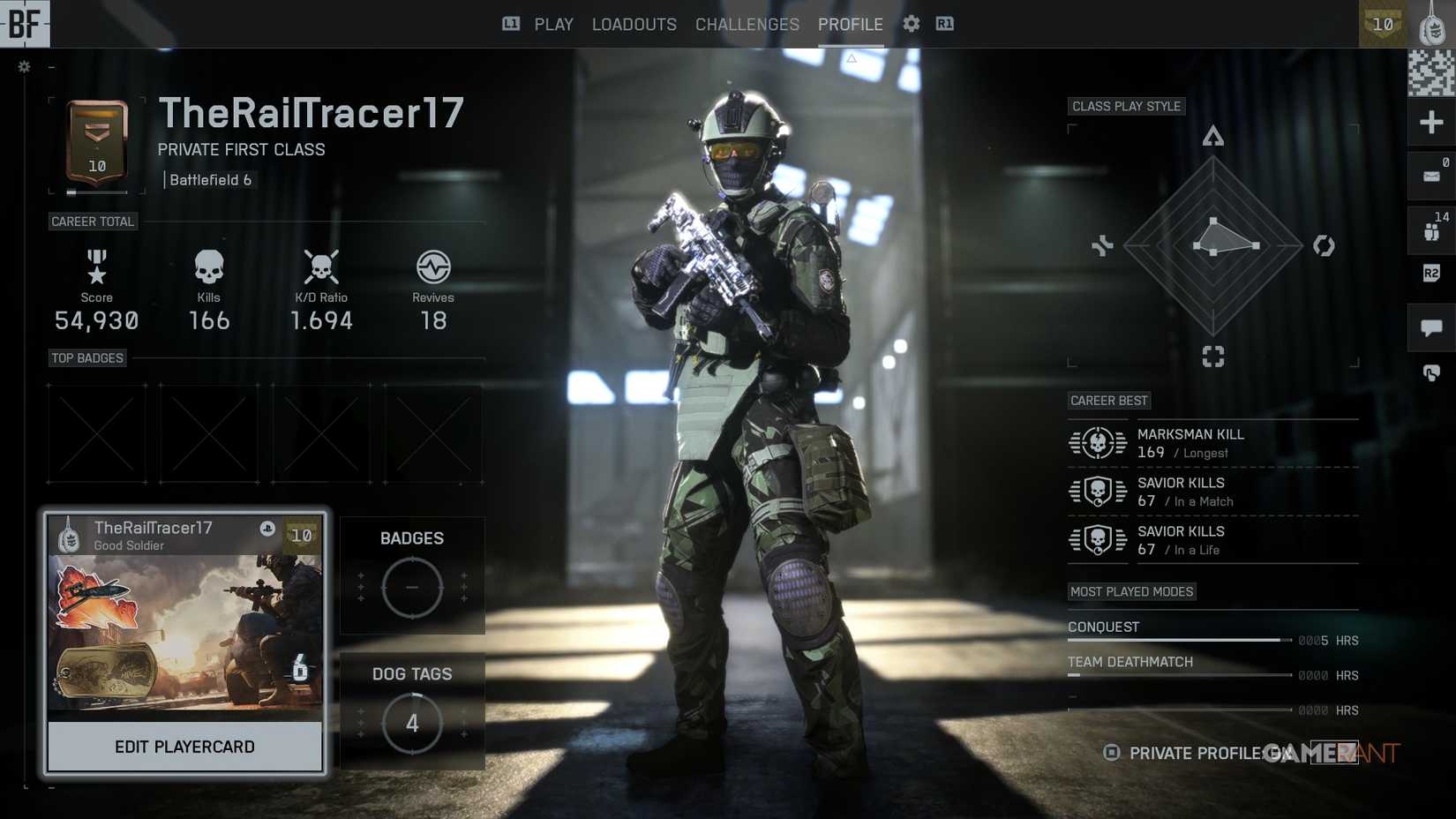
When you need to switch between NATO and Pax Armata factions or modify visual presentation, both functionality sets reside within the Loadouts interface. This centralized location provides extensive options for operator selection and skin application if you’ve unlocked them through gameplay progression.
The most accessible method for obtaining complimentary cosmetic items involves engaging with the Campaign mode. You’ll need to gather specific dog tags associated with each skin, typically extending total play duration to approximately six hours. This timeframe can be substantially reduced by selecting higher difficulty settings that provide completion bonuses.
Alternative skin acquisition pathways include finishing class challenges, which become available after attaining Rank 20. For comprehensive progression guidance, consult our Complete Guide to maximize your efficiency.
Strategic campaign playthrough planning can cut skin unlock time by 40-50% compared to casual play. Focus on main objectives while strategically collecting dog tags during natural progression rather than backtracking. Weapon customization synergizes well with operator appearance – explore our Weapons Unlock guide to enhance your combat effectiveness alongside visual presentation.
Advanced players should prioritize Assignments that align with their preferred playstyle while working toward Rank 20 requirements. Each class offers unique challenge paths detailed in our Class Guide for optimized progression. Understanding faction-specific operator availability will help you plan your customization goals effectively across both NATO and Pax Armata rosters.
Action Checklist
- Navigate to Loadout tabs from main menu
- Select desired class and hover over loadout to highlight operator
- Press L3 to confirm selection and synchronize with Profile
- Complete campaign on higher difficulties for faster skin unlocks
- Focus on class challenges post-Rank 20 for specialized cosmetics
No reproduction without permission:Tsp Game Club » How to Change Display Operator in Profile in Battlefield 6 Master Battlefield 6 operator customization with step-by-step profile display changes and skin unlock strategies