
TL;DR
- Clean reinstallation resolves both 2001 and RGIOP errors affecting beta players
- Always close Riot Client completely before uninstalling to prevent file conflicts
- Restart your PC after installation to ensure clean system integration
- Monitor official channels for server-side fixes if issues persist
- Prevent future conflicts by avoiding old installation files from previous test phases
- 2XKO players are encountering two primary login obstacles: “Failed to log in (2001)” and “RGIOP.PlayerAffinity.FailedToFetchAffinity” messages preventing game access.
- These technical difficulties predominantly affect participants from closed beta tests or alpha lab sessions who retained older client versions.
- Executing a thorough clean installation procedure after terminating the Riot Client typically resolves both error conditions effectively.
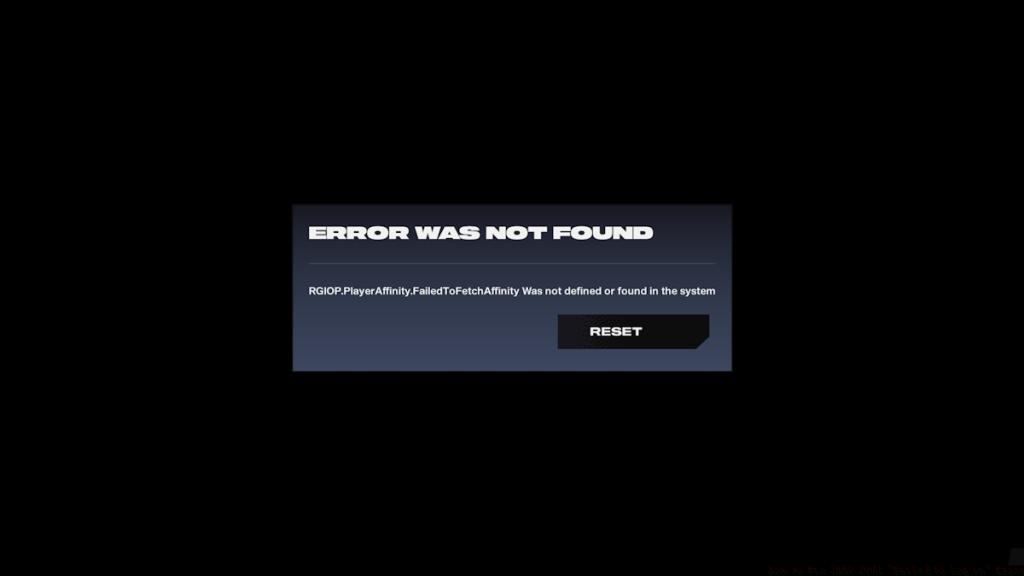
2XKO Early Access has officially launched, but numerous enthusiasts find themselves blocked by authentication problems. Two distinct error messages are currently circulating among the player base. One notification states, “RGIOP.PlayerAffinity.FailedToFetchAffinity Was not defined or found in the system“, indicating the game client cannot locate essential system resources, forcing 2XKO to terminate unexpectedly. This comprehensive walkthrough demonstrates systematic solutions for both the cryptic RGIOP error and the straightforward “Failed to Log in” 2001 error through methodical troubleshooting.
Important Notice: The game servers are now operational. Attempt a simple restart if you experience temporary connectivity interruptions.
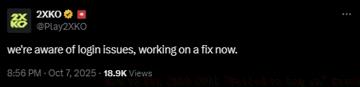
Riot Games promptly addressed these authentication complications through their official communication channels. In a recent social media update from the 2XKO account, developers confirmed, “we’re aware of login issues, working on a fix now.”
How to Fix 2XKO-2001 and “Error Was Not Found” Error
To eliminate both authentication failures, complete removal of existing installations is mandatory. Players who previously accessed 2XKO during developmental phases like closed beta or alpha labs frequently encounter the “RGIOP.PlayerAffinity.FailedToFetchAffinity Was not defined or found in the system” alongside “Failed to log in” 2001 errors due to version conflicts.
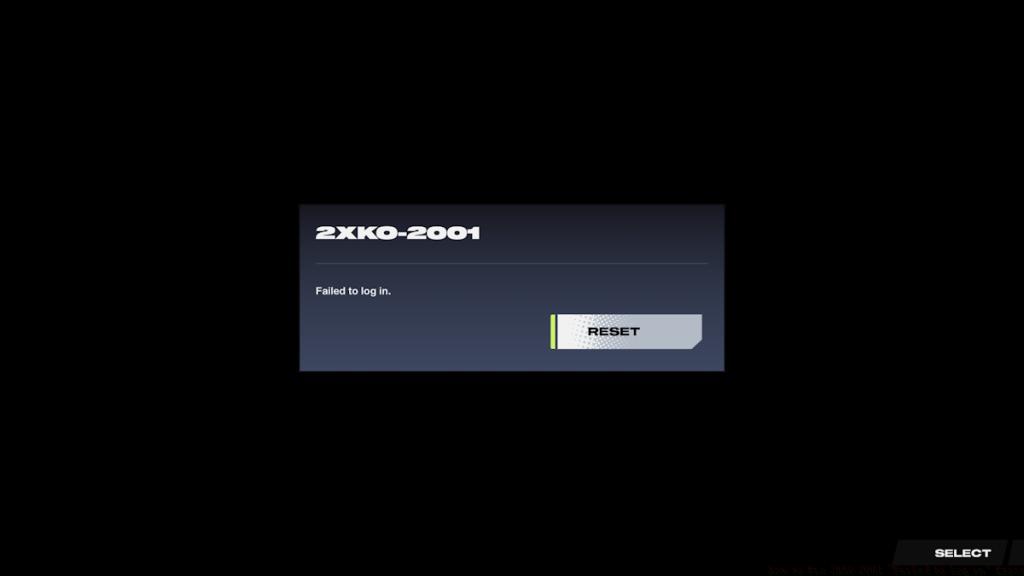
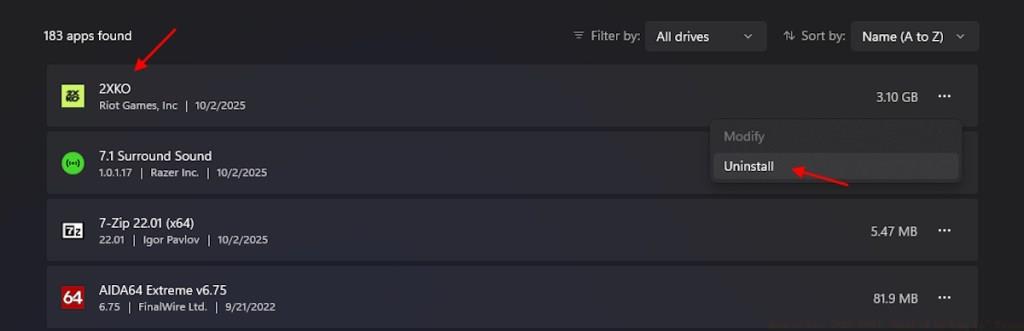
To resolve the 2XKO “Failed to log in” 2001 error, begin by navigating to Windows Settings → Apps & features. Identify 2XKO within your applications list and initiate uninstallation. Critical preparation step: access your system tray, right-click the Riot Client icon, and select Exit to ensure complete process termination. Following successful removal, launch the Riot Client freshly and commence downloading 2XKO again. Conclude the process by restarting your computer to guarantee proper system integration for seamless gameplay.
Following these procedures should grant uninterrupted access to 2XKO, allowing you to focus on mastering combat mechanics without technical distractions. Should the solution prove ineffective, monitor official Riot Games communications for server-side resolution updates.
Common Installation Pitfalls to Avoid: Many users overlook completely closing the Riot Client via system tray, leaving background processes that interfere with clean installation. Additionally, failing to restart after reinstallation can cause lingering system conflicts. Always verify you’re downloading the latest client version rather than relying on outdated local files.
System Optimization Recommendations: Ensure your system meets minimum requirements and temporarily disable aggressive antivirus software during installation, as security programs sometimes flag game files incorrectly. For optimal performance, consider our comprehensive Battlefield 6 Complete Guide for similar technical optimization strategies that apply across gaming platforms.
Monitoring Server Status: Like many live service games, 2XKO may experience temporary server overload during peak hours. Check the official 2XKO status page or community channels before attempting extensive troubleshooting. Understanding these patterns can save considerable time, similar to insights found in our BF6 Weapons Unlock Guide which explains similar live service mechanics.
Action Checklist
- Completely exit Riot Client via system tray
- Uninstall 2XKO through Windows Settings → Apps
- Download fresh 2XKO installation via Riot Client
- Restart computer to ensure clean system integration
- Verify server status if issues persist before further troubleshooting
No reproduction without permission:Tsp Game Club » How to Fix 2XKO 2001 “Failed to Log in” Error Complete guide to fixing 2XKO login errors with clean installation and troubleshooting steps