
Complete guide to claiming the limited-time Dead by Daylight x FNAF Discord banner with expert tips and troubleshooting
Understanding the Dead by Daylight x FNAF Collaboration
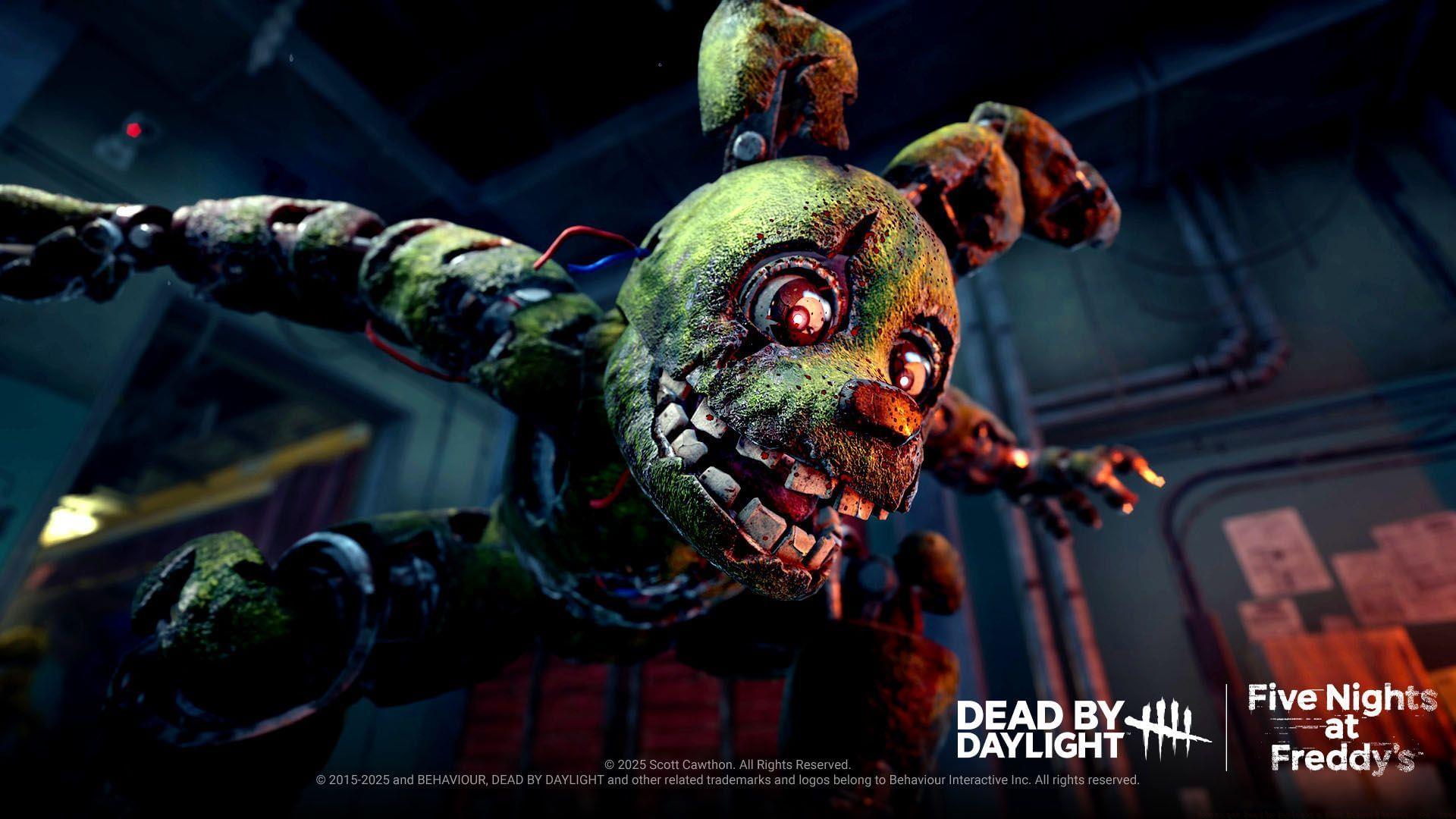
The crossover between Dead by Daylight and Five Nights at Freddy’s has generated unprecedented excitement within the gaming community. This partnership propelled the game to achieve its historical peak concurrent player count exceeding 105,000 users on Steam platforms, an impressive milestone for a title originally launched over eight years ago. To commemorate this successful integration, developers have introduced a special promotional item available at no cost to participants. Departing from conventional Discord partnership offerings that typically provide avatar customizations, this exclusive collaboration delivers a distinctive profile banner featuring Springtrap from the FNAF universe.
Looking for Crossword hints & solutions? Check out latest NYT Mini Crossword Answers, LA Times Crossword Answers, and Atlantic Crossword Answers
Step-by-Step Redemption Process
Acquiring this exclusive cosmetic item requires following a precise sequence of actions through Discord’s quest system. The fundamental requirement involves engaging with Dead by Daylight gameplay for a minimum duration of 15 minutes across either personal computer or console platforms.
Here’s a comprehensive walkthrough for initiating the quest within Discord’s interface:
After successfully accepting the gaming quest, participate in Dead by Daylight sessions on your designated platform for the required 15-minute duration. The exclusive profile banner will automatically populate within the Claimed Quests segment of your Discord Gift Inventory upon completion.
Essential Requirements and Technical Setup
Crucially, both the Dead by Daylight gaming application and Discord platform must operate concurrently on the identical hardware device. Failure to maintain simultaneous operation will result in incomplete playtime recording and unsuccessful quest completion.
This promotional opportunity concludes permanently on June 25, 2025, establishing an absolute deadline for participation. A significant advantage distinguishing this cosmetic item from previous Discord partnership offerings is its permanent ownership status. Unlike temporary cosmetic collaborations that typically expire within a two-month timeframe, the Springtrap profile banner remains permanently in your collection without expiration limitations.
Common Issues and Troubleshooting
Many participants encounter difficulties with playtime tracking verification. Ensure you’ve completed the CAPTCHA authentication before beginning your gameplay session. If your playtime isn’t registering, verify that both applications have necessary permissions and aren’t being blocked by firewall or security software.
Platform synchronization errors represent another frequent complication. When selecting your gaming platform during the quest acceptance phase, double-check that you’ve chosen the correct system where you’ll actually play. Cross-platform playtime doesn’t transfer between PC and console ecosystems.
Application background operation can also cause tracking failures. Some players minimize Discord while gaming, which may interrupt the quest monitoring system. Maintain both applications in active or background running status throughout your 15-minute session.
Advanced Tips and Strategies
For optimal efficiency, schedule your redemption session during off-peak hours when server loads are reduced. This minimizes potential connectivity issues that could interrupt playtime tracking. Consider initiating a custom match or tutorial session to fulfill the 15-minute requirement without competitive pressure.
Platform-specific optimizations can enhance your experience. PC users should verify Discord overlay functionality is enabled for seamless integration. Console participants using Discord integration features should confirm their platform accounts are properly linked before beginning the quest.
Document your participation by taking screenshots during the process, particularly the quest acceptance screen and completion notification. These serve as valuable evidence if you need to contact support regarding any redemption issues.
No reproduction without permission:Tsp Game Club » How to get Dead by Daylight x FNAF Discord banner for free Complete guide to claiming the limited-time Dead by Daylight x FNAF Discord banner with expert tips and troubleshooting