
TL;DR
- The Laser Designator enables precise vehicle targeting for coordinated team attacks
- Thermal vision provides critical enemy detection through environmental obstacles
- Tripod deployment creates autonomous surveillance points for area denial
- Proper positioning maximizes designator effectiveness while minimizing exposure
- Campaign missions offer practical training for multiplayer gadget application
Battlefield 6 features four distinct combat specializations, each with unique tactical responsibilities and engagement methodologies. While operators may gravitate toward classes that align with their preferred combat style, understanding equipment capabilities and loadout configurations proves essential for battlefield effectiveness. Although Recon specialists can technically utilize Assault Rifle or Shotgun weaponry, maximizing the Training Path advantages and primary gadget utility typically favors dedicated Sniper Rifle implementation.
The Laser Designator represents one of Recon’s foundational equipment options, potentially confusing newcomers unfamiliar with target designation systems. This comprehensive guide delivers essential operational knowledge for maximizing gadget performance throughout Battlefield 6 engagements. Common mistake: Many players underestimate the designator’s team support value, using it purely for personal spotting rather than coordinated strikes.
The Laser Designator Gadget functions as sophisticated binoculars specifically engineered for Recon operative requirements. Upon match initialization, activate the equipment by pressing the left d-pad on gamepad controllers or selecting the “3” keybind on keyboard configurations. Operators encounter two primary engagement modes: either manual zoom implementation or stationary tripod ground deployment. Engaging zoom functionality provides thermal vision observation capabilities, which operators can disable if desired, though maintaining thermal activation generally proves advantageous for enemy combatant and hostile vehicle detection through visual obstructions.
Zoom magnification adjusts through three distinct levels by depressing the L3 controller input or activating the “F” keyboard command. Pro tip: Cycle through zoom levels systematically to balance target identification precision with situational awareness maintenance.
After mastering basic operational controls, initiate target Paint functionality by maintaining R2/RT controller pressure or sustained Left-Mouse Click (LMB) engagement. This sophisticated feature enables strategic marker placement visible to entire allied teams. However, the primary tactical application involves designating enemy armored assets, including main battle tanks, fixed-wing aircraft, and rotary-wing helicopters. Successful target painting applies persistent markers to hostile vehicles, significantly enhancing Air-Defense systems and Long-Range missile launcher targeting acquisition speed and engagement duration. Advanced tactic: Coordinate with squad members using voice communication to synchronize designator painting with anti-vehicle specialist readiness. For comprehensive weapon strategies, consult our BF6 Weapons Unlock Guide to ensure optimal anti-armor capability.
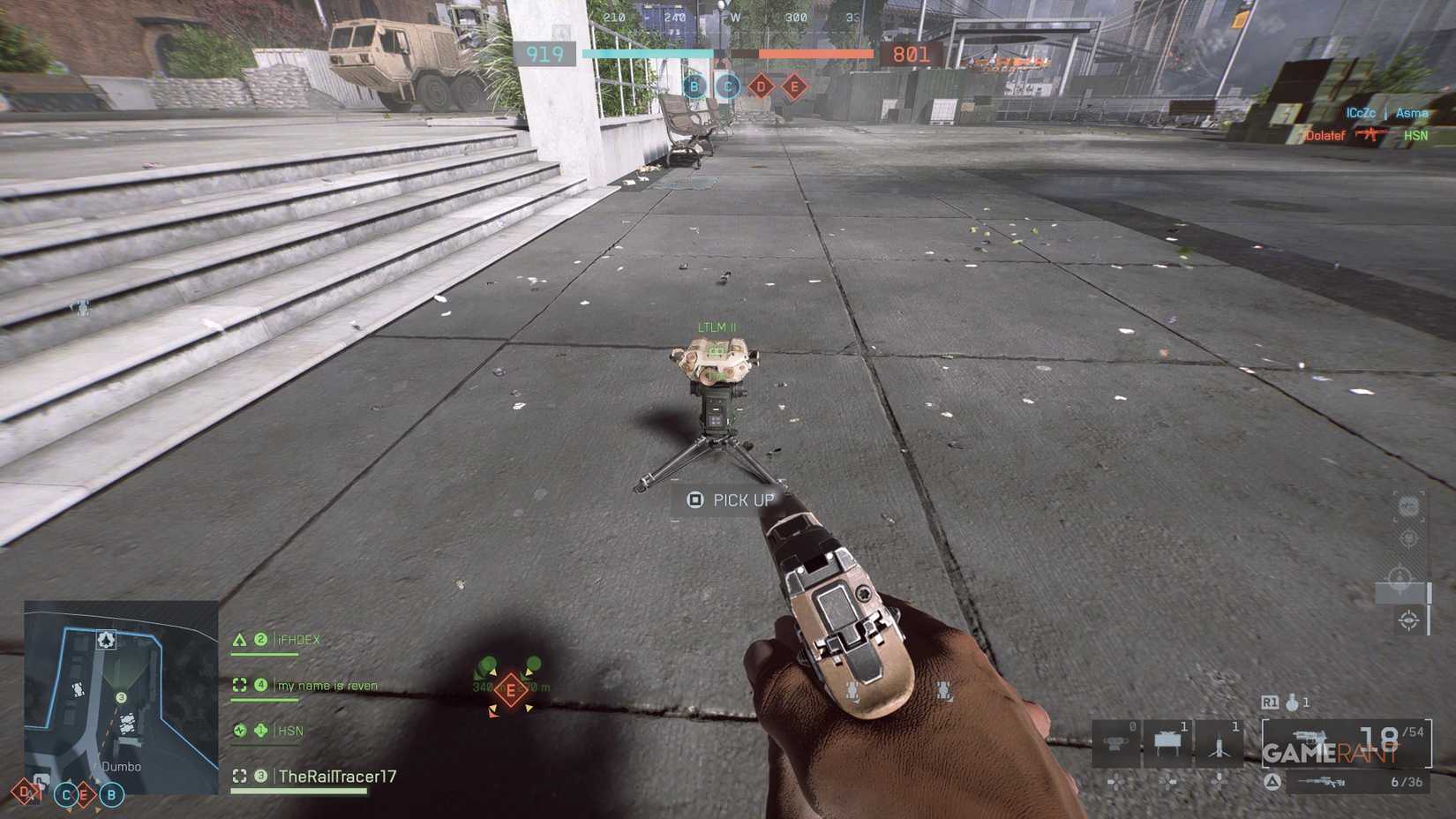
Beyond manual zoom functionality, operators can implement tripod deployment for autonomous area surveillance. After positioning the stabilized platform, the system operates independently, continuously scanning for hostile signatures. Designators remain accessible remotely, allowing operators to resume manual tracking operations when tactical situations demand precision intervention. Completing the Campaign narrative before engaging in Multiplayer operations provides practical gadget training during the initial Always Faithful mission deployment. Positioning strategy: Deploy tripods on elevated terrain with clear sightlines to high-traffic vehicle corridors. Understanding class synergies is crucial—explore our BF6 Class Selection Guide to maximize team composition effectiveness.
Action Checklist
- Practice designator controls in training mode to build muscle memory
- Master thermal vision toggling for optimal enemy detection through environmental cover
- Coordinate vehicle painting with anti-armor specialists for maximum team impact
- Experiment with tripod placements to create autonomous surveillance networks
No reproduction without permission:Tsp Game Club » How to Use the Laser Designator (Tripod) Gadget in Battlefield 6 Master battlefield coordination with the Laser Designator for enhanced team targeting and strategic vehicle elimination