
TL;DR
- LEGO Voyagers requires exactly two players with no solo option, emphasizing pure cooperative gameplay
- Local co-op supports multiple controller types across all platforms with seamless setup
- Friend’s Pass enables online play where only one player needs to purchase the game
- Physics-based puzzles demand constant coordination and communication between players
- Average completion time is 4-5 hours with emphasis on teamwork over individual skill
Master LEGO Voyagers multiplayer mechanics with our comprehensive guide covering both local couch co-op and online Friends Pass functionality for optimal cooperative play.
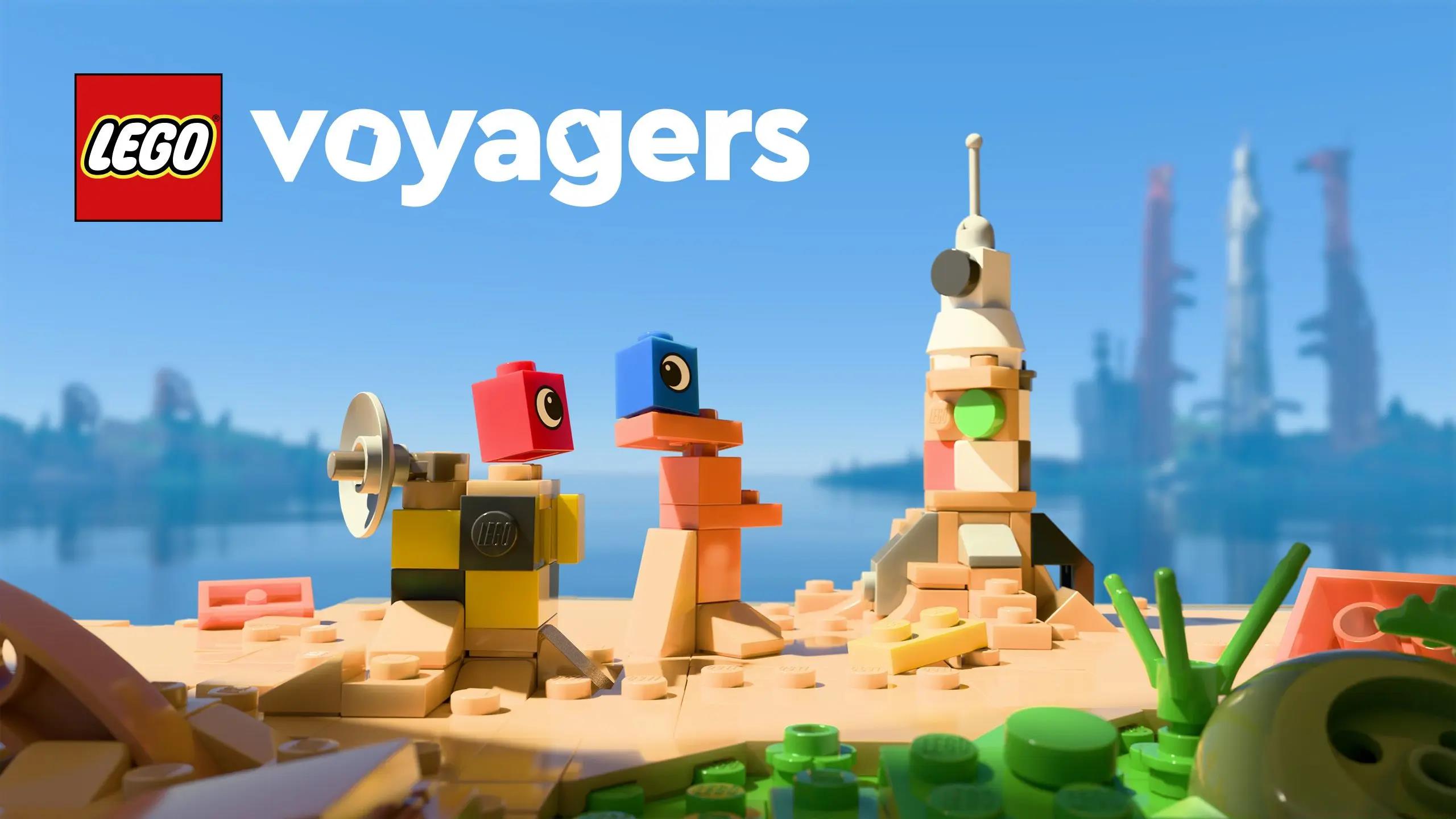
Prepare to dive into an enchanting brick-building journey alongside your preferred gaming partner. LEGO Voyagers elevates the fundamental pleasure of assembling plastic bricks into a memorable collaborative adventure. Whether organizing an intimate living room session or linking up with companions remotely, this cooperative puzzle-platformer necessitates continuous partnership throughout. You’ll guide charming crimson and azure LEGO minifigures as they roll, construct, and decipher challenges across stunning diorama landscapes while working to salvage a derelict spacecraft.
Diverging from conventional LEGO titles featuring optional drop-in/drop-out multiplayer support, LEGO Voyagers dedicates itself completely to the dual-player paradigm. The experience excludes single-player options and artificial intelligence partners—focusing exclusively on cooperative mechanics built around perpetual teamwork dynamics.
Expect to invest approximately 4-5 hours collaborating on physics-driven conundrums demanding active participation from both gamers. One participant may manipulate electromagnetic machinery while their partner traverses chasms, or both must synchronize assembling improvised stairways from scattered LEGO components found within each setting.
LEGO® Voyagers Coming Soon – Epic Games …
LEGO Voyagers mandates precisely two participants continuously. Solo gameplay or computer-controlled assistance remains unavailable throughout this title.
Local multiplayer continues to provide the most fluid method for enjoying LEGO Voyagers. Follow these steps to initiate your couch co-op session successfully:
- Dual controllers synced with your gaming system or computer
- PlayStation and Xbox controllers function seamlessly on PC platforms
- Nintendo Switch accommodates Joy-Con sharing arrangements or Pro Controller alternatives
Pro Tip: Ensure both controllers are fully charged or connected via USB to prevent interruption during critical puzzle sequences. For PC setups, verify controller drivers are updated through Device Manager before launching the game.
Common Mistake: Many players forget to activate second controller slots before starting the game. Always power on both controllers at the main menu to ensure proper detection.

LEGO Voyagers implements an innovative Friend’s Pass system that revolutionizes online cooperative play. This feature permits one player to own the full game while their partner joins through a complimentary access pass, eliminating the dual-purchase requirement traditionally associated with online co-op gaming.
Connection Protocol: Initiate online sessions through the game’s social menu by sending invitations to your partner’s gaming account. The Friend’s Pass recipient will receive notification and can join directly without additional downloads beyond the base client.
Cross-Platform Considerations: While Friend’s Pass functions across compatible platforms, verify regional compatibility and account linking requirements beforehand. Some regions may restrict cross-platform functionality depending on local licensing agreements.

Advanced Strategy: Coordinate play sessions by establishing communication through external apps like Discord for clearer coordination during complex puzzle sequences. This prevents in-game audio compression from hindering crucial teamwork communications.
Each gaming platform offers distinct advantages for LEGO Voyagers cooperative play. Understanding these platform-specific characteristics ensures optimal performance and accessibility.
PC Configuration: Windows versions support extensive controller compatibility, including Xbox, PlayStation, and generic gamepads. For optimal performance, ensure your system meets recommended specifications, particularly regarding GPU capabilities for rendering detailed LEGO environments smoothly.
Console Variations: PlayStation and Xbox systems provide plug-and-play simplicity with native controller support. Nintendo Switch offers unique flexibility with multiple controller configurations but may experience slight performance compromises in handheld mode during complex physics calculations.
Display Optimization: For local co-op, ensure your display supports appropriate resolution and refresh rates. Split-screen functionality maintains consistent frame rates by dynamically adjusting rendering quality during intensive scenes.

Maximize your LEGO Voyagers experience through strategic cooperative techniques that enhance both efficiency and enjoyment.
Communication Framework: Establish clear role delegation before encountering puzzles. Designate one player as ‘builder’ and the other as ‘operator’ for complex machinery sequences to minimize confusion and duplicate efforts.
Puzzle Solving Methodology: Develop systematic approaches to environmental challenges. Scan each area thoroughly before attempting solutions, identifying all interactive elements and potential building resources. This prevents wasted time reconstructing failed attempts.
Progression Tracking: Utilize the game’s built-in checklist system to monitor completion percentages. Regularly review collected items and solved puzzles to identify missed opportunities for additional exploration and achievement acquisition.
Advanced Technique: Master the ‘quick-swap’ building method where players simultaneously construct different sections of larger structures. This coordinated approach can reduce build times by up to 40% on complex assemblies.
Encountering technical difficulties can disrupt your cooperative adventure. These solutions address the most frequent problems players face.
Connection Problems: For online sessions, verify NAT types are compatible and router ports are properly forwarded. Restart both the game and platform network services if persistent connection errors occur.
Controller Detection Failures: When local co-op controllers aren’t recognized, disconnect all input devices and reconnect them systematically. Update controller firmware through platform-specific utilities if detection issues persist.
Performance Solutions: Frame rate drops during split-screen play often result from insufficient system resources. Reduce graphical settings like shadow quality and particle effects to maintain smooth performance during intensive cooperative sequences.
Audio Synchronization: If voice chat experiences latency, switch to external communication applications or adjust in-game audio compression settings. This ensures crisp communication during time-sensitive puzzle elements.
LEGO Voyagers represents a paradigm shift in cooperative game design, prioritizing genuine partnership over individual achievement. The mandatory two-player structure forces constant interaction and mutual dependency rarely achieved in modern gaming.
The physics-based puzzle mechanics create organic teamwork opportunities rather than scripted cooperative moments. Each solution emerges naturally from player experimentation and communication, resulting in authentic ‘aha moments’ shared between partners.
Compared to traditional LEGO games with optional co-op features, Voyagers’ dedicated design eliminates the balance compromises that often weaken single-player experiences when adapted for multiplayer. Every environment, puzzle, and mechanic serves the central cooperative vision.
Player feedback consistently highlights the game’s ability to strengthen real-world relationships through shared accomplishment. The balanced difficulty curve ensures both experienced and novice gamers contribute meaningfully without frustration or boredom.
Transform your LEGO Voyagers sessions from simple gameplay to memorable collaborative adventures through these engagement strategies.
Teamwork Development: Treat each gaming session as team-building exercise. Establish non-verbal communication cues for efficient puzzle solving and celebrate collective achievements rather than individual contributions.
Achievement Hunting: Coordinate completionist goals by dividing collectible hunting responsibilities. Designate one player to track progress while the other explores off-path areas, systematically covering more ground than possible individually.
Long-Term Engagement: After completing the main story, revisit earlier levels with advanced techniques to improve completion times. Challenge yourselves to achieve perfect scores on each level through coordinated speedrunning strategies.
Community Participation: Share your most creative solutions to puzzles through online communities. The game’s flexible physics system often allows multiple solutions, and discovering alternative approaches can enhance replay value significantly.
Action Checklist
- Verify controller compatibility and ensure both are charged/connected
- Establish communication protocol (voice chat preferred for online play)
- Configure display settings for optimal split-screen visibility
- Test Friend’s Pass functionality for online sessions before planned gameplay
- Develop role delegation strategy for complex puzzle sequences
No reproduction without permission:Tsp Game Club » LEGO Voyagers Co-Op Setup Guide: Local & Online Play Complete LEGO Voyagers co-op setup guide with troubleshooting tips and optimization strategies for seamless multiplayer gaming