
TL;DR
- Access hidden graphics settings by editing GameUserSettings.json file to push beyond in-game options
- Change numeric values from 1 to 0 for maximum performance gains on texture, shadow, and foliage settings
- Set file to read-only after editing to prevent game from overwriting your custom configurations
- Prioritize shadow quality, post-processing, and anti-aliasing reductions for biggest FPS improvements
- Combine file edits with system optimizations for comprehensive performance enhancement
Off the Grid represents an exciting new entry in the extraction shooter genre, blending elements from tactical FPS titles with battle royale mechanics. The game’s early access status means optimization is still ongoing, leading to performance inconsistencies that can frustrate players seeking smooth gameplay.
Available across PC, PlayStation 5, and Xbox Series X platforms, this Extraction Royale experience combines the tension of survival games with fast-paced combat. However, the graphical intensity and complex game mechanics can strain hardware, particularly on mid-range systems or older gaming rigs.
Many players encounter unexpected frame rate drops during intense firefights or when navigating dense environments. These performance issues become particularly problematic in high-stakes situations where split-second reactions determine survival. Understanding that the game is still in development helps contextualize these optimization challenges.
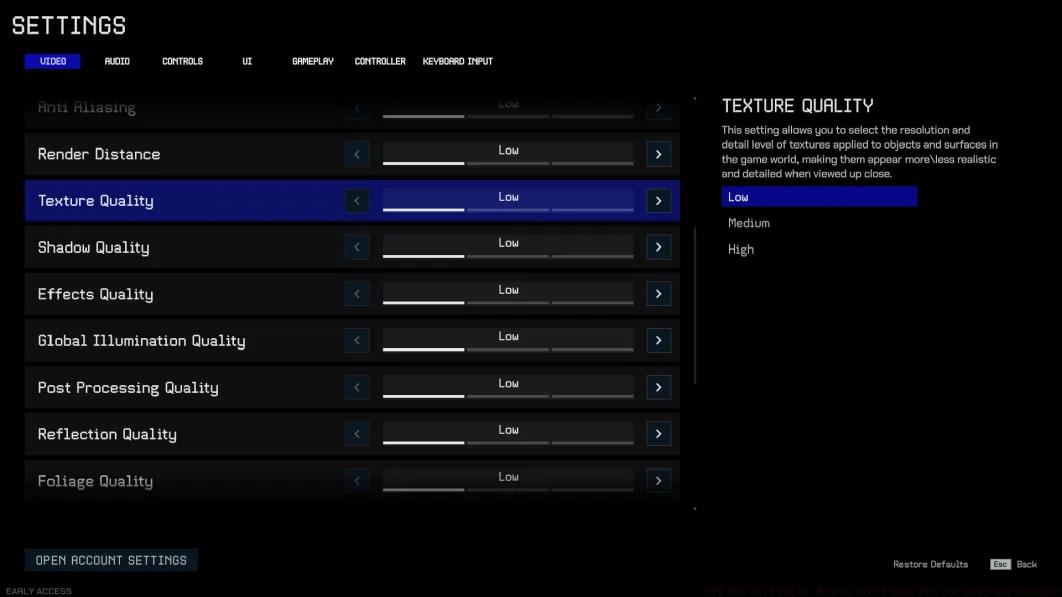
While adjusting in-game settings through the standard menu provides basic optimization, the true performance potential lies in manual configuration file editing. This advanced technique allows you to push settings beyond what the game interface permits.
Locate Your Game Directory: Press the Windows key and type “Saved Games” to access your user data folder. Navigate to the Off the Grid directory where game configurations are stored. This contains critical files controlling visual and performance settings.
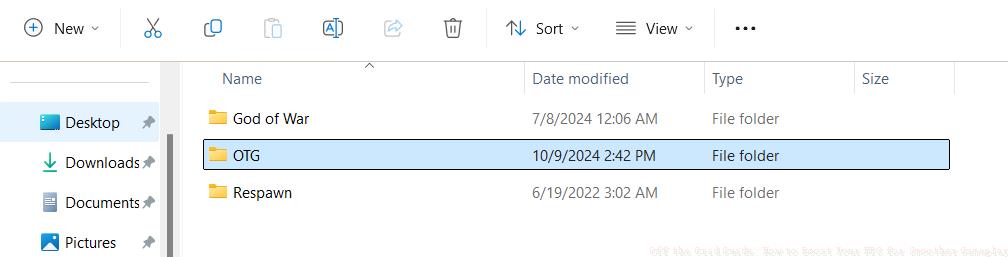
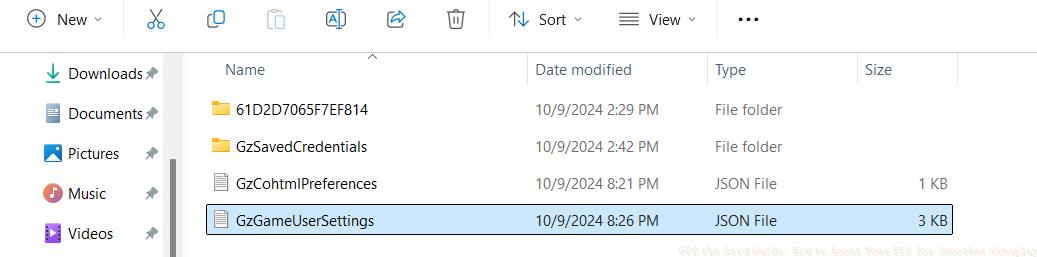
Access Configuration Files: Within the OTG folder, identify the GameUserSettings file with JSON extension. Right-click this file and select “Open with” then choose Notepad or any text editor. This file contains numerical values representing every configurable aspect of the game.
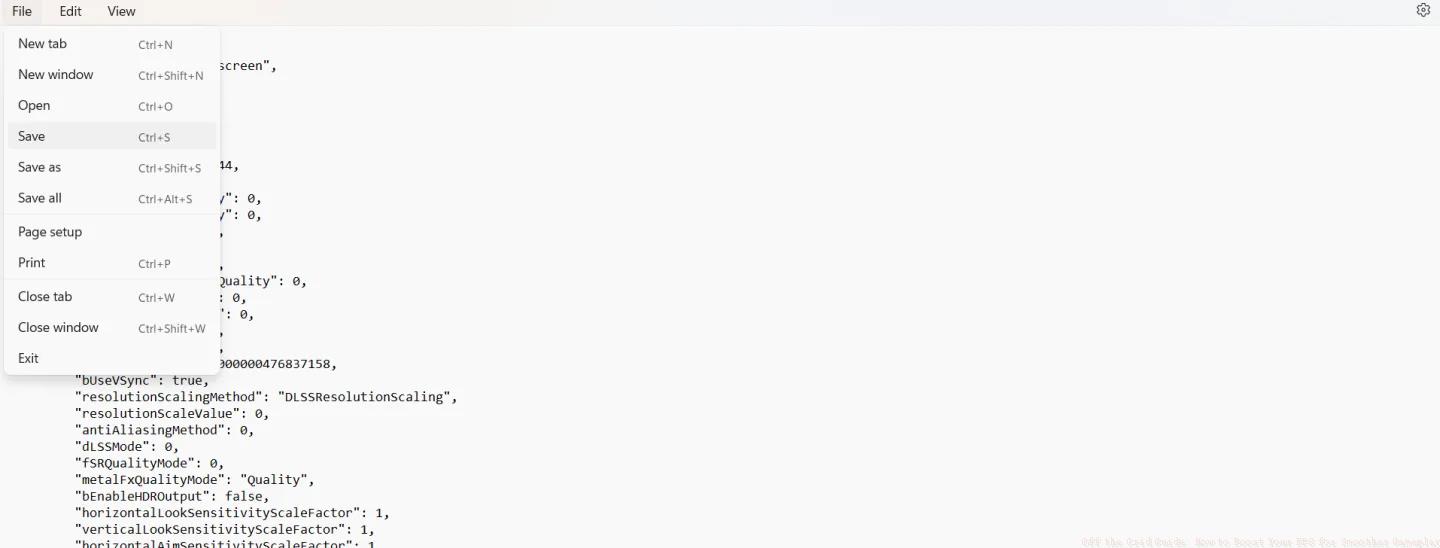
Strategic Value Adjustment: The numerical system uses ascending values where higher numbers indicate better quality. The interface typically shows 1 as minimum, but you can actually set values to 0 for ultra-performance mode. This forces the game to use absolute minimum resource consumption for each setting.

Not all graphics settings impact performance equally. Strategic prioritization ensures you maximize frame rates while maintaining acceptable visual quality for competitive play.
Performance-Critical Adjustments: Focus your optimization efforts on shadow quality, texture filtering, post-processing effects, and anti-aliasing. These elements typically consume the most GPU resources. Changing these from 1 to 0 can yield 15-25% FPS improvements depending on your hardware.
Mesh quality and foliage density also significantly impact performance, especially in Off the Grid’s outdoor environments. Reducing these settings minimizes geometry complexity and draw calls, directly improving CPU-bound performance scenarios.
Balanced Configuration Approach: You don’t need to minimize every setting. Maintain medium quality (value 2) on texture quality if you have sufficient VRAM, as this affects visual clarity without major performance costs. Similarly, view distance at low-medium preserves gameplay functionality while boosting frames.
Configuration Safety: The GameUserSettings file contains controls beyond graphics, including input bindings and audio preferences. Avoid modifying sections labeled for controls, sensitivity, or audio unless you specifically intend to change those settings. Accidentally altering these can create frustrating gameplay inconsistencies.
For players transitioning from other tactical shooters, understanding these optimization techniques provides similar benefits to mastering BF6 weapon handling mechanics – both require precise configuration for competitive advantage.
Preserve Your Configuration: After implementing your optimized settings, save the file through File > Save in Notepad. Then right-click the GameUserSettings file, access Properties, and enable the Read-Only attribute. This crucial step prevents the game from overwriting your custom configurations during updates or verification processes.
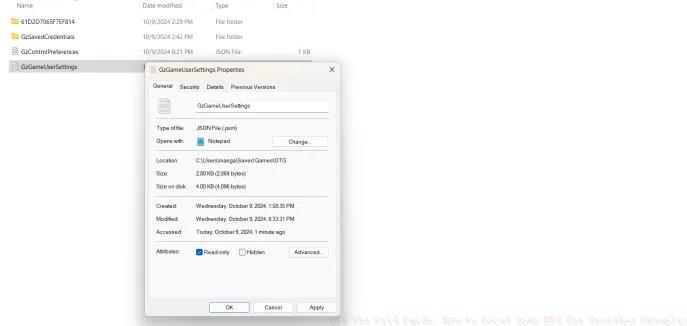
This read-only protection ensures your performance optimizations persist across gaming sessions and minor updates. Should you need to make further adjustments, simply disable the read-only attribute temporarily before editing.
Complementary System Optimizations: Combine your in-game tweaks with system-level improvements for maximum effect. Update graphics drivers to the latest stable versions, close background applications consuming resources, and ensure your system meets the recommended specifications for modern FPS titles.
Monitor your performance using tools like MSI Afterburner to identify specific bottlenecks. If CPU utilization remains high despite graphics reductions, consider adjusting gameplay strategies that minimize processor-intensive actions during combat scenarios.
Regularly revisit your settings as the game receives updates. Early access titles frequently introduce optimization improvements that may change the effectiveness of specific tweaks. Maintaining an adaptive optimization approach ensures consistent performance throughout the development cycle.
Action Checklist
- Navigate to Saved Games folder and locate OTG directory
- Open GameUserSettings.json with text editor and identify graphics settings
- Change critical performance settings (shadows, post-processing) from 1 to 0
- Set file to read-only属性 to preserve changes
- Test performance in-game and adjust balanced settings as needed
No reproduction without permission:Tsp Game Club » Off the Grid Guide: How to Boost Your FPS for Smoother Gameplay Advanced FPS optimization guide for Off the Grid with hidden settings tweaks and performance strategies