
TL;DR
- No direct structure movement exists – deletion and rebuilding is the only option
- Full resource recovery makes repositioning structures cost-effective
- Repair mode enables both structure maintenance and removal functions
- Strategic planning prevents frequent structure repositioning needs
- Advanced building techniques minimize future adjustment requirements
Building creative structures represents one of the most engaging aspects of survival gaming experiences. Whether you’re an experienced architect or just beginning your construction journey, placement errors and design changes inevitably occur. RuneScape Dragonwilds accommodates these situations through a comprehensive rebuild system, though it operates differently than traditional movement mechanics. Understanding these limitations helps players plan their settlements more effectively from the outset.
The game deliberately omits direct structure relocation capabilities to maintain survival authenticity. This design choice encourages thoughtful initial placement and strategic resource management. Players must approach construction with long-term planning, considering factors like resource proximity, defensive positioning, and future expansion possibilities before committing to builds.
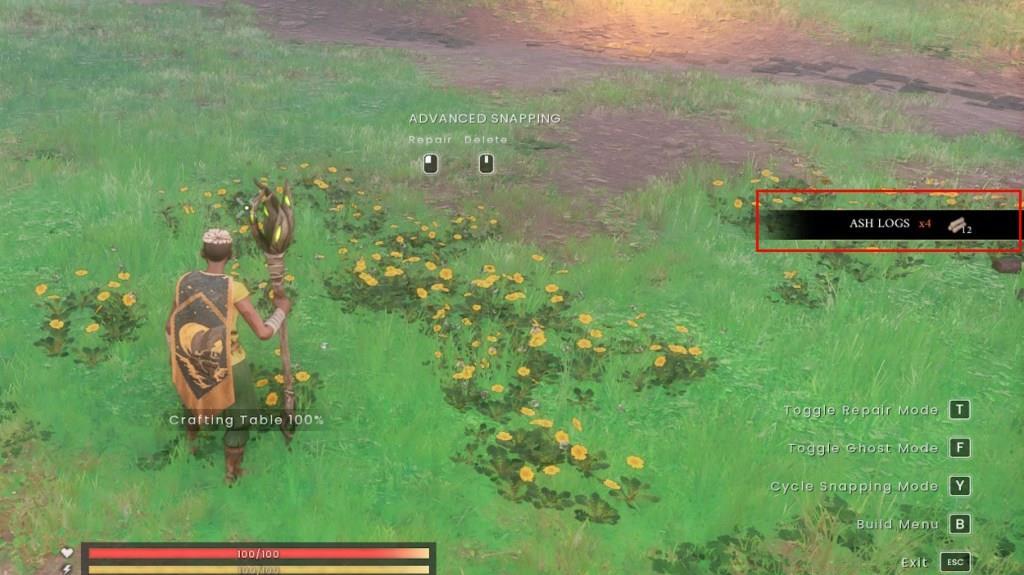
Fortunately, the complete resource refund system eliminates material loss concerns when repositioning structures. This mechanism ensures that experimentation and layout optimization remain accessible without punishing players for placement decisions. The system refunds every material component used in the original construction, enabling seamless transitions to improved layouts.
Structure removal in Dragonwilds follows a straightforward but intentional process. The system requires deliberate actions to prevent accidental deletions, ensuring players don’t lose progress through unintended inputs. This approach mirrors the game’s overall philosophy of consequential decision-making while maintaining player agency over their creations.
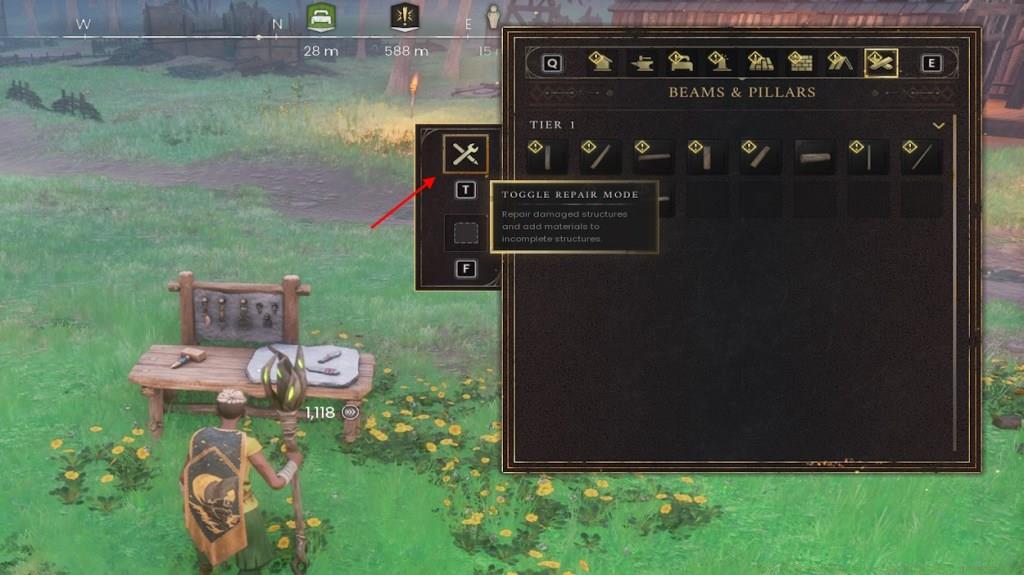
Begin by pressing the B button to access the comprehensive build menu interface. This central hub provides access to all construction-related functions, from initial placement to subsequent modifications. The menu organizes available structures categorically, helping players quickly locate specific building types.
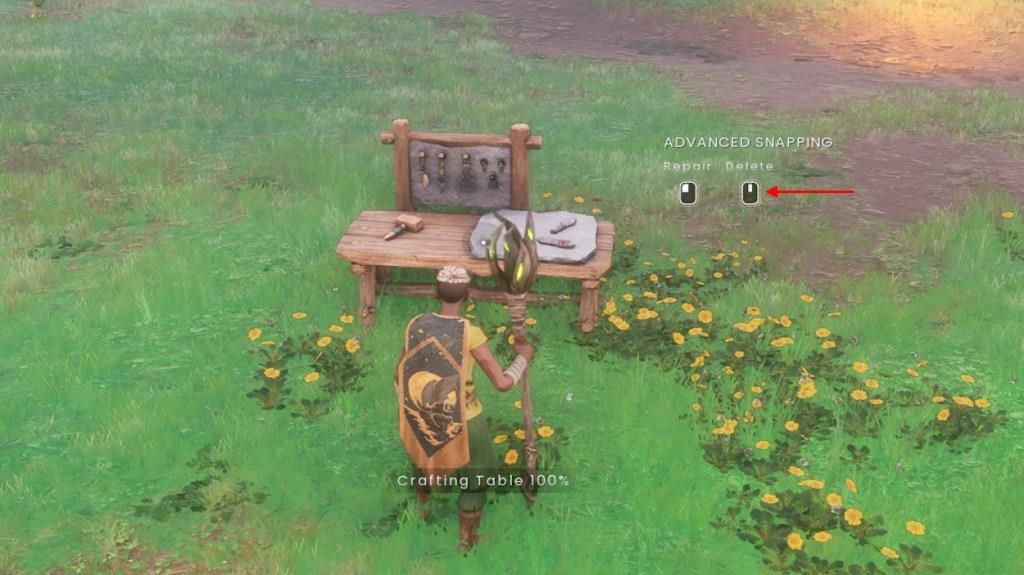
Next, activate the specialized removal mode by pressing the T button. This toggles Repair Mode, which serves dual purposes for both maintenance and deletion operations. The interface visually indicates active deletion mode through distinctive cursor changes and highlighting effects.
Carefully position your view to focus directly on the structure targeted for removal. The system provides clear visual feedback, highlighting eligible structures and displaying confirmation prompts before finalizing deletions. This prevents accidental removal of critical infrastructure and ensures intentional decision-making.
Common mistakes include attempting deletion from incorrect angles or failing to properly activate repair mode first. Advanced players recommend surveying your entire settlement layout before making deletion decisions, as this holistic perspective often reveals better repositioning opportunities. For comprehensive building strategies, consult our Complete Guide to master all construction mechanics.
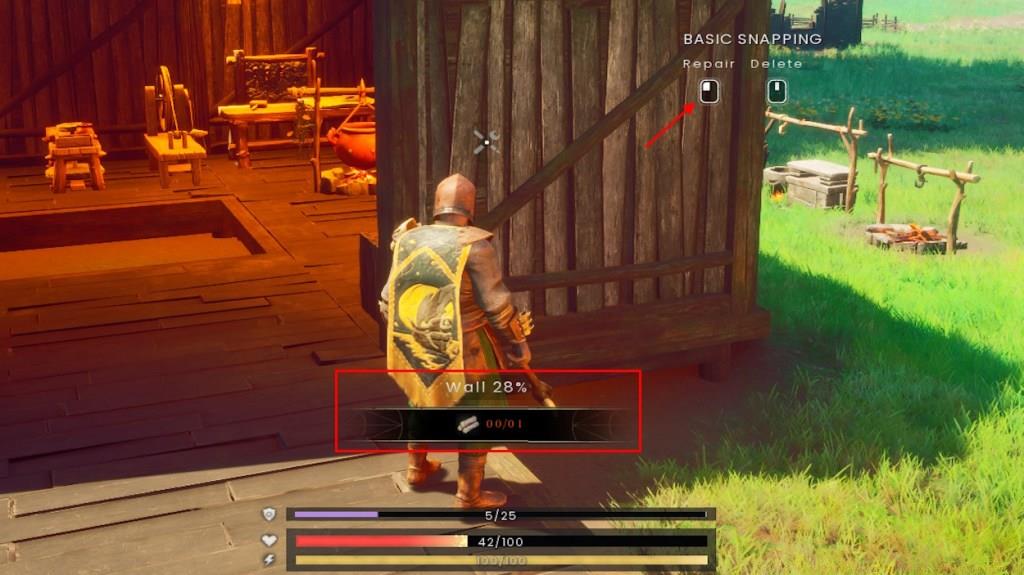
Maintaining structural integrity represents a crucial aspect of long-term settlement management. Damaged buildings require minimal resource investments for restoration, making maintenance far more economical than reconstruction. The repair system utilizes proportional material requirements based on damage severity, ensuring cost-effective upkeep.
Regular inspection routines help identify damage before it compromises structural functionality. Environmental factors and creature attacks represent the primary sources of building deterioration. Proactive maintenance significantly extends structure lifespan and reduces overall resource expenditure.
Strategic placement considerations can minimize future repair needs. Positioning structures in defensible locations, utilizing natural terrain barriers, and creating strategic choke points all contribute to reduced maintenance requirements. These advanced placement strategies become increasingly important as your settlement expands and becomes more complex.
For players seeking to optimize their combat effectiveness alongside building management, our Weapons Unlock guide provides essential weapon progression strategies. Similarly, understanding Class Guide principles can inform defensive structure designs that complement your preferred playstyle.
The game’s building mechanics encourage iterative design refinement through its risk-free experimentation system. This approach allows players to develop increasingly sophisticated settlements without permanent commitment to early design decisions. The combination of full resource recovery and economical repair costs creates a balanced ecosystem for creative expression and practical functionality.
Action Checklist
- Press B to open build menu and T to activate repair/deletion mode
- Carefully target structure for deletion with visual confirmation
- Execute deletion and collect refunded resources from inventory
- Plan new structure placement considering defense and resource access
- Implement regular damage inspection routines for preventive maintenance
No reproduction without permission:Tsp Game Club » How to Move Structures in RuneScape Dragonwilds Master structure management in RuneScape Dragonwilds with deletion, rebuilding, and repair strategies