
TL;DR
- 4:3 stretched resolution provides no competitive advantage and actually reduces your field of view
- Professional players use 4:3 primarily due to long-term habit from older Counter-Strike versions
- Lower resolutions can boost FPS on older hardware but sacrifice visual information
- Proper GPU scaling configuration is essential to eliminate black bars
- New players should start with 16:9 for optimal gameplay experience
Many CS2 enthusiasts wonder about screen stretching techniques after observing professional players like Alexander ‘s1mple’ Kostylev using 4:3 aspect ratios. While mimicking pro settings is tempting, understanding the technical implementation and actual gameplay effects is crucial for making informed decisions about your configuration.
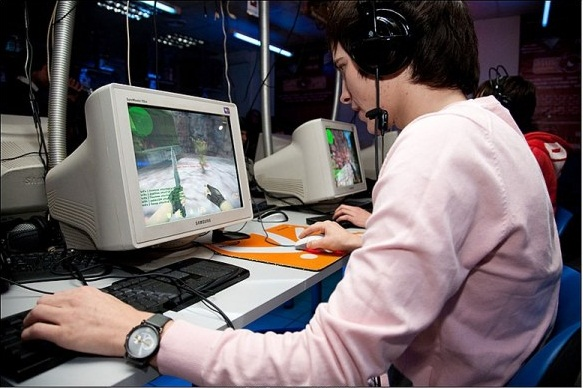
You’ll notice numerous veteran competitors sticking with 4:3 aspect ratios, but this preference stems from historical context rather than performance benefits. Early Counter-Strike titles were primarily played on CRT monitors that naturally supported 4:3 dimensions, creating long-standing muscle memory and visual familiarity.
Modern widescreen displays typically default to 16:9, so switching to 4:3 initially creates black vertical bars. Removing these requires graphics card configuration adjustments through either NVIDIA or AMD control panels.
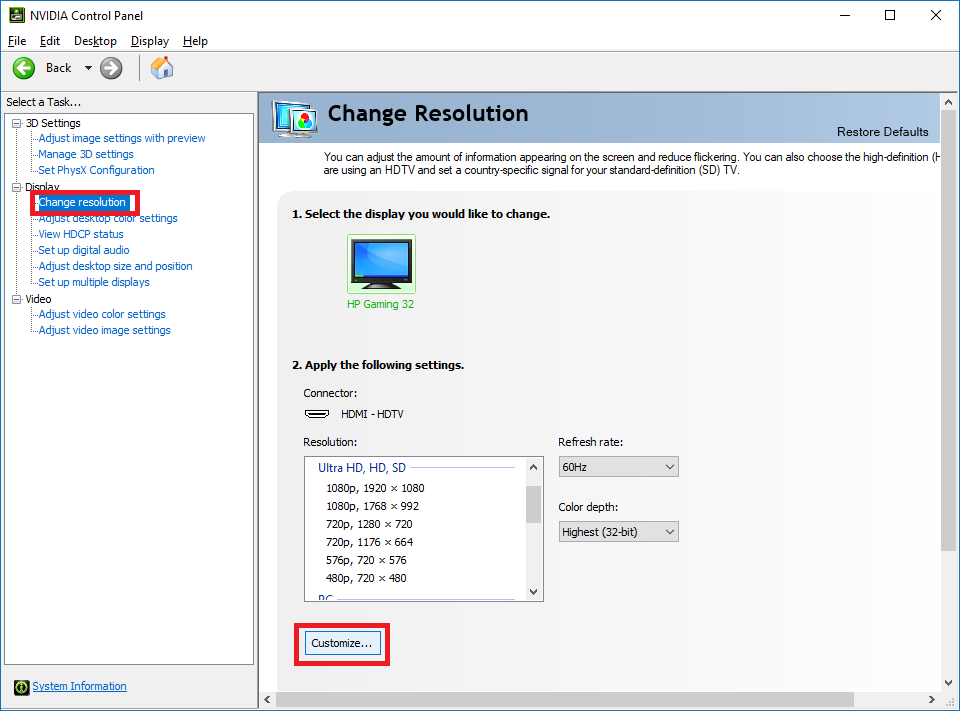
NVIDIA Graphics Card Configuration: Access the NVIDIA Control Panel, navigate to ‘Adjust desktop size and position’ under Display settings, and select ‘Full-screen’ scaling mode. This setting forces the image to expand horizontally, eliminating the black side bars.
AMD GPU Setup Process: Open AMD Software, find Display settings, enable GPU Scaling, and choose ‘Full Panel’ mode. The scaling process may introduce minor input latency, though most modern GPUs minimize this effect significantly.
Common Setup Challenges: If black bars persist after configuration, verify your monitor’s aspect ratio settings and ensure CS2 is running in fullscreen mode rather than windowed or borderless.
Understanding the actual effects of screen stretching on gameplay mechanics separates fact from widespread community myths. The visual distortion creates psychological rather than technical advantages.
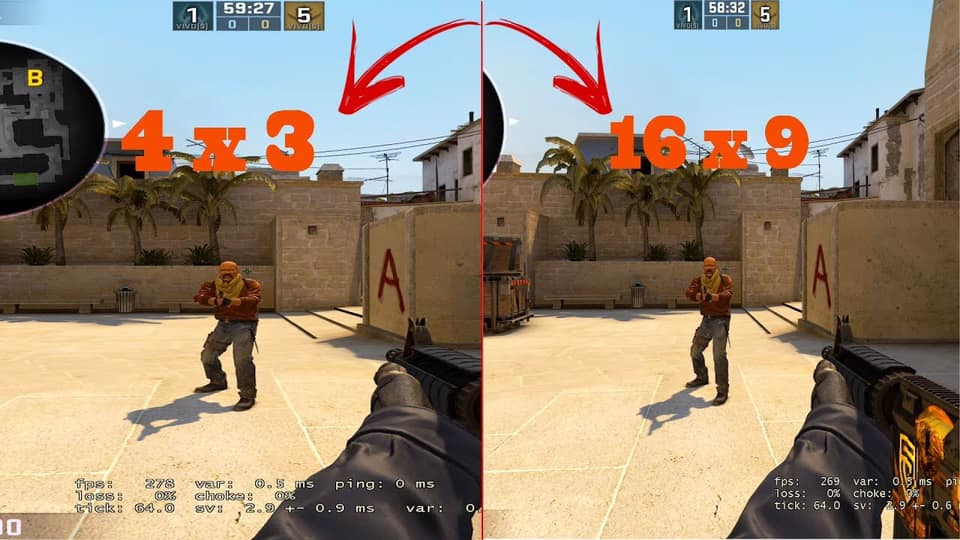
Field of View Comparison: The most significant gameplay impact comes from reduced horizontal field of view. At 4:3 aspect ratio, your peripheral vision becomes significantly limited compared to 16:9.
Analyzing the visual comparisons reveals critical differences. The 4:3 configuration displays the narrowest horizontal view, potentially hiding enemies in peripheral areas. The 16:10 aspect ratio offers moderate improvement, while 16:9 provides maximum situational awareness.
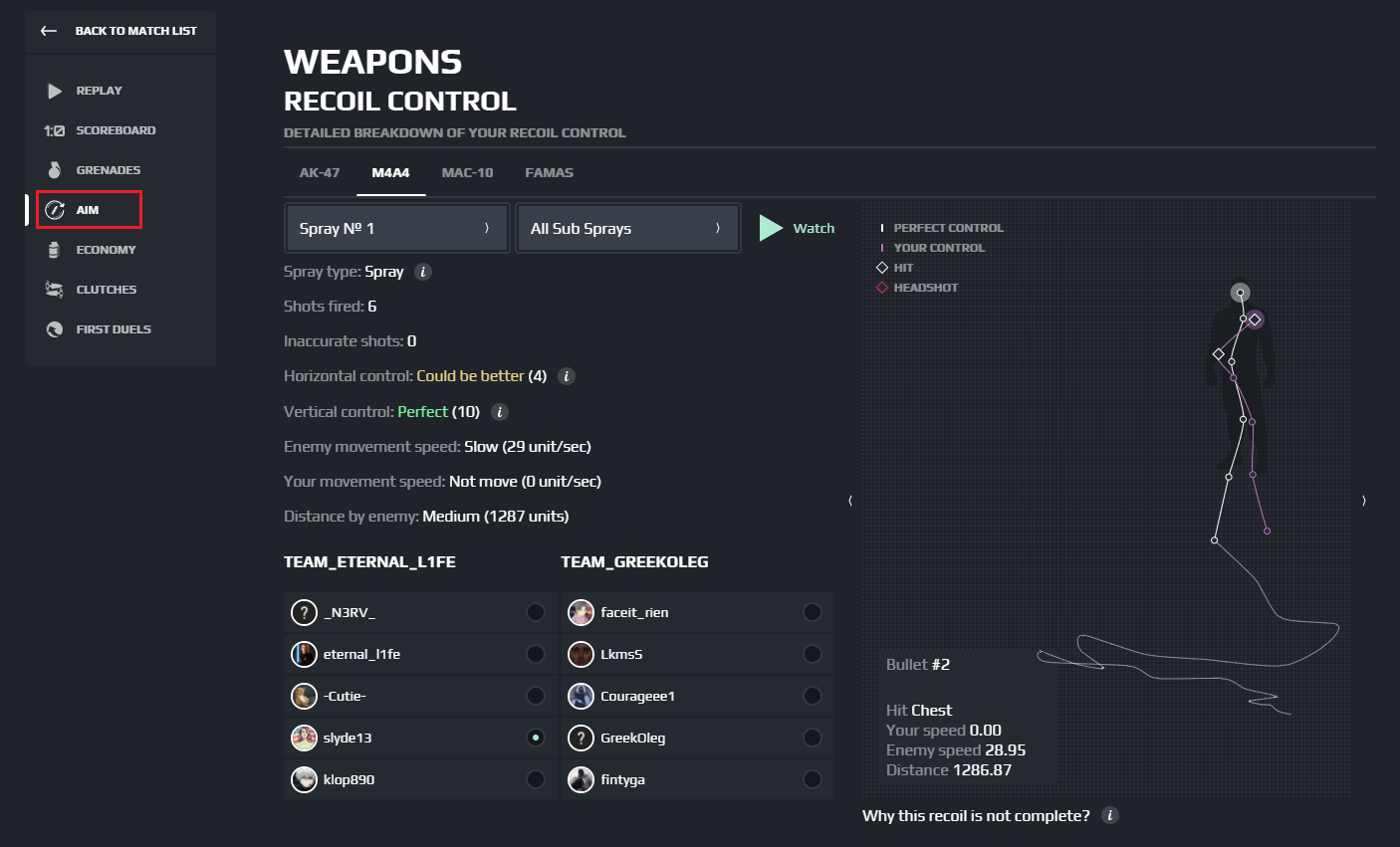
Mouse Sensitivity Dynamics: A crucial misunderstanding involves how stretched resolution affects aiming mechanics. While character models appear wider horizontally, your crosshair movement remains pixel-identical across aspect ratios.
FPS Performance Benefits: Lower resolutions substantially reduce GPU workload, potentially boosting frame rates by 30-60% on older hardware. This performance gain can provide smoother gameplay experiences for systems struggling with modern graphical demands.
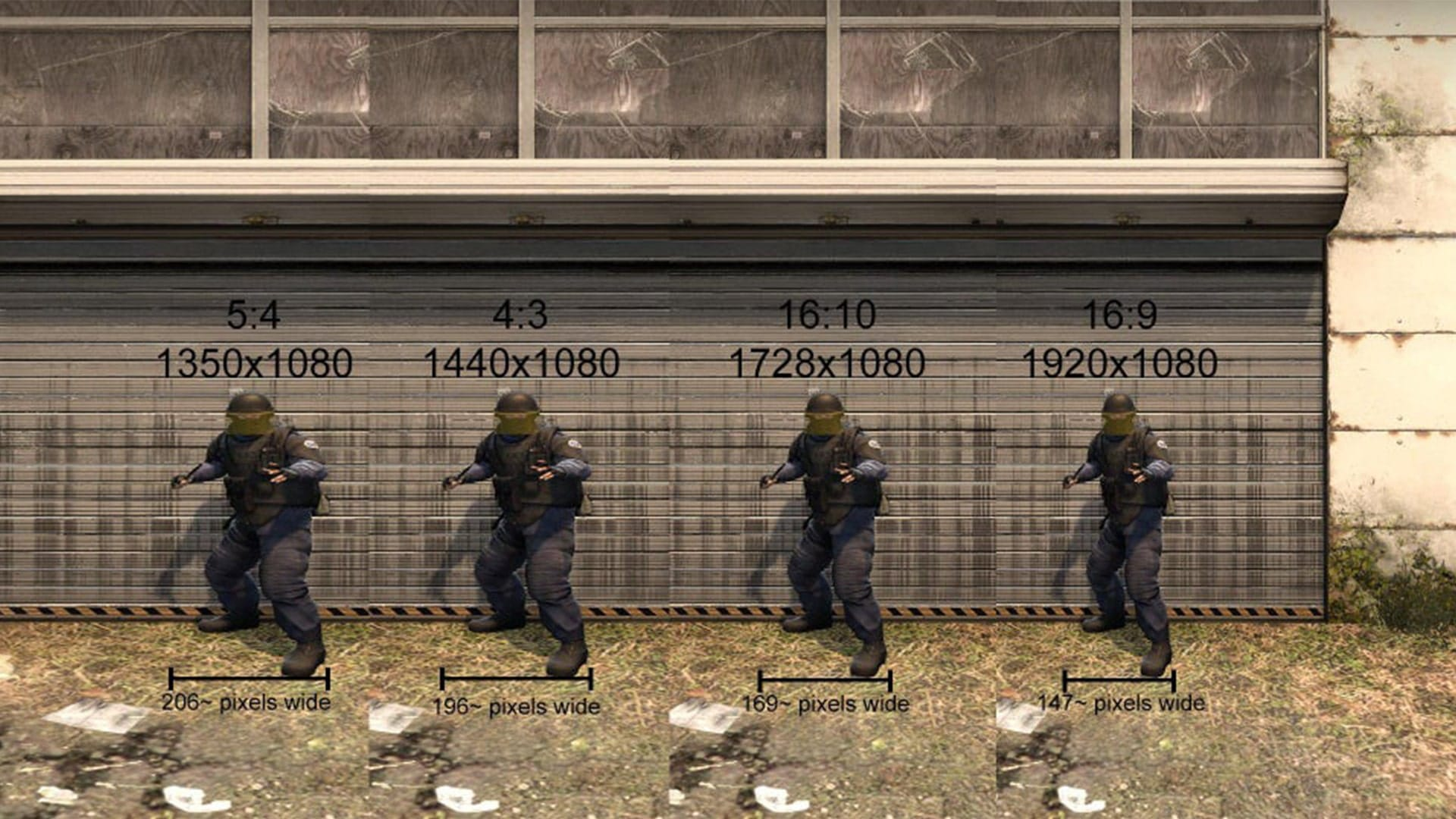
The ‘speed syndrome’ phenomenon occurs because horizontally stretched models appear to move faster across the screen. This visual deception often requires sensitivity adjustments, typically reducing DPI by 15-25% to maintain aiming consistency.
The enduring question about professional players’ aspect ratio preferences has a straightforward explanation: habit formation and consistency maintenance outweigh perceived minor advantages.
Historical Context: Veterans who began their competitive careers during Counter-Strike 1.6 developed muscle memory on CRT monitors exclusively supporting 4:3 ratios. Transitioning to widescreen formats requires significant adaptation periods that professionals cannot afford during active competition seasons.
Grenade Alignment Challenges: Aspect ratio changes significantly impact utility usage precision. Complex smoke and flashbang lineups relying on visual markers become inconsistent across different aspect ratios.
Hardware Considerations: For players with systems struggling to maintain consistent high frame rates, lower resolutions provide tangible performance improvements. Systems targeting 300+ FPS for monitor synchronization benefits may require resolution compromises.
Transition Strategy: The 16:10 aspect ratio serves as an effective intermediate step when moving from 4:3 to 16:9. This stepping-stone approach helps mitigate the dramatic visual and sensitivity changes.
Advanced Optimization Techniques: Beyond basic resolution settings, consider custom resolution creation through GPU drivers for precise aspect ratio control. Monitor overclocking can also provide additional frame rate headroom when using higher native resolutions.
New players should prioritize Complete Guide approaches that maximize available visual information rather than restricting it for perceived benefits.
Action Checklist
- Access GPU control panel and configure full-screen scaling
- Test mouse sensitivity adjustments (reduce 15-25% initially)
- Practice grenade lineups in your new aspect ratio
- Benchmark FPS performance across different resolutions
- Evaluate field of view limitations in common engagement areas
No reproduction without permission:Tsp Game Club » How to play CS:GO in 4:3 or 16:9 resolution? Guide by SCOPE.GG Master CS2 screen stretching techniques while understanding the real impact on gameplay and performance